



MiFinity eVoucher USD Top Up: Fast, Secure Digital Funding
A MiFinity eVoucher (USD) is a prepaid electronic payment voucher that enables users to deposit United States Dollars directly into their MiFinity eWallet account. Each voucher consists of a secure 20-digit PIN, an expiry date, and an assigned monetary value denominated in USD.
Using a prepaid voucher allows you to fund your online balance without linking your credit card or personal bank account directly to individual merchant websites. Once redeemed, the funds appear instantly in your USD eWallet balance, allowing you to pay online, transfer funds, or manage gaming and entertainment expenses securely across thousands of supported global merchants.
On BitTopup, you can purchase authentic digital voucher codes with rapid processing, zero account credential requirements, and dependable customer support.
Step-by-Step Guide: How to Recharge Your MiFinity eWallet
Redeeming your USD code into your MiFinity account is a straightforward process that takes less than two minutes. Follow these steps to complete your deposit:
- Log In to Your Account: Visit the official MiFinity website or open the mobile app and log in using your registered credentials.
- Select Deposit: On your dashboard, locate and click the Deposit option from the main menu.
- Choose MiFinity eVoucher: Select eVoucher / MiFinity eVoucher as your deposit method from the list of available payment options.
- Pick Your USD Wallet: Choose your target USD sub-wallet to ensure funds land directly in the matching currency without automatic currency conversion.
- Enter Voucher Details: Carefully enter your 20-digit PIN and the voucher expiry date in the designated fields.
- Confirm the Transaction: Review the transaction summary and click Deposit / Submit. Your account balance will update immediately.
Finding Your MiFinity eWallet Account and Currency ID
Before entering your voucher code, confirm that you are depositing into a United States Dollar sub-wallet within your MiFinity profile. Your account allows multiple currency pockets under a single login.
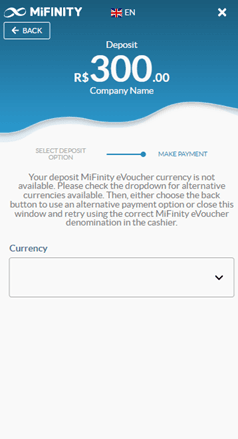
To verify your wallet details:* Navigate to the Wallets tab on the left sidebar or bottom navigation bar.* Identify the wallet labeled USD alongside your account reference number.* If you do not yet have a USD wallet, click Create New Wallet, select USD (US Dollar) as the primary currency, and confirm.
Supported Denominations and Checkout on BitTopup
BitTopup supports a wide selection of MiFinity USD denominations to match your exact funding needs. Live pricing, exchange rates, and available local payment channels are displayed in real time during the checkout process.
| Voucher Denomination (USD) | Delivery Format | Wallet Credit Speed | Credential Requirement |
|---|---|---|---|
| $10.00 USD | 20-Digit Digital PIN | Instant upon redemption | None (Code only) |
| $25.00 USD | 20-Digit Digital PIN | Instant upon redemption | None (Code only) |
| $50.00 USD | 20-Digit Digital PIN | Instant upon redemption | None (Code only) |
| $100.00 USD | 20-Digit Digital PIN | Instant upon redemption | None (Code only) |
| $250.00 USD | 20-Digit Digital PIN | Instant upon redemption | None (Code only) |
Note: Final prices and local currency equivalents are shown transparently at checkout prior to payment completion.
Currency Matching Rules: Avoiding Foreign Exchange Fees
When using a MiFinity eVoucher (USD), keep the following balance and currency match rules in mind:
- USD-to-USD Matching: Always redeem a USD voucher into a USD-denominated sub-wallet. This ensures you receive the full face value without deduction.
- Cross-Currency Redemptions: If you choose to redeem a USD voucher into a non-USD wallet (such as EUR, GBP, CAD, or AUD), MiFinity will apply an automatic foreign exchange conversion fee based on their daily exchange rates. To minimize costs, create a free USD sub-wallet inside your existing MiFinity account before initiating the deposit.
- Single-Use Structure: The full face value of the voucher must typically be redeemed in a single transaction into your account.
Troubleshooting Common 20-Digit PIN Errors and Delays
If you experience an issue while redeeming your code, review the common solutions below:
- Invalid PIN Error: Ensure you entered all 20 digits without spaces, hyphens, or accidental trailing characters. Copy and paste the code directly from your BitTopup order page to eliminate manual typos.
- Voucher Already Redeemed: Refresh your MiFinity dashboard and review your transaction history. If the funds did not credit and the code shows as used, verify if another user on a shared device completed the deposit.
- Currency Mismatch Alert: Some merchant portals require an active USD sub-wallet balance rather than a direct cross-currency conversion. Make sure your USD balance is selected during checkout.
- Account Verification Holds: If your MiFinity profile has reached its unverified tier deposit limit, complete the quick identity verification steps in your profile settings to unlock higher balance caps.
Why Buy MiFinity eVoucher USD on BitTopup?
- Instant Digital Code Delivery: Your 20-digit PIN and expiry information are generated and displayed on screen immediately after payment confirmation, with a backup sent directly to your email.
- Complete Account Safety: BitTopup never asks for your MiFinity account password, login credentials, or sensitive banking access. You receive a standalone digital PIN to redeem independently.
- Transparent Live Pricing: Review the exact total cost with zero hidden processing surcharges prior to confirming your purchase.
- 24/7 Dedicated Customer Support: Our customer support team is available around the clock to assist with code verification, order tracking, and purchase inquiries.
Frequently Asked Questions
How do I redeem my 20-digit MiFinity eVoucher USD code?
Log in to your MiFinity account, click Deposit, select MiFinity eVoucher as your deposit method, choose your USD wallet, and enter your 20-digit PIN along with the expiry date. The funds will credit your balance immediately.
Can I use a USD MiFinity eVoucher if my eWallet currency is EUR or GBP?
Yes. You can redeem a USD voucher into a EUR or GBP wallet, but MiFinity will apply an internal foreign exchange conversion fee. To avoid exchange fees, set up a free USD sub-wallet in your MiFinity dashboard and redeem the voucher there.
How long does it take to receive the MiFinity eVoucher code after purchase?
Codes are processed and delivered digitally right after payment verification. You will see the 20-digit PIN on your BitTopup order confirmation screen and receive a copy via email.
Do I need to share my MiFinity account password to buy an eVoucher on BitTopup?
No. BitTopup does not require your MiFinity login or password. You only purchase the prepaid digital voucher code, which you personally redeem inside your own account.
Does the MiFinity eVoucher (USD) expire?
Yes. MiFinity eVouchers have a valid operational period indicated on the voucher details. It is best practice to redeem your code to your wallet balance shortly after purchase.
What should I do if my MiFinity voucher code is marked invalid or already redeemed?
First, verify that the 20 digits were entered correctly without extra spaces. If the error persists, check your MiFinity deposit history to see if the balance updated. For further assistance, contact BitTopup 24/7 customer support with your order number.