

PlayStation Network Card IT Top Up: Overview and Wallet Denominations
A PlayStation Network Card (IT) provides a secure, convenient way to add funds to your Italian Sony Entertainment Network wallet without linking a personal credit card or bank account. Each digital card delivers a unique 12-digit alphanumeric voucher code denominated in Euros (€). Once redeemed on an Italian PlayStation Network account, the entire balance transfers directly to your digital wallet balance for immediate purchases across the PlayStation Store.
Whether you are purchasing the latest 2026 AAA releases, grabbing season passes, purchasing in-game virtual currencies, or renewing your PlayStation Plus membership, Italian PSN gift cards grant full flexibility without recurring billing risks.
| Card Region | Currency | Compatible Store | Account Requirement |
|---|---|---|---|
| Italy (IT) | EUR (€) | PlayStation Store Italy | Account registered to Italy |
| Digital Delivery | Code Format: 12 Characters | Supported Devices | PS5, PS4, Web, PS App |
BitTopup provides official digital codes for Italian PSN users with direct electronic delivery. You can check current pricing and pick your preferred denomination directly on the product checkout selector.
How to Recharge Your Italian PSN Wallet with a Digital Code
Adding funds to your Italian PlayStation Network account with a digital voucher is simple and fast. Follow this standard purchasing workflow:
- Select your required denomination for the PlayStation Network Card (IT) on BitTopup.
- Enter your correct email address to ensure prompt delivery of your 12-digit code.
- Choose your preferred secure payment method at checkout and complete the transaction.
- Receive your official 12-digit Italian PSN code directly on your order confirmation screen and via email.
- Redeem the code on your console, mobile app, or browser to add the Euro balance straight to your wallet.
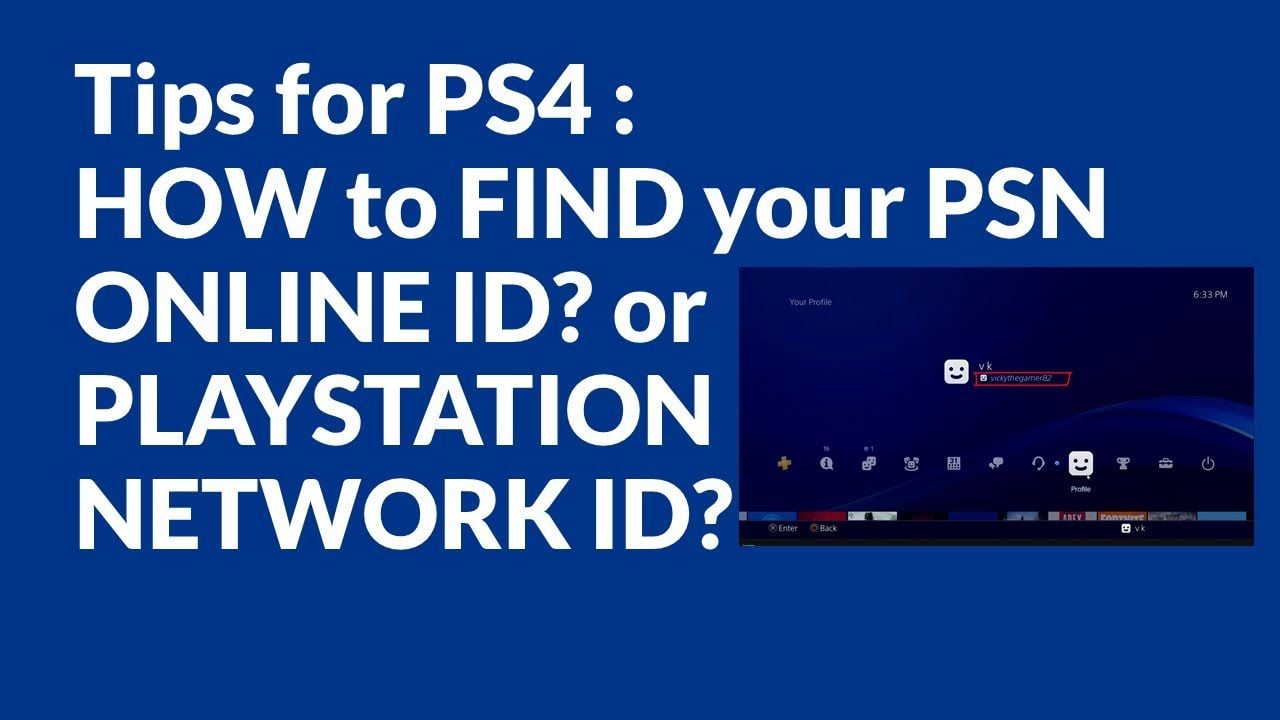
How to Verify Your Italian PSN Account Country and Region
Sony enforces strict geographical boundaries on PlayStation Store gift cards. An Italian PSN card can only be redeemed on a PlayStation Network account set to Italy. Before redeeming your code, verify your account's registered country:
- Log into your Sony account at
store.playstation.comor via your console settings. - Go to Account Management > Account Details > Location.
- Check that the Country/Region field displays Italy (Italia).
- If your account is registered to another region, you will need an Italian PSN account to redeem an IT card.
Step-by-Step Code Redemption Guide (PS5, PS4, Web Browser, PS App)
You can redeem your 12-digit digital voucher code across any official PlayStation platform. Make sure you are signed into the correct Italian account before entering the code.
Redeeming on PlayStation 5
- From the PS5 home screen, navigate to Settings (gear icon) in the top right corner.
- Select Users and Accounts > Account > Payment and Subscriptions.
- Choose Redeem Codes.
- Enter the 12-digit voucher code exactly as received.
- Select Redeem. The Euro funds will instantly appear in your wallet balance.
Redeeming on PlayStation 4
- Open the PlayStation Store from the PS4 home dashboard.
- Scroll down the left sidebar menu to the bottom and select Redeem Codes.
- Carefully type your 12-digit code without hyphens or spaces.
- Select Continue and confirm the redemption.
Redeeming via Web Browser (PC or Mobile)
- Open your browser and go to
store.playstation.com. - Sign in with your Italian PlayStation Network account credentials.
- Click on your profile avatar in the upper-right corner of the screen.
- Select Redeem Code from the drop-down menu.
- Enter the 12-digit code and select Next to finalize the top up.
Redeeming via the PlayStation App (iOS & Android)
- Open the official PlayStation App on your smartphone and sign in.
- Tap the PlayStation Store icon located at the bottom center of the interface.
- Tap the menu icon (three lines) in the top right corner.
- Select Redeem Code.
- Enter the 12-digit code manually or scan the code using your smartphone camera, then confirm.
Region Compatibility: Important Notice for Italy PSN Accounts
PlayStation Network gift cards are strictly region-locked by currency and national licensing agreements.
- Country Match: A PlayStation Network Card (IT) is exclusively redeemable on accounts registered under the country of Italy. Codes cannot be applied to accounts set to Germany, France, the United Kingdom, the United States, or any other jurisdiction, even if the country also uses Euros.
- No Cross-Border Wallet Transfers: Funds added to an Italian PSN wallet cannot be transferred to another user, another PSN account, or converted into different regional currencies.
- Game Compatibility: DLCs, season passes, and add-ons purchased on the Italian PlayStation Store require the base game to share the identical European/Italian region disc or digital license code.
What You Can Buy: Games, DLCs, and PlayStation Plus in 2026
Once your Italian PSN wallet is funded, you can spend your Euro balance across the entire Italian PlayStation digital ecosystem:
- Full Digital Games: Purchase full PS5 and PS4 games, independent titles, remasters, and pre-orders directly from the PlayStation Store.
- PlayStation Plus Memberships: Pay for monthly, quarterly, or annual tiers of PlayStation Plus Essential, Extra, or Premium using your wallet balance without needing a credit card on file.
- DLCs and Expansions: Get bonus chapters, battle passes, cosmetics, and major game expansion packs.
- Virtual Currencies: Top up in-game currency balances for popular multiplayer games, including EA Sports FC Points, Fortnite V-Bucks, Call of Duty Points, and GTA Online Shark Cards.
- Movies and Media: Rent or buy digital media available on the PlayStation network.
Common PSN Voucher Code Errors and How to Fix Them
If you experience an issue when redeeming your voucher, check these common error resolutions:
- Error WC-40371-5 / WS-45485-6 (Code Inactive or Region Mismatch): This error occurs if your account region is not set to Italy or if the code was entered with a typographical error. Verify your account location settings and re-enter the code.
- Typo Checks: PlayStation voucher codes do not use the letters I, O, S, or Z to avoid confusion with numbers 1, 0, 5, and 2. Double-check your entry if you entered any ambiguous characters.
- Wallet Cap Limits: Sony maintains a maximum wallet balance cap (typically €150 or €250 depending on local account security configurations). If the voucher amount pushes your balance past the limit, spend part of your existing balance before redeeming the code.
- Already Redeemed: If the store indicates the code has already been claimed, sign out of your account, sign back in, and inspect your Transaction History under Account Settings to verify if the funds were credited on a prior attempt.
Safe and Instant Digital Delivery with BitTopup
BitTopup provides a frictionless solution to top up your Italian PSN wallet safely:
- No Password Sharing Required: You never need to supply your PSN account login, email password, or private credentials. You receive an independent 12-digit code that you enter directly on your console or device.
- Rapid Code Dispatch: Digital codes are generated and sent straight to your screen and inbox as soon as checkout completes.
- Multiple Payment Options: Complete your order with a variety of trusted payment options displayed live at checkout.
- Dedicated Customer Service: If you have questions regarding your order or code entry, BitTopup customer support is available to assist you throughout the entire process.
Frequently Asked Questions
How do I redeem a PlayStation Network card in Italy?
Sign into your Italian PSN account on your PS5, PS4, the PlayStation App, or store.playstation.com. Go to Account Settings or the Store menu, select Redeem Code, type your 12-digit code, and confirm. The funds will be credited to your Euro wallet balance immediately.
Can I use a PlayStation Network Card (IT) on an account registered outside Italy?
No. PlayStation voucher codes are strictly locked to the country where the account was registered. A PlayStation Network Card (IT) works only on accounts with Italy selected as the registered country/region.
How do I top up my PlayStation Network wallet balance?
Purchase an Italian PSN digital card on BitTopup, obtain the 12-character voucher code, and enter it through the Redeem Code section in your console settings or via the PlayStation Store. The full Euro amount is added to your account wallet upon confirmation.
Are PlayStation Network gift cards reloadable?
No, PlayStation Network cards are single-use digital vouchers. Once you redeem the 12-digit code, the value is fully deposited into your PSN wallet and the code cannot be reused or reloaded. To add more funds in the future, simply purchase a new code on BitTopup.
What should I do if my Italian PSN code is not working?
First, verify that your PSN account region is set to Italy and ensure there are no typos (such as mistaking 0 for O or 1 for I). Check your Transaction History to see if the balance was already added. If the issue persists, contact BitTopup support with your order details for assistance.
Do PlayStation Network gift card codes expire in 2026?
PlayStation Network wallet top up vouchers typically carry a validity period of 12 months from the date of issue unless specified otherwise on the voucher terms. To avoid missing any expiration dates, redeem your code to your PSN wallet shortly after receiving it. Once redeemed, funds stored in your PSN wallet balance do not expire.