


iTunes Gift Card (US) Top Up: Overview & Digital Apple Services
An iTunes Gift Card (US) provides a direct, prepaid dollar balance to your United States Apple Account. Whether you want to pay for monthly digital subscriptions, purchase premium apps, unlock in-game currencies, or rent media, redeeming a US iTunes code credit gives you full access to the US Apple digital ecosystem.
While Apple has unified its physical retail and digital retail cards under the Apple Gift Card label in the United States, digital codes labeled as iTunes or App Store gift cards function identically for all digital services. Once applied, the balance settles directly into your Apple Account wallet, automatically paying for your purchases before charging any secondary payment method on file.
US Region Compatibility & How to Verify Your Apple Account Region
Apple applies strict region locks to all prepaid vouchers. A US iTunes Gift Card can only be redeemed on an Apple Account (Apple ID) set to the United States region with the App Store storefront configured to USD currency. Attempting to redeem a US voucher on an account registered in another country will trigger an error stating that the code is not valid in your storefront.
To verify your Apple Account region before applying your code:
- Open the Settings app on your iPhone or iPad.
- Tap your Name / Profile banner at the very top.
- Select Media & Purchases, then tap View Account.
- Tap Country/Region to confirm your account is configured to the United States.
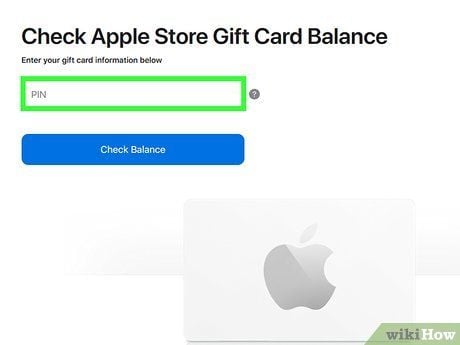
If your Apple Account is set to a different country, you must either switch your country/region to the United States (requiring zero active subscriptions and zero remaining regional balance) or create a dedicated secondary US Apple Account to access US storefront apps and media.
Step-by-Step Guide: How to Redeem Your iTunes Gift Card US Code
Redeeming your digital code is quick across any modern Apple or desktop platform. Follow these device-specific instructions:
On iPhone, iPad, or iPod Touch
- Open the App Store app.
- Tap your Profile icon (or photo) in the top right corner.
- Tap Redeem Gift Card or Code.
- Select Enter Code Manually.
- Type or paste your 16-character alphanumeric code received from BitTopup and tap Redeem.
On Mac (macOS)
- Open the App Store on your Mac.
- Click your name or the sign-in button at the bottom of the left sidebar.
- Click Redeem Gift Card in the top right corner.
- Enter your 16-digit code manually and click Redeem.
On Windows PC
- Open the Apple Music app, Apple TV app, or classic iTunes for Windows.
- Sign in with your US Apple Account.
- From the menu bar or account profile menu, select Redeem.
- Enter your 16-character digital code and confirm.
On Apple Vision Pro (visionOS)
- Open the App Store in your virtual environment.
- Select your Account profile in the sidebar.
- Choose Redeem Gift Card or Code and enter the digital code.
Eligible Purchases: What You Can Buy With US iTunes Balance
Your US iTunes card balance covers almost all digital products and service subscriptions distributed directly through Apple's US storefronts.
| Category | Eligible Services & Content | Balance Usability |
|---|---|---|
| App Store | Paid iOS/iPadOS/macOS apps, in-app purchases, game passes | Fully Supported |
| Apple Subscriptions | Apple Music, Apple TV+, Apple Arcade, Apple Fitness+, Apple News+ | Fully Supported |
| Cloud Storage | iCloud+ monthly storage plans (50 GB, 200 GB, 2 TB, etc.) | Fully Supported |
| Media & Entertainment | Movies, TV seasons, audiobooks, and book purchases | Fully Supported |
| In-Game Currencies | Gacha pulls, battle passes, gems, tokens in mobile games | Fully Supported |
| Physical Hardware | iPhones, iPads, Mac computers at physical US Apple retail stores | Requires Unified Apple Gift Card |
Troubleshooting Common iTunes Gift Card Redemption Errors
If you run into an issue when entering your voucher code, review these standard solutions:
- Code is not valid / Code not recognized: Check for common typographical errors. Apple gift codes do not use certain easily confused letters and numbers, such as O, I, Z, or S. Ensure you entered all 16 characters correctly without accidental spaces.
- Card has already been redeemed: Refresh your App Store balance or sign out and sign back in to your Apple Account. If the balance still does not show, verify if another family member in your Apple Family Sharing group redeemed the code.
- Code must be redeemed in a different storefront / Country mismatch: This occurs when your Apple Account is set to a non-US region. Change your account region to the United States or use a US-registered Apple ID.
- Card is not active: This means the voucher was not activated properly at the distributor level. Contact customer support with your order number for quick validation.
Why Buy iTunes Gift Card (US) Codes on BitTopup
BitTopup provides a fast, dependable platform for purchasing US digital game and app store vouchers:
- Instant Digital Delivery: Your code is generated and displayed on your screen immediately after order confirmation, with a backup sent to your email.
- No Password or Account Sharing: You receive an unredeemed digital voucher code directly. You never have to share your Apple ID email, password, or security credentials.
- Flexible Global Payment Methods: Pay using your preferred local or international payment option without needing a US credit card.
- Transparent Live Checkout: Check live denominations, availability, and pricing directly on the checkout screen with no hidden fees.
- 24/7 Dedicated Support: Responsive customer service is available around the clock to assist you with order inquiries and redemption guidance.
Frequently Asked Questions
Can I use a US iTunes gift card on an Apple Account registered in another country?
No. Apple gift cards and iTunes codes are strictly region-locked. A US iTunes code can only be redeemed on an Apple Account registered to the United States region with storefront pricing in USD.
Do US iTunes gift cards have an expiration date?
No. US iTunes and Apple Gift Cards do not expire, nor do they carry monthly maintenance or inactivity fees. Once redeemed, the funds remain in your Apple Account balance indefinitely until spent.
How do I redeem my US iTunes gift card on an iPhone or iPad?
Open the App Store app, tap your profile icon in the upper-right corner, select "Redeem Gift Card or Code," choose "Enter Code Manually," type in your 16-digit voucher code, and tap Redeem.
Can I use my iTunes gift card balance for in-app purchases and subscriptions like iCloud+?
Yes. Once redeemed to your US Apple Account, your balance is automatically used as the primary payment method for in-app purchases, mobile game currencies, and recurring Apple subscriptions like iCloud+, Apple Music, Apple TV+, and Apple Arcade.
What should I do if I get an error saying my code has already been redeemed?
First, sign out of the App Store and sign back in to refresh your account balance display. If your balance does not update, check your purchase history to verify if the credit was already applied, or confirm if another member of your Family Sharing group had access to the code.
How can I check my Apple Account balance after redeeming a US gift card?
Open the App Store on your iOS device or Mac and tap your profile icon at the top of the screen. If you have an active credit balance, your available USD amount will appear right under your name and Apple ID email address.