Official Controller Policy
MFi-certified controllers connect through iOS's built-in framework, registering as legitimate input devices rather than automation tools. This lets anti-cheat differentiate physical button presses from scripted macros.
Wired connections deliver 1-3ms latency vs Bluetooth's 10-30ms delay, providing measurable advantages in firefights. Season 11 (launching December 18, 2025) maintains this controller-friendly stance while intensifying detection for unauthorized apps.
How Anti-Cheat Detects Unauthorized Inputs
Ring 0 monitoring analyzes input timing patterns, detecting inhuman consistency in macro scripts. Legitimate controller inputs show natural variance in button press duration, while automated tools produce impossible precision. The system flags accounts demonstrating mechanical repetition beyond human capability.
Dead zones at 5-10% and sensitivity ranges of 40-60% create performance envelopes anti-cheat recognizes as standard controller behavior. Approved hardware within these parameters operates safely, while third-party apps simulating touch inputs trigger immediate reviews.
Season 11 Policy Updates
Season 11's Dust to Gold update reinforces existing controller policies without new restrictions. The team prioritizes fair play through hardware-level detection rather than blanket input bans.
Enforcement targets pattern-based automation, not hardware advantages. Controller reaction times of 180-220ms vs touch controls' 250-300ms reflect hardware capabilities, not artificial enhancement.
Ban Risks: Controllers vs Third-Party Apps
The critical distinction: native controller support vs external software modification. Backbone One through official iOS protocols = zero ban risk. Apps overlaying custom inputs or automating recoil = instant suspension.
Native Bluetooth Support
Bluetooth works but has 10-30ms latency disadvantage vs wired connections. Backbone One's direct Lightning/USB-C connection eliminates wireless delays, providing 1-3ms response times essential for precision ADS aiming.
Controller dead zones of 5-10% prevent stick drift, while 40-60% sensitivity accommodates analog stick range. These configurations work with native input processing for responsive controls without external calibration.
Why Macro Apps Trigger Bans
Apps injecting simulated touch inputs bypass intended input pathways. Ring 0 anti-cheat detects these through process monitoring and memory inspection, identifying unauthorized code execution. Unlike physical controllers registering through iOS framework, macro apps exploit accessibility features or jailbreak modifications.
The system flags impossible input consistency—frame-perfect recoil compensation or sub-150ms reaction times. Skilled controller players achieve 180-220ms through practice; automated systems produce anomalous patterns triggering detection.
Safe vs Banned Configurations
Safe: MFi-certified controllers with native sensitivity adjustments through in-game settings only. Adjusting sensitivity in 10% increments during calibration, then 5% fine-tuning. Setting 0.5s hold duration for crouch-to-prone.
Banned: Third-party apps automating spray patterns, providing aim assistance beyond native gyroscope, or simulating touch inputs. Any software layer between physical controller and game input creates ban risk.
Native Sensitivity System Explained
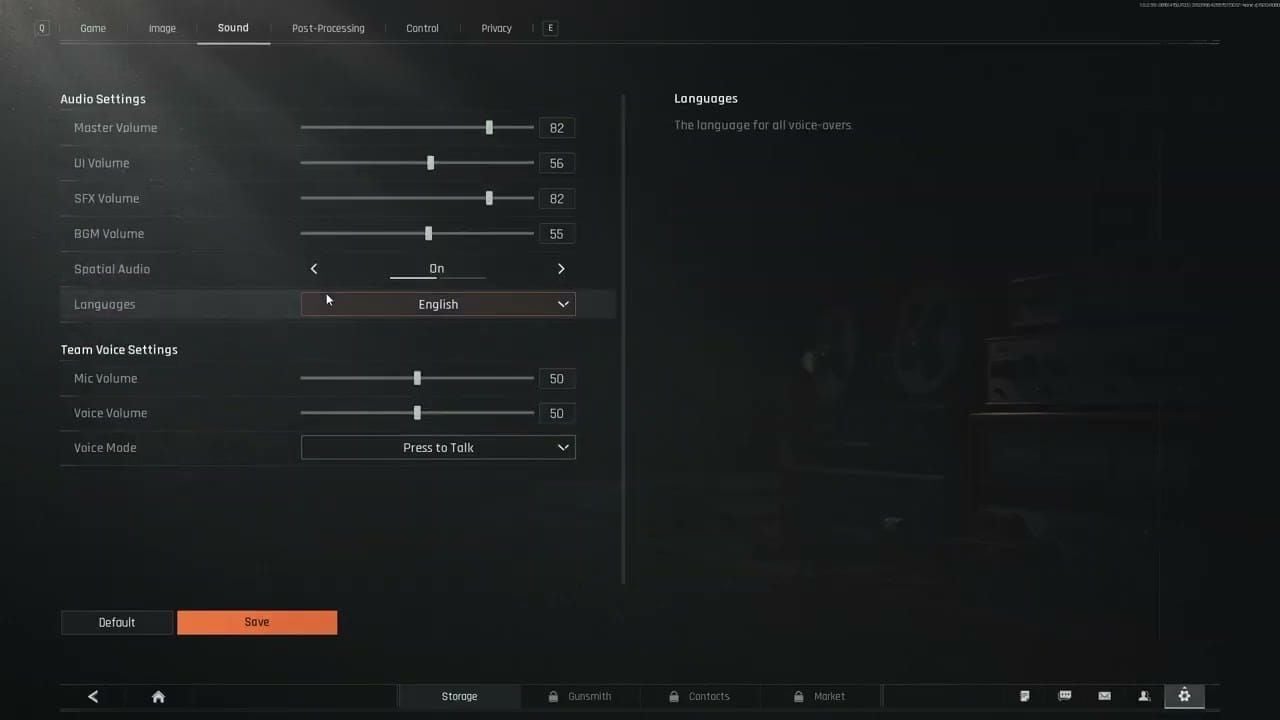
Arena Breakout separates base movement speed from ADS multipliers, allowing granular control. Settings menu provides independent sliders for hip-fire, ADS across scope magnifications, and gyroscope responsiveness.
For premium weapons and gear, buy Arena Breakout bonds online at BitTopup for fast, secure transactions with 24/7 support.
Complete Settings Menu
Access via Settings > Controls > Controller Layout:
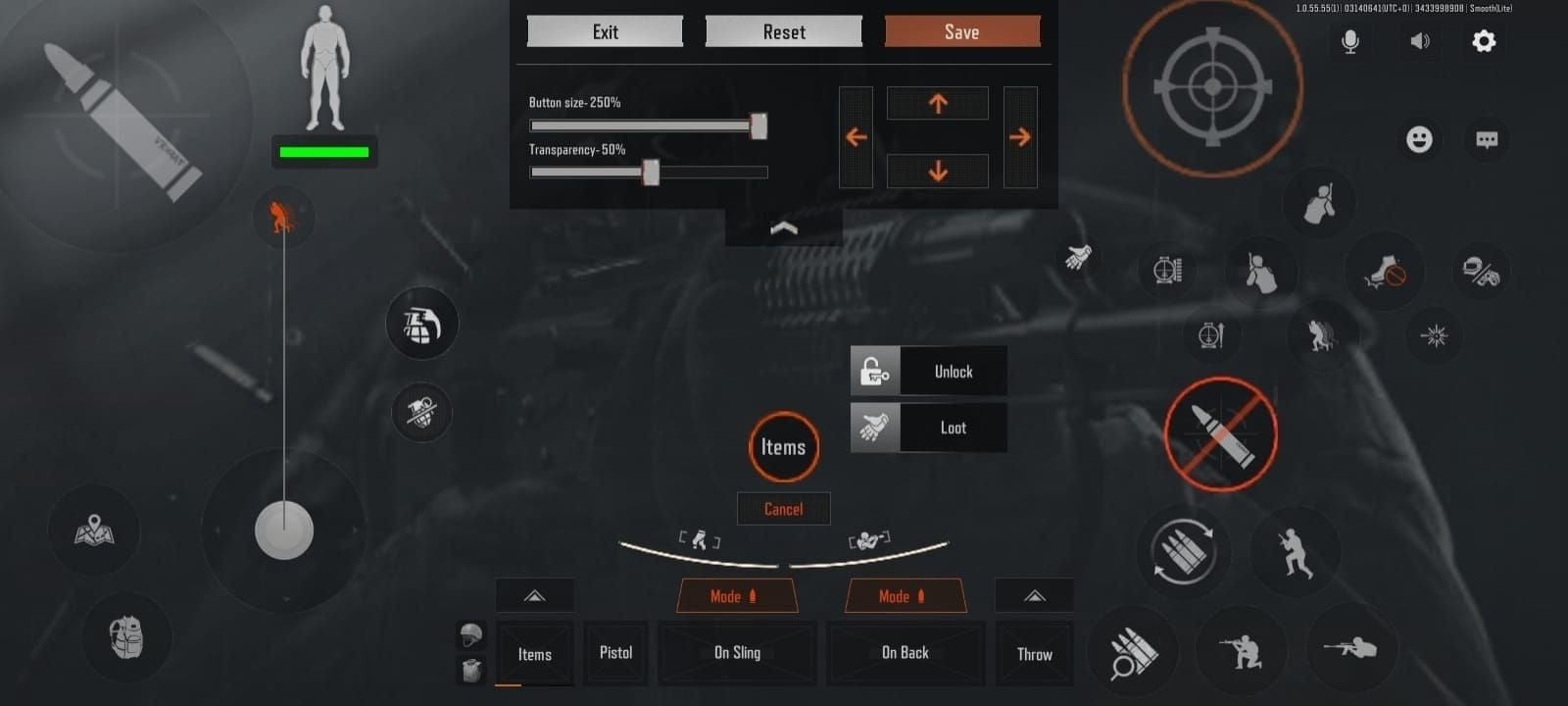
Primary Combat:
- Right trigger: Fire
- Left trigger: ADS
- Right bumper: Grenade
- Left bumper: Hold breath
Movement:
- Left stick click: Sprint toggle
- B: Crouch (tap), prone (hold)
- A: Jump/vault
- Y: Interact
- X: Reload (tap), check mag (hold)
Navigation:
- Start: Backpack
- Back: Map
- D-pad Up: Fire mode
- D-pad Left: Primary weapon
- D-pad Right: Secondary weapon
- D-pad Down: Medical (tap), wheel (hold)
Menu:
- Right stick: Cursor
- Right trigger click: Confirm search
Sensitivity to Movement Translation
Default 50% provides balanced responsiveness. Adjust in 10% increments during testing, then 5% refinements. Base sensitivity of 40-60% suits most competitive players, with ADS 20-30% lower for precision tracking.
This differential prevents over-rotation during magnified aiming while maintaining quick hip-fire acquisition. Player using 55% base might configure 35% ADS for muscle memory consistency.
Analog stick provides proportional input—partial deflection = slower movement than full deflection—allowing dynamic speed adjustment within one sensitivity setting.
DPI vs Touch Sensitivity
Unlike mouse shooters, mobile controllers translate analog stick position into virtual touch input velocity. Sensitivity percentage determines how quickly max stick deflection rotates camera. Higher percentages increase rotational velocity; lower values provide finer control.
This differs from touch controls where swipe distance/speed directly determines movement. Controller players gain 70-80ms reaction advantage through immediate full-deflection input vs touch players' physical screen swipes.
Step-by-Step Calibration
Baseline Testing
- Set all values to 50%
- Enter Armory shooting range

- Practice 180-degree turns with full stick deflection
- If sluggish, increase base by 10%
- If overshooting, decrease by 10%
- Repeat until turns feel natural
- Fine-tune in 5% increments
This baseline establishes hip-fire responsiveness for close-quarters combat on maps like Farm.
ADS Optimization by Scope
Configure ADS 20-30% lower than base. For 50% base, test 30-35% ADS:
Red Dot/Holographic (1x-2x):
- Test 20% lower (50% base → 40% ADS)
- Prioritize tracking at 25-50m
Medium Optics (3x-4x):
- 25% reduction
- Test 37-38% for 50% base
- Focus on controlled bursts
Sniper Scopes (6x-8x):
- 30% reduction
- Configure 35% ADS for 50% base
- Practice deliberate placement
Hip-Fire for CQB
Close-quarters rewards aggressive hip-fire. SMG/shotgun players benefit from 55-60% base for rapid target transitions when clearing rooms. The 70-80ms reaction advantage becomes decisive in split-second encounters.
Test by engaging multiple targets quickly at range. Optimal sensitivity allows smooth transitions without overshooting during strafing.
Gyroscope Integration
Enable gyroscope at 30-40% for players using 50% base to prevent motion interference. This creates hybrid control—major adjustments via right stick, micro-corrections via device tilt.
Gyroscope excels during sustained auto fire, allowing subtle tilts to counteract vertical recoil without disrupting stick positioning. Effective with high-recoil weapons like AKM, combining stick horizontal control with gyroscope vertical compensation.
Weapon-Specific Tweaks
Assault Rifles
M4A1: 45-50% base, 30-35% ADS. Predictable vertical recoil pairs with moderate sensitivity for controlled downward stick pressure during full-auto at 50-100m.
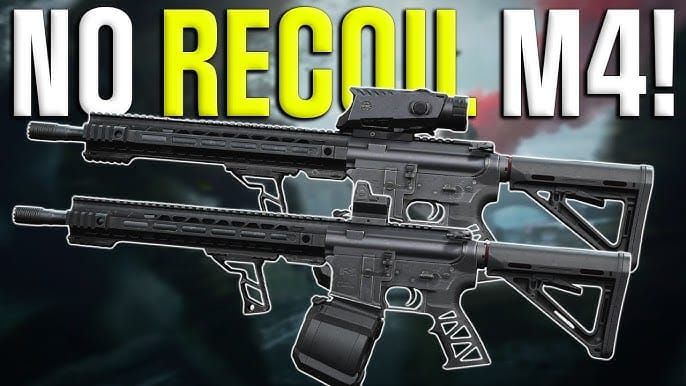
AKM: 40-45% base due to aggressive recoil. Reduced sensitivity provides control during critical first five rounds. ADS 25-30% enables precise tap-firing at extended ranges.
SMGs
Dominate interiors under 15m. Higher base of 55-60% facilitates rapid tracking for high fire rates. Increased rotational speed compensates for erratic movement during close-quarters panic.
ADS can stay closer to base—reducing only 15-20%—since magnified optics see limited use. Maintains aggressive tracking even when ADS.
Sniper Rifles
Require lowest ADS for pixel-perfect headshots at 100+m. Base can remain 45-50% for repositioning, but scope sensitivity drops to 30-35% for 6x and 25-30% for 8x.
Left bumper breath-holding further stabilizes aim. Combining low scope sensitivity with breath-holding maximizes one-shot kill potential. Practice leading moving targets to develop muscle memory.
Device-Specific Optimization
iOS vs Android
iOS with MFi controllers benefits from Apple's standardized framework, ensuring consistent input processing across iPhones. Backbone One's tight iOS integration provides predictable latency. Android support varies by manufacturer/OS, potentially introducing lag requiring sensitivity compensation.
iOS players can transfer settings between devices with minimal adjustment. Android users should recalibrate when changing phones/updating OS. 1-3ms wired latency stays consistent on iOS; Android's diverse hardware may introduce 5-8ms variations.
High Refresh Rate (90Hz/120Hz)
90Hz/120Hz displays show smoother camera movement, affecting perceived sensitivity. Increased frame delivery creates more fluid feedback—some players interpret as faster sensitivity even when values unchanged. Competitive players on high-refresh displays often reduce sensitivity 5-10% vs 60Hz for equivalent perceived responsiveness.
Higher refresh reduces motion blur during rapid pans, improving tracking clarity. This compounds controller's inherent reaction advantage.
Tablet vs Smartphone
Tablet players using controllers face different ergonomics. Backbone One's expandable design fits various iPhones, but tablet players use separate Bluetooth controllers with devices on stands. This changes viewing distance/angle, potentially requiring sensitivity adjustments.
Larger tablet screens provide better target visibility, enabling more aggressive sensitivity without sacrificing precision. Smartphone players prioritize portability and Backbone One's integrated design.
Advanced Techniques
Custom Profiles by Map
Arena Breakout doesn't support multiple saved profiles, but experienced players mentally categorize maps by engagement range. Farm's open fields favor lower sensitivity for distance precision; urban maps reward higher sensitivity for room clearing.
Competitive players adjust pre-deployment based on map/playstyle. Planning aggressive SMG rushes might mean 60% base; sniper loadouts on open terrain might use 45%. Manual adaptation takes 30s in settings menu.
Dynamic Mid-Raid Switching
Mid-raid adjustments remain impractical during combat but possible during safe moments—after securing buildings or camping extraction. Settings menu stays accessible during raids for tweaks when transitioning from long-range overwatch to close-quarters looting.
Requires strong situational awareness and quick menu navigation. Most competitive players prefer versatile baseline settings performing adequately across scenarios rather than risking distraction.
Input Lag Reduction
Remove phone cases before inserting into Backbone One—thickness prevents proper seating, introducing intermittent connection issues manifesting as lag spikes. Expand Backbone One by pulling right section, align iPhone's left section with volume buttons facing front, slide right section until firmly seated.
Disable unnecessary background apps to free resources. Close social media, streaming services before launching. Enable iOS Low Power Mode only when necessary—it throttles processor performance, introducing input delays during intensive firefights.
Common Sensitivity Mistakes
Over-Sensitivity Syndrome
New players assume max sensitivity provides advantages through faster turns. This leads to 70-80% base configurations sacrificing precision for rotational velocity. High sensitivity enables rapid 180s but makes micro-adjustments nearly impossible during ADS where pixel-perfect headshots determine outcomes.
Optimal sensitivity balances turn speed with controllability. Most competitive players settle at 45-55% after testing. Players consistently overshooting should reduce by 10% increments.
Inconsistent ADS Multipliers
Configuring identical ADS for red dots and 8x scopes creates control inconsistencies disrupting muscle memory. Magnification differential demands proportional sensitivity reduction.
Systematic approach: configure base ADS for most-used optic (typically red dots), then reduce 5% per magnification tier increase. Creates predictable scaling across loadouts.
Ignoring Gyroscope
Controller purists disable gyroscope entirely, dismissing it as unnecessary. This forfeits precision advantages hybrid schemes offer. Properly configured gyroscope—10-20% lower than base—provides supplementary fine-tuning without interfering with stick aiming.
Gyroscope excels during sustained auto fire, where subtle tilts compensate for recoil without conscious stick adjustments. Frees mental bandwidth for tracking and awareness. Competitive players integrating gyroscope report improved spray control and tighter groupings.
Pro Player Configurations
Competitive Sensitivity Ranges
Top players operate within 45-55% base, 30-40% ADS. This balances rotational speed for CQB with precision for medium-range engagements dominating Season 11 meta. Outliers exist—aggressive SMG specialists push 60% base, dedicated snipers drop to 40%—but 45-55% represents competitive standard.
Dead zones stay at 5-10% across skill levels. 0.5s hold duration for crouch-to-prone balances accidental activation prevention with rapid position changes.
Playstyle Balance
Aggressive entry fraggers: 52-55% base, accepting minor precision sacrifices for superior acquisition speed when clearing buildings. Leverages controller's 70-80ms reaction advantage maximally.
Tactical players: 45-48% base, emphasizing precision over rotational velocity. Suits sniper/DMR roles where first-shot accuracy outweighs rapid switching.
Versatile players: ~50% base, mathematical midpoint providing adequate speed and precision for diverse situations. Recommended starting point for new controller players.
Testing Framework
- Establish baseline: 50% base, 35% ADS
- Complete 10 Armory sessions recording accuracy
- Adjust one variable by 5%
- Complete 10 sessions with new settings
- Compare accuracy statistics
- Implement superior configuration as new baseline
- Repeat testing ADS adjustments
- Validate through 5 live raids tracking K/D
Data-driven approach removes guesswork, providing objective metrics guiding optimization.
Staying Compliant
Regular Settings Audits
Review configurations monthly ensuring no unauthorized apps modified input processing. iOS Settings > Privacy > Accessibility displays apps with input monitoring—Arena Breakout should be only game-related entry. Unfamiliar apps with accessibility access warrant immediate investigation/removal.
Verify sensitivity stays within 40-60% base and 20-30% lower ADS characterizing legitimate optimization. Extreme configurations outside these may indicate third-party interference or corrupted settings requiring reset.
Future-Proofing
Monitor official Arena Breakout channels and in-game announcements for policy updates. Season 11 maintains current controller-friendly policies, but future updates may introduce restrictions or expand supported hardware. Staying informed prevents surprise violations.
Maintain backup configurations by photographing settings menus or documenting values. Enables rapid reconfiguration if updates reset settings or policy changes require adjustment.
Official Update Sources
Official patch notes and season launch announcements detail input device policy changes. December 18, 2025 Season 11 materials confirmed continued MFi support without new restrictions. Future seasons follow similar patterns.
Community forums and Discord aggregate player experiences, offering early warning of compliance issues before official announcements. Engaging provides crowdsourced intelligence on enforcement trends and best practices.
FAQ
Are Bluetooth controllers allowed in Season 11?
Yes, MFi-certified Bluetooth controllers are supported, though wired connections like Backbone One provide superior 1-3ms latency vs Bluetooth's 10-30ms. Both are fully compliant.
Can you get banned for using mobile controllers?
No, MFi-certified controllers through iOS's native framework carry zero ban risk. Bans occur from third-party macro apps or input automation software, not approved physical controllers.
What sensitivity do pro players use?
Competitive players typically use 45-55% base with ADS 20-30% lower (30-40% range). Dead zones at 5-10% with 0.5s hold duration for crouch-to-prone.
How to optimize gyroscope for Season 11?
Set gyroscope 10-20% lower than base (30-40% for 50% base) for supplementary fine-tuning without interfering with stick aiming. Use for recoil compensation during sustained fire.
Does Arena Breakout detect third-party input apps?
Yes, Ring 0 kernel-level anti-cheat detects unauthorized apps through process monitoring and input pattern analysis. Third-party macro apps trigger instant suspensions.
What's the best ADS sensitivity?
Configure ADS 20-30% lower than base. For 50% base, test 30-35% ADS, adjusting for primary optic magnification—lower for high-power scopes, higher for red dots.
Ready to dominate Season 11? Top up instantly on BitTopup for premium gear, battle passes, and exclusive items. Secure payments, instant delivery, 24/7 support. Visit BitTopup now!
Character count: 12,847