What Makes Save Points Persistent
Persistence means retaining checkpoint data across death events. Requires three components:
- Detection mechanisms identifying checkpoint reach
- Storage systems using Eggy Code variables for location data
- Respawn logic retrieving saved positions on death
Standard Respawns vs Advanced Checkpoints
Standard respawns use fixed Respawn Points activating universally. They lack conditional logic and can't differentiate individual player progress.
Advanced systems leverage Checkpoint Volumes in Sandbox Mode as trigger zones updating player-specific respawn locations. Syncing Checkpoint Volume Arrowheads to Prefabs establishes dynamic respawn points adapting to progression.
Why Default Logic Fails
Default mechanisms operate globally without player-specific state tracking. No logic exists to store or retrieve checkpoint data, causing hard resets to initial spawn on death.
Particularly problematic in maps exceeding 60 seconds—repeated full restarts cause player abandonment.
Core Architecture Principles
Three principles: event-driven activation, state persistence, conditional respawning.
Must account for Workshop intensity limits: 18,000 base, 21,000 at 1,000 Craftsman Points, 25,000 at 10,000 Craftsman Points.
Essential Logic Components
Required Components Checklist

- Checkpoint Volumes: Spatial detection zones
- Event Trigger Volumes: Player interaction monitoring
- Eggy Code variables: Data storage
- Respawn Devices: 30-second cooldown limitation
- Finish Line objects: Editable by aiming volumes
Cone triggers work for directional checkpoints; Half Sphere triggers provide 180-degree coverage. Set Detection Scope to Player entity type.
Variable System Overview
Six variable types:
- Position: Coordinate data
- Integer: Checkpoint numbering
- Float: Precise timing
- Boolean: State flags
- String: Identifiers
- Vector3: Directional data
Global variables remain available throughout all triggers. For basic systems, integer variables tracking checkpoint numbers work best.
Event Trigger Types
Entry detection events fire when players enter trigger volumes. Death detection events activate on player failure.
Access Eggy Code: More menu > select unit > Edit Eggy Code. Entry events set checkpoint variables; death events read them for spawn locations.
Condition Logic Setup
Conditions compare current checkpoint variables against thresholds. Boolean conditions provide true/false evaluations; integer comparisons enable multi-checkpoint sequencing.
The inputLocked boolean variable (default false, changed to true for 0.5 seconds) prevents input during checkpoint activation.
Building Your First Persistent Save Point
Phase 1: Creating Trigger Zone

Place Checkpoint Volume 1 Eggy unit above ground. Configure 2-3 Eggy unit diameter for ground-based triggers, 1.5-2 units for wall-mounted. Maintain 2 Eggy unit minimum spacing between triggers.
Sync Arrowhead to Prefab for visual checkpoint indicator.
Phase 2: Player Detection Events
Configure Detection Scope to Player entity types. Create entry event updating checkpoint tracking variable and providing feedback.
Set integer variable CurrentCheckpoint to unique identifier for this checkpoint's position.
Buy eggy coins cheap at BitTopup for advanced Workshop components with fast delivery.
Phase 3: Variable Storage
Create integer variable CurrentCheckpoint with default value 0. Each checkpoint assigns different integer (1, 2, 3, etc.).
For position-based respawning, create position variable LastCheckpointPosition storing player coordinates.
Set global scope for cross-trigger accessibility.
Phase 4: Respawn Location Logic
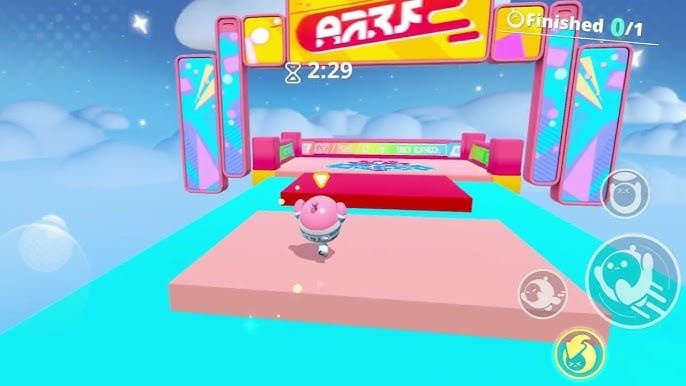
Place Respawn Points at each checkpoint with unique identifiers matching checkpoint numbers.
Create death detection reading CurrentCheckpoint and activating corresponding Respawn Point. If CurrentCheckpoint = 1, activate Respawn Point 1; if = 2, activate Respawn Point 2, etc.
Phase 5: Testing and Validation
Test by playing through and intentionally failing at various points. Verify respawn at activated checkpoint, not map start.
Check edge cases: rapid activation, multiplayer scenarios. Ensure clear feedback (visual, audio, UI) confirms checkpoint saves.
Advanced Variable Configuration
Choosing Variable Type
Integer variables: Sequential checkpoint systems with defined progression. Each checkpoint increments value.
Position variables: Non-linear maps with multiple approach directions. Store exact coordinates for dynamic respawn placement.
Boolean variables: Checkpoint activation flags or completion states.
Player-Specific vs Global Variables
Global variables affect all players simultaneously—suitable for cooperative maps where teams progress together.
Player-specific variables (via naming conventions with player identifiers) enable individual progression in competitive maps.
Link Map feature shares progress cross-map for multi-map adventures.
Naming Conventions
Prefix checkpoint variables with CP_ plus descriptive identifiers:
- CP_MainPath_Current
- CP_SecretArea_Unlocked
- CP_BossRoom_Attempts
Version numbering (CP_Current_v2) facilitates iterative development.
Data Retention Across Death
Ensure checkpoint variables persist by avoiding logic that resets them during death events. Update only when activating new checkpoints.
Implement validation checks verifying variable integrity after respawn. If invalid value detected, default to safe fallback.
Death Detection and Respawn Logic
Detecting Death Events
Death triggers execute Eggy Code when health reaches zero or players enter death zones. Configure to read checkpoint variables and determine respawn behavior.
Position death zones below platforms, at pit bottoms, or in hazardous areas. Don't overlap with legitimate gameplay areas.
Binding Respawn Locations
Create condition chain evaluating checkpoint variable and activating corresponding Respawn Point: If CurrentCheckpoint = 1, activate RespawnPoint_1; if = 2, activate RespawnPoint_2.
Sync checkpoint Prefabs to Respawn Points for visual confirmation.
Handling Edge Cases
Implement default fallback activating starting spawn if checkpoint variable contains invalid value.
Use player-specific variables or activation queuing for multiplayer conflict resolution.
Bounds checking rejects checkpoint values outside valid range (e.g., above 10 or below 0 for 10-checkpoint map).
Priority System
Sequential priority ensures respawn at furthest reached checkpoint. Only update checkpoint variable if new value exceeds current value.
Spatial priority resolves conflicts in non-linear maps by assigning priority values based on intended progression flow.
Multi-Checkpoint Progression Systems
Sequential Architecture
Number checkpoints sequentially (1, 2, 3). Configure logic allowing only forward progression—checkpoint 3 activation deactivates checkpoints 1-2.
Sequence validation verifies players activate checkpoints in order.
Branching sequences accommodate multiple valid paths with separate checkpoint sequences per route.
Preventing Backtracking
Compare new checkpoint activations against current value. Update only if new checkpoint number exceeds current.
One-way zones use trigger positioning preventing reentry from wrong direction.
Progress Indicators
Visual indicators show Checkpoint 3 of 7 or progress bars filling with advancement.
Environmental markers (lit torches, activated platforms, opened gates) provide spatial feedback.
Audio feedback uses distinct sounds for each checkpoint tier.
Managing Long Maps
Implement 20-30 second checkpoint intervals for 60-80% completion rates.
Ensure checkpoint variables never reset except through explicit player actions.
Checkpoint clustering in hub areas allows safe experimentation with different paths.
Common Mistakes and Solutions
Unexpected Resets
Review all logic modifying checkpoint variables—updates should only occur during checkpoint activation events.
Verify trigger zones don't overlap. Maintain 2 Eggy unit minimum spacing.
Audit death event code ensuring checkpoint variables are read but not modified.
Variable Overwrite Issues
Implement strict naming conventions preventing accidental reuse.
Use boolean lock variables for mutual exclusion preventing concurrent modifications.
Ensure type consistency—don't store incompatible data types.
Trigger Zone Overlap
Use visual editing tools to verify spacing. Reduce trigger diameters if needed.
Implement vertical spacing equivalent to horizontal requirements.
Priority systems determine which checkpoint activates when multiple triggers detect player simultaneously.
Performance Bottlenecks
Optimize condition chains by placing most likely conditions first.
Consolidate repeating logic—use single repeating trigger for multiple time-based systems.
Intensity limits: 18,000 base, 21,000 at 1,000 Craftsman Points, 25,000 at 10,000 Craftsman Points.
Multiplayer Synchronization
Decide shared checkpoints (global variables) vs individual checkpoints (player-specific variables).
Implement activation queuing processing one player's activation before accepting next.
Use spawn point arrays with multiple positions around each checkpoint for simultaneous respawns.
Optimization Techniques
Reducing Component Count
Consolidate multiple simple triggers into fewer complex triggers with branching logic.
Reuse variables across systems using careful value range design.
Create Prefab-based checkpoint templates for rapid deployment.
Efficient Event Configuration
Configure triggers activating only when specific conditions met, not every frame.
Order conditions placing least expensive evaluations first.
Deactivate checkpoint triggers no longer serving purpose after player advancement.
Memory Management
Initialize checkpoint variables at map start, update during gameplay, clear at completion.
Use simplest variable type meeting requirements—integer vs float vs position.
Remove obsolete variables and triggers during development.
Testing at Scale
Recruit multiple testers for simultaneous play revealing concurrent load issues.
Test edge cases: reverse order activation, simultaneous deaths, rapid activation.
Use Workshop intensity display identifying high-consumption components.
Real-World Examples
Parkour Map System

Checkpoints every 20-30 seconds after difficult jump sequences. Sequential architecture with forward-only logic.
Visual indicators (glowing platforms, particle effects) provide clear feedback.
Adventure Map Saving
Area-based checkpoints activating when entering new regions. Position variables store exact locations.
Quest-based integration ties checkpoint activation to story progression.
Hub-and-spoke architecture with central safe zones.
Puzzle Map Preservation
Compound systems using multiple variables: position for player location, boolean arrays for switch states, integer for item counts.
Checkpoints after completing puzzle sections, not arbitrary intervals.
State validation prevents activation when puzzle states incomplete.
Race Map Integration
Checkpoint sequences representing course sections with lap counters incrementing on full sequence completion.
Validation prevents shortcutting by verifying correct sequence activation.
Respawn slightly behind failure point preventing unfair advantage.
Advanced Tips
Combining with Other Systems
Scoring integration: Track deaths between checkpoints, award bonus points for zero-death checkpoint reaches.
Inventory integration: Save inventory state at checkpoints, restore on respawn.
Time trial integration: Store game time at checkpoint activation, calculate segment times.
Conditional Save Points
Activate only when requirements met (items collected, enemies defeated, puzzles solved).
Temporary checkpoints expire after time limits using countdown timers.
Difficulty-based availability adjusts checkpoint frequency per difficulty setting.
Visual Feedback Design
Multi-stage feedback: inactive (neutral/dim), in-range (pulse/glow), activated (bright/particles).
Audio-visual synchronization pairs activation sounds with visual effects.
Persistent markers indicate activated checkpoints throughout map.
Debugging Networks
Debug visualization displays checkpoint variable values in real-time via UI text elements.
Activation logging creates event records for post-session analysis.
Isolated testing validates individual checkpoints before full integration.
Resources and Tools
Workshop Asset Requirements
Basic systems require only default components: Checkpoint Volumes, Respawn Points, basic trigger volumes.
Intensity limits support approximately:
- 18,000 base: 5-7 checkpoints
- 21,000 (1,000 Craftsman Points): 8-12 checkpoints
- 25,000 (10,000 Craftsman Points): 15+ checkpoints
Premium Components
Craftsman Points unlock through publishing maps and receiving positive feedback.
BitTopup offers Eggy Coins for Workshop features—competitive pricing, fast delivery, secure transactions, excellent customer service.
Study popular maps: Fight the Principal (ID 299110), Eggy Party Massacre (ID 288583).
Community Resources
Creator communities share templates and logic patterns via forums and Discord.
Tutorial maps demonstrate checkpoint logic in action.
Official guides and community documentation provide technical specifications.
FAQ
How do save points work in Eggy Party Workshop?
Checkpoint Volumes detect player entry, store data in Eggy Code variables, modify respawn logic placing players at saved locations after death.
What's the difference between respawn points and save points?
Respawn points are fixed default locations. Save points dynamically update based on progression using variables to remember last activated checkpoint.
Why don't save points work after death?
Variables reset during death events or respawn logic doesn't read saved data. Verify death code only reads (not modifies) checkpoint variables, ensure global scope, confirm respawn logic evaluates checkpoint variables.
Can you create multiple save points in one map?
Yes, limited by intensity constraints. Base 18,000 supports 5-7 checkpoints; 25,000 at 10,000 Craftsman Points enables 15+.
Best practices for save point placement?
Position every 20-30 seconds for 60-80% completion rates. Place after difficult challenges or at new section entrances. Maintain 2 Eggy unit spacing, position 1 unit above ground, use 2-3 unit diameters.
How do variables work with save points?
Store checkpoint data persisting across death. Integer tracks numbers, position stores coordinates, boolean flags activation. Create global variables, update during activation, read during death for respawn locations.
Ready to level up your Workshop creations? Get premium assets and unlock advanced logic at BitTopup. Fast, secure, creator-approved—power up your Eggy Party experience today!