Multi-Guest vs Standard Broadcast
Standard broadcasts center on single hosts controlling all content. Multi-guest rooms decentralize control by granting camera/mic access to approved participants in dedicated screen segments. Host retains ultimate authority but shares performance space.
Visual layout shifts from full-screen to grid arrangement. Yellow coin icons beside each feed show real-time gift values, creating competitive dynamics where guests actively engage for viewer support.
Revenue transforms too. Hosts configure gift ratios determining earnings distribution. Unlike solo broadcasts capturing 100% of gifts, multi-guest rooms split based on predetermined percentages, encouraging guests to promote streams.
11-Guest Capacity: Technical Limits and Advantages
Maximum 11-guest capacity (12 total) represents BIGO's technical ceiling, balancing viewer experience with collaborative potential. Larger panels enable debate teams, talent rotations, or expert panels from varied perspectives.
Strategic advantages include extended duration potential through rotating speakers. Recommended times: debates 45-90 minutes, talent shows 60-120 minutes, game panels 30-180 minutes. Variety maintains attention longer than solo broadcasts.
Cross-promotion amplifies reach. Each guest brings followers, exposing content to 11 separate audiences. Post-broadcast sharing creates organic marketing loops.
When Multi-Guest Outperforms Solo
Multi-guest dominates for diverse perspectives, competitive dynamics, or sustained energy. Debate content particularly benefits—7-minute speeches and 4-minute rebuttals demand multiple participants. Educational panels with experts addressing questions from different specializations create impossible solo value.
Talent showcases maintain continuous entertainment. While one performer prepares, another executes, eliminating dead air. Game content like Truth or Dare thrives with multiple participants through competitive tension.
Solo broadcasts retain advantages for intimate storytelling or personal vlogs. Choose multi-guest for variety and collaboration; solo for personal connection.
Setup Process: Configuring Your Room
Tap Go Live → select Multi-Guest Live or Voice Live → choose seat configuration (4/6/9/12) → set title and tags (#MakeFriends, #Debate, #TalentShow) → configure gift ratios → tap Start Live.
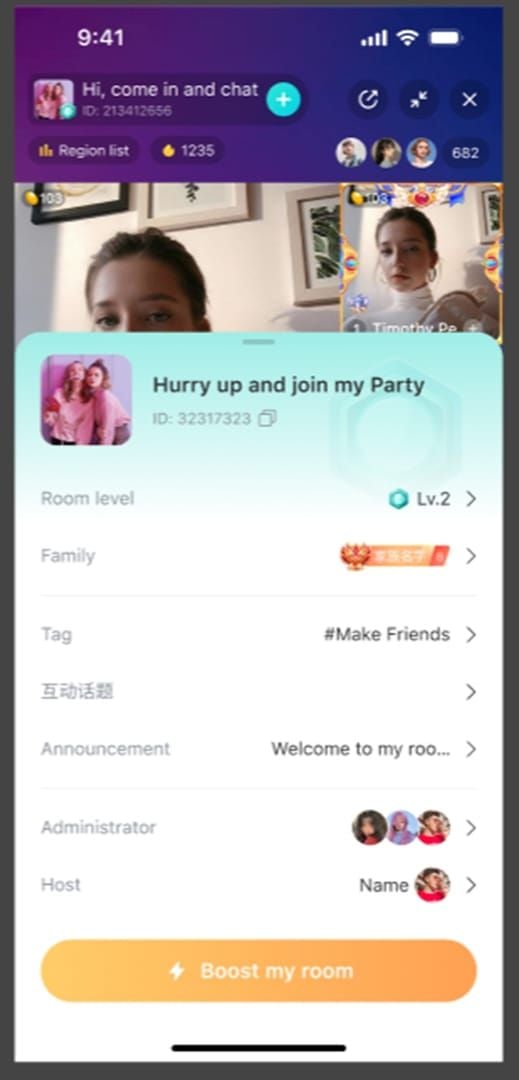
Gift ratio configuration impacts guest motivation. Higher percentages for active contributors incentivize quality; equal splits promote collaboration.
Activation Steps
After selecting format and seats, access guest invitation via + icon. Two pathways: direct friend invitations or open viewer requests. Direct invitations notify specific contacts; open requests allow any viewer to apply.
Screen applicants before approval: account age (30+ days), violation history, follower count. Approve camera/mic access individually.
For PC integration, generate unique code in live mode, scan via app's Game Live Broadcast feature.
Managing 11 Simultaneous Guests
Designate specific seats for roles: moderators near host, opposing teams in separated sections, performers in spotlight positions. Drag-and-drop enables real-time layout adjustments.
Pre-live coordination prevents confusion. Communicate seat assignments before broadcast. For talent shows, schedule performance order; for debates, determine speaking sequence.
Room level affects slot availability and features. Monitor progression and use Boost button during peak hours for visibility.
Audio Optimization
Establish microphone positioning: 6-8 inches from mouth. Pre-live tests 15-30 minutes before broadcast identify issues.
Individual volume adjustments prevent louder participants drowning quieter voices. Mute inactive participants to eliminate background noise.
Echo stems from guests playing broadcast through speakers while mics are active. Mandatory headphones for all participants eliminates this.
Permission Levels
Three-tier hierarchy:
- Hosts: Ultimate authority—mute, kick, block, layout control, room settings
- Admins: Delete chat messages, mute users, temporary removal (appointed via crown icons)
- Guests: Control only their audio/video/chat
Moderation Dashboard: Command Center
Dashboard consolidates all controls: participant lists, pending requests, chat monitors, quick-access buttons. Keep visible on secondary devices for instant responses.
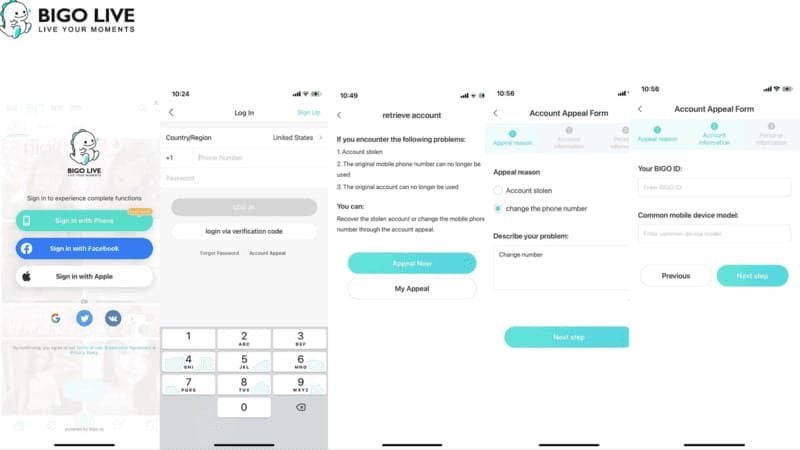
Key sections: guest queue with applicant profiles, active participant roster with individual controls, chat moderation panel with flagged messages.
For premium rooms, buy BIGO Diamonds online ensures continuous access to advanced features and guest rewards.
Essential Tools
Mute: Silence individuals without removal. Strategic muting eliminates background noise and controls time violations.
Kick: Temporary removal for minor violations. Kicked guests can rejoin if approved again.
Block: Permanent ban for severe violations. Reserve for hate speech, harassment, repeated rule breaking.
Spotlight: Enlarge specific feeds. Rotate every 30-60 seconds for visual variety.
Queue Management: Prioritize established accounts, relevant expertise, positive histories.
Individual vs Group Controls
Individual moderation targets specific participants. Group functions apply controls across multiple simultaneously—mute all during announcements, preventing cross-talk during transitions.
Balance both approaches: group controls for structural transitions, individual for behavioral corrections.
Building Admin Teams
Appoint admins demonstrating consistent positive participation, rule understanding, aligned judgment. Tap profiles → select crown icon.
Define roles: one monitors chat spam, another tracks viewer questions, third manages guest queue. Specialization prevents duplicated effort.
Establish escalation signals when admins encounter situations beyond authority. Regular post-broadcast debriefs refine protocols.
Emergency Protocols
Severe violations demand immediate action. Sequence: mute offending guest → block to prevent return → brief explanation → redirect to positive content.
Pre-defined triggers: hate speech = instant block, minor profanity = warning then mute, spam = temporary kick.
Post-emergency recovery: brief acknowledgment → energy injection through format changes → highlight positive participants.
Pre-Stream Screening: Prevention
Screen account age (30+ days), violation history, follower count, previous interactions. Develop standardized checklists applied consistently.
For pre-arranged panels, vet participants days before through conversations establishing expectations, confirming technical capabilities, assessing personality fit.
Room Rules and Expectations
Address prohibited topics (elections, government, political figures), required conduct (respectful disagreement, no attacks), technical requirements (headphones, stable connections), participation protocols (mute when not speaking).
Communicate through multiple channels: room announcement, verbal review at start, pinned chat messages.
Three-strike system: first violation = warning + education, second = 24-72 hour suspension, third = permanent ban. Minor infractions clear after 30-90 days.
Pre-Approval Workflow
Review applicant profiles: creation date, followers, violations, bio, recent participation. Accounts under 30 days = automatic rejection.
For high-stakes panels, implement application forms: relevant expertise, speaking topics, technical setup, availability for coordination calls.
Pre-broadcast calls verify audio quality, lighting, connection stability. Content alignment ensures topic understanding. Personality assessment gauges pressure handling.
Application Forms
Essential questions:
- Describe expertise relevant to [topic]
- BIGO username and account age
- Technical setup: internet speed, mic type, lighting
- Previous multi-guest experience
Behavioral screening:
- How do you handle disagreements?
- Describe receiving criticism—your response?
- Topics you prefer avoiding publicly?
Red Flags
Profile: Recent creation (under 30 days), violation histories, extreme follower counts, aggressive bio language.
Behavioral: Ignore instructions, defensive responses, demand special treatment, dominate coordination calls.
Technical: Unstable connections (under 5 Mbps for 4-seat, under 15 Mbps for 12-seat), poor audio quality, inadequate lighting.
Engagement Loops: Keeping 11 Guests Active
Rotate participant focus every 30-60 seconds. Integrated games (Truth or Dare, Draw & Guess) formalize cycles. Gift polls create competitive loops—yellow coin icons display real-time values, motivating guests.
Rotation Strategy
Time-based: In 12-person panel with 60-minute runtime, each gets ~5 minutes spotlight. Announce schedules at start.
Content-based: Align spotlight with expertise or performance readiness. Debates follow speaking order, talent showcases sequence for energy flow, Q&A rotates based on question relevance.
Drag-and-drop enables seamless transitions. Enlarge active speaker while maintaining smaller windows for others.
Topic Transitions
Bridge phrases: That perspective on [previous] leads to [new] or Building on [Guest A]'s point, let's explore [angle].
Transition guests with knowledge spanning topics introduce new subjects by relating to previous discussions.
Visual transitions: Shift spotlight from previous speaker to new topic's lead guest while announcing changes.
Viewer Participation
Q&A: Viewers submit questions through chat, admins collect and present to relevant guests.
Polls: Gather opinions on debate topics, talent winners, content preferences. Announce results during broadcasts.
Challenges: Invite viewers to attempt tasks alongside guests. Successful attempts earn shoutouts or small gift rewards.
Balancing Speakers
Redirect dominant speakers: Thank you [Speaker], let's hear [Quiet Participant]'s thoughts. Frame as curiosity about diverse viewpoints.
Pre-broadcast role assignments: Designate dominant personalities as moderators, assign quieter participants specific expertise segments.
Mute as last resort for truly disruptive speakers ignoring redirections.
Real-Time Conflict Resolution
Recognize conflicts within seconds: raised voices, personal attacks, aggressive body language. Three-strike system: first = private warning, second = temporary removal (kick), third = permanent ban (block).
Post-conflict recovery: Brief acknowledgment → redirect to positive content.
De-Escalation Tactics
Acknowledge emotions without validating attacks: I see strong feelings. Let's express respectfully.
Reframe from personal to conceptual: Rather than criticizing [Guest], focus on the idea. What specifically concerns you?
Strategic breaks: Let's take 60 seconds to gather thoughts. Mute all guests, address viewers, disrupting conflict momentum.
Three-Strike System
First: Immediate correction + education. That language violates profanity policy. Rephrase respectfully. Explain specific rule.
Second: Temporary removal via kick. [Guest] is taking a break for [violation]. We maintain [standard].
Third: Permanent ban via block. [Guest] is permanently removed for repeated [violation]. No further explanation needed.
Handling Attacks
Personal attacks demand immediate interruption: Stop. Personal attacks are unacceptable. Address ideas, not people. If continues, immediate muting or removal.
Inappropriate content (sexual, graphic violence, hate speech) = instant blocking without warnings. These bypass three-strike due to platform violations.
Document timestamps for post-broadcast reporting to BIGO support.
Post-Conflict Recovery
Brief acknowledgment: We handled that and we're moving forward.
Energy injection through format changes: games, performances, viewer challenges.
Highlight positive participants: I appreciate [Guest]'s thoughtful contributions and respectful approach.
Audio Management: 11-Person Clarity
Audio quality determines retention more than video. Systematic approach: mandatory muting of non-speakers, individual volume balancing, strict technical standards in pre-checks.
6-8 inch mic positioning prevents breathing/plosive sounds (closer) and ambient noise (farther).
Upload speeds: 5+ Mbps for 4-seat, 15+ Mbps for 12-seat. Verify before broadcasts.
Volume Adjustments
Audio mixer displays individual sliders for each guest. Establish baseline levels during pre-checks so normal speaking registers consistently.
Dynamic adjustments during broadcasts compensate for volume changes. Monitor continuously through headphones, making subtle adjustments.
Compression (3:1 ratio) reduces dynamic range, preventing whispers from becoming inaudible and shouts from distorting.
Preventing Feedback
Mandatory headphones eliminate feedback by preventing broadcast audio from reaching mics. Verify during pre-checks.
Directional mics (cardioid pattern minimum) capture sound from front while rejecting other directions. Omnidirectional mics capture room audio indiscriminately.
Physical separation between mics and speakers. Require external mics or headsets, not laptop built-ins.
Microphone Standards
Minimum quality: frequency response 80Hz-15kHz, noise rejection, connection stability. Built-in laptop/phone mics rarely meet standards.
Recommended types:
- USB condenser mics for desktop (broadcast-quality)
- Headset mics for mobile (combined input/output)
- Lavalier mics for performers (hands-free)
Testing: Speak at normal volume, whisper, speak loudly. Background noise tests reveal rejection effectiveness.
Troubleshooting
Lag: Insufficient bandwidth or network congestion. Reduce video quality to prioritize audio, or remove problematic connections.
Echo: Guests hear own voices delayed. Headphones eliminate most; enable built-in echo cancellation.
Sync issues: Audio/video drift from device processing limitations. Close background apps, reduce video resolution, or upgrade devices.
Monetization: Maximizing Beans
Hosts configure gift ratios during setup, determining percentage distribution. Yellow coin icons display real-time values, creating transparent competition.
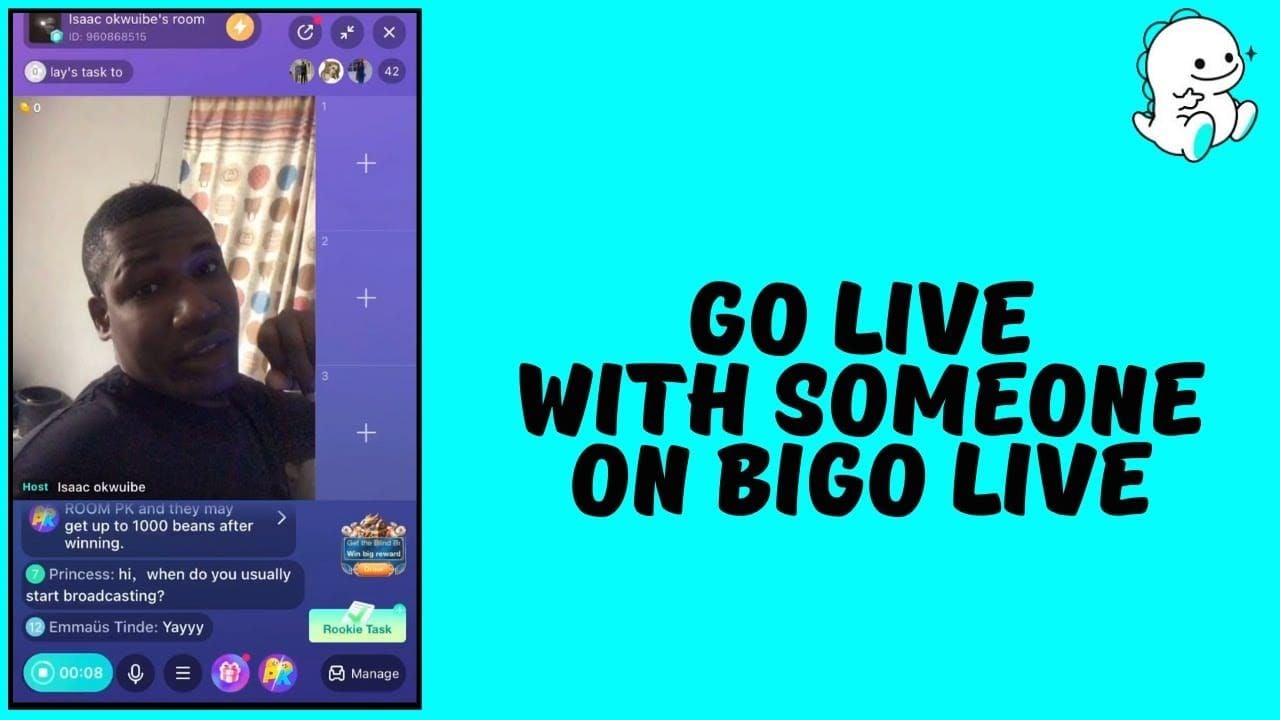
Common structures:
- Equal splits: Proportional shares based on seat count
- Performance-based: Higher percentages for top engagers
- Hybrid: Base percentage + bonuses for top performers
Gifting Dynamics
Multi-guest rooms fragment gifts across recipients but potentially increase total volume through competition. Viewers often give more total gifts in competitive environments.
Gift polls frame gifting as voting: Send gifts to your favorite debater to vote for their position.
Strategic acknowledgment: [Viewer] sent [gift] to [Guest]—that brings [Guest]'s total to [amount].
Revenue Sharing Models
Equal: Divide by participant count. 12-person panel = 8.3% each. Promotes collaboration but may demotivate high performers.
Performance-based: Guests keep gifts sent to them. Maximizes individual motivation but creates competitive tensions.
Hybrid: Base 5% for all + remaining distributed by individual receipts. Balances collaboration and competition.
Encouraging Donations
Direct guest requests carry more weight. Coach guests on acknowledgment: I see [Viewer] sent a gift, that means so much.
Milestone celebrations at gift thresholds (1,000/5,000/10,000 beans) provide concrete goals.
Interactive challenges: If we reach 50,000 total beans, [Guest] will perform [special content].
BitTopup Recharge
Maintaining operations requires consistent beans for rewarding guests, purchasing boosts, accessing premium features. BitTopup provides reliable recharge with competitive pricing.
Process: Select BIGO Live → choose beans quantity → complete secure payment. Fast delivery within minutes. Customer service resolves issues quickly.
Panel Format Variations
Debate: Government/opposition teams of 3 each, 7-minute speeches, 4-minute rebuttals. Fills 9 of 12 seats. Topics like Is traditional education obsolete? Avoid elections, government, political figures.
Talent Showcase: 8-12 performances at 5-10 minutes each, 60-120 minute duration. Alternate high-energy with calmer acts. Viewer gift polls determine winners.
Q&A: 8 experts + host-moderator in 9-seat configuration. Pre-submitted questions enable preparation; live questions provide spontaneity. Host synthesizes responses.
Game Night: Truth or Dare rotates through participants. Draw & Guess alternates roles, optimal with 6-9 participants. Custom games differentiate from competitors.
Performance Analytics
Track guest-specific data: individual gifts, speaking time distribution, correlation with retention changes. Reveals which participants drive engagement.
Multi-guest typically achieves longer watch times (15-25 minutes vs 8-12 solo) due to variety. Total gift volume often exceeds solo, but per-viewer averages may decrease.
Popularity List rankings increase discoverability. Track positions across broadcasts, identifying patterns between lineups, formats, and performance.
Key Metrics
Watch time: Multi-guest 15-25 minutes vs solo 8-12 minutes.
Gift volume: Total often exceeds solo through competition, but per-viewer may decrease.
Follower conversion: Should match or exceed solo rates. Lower rates suggest guest selection or execution problems.
Tracking Guest Contributions
Individual gift receipts reveal audience appeal. Prioritize high-performing guests for future panels.
Speaking time correlation with retention identifies optimal rotation speeds.
Chat mention frequency provides qualitative engagement data beyond gift receipts.
Retention Patterns
Retention graphs should show gradual decline, not sharp dropoffs. Sudden losses indicate specific problematic moments.
Segment-based analysis compares retention during debates vs games vs Q&A. Optimize content mix based on data.
Return viewer rates should hit 40-60%. Lower suggests inconsistent quality.
Optimizing Future Panels
Guest performance databases track metrics across broadcasts: gifts, retention, chat mentions, follower growth. Identifies consistently high performers.
Format testing through controlled variations isolates engagement drivers. Test identical topics with different lineups.
Seasonal pattern recognition identifies optimal timing. Talent showcases may perform better weekends, debates on weekdays.
Advanced Growth Tactics
Systematize processes: guest databases with performance histories, pre-broadcast checklists, moderation playbooks. Frees hosts for strategic decisions.
Cross-promotion networks with regular guests create mutual growth. Guests share highlights with followers, exposing content to new audiences.
Family system integration coordinates broadcasts among affiliated creators. Family-wide events attract combined audiences.
Cross-Promotion Networks
Regular guest rosters (8-12 appearing monthly) create familiarity and predictable viewership baselines.
Promotion agreements formalize obligations: guests share announcements, create clips, mention upcoming broadcasts. Hosts provide guaranteed slots, promotional support, preferential ratios.
Content collaboration extends to pre-produced material: teasers, behind-the-scenes, highlight compilations.
Family System Integration
Family system groups affiliated creators under unified branding. Multi-guest panels with family members leverage existing relationships.
Family events (monthly showcases, quarterly debates, annual competitions) generate exceptional viewership.
Resource pooling enables professional moderation teams, promotional campaigns, room boosts.
Scheduling Strategies
Peak hours: 7-11 PM local time generally. Younger audiences peak 9 PM-1 AM, professionals 12-1 PM and 6-8 PM.
Boost button amplifies visibility. Activate 15-30 minutes into broadcasts after quality is established.
Avoid conflicts with major platform events or dominant creators. Broadcasting during PK weeks creates opportunities.
Converting to Loyal Followers
Post-broadcast engagement: Share highlights, behind-the-scenes, announcements through BIGO social features and external platforms.
Exclusive benefits for followers: Priority guest slots, follower-only Q&A, special recognition.
Consistency in scheduling and format builds habits. Viewers knowing debates occur every Tuesday at 8 PM can plan attendance.
FAQ
How do you set up a multi-guest room?
Tap Go Live → Multi-Guest Live → choose seats (4/6/9/12) → set title/tags → configure gift ratios → Start Live. Use + to invite or enable requests.
Best moderation tools?
Mute (silence without removal), kick (temporary removal), block (permanent ban), drag-and-drop layout, admin appointment for chat moderation.
Prevent chaos in 11-person panels?
Pre-screen (30+ day accounts), 15-30 minute technical tests, clear rules, rotate focus every 30-60 seconds, mute non-speakers, appoint admins.
How do beans earnings work?
Hosts configure gift ratios determining percentage distribution. Yellow coins show real-time values. Structures: equal splits, performance-based, or hybrid.
Handle trolls?
Three-strike: warning + education, temporary kick, permanent block. Severe violations (hate speech, harassment) = instant block without warnings.
Equipment needed?
Upload speeds 5+ Mbps (4-seat) or 15+ Mbps (12-seat), quality mics 6-8 inches from mouth, mandatory headphones, adequate lighting, powerful devices for encoding.
Ready to elevate your BIGO Live panels? Recharge beans instantly through BitTopup for premium features, guest gifts, and uninterrupted broadcasts. Fast, secure, trusted by thousands of hosts worldwide.























































































































