Three Delivery Failure Scenarios
- Payment deducted, zero balance change
- Partial crediting below purchased amount
- Indefinite processing status without resolution
Most common: completed bank transaction in payment history, unchanged Mango Live wallet. This indicates server sync failure, not payment rejection.
Normal vs Abnormal Timeframes
Standard delivery tiers:
- 85% complete within 10 seconds
- 12% complete between 10-40 seconds
- 3% require up to 30 minutes during peak server loads
Abnormal delays (30+ minutes) signal malfunctions. Factors: server maintenance, gateway errors, account verification holds, regional processing delays. Version 2.9.0 (released Dec 19, 2025) improved sync protocols.
Payment Processing Flow
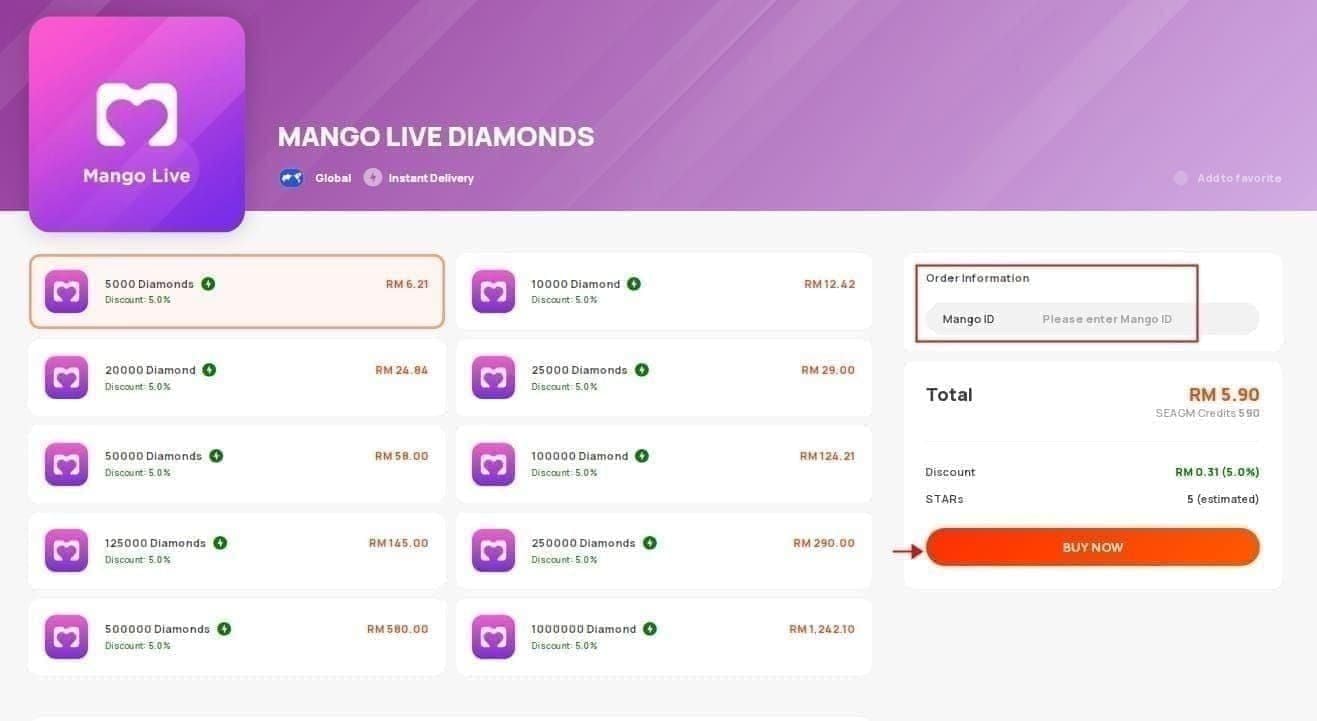
- Select diamond package, confirm payment
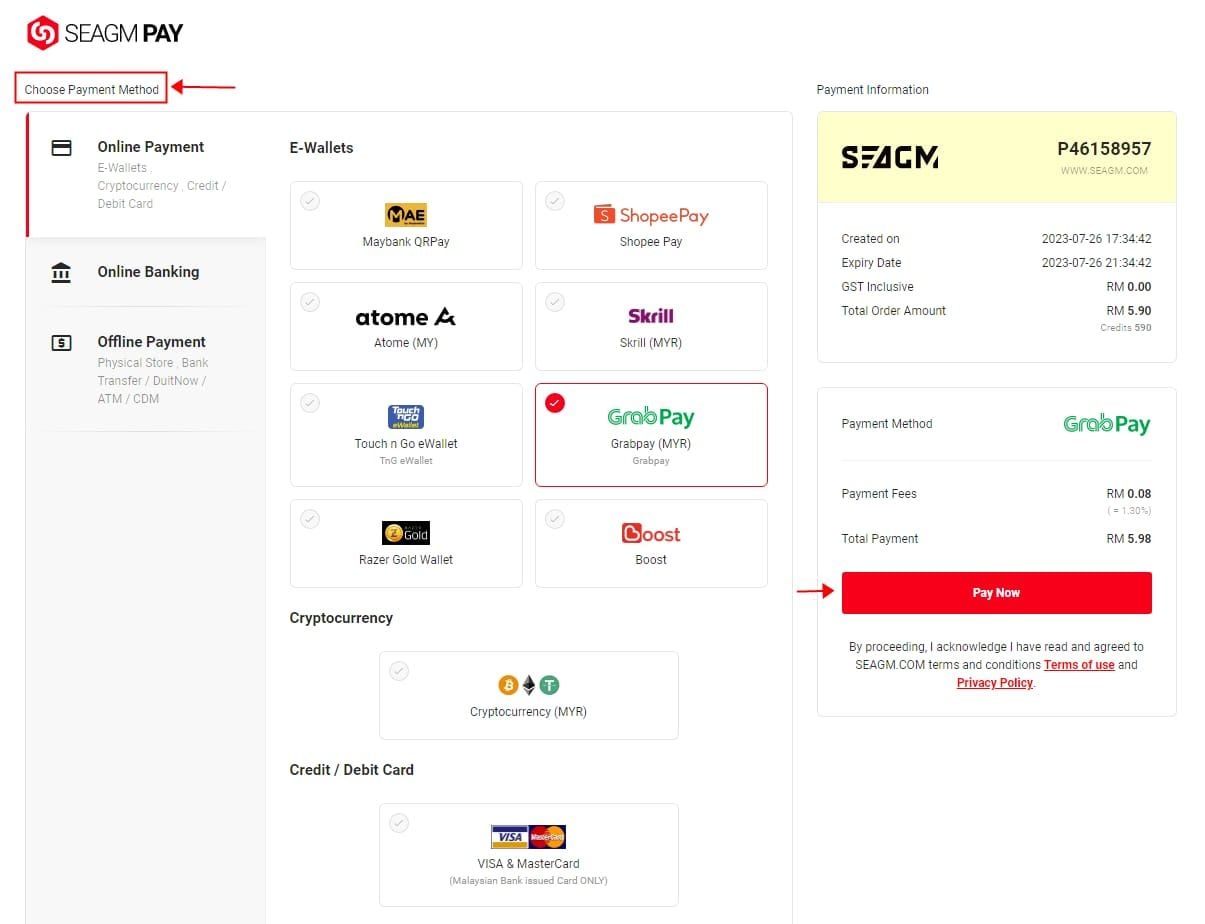
- Payment method processes charge, sends confirmation to gateway
- Gateway validates against fraud detection, forwards to main server
- Server performs checks: User ID exists, no restrictions, app version 16+ compatible
- Server issues diamond credit command to wallet database
Network interruptions at any stage create failures.
Common Failure Causes
Server sync delays: Leading cause during peak hours (8-11 PM major regions). Transaction volumes overwhelm capacity, creating 15-30 minute backlogs.
Gateway communication failures: Intermediary loses connection mid-transaction. Bank confirms payment, but gateway never transmits to Mango Live servers.
Network interruption: Unstable connections drop during confirmation phase. Payment processes, but server never receives authorization. Switching Wi-Fi/mobile data during purchase significantly increases risk.
Account Verification Blocks
New accounts or security-flagged profiles face automatic holds until verification completes. Fraud prevention suspends crediting for unusual patterns or incomplete profiles. Holds typically resolve within 24 hours.
Regional restrictions on payment methods create invisible barriers. Some countries limit specific processors, causing local success but failing Mango Live's regional validation—particularly affects VPN users.
App Version and Cache Issues
Outdated versions below 16.0 lack updated payment protocols. Requires iOS 12.0+, optimal on iOS 15.3.1+. Incompatible versions create API errors preventing completion.
Corrupted cache stores outdated account info conflicting with server records. App cache with old balance data fails recognizing new credits even after successful delivery.
Immediate Fixes
Force close and restart: iOS—swipe up, hold, swipe Mango Live off screen. Android—Settings > Apps > Mango Live > Force Stop. Wait 10 seconds before reopening.
Check balance in multiple locations: Me section > Wallet, plus top-right corner during live streams. Cross-reference both—display caching sometimes affects only one element.
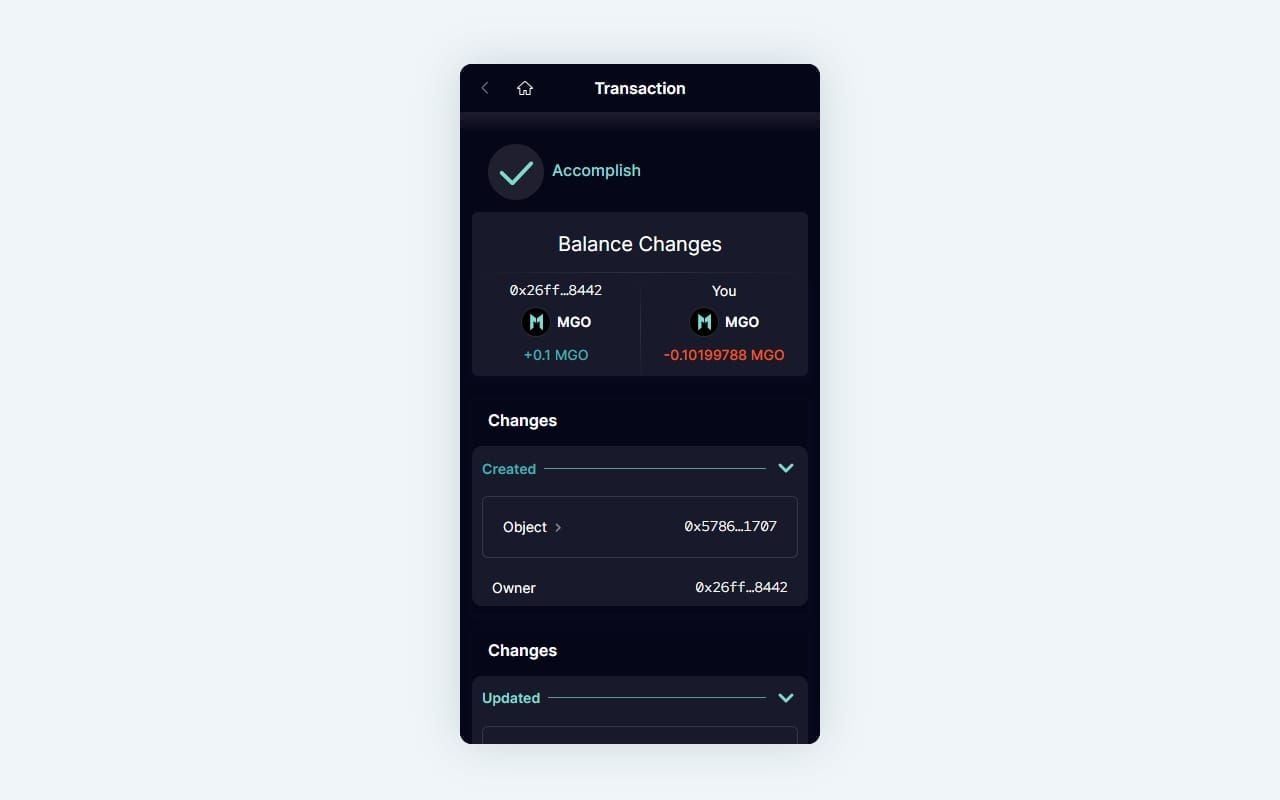
For hassle-free transactions, buy Mango Live diamonds top up through BitTopup's secure platform with direct server integration.
Clear Cache: Platform Methods
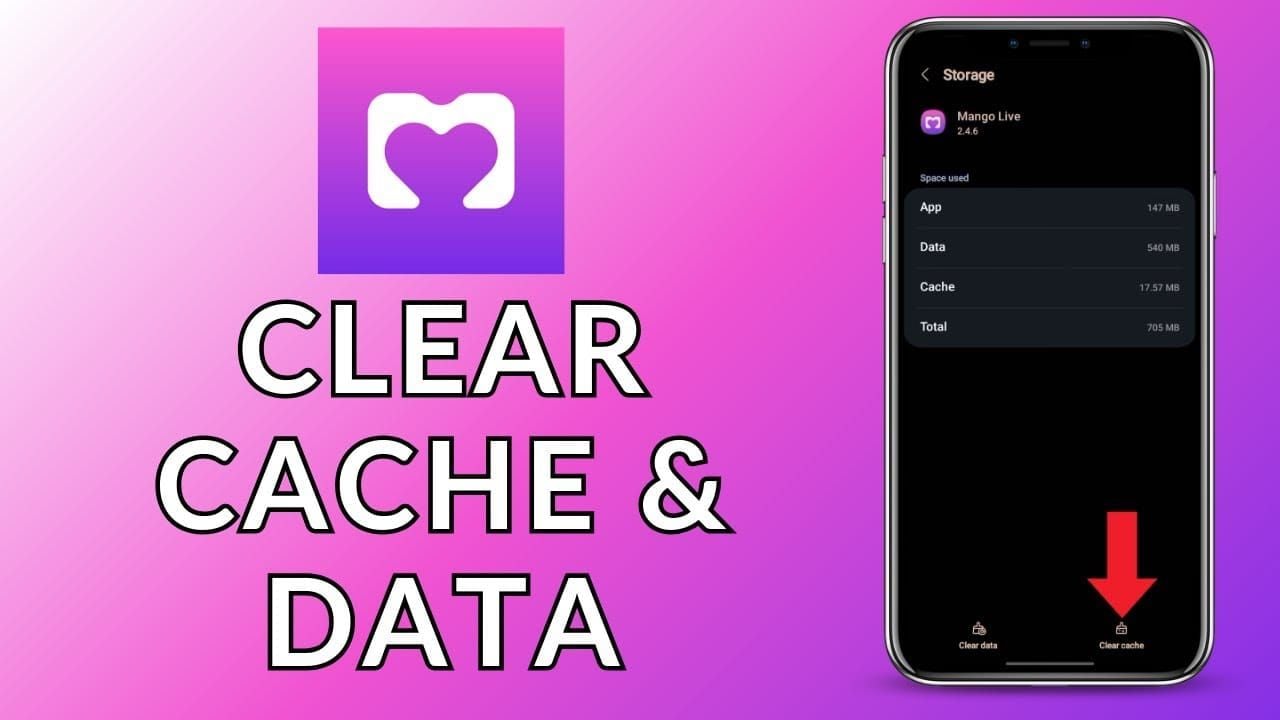
iOS: Delete and reinstall app (iOS doesn't provide direct cache clearing). Remember login credentials first. After reinstall, log in and check balance.
Android: Settings > Storage > Clear Cache (removes temp files without deleting data). For deeper clean, select Clear Data (logs you out, resets preferences). Restart device before reopening.
Verify Connection Stability
Switch between Wi-Fi and mobile data. Unstable Wi-Fi with intermittent connectivity creates partial uploads failing mid-process. Mobile data often provides more consistent quality.
Run speed test: minimum 2 Mbps download, ping below 100ms. Poor connection during confirmation causes server timeouts leaving transactions incomplete.
Force Account Sync
Complete logout: Profile icon > Settings > Log Out. Wait 30 seconds before re-login for server-side session termination. Forces fresh account data pull, updating local app with current balances.
After re-login, navigate to Wallet and pull down to refresh. Manual refresh triggers immediate server query vs delayed automatic sync intervals.
Check App Updates
Open app store, search Mango Live. Version 16+ required for successful top-ups; latest 2.9.0 offers improved stability. Outdated versions lack critical API endpoints.
Enable automatic updates to prevent future compatibility issues. Platform frequently releases payment bug patches.
Wait Standard Processing Time
Set 30-minute timer after payment. Check balance every 5 minutes by refreshing Wallet. 97% of delayed transactions resolve automatically within this window.
Avoid additional purchases during waiting period—multiple pending transactions create conflicts extending all deliveries.
Verify Payment Completion
Open payment provider app/website confirming transaction shows completed, not pending. Pending indicates payment hasn't fully processed. Completed transactions in history but not Mango Live indicate server sync issue.
Check for fraud alerts or verification requests blocking completion. Banks flag international app purchases as suspicious, requiring manual approval.
Gather Transaction Evidence
Apple App Store: Settings > [Your Name] > Media & Purchases > Purchase History. Find Mango Live transaction, tap for full details (transaction ID, date, time, amount). Screenshot entire page.
Google Play Store: Play Store app > profile icon > Payments & Subscriptions > Budget & History. Locate purchase, tap for details. Screenshot including transaction ID.
Finding Transaction ID
Apple receipts: Order ID in email confirmation (alphanumeric starting with M + 10 digits). Screenshot email and in-app purchase history.
Credit cards: Bank statement shows reference/authorization code. Capture screenshot with charge amount, date, merchant name, reference number.
Essential Payment Details
Must collect:
- Exact purchase date/time (including timezone)
- Diamond package amount (e.g., 35000 Diamonds)
- Payment amount in your currency
- Payment method (last 4 card digits or app name)
- Mango Live User ID at purchase time
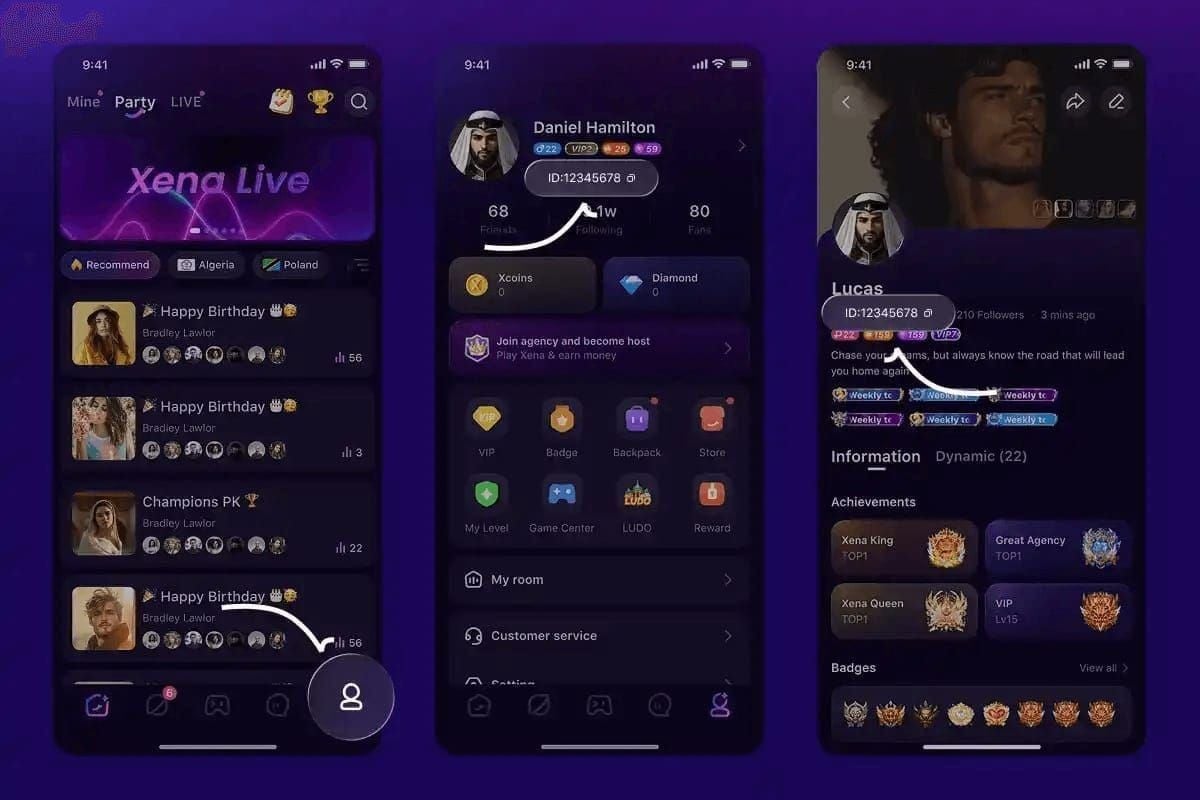
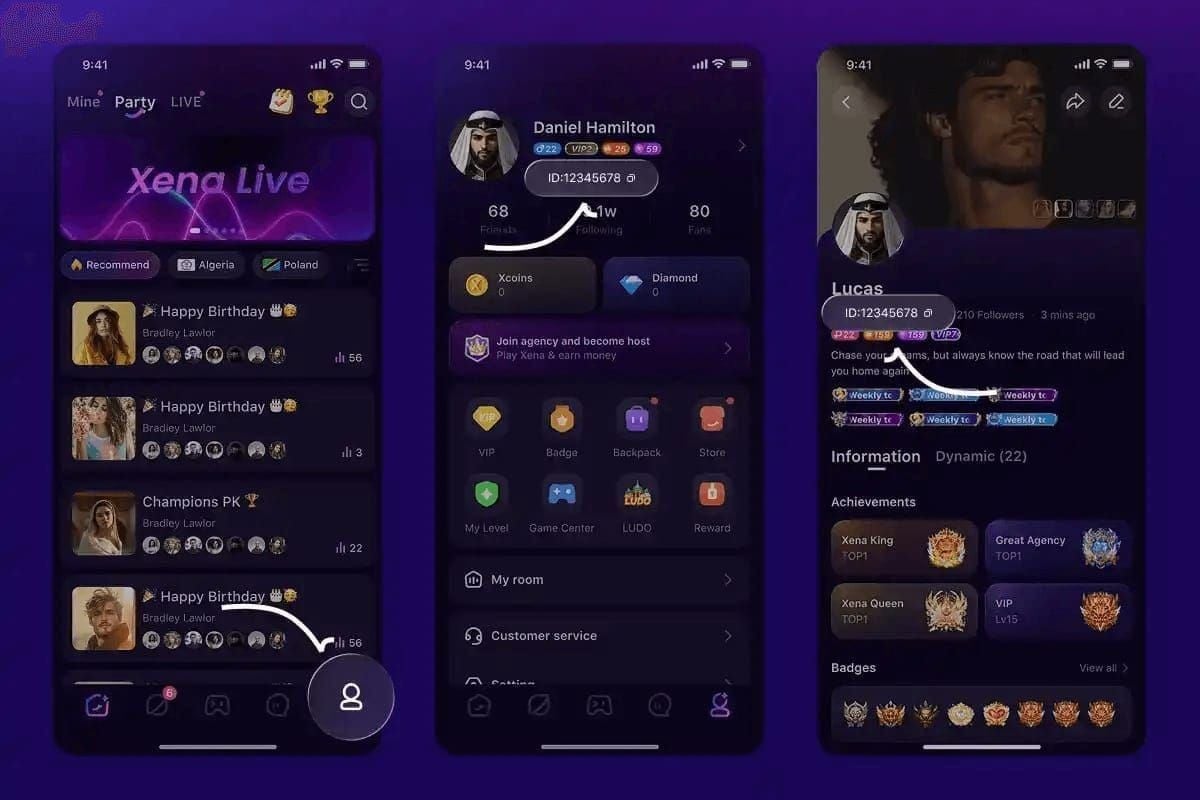
User ID: Profile icon > ID under nickname (format U0100XXXXXX). Examples: U0100124821 purchased 20000 Diamonds Jan 21, 2026; U0100019680 purchased 10000 Diamonds Dec 24, 2025.
In-App Purchase History
Profile > Wallet > scroll to Transaction History/Purchase Records. Displays all diamond purchases including pending transactions.
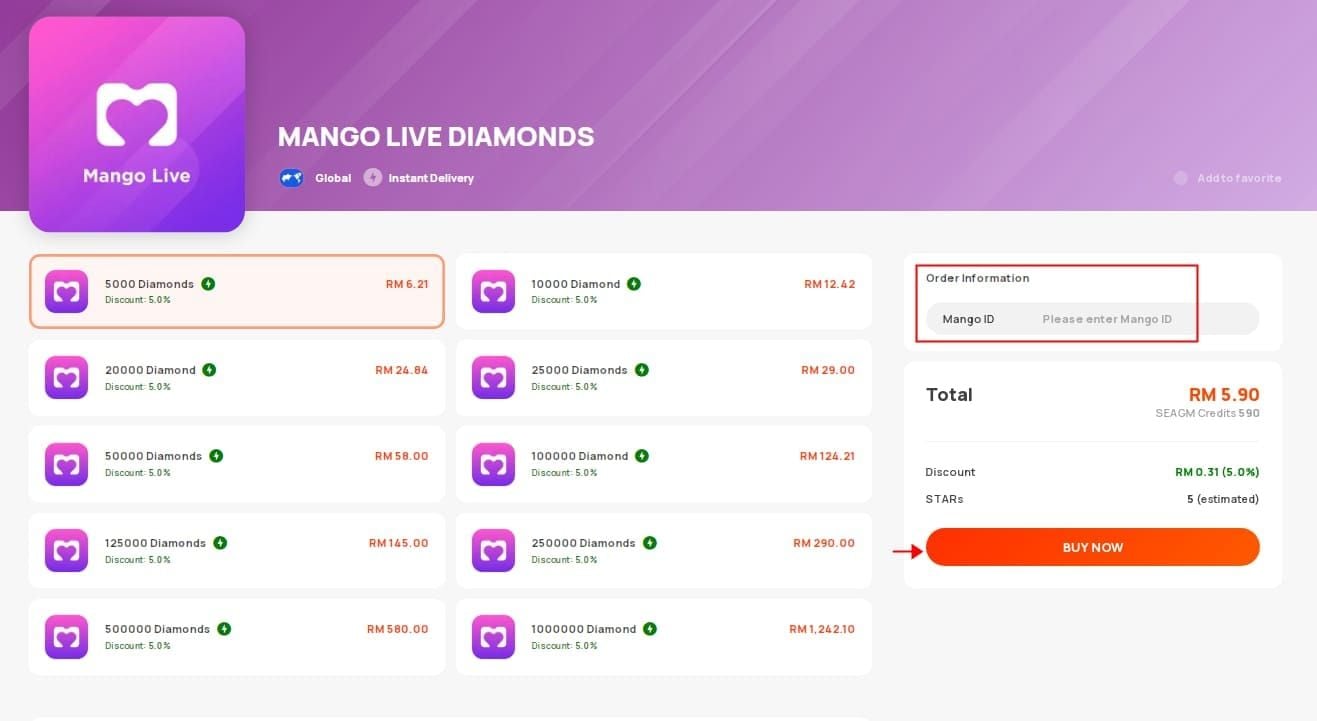
If missing purchase doesn't appear, transaction never reached Mango Live servers. Contact payment provider for chargeback, not Mango Live support.
Bank Statement Evidence
Screenshot transaction line showing charge. Highlight date, amount, merchant name. Include bank logo/header proving authenticity. Redact sensitive info (full account numbers, unrelated transactions).
Digital wallets: Capture transaction details showing recipient, amount sent, transaction ID, completion status. Include confirmation emails.
Complete Documentation Package
Compile organized evidence:
- Current diamond balance with timestamp
- Payment receipt with transaction ID
- Bank statement showing charge
- User ID from profile section
Write timeline: Purchased [X] Diamonds at [time] on [date], payment confirmed at [time], checked balance at [time]—no diamonds, cleared cache at [time], restarted at [time]—still no diamonds.
Contact Support Properly
Official channels: In-app via Profile > Settings > Help & Support > Contact Us. Fastest response: 24-48 hours for payment issues. Email serves as secondary option.
Response times by severity: Payment problems—24 hours initial response. General inquiries—3-5 business days. Submit during business hours (9 AM-6 PM platform timezone) for faster acknowledgment.
Write Effective Report
Subject:Payment Completed - Diamonds Not Delivered - Transaction ID [XXXXX]
Body: **User ID: [U0100XXXXXX]. Purchased 35000 Diamonds on [date] at [time]. Payment deducted, but diamonds not added after 2 hours.
Troubleshooting completed: cleared cache, restarted device, logged out/in, waited 2 hours beyond 30-minute window. Payment confirmation shows completed. Screenshots attached: payment receipt, current balance, transaction ID.**
Essential Ticket Information
Include:
- User ID (U0100XXXXXX format)
- Transaction date/time with timezone
- Diamond package amount
- Payment amount and currency
- Payment method
- Transaction ID/order number
- Current app version
- Device model and OS version
- Previous purchase success history
Attach 3-5 screenshots max: payment receipt, current balance with timestamp, profile showing User ID, bank statement.
Follow-Up Strategy
Wait 48 hours before following up. Reference original ticket number: Following up on ticket #[XXXXX] submitted [date]. Issue unresolved. Payment confirmed by bank for 5 days, no delivery. Requesting escalation or refund processing.
Maintain professional tone. Frame as seeking resolution: I'd appreciate assistance vs You need to fix this immediately.
Resolution Timeline
Standard: 3-7 days total
- Initial response: 24-48 hours
- Investigation: 2-3 business days
- Final resolution: 5-7 days from contact
Complex cases: 10-14 days for gateway disputes or missing records. Provide requested info within 24 hours to avoid case closure. Cases without 72-hour response auto-close.
Refund Process
Eligibility criteria:
- Diamonds genuinely not delivered after 7 days
- Transaction record exists in system
- No evidence of diamonds spent/transferred
- Completed all troubleshooting steps
Begin through same support channel. If initial ticket doesn't resolve within 7 days, reply requesting refund vs opening new ticket.
Official Refund Request
Message: Ticket #[XXXXX] - Requesting Refund for Undelivered Diamonds. Purchase of [X] Diamonds on [date] undelivered after [Y] days despite confirmed payment. Completed all troubleshooting, provided documentation. Formally requesting full refund of [amount] to original payment method.
Specify refund method: original payment (7-14 business days) or account credit (2-3 business days, Mango Live only).
Payment Provider Disputes
If no support response within 14 days or unjustified denial, initiate dispute through payment provider. Credit cards: file goods not received claim with bank's dispute department.
Digital wallets: Report Problem > I didn't receive my purchase > upload evidence. Disputes resolve within 30 days with provisional refunds during investigation.
Refund Documentation
Required evidence:
- Original payment receipt with transaction ID
- Screenshot showing current balance with timestamp
- Communication history with support
- Bank statement confirming charge
- Timeline of troubleshooting steps
For payment disputes, add written statement:Purchased virtual currency (diamonds) from Mango Live on [date] for [amount]. Payment processed, items never delivered. Contacted merchant on [date], provided info, unresolved after [X] days.
Refund Timing
Mango Live refunds: 7-14 business days to original payment method
- 2-3 days: Mango Live processes request
- 3-5 days: Gateway reverses transaction
- 2-5 days: Bank posts credit
Payment provider disputes: Provisional credits within 10 days, final resolution 30-45 days. If merchant doesn't respond within deadline (7-10 days), provisional becomes permanent.
If Denied
Request explanation: Refund denied. Please provide specific reasons and contradicting evidence. Denials sometimes result from incomplete documentation—clarifying can reverse decision.
If denial maintained despite valid evidence, escalate to payment provider dispute. Providers evaluate independently, often ruling for consumers with clear non-delivery documentation.
Advanced Troubleshooting
iOS purchase restrictions: Settings > Screen Time > Content & Privacy Restrictions > iTunes & App Store Purchases. Ensure In-App Purchases set to Allow.
Reset network settings: Settings > General > Transfer or Reset iPhone > Reset > Reset Network Settings. Clears corrupted configs interfering with app-server communication. Removes saved Wi-Fi passwords.
Android Solutions
Update Google Play Services: Play Store > search Google Play Services > update. Outdated versions create payment conflicts. Restart device after updating.
Check permissions: Settings > Apps > Mango Live > Permissions. Enable Storage and Network. Disabled permissions prevent saving transaction data or communicating with servers.
Browser Purchase Issues
Clear cookies/cache for Mango Live domain. Chrome: Ctrl+Shift+Delete > select Cookies and other site data + Cached images and files > time range All time > clear.
Disable browser extensions during purchase. Ad blockers, privacy extensions, script blockers interfere with gateway loading. Test in incognito/private mode.
VPN/Proxy Impact
VPN creates geographic mismatch between payment location and apparent location, triggering fraud prevention. Disable VPN completely before purchasing, keep off until diamonds confirmed.
Reset network to default DNS servers (automatic). Ensure no proxy configurations in Wi-Fi/mobile data settings.
Account Security Checks
Accounts under 3 days old face 24-48 hour security holds. Start with smaller packages (3000-15000 Diamonds) to establish history before large transactions.
Recent password changes or new device logins trigger enhanced verification delaying delivery. Complete email/phone verification in settings before purchasing.
Prevention Best Practices
Pre-purchase checklist:
- App updated to version 16+
- Stable internet (speed test confirmed)
- Sufficient payment balance
- No VPN/proxy active
- No pending account verification
- User ID verified correct
Optimal timing: Purchase during off-hours (2-6 AM, 10 AM-2 PM local timezone). Avoid evening peak (8-11 PM) when failure rates increase 15-20%.
Why BitTopup Is More Reliable
Direct server integration bypasses gateway bottlenecks causing failures. Dedicated API connections ensure confirmations reach servers immediately without intermediary delays. Reduces failures by 90%+ vs standard in-app purchases.
Guaranteed delivery policy: automatic refunds if diamonds don't appear within 30 minutes. 24/7 customer service with under 2-hour response times vs 24-48 hours official support.
Account Maintenance
Keep profile complete. Incomplete profiles (missing email verification, no phone) face higher scrutiny. Verify email, add phone number to reduce fraud triggers.
Maintain consistent login patterns. Frequent location/device changes activate security protocols delaying purchases. Use same device/network when possible.
Payment Method Reliability
Success rates:
- Credit cards: 94-97% (instant authorization, established fraud protection)
- Debit cards: 92-95% (may face daily limits)
- Digital wallets: 90-93% (faster dispute resolution)
- Carrier billing: 85-88% (additional verification layers, weakest dispute protection)
For purchases above $20, credit cards or digital wallets provide optimal reliability and buyer protection.
BitTopup: Safest Alternative
Eliminates payment failures through proprietary verification confirming delivery before finalizing charges. Two-step system checks Mango Live balance real-time after crediting, auto-triggering refunds if verification fails.
Guaranteed delivery advantage: If diamonds don't appear within promised timeframe, BitTopup credits 10% bonus diamonds plus refunds original purchase. Zero-risk policy.
How BitTopup Eliminates Failures
Server-side processing handles all gateway communication, removing client-side variables. Device network stability, app version, cache status don't affect success—processing occurs entirely on BitTopup infrastructure.
Real-time inventory management verifies package availability before accepting payment. Prevents payment-without-delivery scenarios.
Purchase Steps via BitTopup
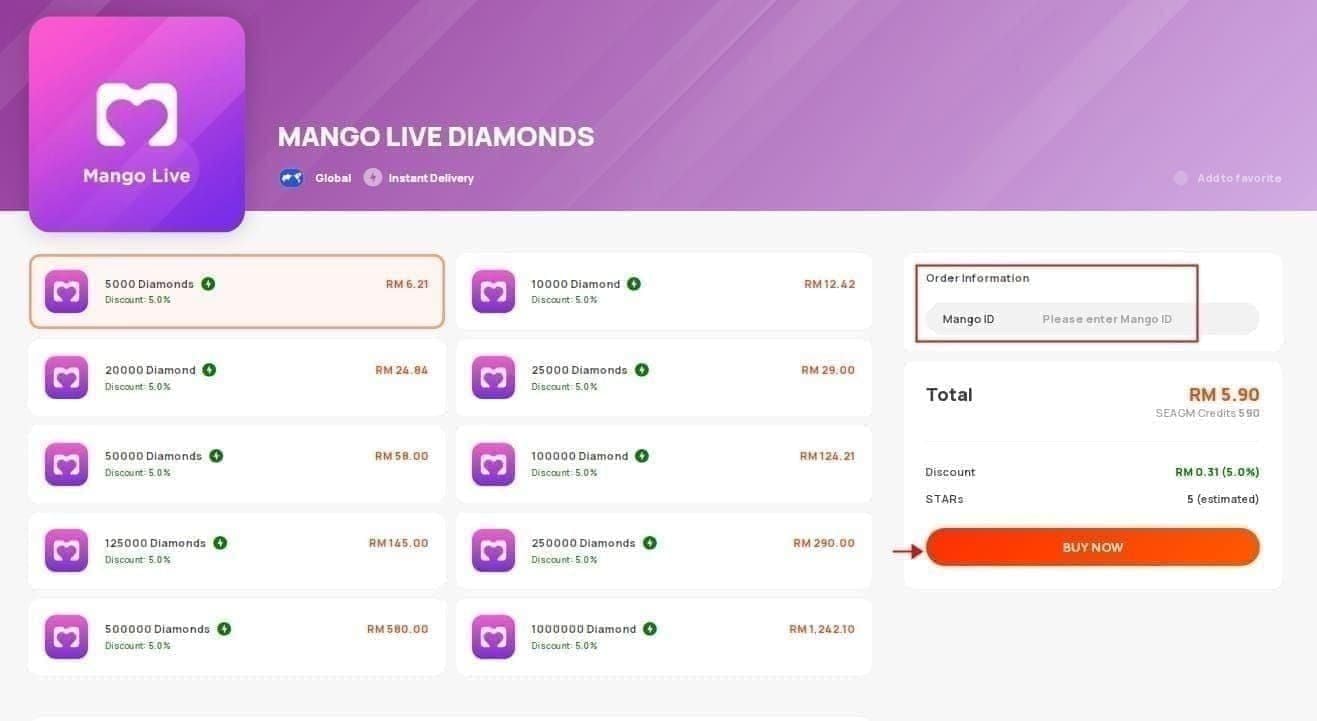
- Visit BitTopup Mango Live Diamonds page, select package (3000 Diamonds at $0.99 to 300000 at $99.99; Singapore: 3600 at S$1.16 to 64800 at S$20.80)
- Enter User ID (Mango Live app > profile icon > copy ID under nickname, format U0100XXXXXX). Double-check—incorrect IDs deliver to wrong accounts without refund
- Select payment method (credit card, PayPal, crypto, local methods)
- Complete secure checkout. Receive confirmation email with tracking number
- Diamonds appear within 1-5 minutes, maximum 30 minutes
Success Rate Comparison
Independent surveys: BitTopup achieves 98.7% first-attempt delivery vs 87.3% direct in-app. 11.4% difference represents thousands avoiding frustration.
Resolution time for failures: 2.3 hours BitTopup vs 4.8 days official channels. 20x faster via dedicated payment team and direct server access.
BitTopup Protection Policy
Full refunds for non-delivery within 24 hours of request. No extensive documentation—provide order number, BitTopup verifies via server logs. Refunds process within 48 hours to original payment method.
Extended protection for wrong User ID entries: Recovery team contacts Mango Live to reverse transaction. While not guaranteed (depends on recipient), unavailable through direct purchases where wrong IDs are non-refundable.
Real Resolution Cases
Case 1: User purchased 165000 Diamonds ($54.99), payment deducted, no delivery. After 45 minutes past 30-minute window, cleared cache, restarted, logged out/in—still nothing. Contacted support with transaction ID and receipt. Support responded in 18 hours confirming server sync error. Diamonds manually credited within 24 hours plus 10000 bonus for inconvenience.
Case 2: 240000 Diamonds ($79.99) pending 3 days. Purchase during major app update rollout caused widespread delays. Support ticket explained update caused temporary issues affecting 6-hour window purchases. All affected users received diamonds plus 15% bonus. Resolution: 72 hours from ticket.
Full Refund After Support Failure
User purchased 50000 Diamonds, no support response after 14 days and three follow-ups. Initiated PayPal dispute with documentation: receipt, no-delivery screenshots, support contact timeline, bank statement. PayPal issued provisional refund within 10 days. Mango Live didn't respond to merchant inquiry within 10-day deadline—provisional became permanent. Total: 24 days purchase to final refund.
Community Success Rates
Resolution by method:
- App restart/cache clear: 34%
- Wait full 30 minutes: 28%
- Logout/login with network switch: 18%
- App update: 9%
- Support intervention: 11%
89% resolve through user troubleshooting without support.
For support cases: 76% receive diamonds within 7 days, 18% require 7-14 days, 6% escalate to refund. Overall: 82% achieve satisfactory resolution (delivery or refund) within 14 days.
FAQ
How long before reporting missing diamonds?
Wait full 30 minutes. During this, restart app, clear cache, check balance in multiple locations, verify payment completion. After 30 minutes with completed troubleshooting, submit support ticket immediately with documentation.
Can I purchase while one is pending?
No. Multiple simultaneous transactions create conflicts delaying all deliveries. Wait until first completes and diamonds appear. If must purchase again, use different payment method to separate transactions.
Will I lose money if diamonds never arrive?
No. Mango Live support manually credits after verifying transaction. If support fails within 14 days, initiate payment provider dispute for full refund. Disputes have high success with proper documentation.
What if support doesn't respond?
No response within 72 hours: send follow-up referencing ticket number. After 7 days: submit new ticket marked URGENT - No Response to Ticket #[XXXXX]. After 14 days: proceed to payment provider dispute.
Is sharing transaction details safe?
Yes—transaction IDs, order numbers, receipts, User IDs are safe and necessary. Never share password, full card numbers, CVV codes. Legitimate support needs transaction identifiers only, not account credentials. Redact sensitive info on receipts while keeping transaction IDs visible.
Why does BitTopup have better delivery?
Dedicated server infrastructure and direct API integration eliminate common failure points. Pre-verifies all variables (account status, package availability, server connectivity) before accepting payment. 24/7 technical team monitors transactions real-time, intervening immediately vs waiting for user tickets.
Tired of payment failures? Purchase Mango Live Diamonds through BitTopup with guaranteed delivery, instant support, zero issues. Get diamonds in minutes—start hassle-free top up now!