What Makes 4-Finger Claw Superior
Action layering—performing four distinct inputs simultaneously—creates tactical superiority. You can aim, fire, crouch, and adjust camera without releasing any control. Players report 200-300ms faster reaction times in close-range engagements because fire buttons rest directly under index fingers.
Jiggle movement—rapidly crouching while firing—requires simultaneous thumb movement, camera adjustment, crouch activation, and fire control. Only 4-finger configurations provide the finger independence needed for smooth execution while maintaining aim precision.
Finger Assignment Breakdown
Standard assignment:
- Left thumb: Movement joystick
- Right thumb: Camera control
- Left index: Left fire button
- Right index: Right fire button + tactical controls (crouch/jump/scope)
Index fingers should rest 5-8% from screen edges at natural positions. Button transparency at 60-80% maintains visual clarity while ensuring peripheral vision control location. Constant ready position over fire buttons becomes muscle memory after consistent practice.
Why December 2025 Layouts Differ
The December 2025 meta emphasizes close-combat optimization—68% of eliminations occur within 50 meters. Current layouts position crouch/prone buttons closer to fire controls for faster jiggle movement. Scope buttons shifted to Hold mode with Peek & Fire enabled and Peek Mode set to Mixed.
Device compatibility:
- Phones under 6 inches: Max 3-4 finger configurations
- 6.7+ inch screens: Comfortable 5-6 finger layouts
- Button sizing: Tablets 130-150%, small screens 90-95%
Top 4-Finger Claw Control Codes
Layout Code #1: Aggressive Close Combat
Code: 7275-1794-4178-8556-303
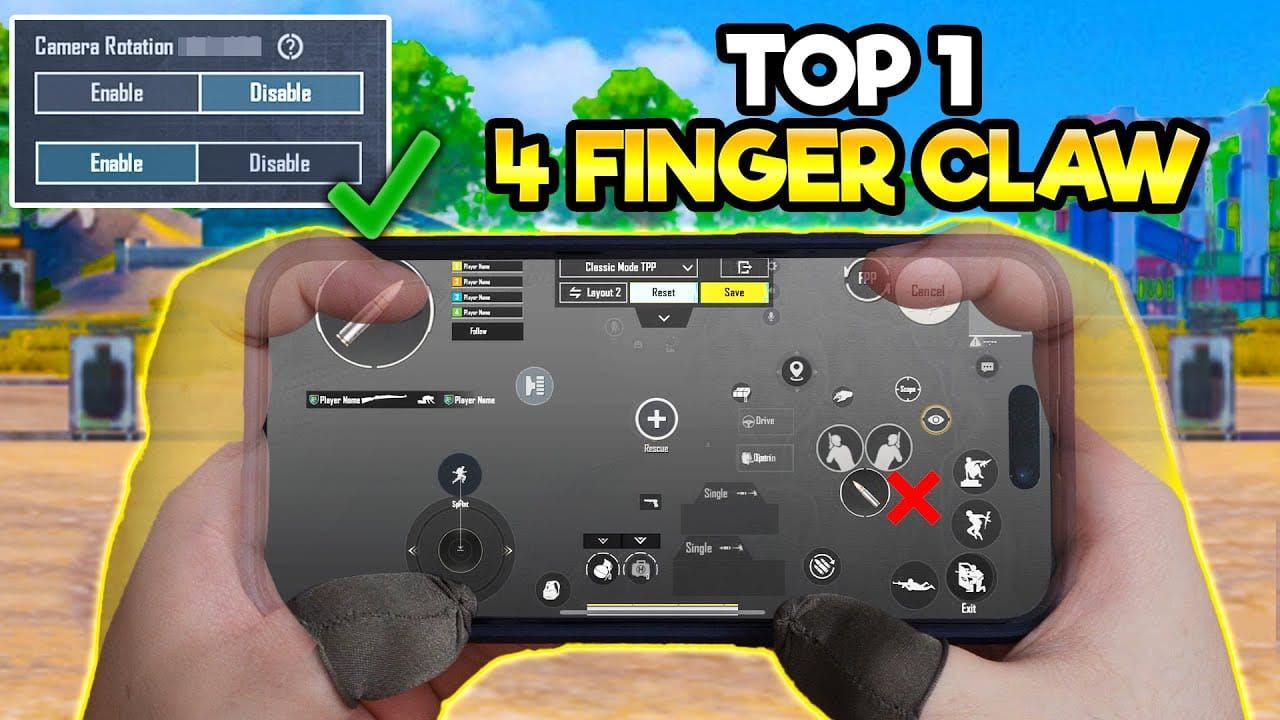
Optimized for close-quarters dominance with 135% fire button sizing. Left fire button sits slightly lower for natural downward thumb movement during left-side strafing.
Key features:
- Fire buttons in prime thumb positions
- Crouch/jump within instant index finger reach
- Prone button distanced from primary controls to prevent accidental activation
- Peek buttons use Mixed mode for lean-and-hold + quick-peek
- Scope buttons at 100% sizing
Layout Code #2: Balanced Jiggle Movement
Code: 6960-4897-8808-0654-298
Emphasizes jiggle mechanics through enhanced fire-scope integration. Crouch button directly adjacent to right fire button creates natural two-finger rhythm for crouch-shoot sequences.
Key features:
- 65% fire button transparency for visual confirmation
- Separate Jump and Climb buttons prevent unwanted climbing animations
- Gyroscope Always On, No Scope sensitivity 300%
- Red Dot 280%, 2x scope 270%
Layout Code #3: Hybrid CQC and Mid-Range
Code: 6960-4897-8808-0564-299
Sniper-optimized with close-combat capability. Scope buttons at 95% sizing prevent accidental activation during hip-fire.
Key features:
- Asymmetric fire button design—right sits higher for ADS, left lower for hip-fire
- Reload at 110% sizing within comfortable reach
- Throwable buttons positioned for deliberate activation
How to Import Control Codes
- Open Settings > Customize Buttons > Customize > Layout Management
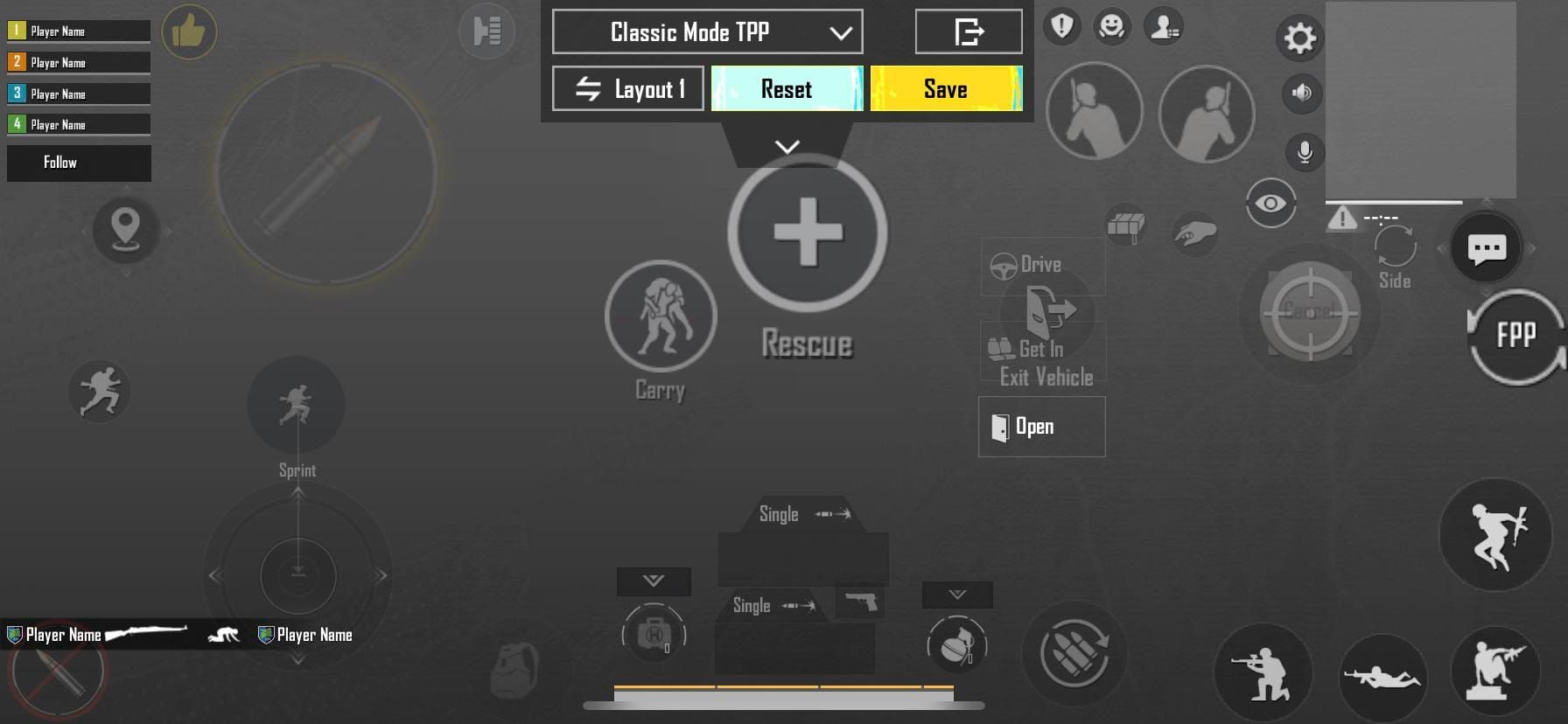
- Select Search Method
- Paste code (include hyphens)
- Tap Search > Apply Layout
Pro tip: Save current layout before importing. Expect 30-45 minutes Training Ground adjustment before new positions feel natural.
Optimizing Button Placement for Close Combat
Fire Button Positioning
Right fire button sits in upper-right quadrant where thumb naturally rests—zero conscious reach required. Left fire button enables simultaneous fire-and-movement, positioned slightly above movement joystick for comfortable upward thumb roll.
Fire button sizing at 120-140% creates generous activation zones without excessive screen coverage or visibility obstruction.
ADS and Scope Button Strategy
Hold mode proves superior for aggressive playstyles—enables instant scope release when enemies close distance. Position scope buttons in upper corners opposite fire buttons for simultaneous activation and fire readiness.
Disable Peek & Open Scope in close-combat configs. Manual peek activation through dedicated lean buttons provides superior tactical flexibility.
Crouch and Prone for Jiggle Shooting
Position crouch within instant index finger reach—typically adjacent to right fire button. Button sizing at 110-120% provides reliable activation without excessive space consumption.
Prone button sits away from primary combat controls in lower screen corners, requiring deliberate activation to prevent accidental prone animations during firefights.
Peek Button Configuration
Mixed mode provides maximum flexibility—quick taps for brief peeks, sustained presses for extended corner-holding. Position symmetrically in upper screen areas near scope controls.
Disable Camera Rotation while Leaning. Experienced players prefer independent camera and lean control for precise crosshair placement regardless of lean state.
Mastering Jiggle Movement
Jiggle movement creates erratic vertical motion disrupting enemy aim tracking while maintaining accurate fire. Requires rapid crouch-stand cycling synchronized with continuous shooting.
Execution:
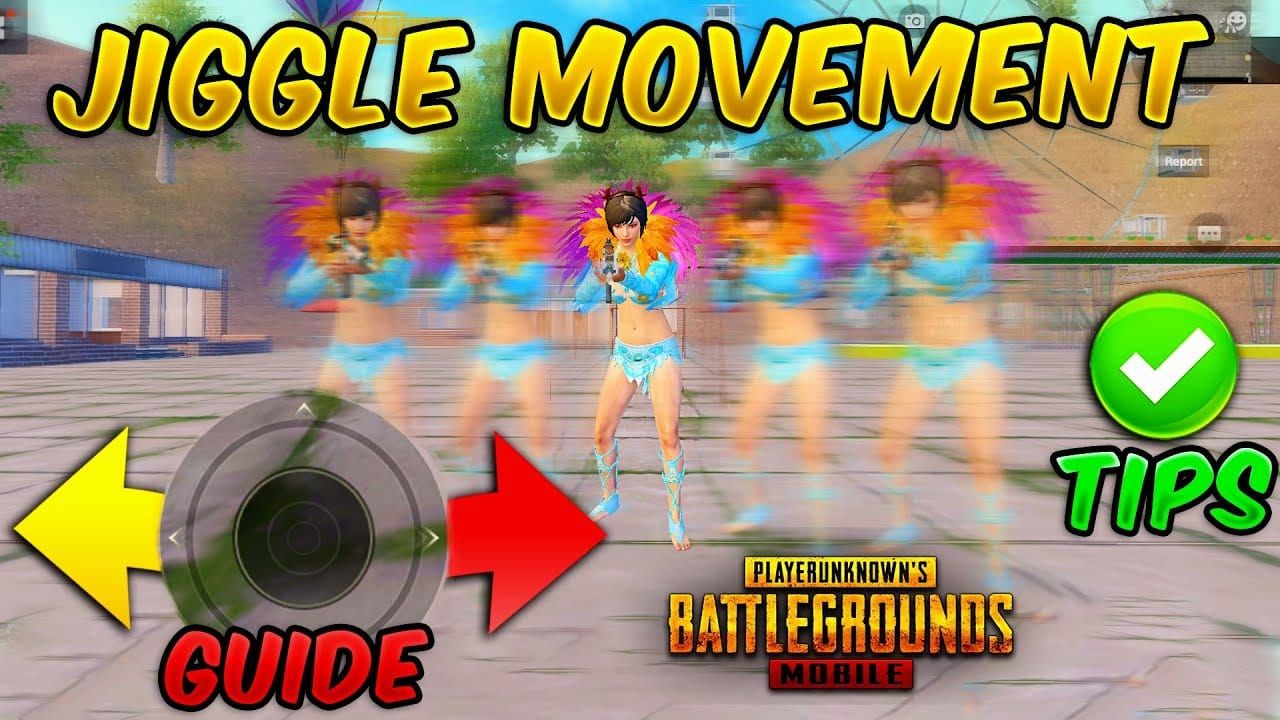
- Right index alternates between fire and crouch buttons
- Right thumb makes micro-adjustments compensating for vertical position changes
- Maintain crosshair on target despite own movement
What is Jiggle Movement
Exploits hitbox mechanics and aim assist behavior. Rapid vertical position changes force opponents' constant crosshair adjustment, increasing shot difficulty. Causes 30-40% of enemy shots to miss at 5-15 meter ranges.
Tournament footage from December 2025 shows jiggle movement in ~60% of close-range eliminations—essential technique, not optional skill.
Essential Button Combinations
Right fire and crouch buttons must sit within 10-15% screen width for rapid index finger alternation. Left fire button maintains continuous fire when right index focuses on crouch cycling.
Movement joystick at natural thumb rest position allows comfortable operation during jiggle sequences without conscious attention to movement control.
Timing and Rhythm
Optimal rhythm: 0.3-0.4 second crouch cycle—fast enough to disrupt tracking, slow enough to maintain accuracy. Shoot during both crouch and stand phases: crouch-shoot-shoot-stand-shoot-shoot-crouch.
Gyroscope at 300% No Scope sensitivity enables micro-adjustments during position changes, maintaining crosshair placement on enemy upper body.
Common Mistakes
Excessive crouch speed: Sacrifices accuracy for movement. Spam-crouching creates dramatic motion but loses crosshair control.
Poor button positioning: Crouch too far from fire controls forces large finger movements disrupting aim.
Prolonged crouching: Remaining crouched too long creates predictable positioning. Maintain balanced timing between crouch and stand phases.
Close Quarters Combat Layout Specialization
CQC layouts cluster essential combat controls in prime positions while relegating situational buttons to peripheral areas. Fire, crouch, jump, reload occupy most comfortable positions. Prone, vehicle controls, map functions require deliberate activation.
Button transparency 70-80% provides maximum battlefield visibility during visual chaos of close combat.
Building and Compound Fights
Jump button in upper-right allows index finger activation while thumbs maintain movement and aim—enables jump-peek techniques for vertical advantage.
Reload near movement joystick allows left thumb activation during brief combat pauses. Grenade controls positioned away from primary controls prevent accidental activation.
Jump-Shot Configuration
Jump-shot combines vertical movement with sustained fire. Right index activates jump while right thumb maintains fire button contact.
Jump button sizing 115-125% in upper-right quadrant. Separate Jump and Climb buttons essential—combined buttons create context-sensitive behavior triggering climbing when you intend to jump.
Quick Grenade Throw Placement
Position throwable buttons in lower screen areas or corners where accidental activation becomes nearly impossible. Sizing 100-110% for reliable activation while minimizing screen coverage.
Grenades serve as planned tactical tools rather than reactive responses in CQC, justifying peripheral positioning.
Reload Button Optimization
Position near movement joystick for left thumb activation during engagement pauses. Sizing 110-120% balances reliability with space efficiency.
Disable automatic reload in CQC layouts—close combat involves frequent partial magazine expenditure. Automatic reload would trigger constantly, creating animation locks during critical moments.
Device-Specific Layout Adjustments
Tablet vs Smartphone
Tablets:
- Button sizing 130-150% vs 120-140% for phones
- Spacing 18-20% vs 15% for phones
- Enable 5-6 finger configurations
Phones under 6 inches:
- Limit to 3-4 fingers maximum
- Button sizing 90-95%
Screen Resolution and Scaling
High-resolution displays (1080p+) allow button sizing at lower recommended ranges while maintaining clarity. 120% button on 1080p provides same visual size as 130% on 720p but consumes less screen space.
Button transparency should increase on lower-resolution displays: 70-80% for 720p vs 60-70% for 1080p.
Hand Size Considerations
Thumb length: Longer thumbs activate buttons higher on screen. Test natural thumb reach—fire buttons should sit at or slightly above rest positions.
Finger length: Longer index fingers reach buttons deeper into screen interior. Optimal position where index fingers hover naturally when hands grip device in ready position.
Sensitivity Settings
Camera Sensitivity Pairing
Aggressive close-combat layouts: Camera TPP No Scope 200-210%
Balanced layouts: 180-190%
Sniper-optimized: 160-170%
ADS Sensitivity for Close Range
Recommended settings:
- No Scope ADS: 95-100%
- Red Dot: 50-60%
- 2x: 45-55%
- 3x: 35-45%
- 4x: 30-40%
- 6x: 20-25%
- 8x: 15-20%
Gyroscope Integration
Always On mode enables constant device-tilt aim adjustment for micro-corrections during movement and recoil compensation.
Recommended gyroscope sensitivity:
- No Scope: 300%
- Red Dot: 280%
- 2x: 270%
- 3x: 180-240%
- 4x: 160-210%
- 6x: 100-120%
- 8x: 50-100%
Sensitivity Testing Protocol
Training Room testing:
- Test camera sensitivity with 180-degree turns and tracking moving targets
- Test ADS by shooting multiple magazines at 10, 25, 50, 100 meters while tracking strafing movement
- Test gyroscope by firing full-auto at 25m using only device tilt for recoil control—no thumb input
Optimal settings allow smooth turns without overshooting and consistent tracking without constant correction.
Training and Adaptation
Week-by-Week Practice Schedule
Week 1: 30-45 minutes daily TDM. Focus single actions in isolation—entire matches using only hip-fire, then ADS transitions, then crouch-shooting.
Week 2: Combination techniques through structured drills. Practice crouch-fire sequences 10 minutes, jump-fire combinations, reload-during-movement exercises.
Week 3: Classic matches with specific technique focus. Dedicate entire matches to one technique—jiggle movement, jump-peeking, or quick-scope transitions.
Week 4: Techniques should feel natural enough to apply reactively during normal gameplay.
Training Room Drills
Fire button drills: 5 minutes rapid target switches between dummies at 10m. Develops automatic fire response.
Crouch-fire drills: Crouch-shoot-stand-shoot sequences on stationary target. Start slow, gradually increase speed while maintaining 70%+ hit rate.
Reload drills: Practice taking cover, reloading, re-engaging in fluid sequences.
TDM Mode Practice
Focus on specific techniques rather than kill count. Weapon selection should match Classic mode preferences. Seek building interiors, tight corners, short sightlines forcing rapid target acquisition.
Tracking Improvement Metrics
Key metrics:
- Headshot percentage (should increase 10-15% within 3 weeks)
- Average damage per engagement
- Survival time during close-quarters fights
Track weekly to identify specific improvement areas.
Pro Player Insights
Tournament-tested configurations prioritize button spacing over maximum control density. Pros accept slightly reduced functionality to ensure reliable activation under tournament pressure.
Regional preferences:
- Asian scenes: 5-6 finger configurations, Always On gyroscope with aggressive sensitivity
- Western scenes: 4-finger setups, conservative gyroscope adoption
- Middle Eastern scenes: Larger button sizes (130-150% fire buttons)
Tournament-Tested Elements
Universal features:
- Redundant fire controls (both left and right active)
- Separate Jump and Climb buttons
- Peek buttons in Mixed mode
Troubleshooting Common Issues
Accidental Button Presses
Increase spacing to 18-20% between frequently-activated controls. Relocate low-frequency buttons away from natural finger rest positions. Increase transparency to 75-80% for clearer visual separation.
Finger Fatigue
Indicates excessive grip pressure or awkward hand angles. Fingers should hover with minimal pressure. Wrists should maintain neutral alignment (under 20-30 degrees from neutral).
Implement 5-minute breaks every 45-60 minutes.
When to Adjust vs Practice More
Wait one week minimum before modifications. Initial discomfort reflects adaptation, not layout flaws. After two weeks, persistent issues indicate genuine problems requiring adjustment.
Change only one element at a time, practice 2-3 days before evaluating impact.
Maximizing Your PUBG Mobile Experience with BitTopup
UC currency unlocks Royale Pass premium tiers providing exclusive weapon skins with cleaner iron sights and reduced visual clutter—measurable competitive advantages for faster target acquisition.
BitTopup provides secure, efficient UC recharge with competitive pricing and fast delivery. The pubg mobile uc store at BitTopup offers reliable service supporting competitive ambitions.
Why UC Currency Matters
- Premium weapon skins with cleaner sights enable faster target acquisition
- Exclusive character outfits with reduced visibility profiles
- Early access to new weapons provides meta knowledge advantages
How BitTopup Enhances Gaming Investment
- Competitive pricing maximizes UC value
- Fast delivery capitalizes on limited-time offers
- Secure transaction processing protects financial information and account security
FAQ
What is the best 4-finger claw layout code for close combat in December 2025?
Code 7275-1794-4178-8556-303 represents current meta for CQC, featuring 135% fire buttons, optimized crouch placement for jiggle movement, and Hold scope mode for instant ADS transitions.
How do I import control codes in PUBG Mobile?
Settings > Customize Buttons > Customize > Layout Management > Search Method. Paste code (include hyphens), tap Search, select Apply Layout. Save current layout first as backup.
Which fingers control which buttons in 4-finger claw?
Both thumbs handle movement joystick and camera. Left index activates left fire button. Right index manages right fire button plus tactical controls (crouch/jump/scope).
What is jiggle movement and how does it work?
Rapid crouch-stand cycling while maintaining continuous fire, creating erratic vertical motion disrupting enemy aim. Requires 0.3-0.4 second cycle timing balancing defensive movement with offensive accuracy.
What sensitivity settings work best with 4-finger claw layouts?
Camera TPP No Scope 190%, ADS Red Dot 50-60%, Gyroscope No Scope 300%. These settings enable quick target acquisition while maintaining precision.
How long does it take to master 4-finger claw control?
7-10 days to match previous performance baseline with 30-45 minutes daily practice. Advanced techniques like jiggle movement require additional 1-2 weeks focused practice.