Error 1001 Technical Breakdown
Triggers when available points fall below required threshold. Withdrawals process in $10 increments ($10-$500 max per transaction). Required points:
- $10: 100,000 minimum, 110,000 recommended
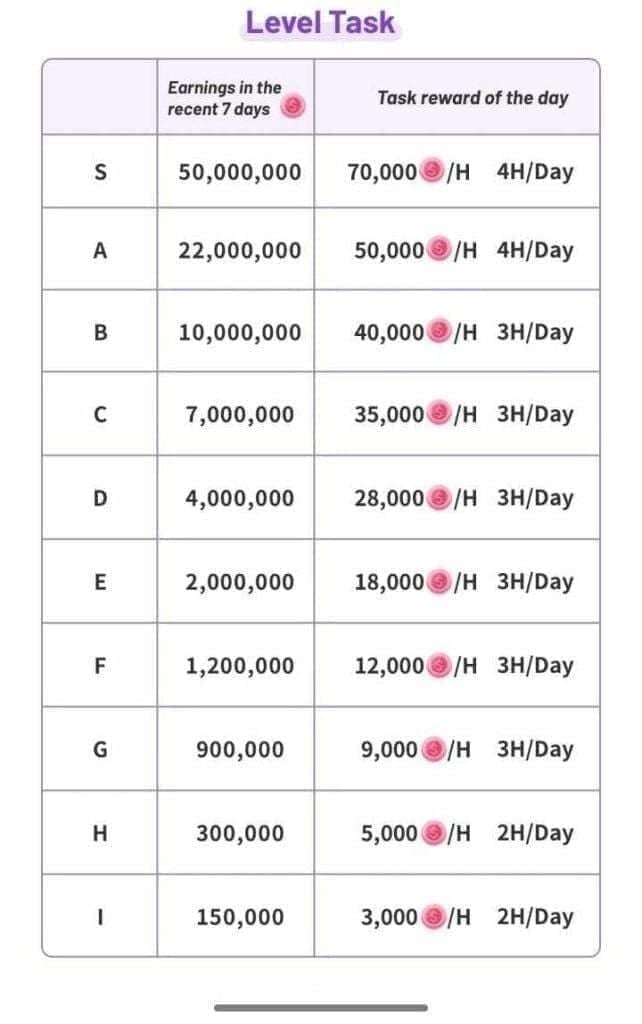
- $50: 500,000 minimum, 550,000 recommended
- $100: 1,000,000 minimum, 1,100,000 recommended
- $500: 5,000,000 minimum, 5,500,000 recommended
The 10% buffer covers withdrawal fees (1-3%, $5 max cap). $100 withdrawal nets $98 after $2 fee; $500 nets $490-495 after $5-10 fee.
Error 1006 Root Causes
Three primary triggers:
VPN/proxy usage: Platform detects and flags these connections as high-risk. VPN increases failure rates 30% vs direct connections.
Location inconsistencies: Rapid geographic changes between sessions trigger alerts. Logging in from different cities within 72 hours requires additional verification.
Device switching: Changing from mobile to web or between devices creates authentication conflicts. Platform maintains device fingerprints requiring consistency.
Why These Errors Appeared in 2026
App version 2.9.6 (October 9, 2025) introduced mandatory security enhancements:
- Facial authentication (full deployment January 2025)
- Biometric selfie verification
- Enhanced KYC requiring government ID valid 6+ months
- All corners visible, no obstructions
Changes reduced fraud but increased legitimate user errors during transition.
Version 2.9.6+ Requirements
Minimum build for USDT TRC20 withdrawals. Earlier versions can't access withdrawal interface. Requires:
- iOS 13.0+ or Android 8.0+
- 500MB available storage
- Minimum 1 Mbps download speed
Devices failing specs experience errors and delays beyond typical 15-minute weekday processing.
Official Withdrawal Requirements (2026)
Four non-negotiable criteria:
Level 5 verification: Green checkmark required. Needs 2-4 weeks consistent activity (daily logins, engagement, community participation). Can't be bypassed.
App version 2.9.6+: Must be installed from official stores. Platform blocks outdated versions at server level.
Two-factor authentication: Enable via Profile > Security Settings. Generates 6-digit codes refreshing every 30 seconds. Required for every withdrawal.
USDT TRC20 wallet: Valid address starting with T, exactly 33 alphanumeric characters. Platform validates format before accepting.
Version 2.9.6+ Features
Critical backend changes:
- Enhanced encryption protocols
- Real-time balance verification
- Automated fraud detection algorithms
Update through official channels only (App Store/Google Play). Sideloaded APKs fail authentication. Version displays in Settings > About.
Level 5 Verification Details
Highest account tier requiring three documentation stages:
Government ID: Clear photo of passport/driver's license/national ID. Valid 6+ months beyond submission. All corners visible, readable text.
Address proof: Utility bill/bank statement/government correspondence dated within 90 days. Must match ID address.
Biometric selfie: 1080p resolution holding ID next to face in natural lighting. Facial recognition matches against ID photo (70% first-try approval).
Review takes 1-3 days. 30% require resubmission due to image quality or document issues.
$10 Minimum Withdrawal
Platform policy and TRC20 transaction economics. Below this, fees become proportionally excessive.
Processes in strict $10 increments: $10, $20, $30... to $500 max. Attempting $15 or $25 = automatic rejection.
Daily limit: $500 per 24 hours (resets midnight UTC+8). 30-day rolling max: $15,000.
Complete Eligibility Checklist
- Point balance >100,000 with 10% buffer (110,000 minimum)
- Level 5 green checkmark in profile
- App version 2.9.6+ (Settings > About)
- 2FA enabled and generating codes
- USDT TRC20 wallet validated (T prefix, 33 characters)
- No VPN/proxy active
- Consistent IP for 72+ hours
- Same device for login and withdrawal
- Account age >30 days
- No pending security reviews
Fix Error 1001
Step 1: Verify exact point balance in Profile > Wallet. Must exceed 100,000, but need 110,000 for processing.
Step 2: Calculate additional points needed. If at 95,000, need 15,000 more. Hosts retain 70% of gifts, so need ~21,428 points worth of gifts to net 15,000.
Step 3: Confirm Level 5 status. Green checkmark must appear next to username. Without Level 5, point balance irrelevant.
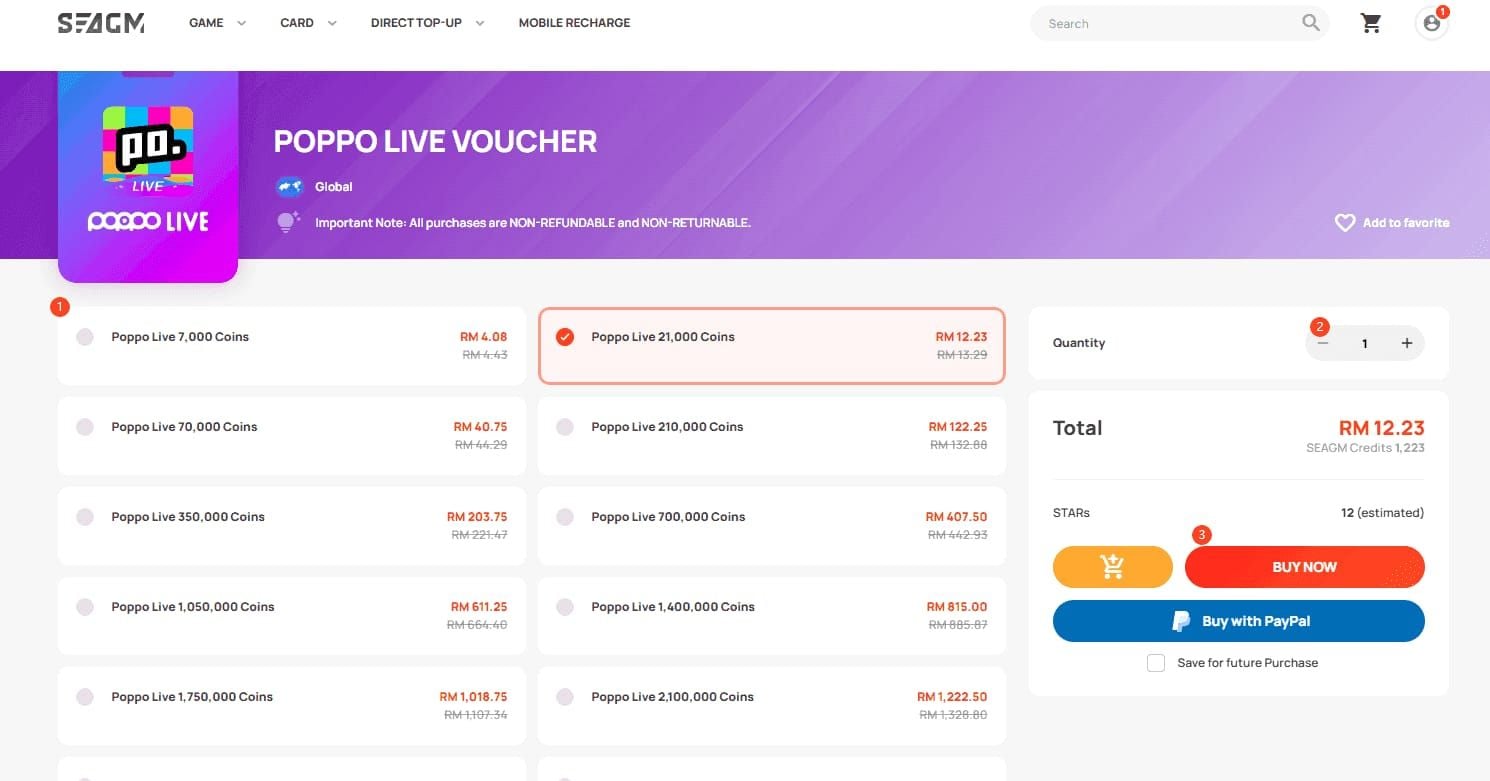
Avoid scams with BitTopup's verified Poppo recharge offering transparent pricing and seller protection.
Step 4: Retry withdrawal once balance exceeds 110,000.
Immediate Troubleshooting
Check pending transactions locking point portions. Navigate to Transaction History—verify no Processing status withdrawals.
Verify point expiration. Standard coins expire after 90 days inactivity; permanent coins valid 3 months. Expired points don't contribute to available balance.
Confirm UID (8-10 digits) by long-pressing Me tab. Must match across all documents and requests.
App Update and Cache Clearing
Android: Settings > Apps > Poppo Live > Storage > Clear Cache. Force-stop and restart.
iOS: Uninstall and reinstall from App Store. Account data persists on servers, restores after login.
Wait 5-10 minutes after clearing before withdrawal attempt. Platform updates balance every 5 minutes.
Verification Status Check
Access Profile > Verification Status. Confirm all three tiers show green: Basic Information, Identity Verification, Advanced Security.
Review submitted documents in verification history. Rejected documents don't contribute—must resubmit corrected versions.
Check email for verification updates sent to registered address.
Contact Official Support
If error persists after confirming sufficient balance, current version, and complete verification, prepare:
- 8-10 digit UID (from Me tab)
- Screenshots: point balance >110,000, Level 5 checkmark, app version
- Transaction hash from previous successful withdrawals
- Exact error message and timestamp
Email via in-app Help Center. Subject: Error 1001 - Sufficient Balance. Response time: 24-48 hours.
Fix Error 1006
Step 1: Disable all VPN/proxy services completely.
Step 2: Clear app cache (Android: Settings > Apps > Storage > Clear Cache; iOS: uninstall/reinstall).
Step 3: Switch to mobile data. Provides consistent IP tied to physical SIM location.
Step 4: Enable high-accuracy location (Settings > Location > High Accuracy/Precise Location).
Step 5: Wait 72 hours before retry. Security hold requires three days to validate new location baseline.
Primary Solutions
Location consistency: Log in and stay active on same network for 72 consecutive hours. Creates verified baseline.
Single device: Don't switch between mobile/web or multiple devices. Each maintains separate authentication tokens that conflict.
Network stability: Ensure consistent IP assignment. Some carriers rotate IPs frequently—contact carrier for static IP if available.
Payment Method Verification
Access Profile > Withdraw > USDT TRC20. Confirm wallet address displays correctly: starts with T, exactly 33 characters.
Copy address from crypto exchange/wallet, paste into Poppo settings. Don't manually type—single character errors trigger Error 1006.
Verify address through Tronscan TRC20 explorer. Valid addresses show transaction history; invalid return Address not found.
Wallet Address Format
Requirements:
- Begins with capital T
- Exactly 33 characters
- Alphanumeric only (no symbols)
- Case-sensitive
- No spaces
Common errors: extra spaces, wrong network addresses (ERC20/BEP20), different cryptocurrency addresses.
Test with small transaction from another platform before using for Poppo withdrawals.
Network and Server Checks
Verify internet stability by loading other apps. If others work but Poppo shows errors, issue likely platform-side.
Optimal processing: weekdays 8AM-12PM UTC+8 (lowest server load, <15 min processing). Weekends/evenings have higher traffic and error rates.
Monitor community for widespread Error 1006 reports indicating server issues. If multiple users report simultaneously, wait 2-4 hours for maintenance.
Reaching Level 5 Fast
Requires 2-4 weeks consistent engagement. No shortcuts—paid services are scams.
System evaluates:
- Daily login consistency (minimum 20 days/month)
- Content viewing (minimum 30 min daily)
- Social interactions (comments, likes, shares)
- Gift activity
- Profile completion
- Account age
- Guideline compliance
Algorithm prioritizes consistent daily activity over sporadic intensive use. 30 min daily for 30 days > single 15-hour sessions.
Level System Structure
Level 1: Email/phone verification
Level 2: Profile completion (photo, bio, interests)
Level 3: 7 consecutive days activity (20+ min daily)
Level 4: 14 consecutive days + social engagement
Level 5: 30 days activity + complete identity verification + community standing
Must satisfy all previous levels. Can't skip to Level 5.
Daily Activities
Morning (10 min): Log in, view 3-5 streams for 2 min each, send comment/reaction.
Midday (10 min): Check notifications, respond to profile comments, view 2-3 streams.
Evening (10 min): Final login, participate in chat, send small gifts if budget allows (not required).
30 min daily across three sessions signals authentic behavior. Single 30-min sessions less favorable.
Realistic Timeline
First-time users reach Level 5 in 28-35 days:
- Days 1-7: Level 1→2 (profile setup)
- Days 8-14: Level 2→3 (consistency)
- Days 15-21: Level 3→4 (engagement history)
- Days 22-28: Level 4→5 (verification requirements)
- Days 29-35: Document review/approval
Missing 3+ consecutive days resets metrics, adding 1-2 weeks.
Common Mistakes
Automated tools: Bots trigger fraud detection, freeze progression, may suspend account.
Excessive gift spending: Doesn't accelerate progression. Algorithm weights engagement over spending.
Multiple accounts: Operating several accounts flags all for suspicious activity via device fingerprints and IP.
Document falsification: Submitting fake IDs = permanent ban, no appeal.
Recharge-to-Withdraw Scams
Most prevalent fraud targeting users with withdrawal errors. Scammers claim platform requires coin purchases before processing withdrawals.
Fake customer service contacts users, citing fabricated policies: withdrawal activation fees,account verification deposits,VIP unlock charges.
Charge $20-50 training fees, demand 15-20% commissions on withdrawals. Sophisticated operations claim agency status with tiered commissions (20-50%).
Critical fact: Poppo Live never requires recharge before withdrawal. Platform processes based solely on point balance, verification, and app version. Any claim otherwise = fraud.
Scam Operation Stages
Stage 1: Fake support messages users mentioning withdrawal errors publicly. Offers assistance via private chat.
Stage 2: Requests screenshots, fabricates technical explanations involving verification deposits or channel activation.
Stage 3: Demands recharge ($50-$200) to unlock withdrawals. Offers 30%+ discounts to appear legitimate.
Stage 4: After payment, invents additional requirements—higher VIP, agency fees, tax deposits—extracting multiple payments before disappearing.
Red Flags
Unsolicited contact: Official support never initiates via in-app messages, social media, or third-party apps. Only responds to user-initiated emails.
Urgency tactics: Creates artificial deadlines (limited withdrawal windows,account suspension) preventing careful consideration.
Payment requests: Any upfront payment, recharge requirement, or crypto transfer to verify account = fraud.
Third-party payment: Directs to personal accounts, crypto wallets, unofficial processors vs official channels.
Grammar errors: Frequent mistakes, awkward phrasing indicate fraudulent accounts.
Real vs Fake Support
Official support:
- Responds only to user-initiated emails
- Never requests passwords/2FA codes
- Solutions through app settings, not payments
- References specific error codes with technical explanations
- No expedited processing for fees
Scam operations:
- Initiates contact claiming to help
- Requests account credentials
- Demands upfront payments
- Promises instant withdrawals
- Uses unofficial channels (WhatsApp, Telegram, Discord)
Official Communication Channels
Poppo Live has one official support channel: email via in-app Help Center.
Platform does NOT use:
- In-app DMs from support accounts
- Social media (Facebook, Instagram, Twitter)
- Messaging apps (WhatsApp, Telegram, WeChat, Line)
- Phone calls or SMS
- Third-party websites
Contact legitimate support: App > Profile > Settings > Help Center > Contact Support. Generates email form with your UID and device info. Responses from official domain only.
Real Requirements vs Scam Claims
Legitimate: App version 2.9.6+ from official stores
Scam: Special VIP version with enhanced features
Legitimate: Level 5 via 2-4 weeks activity
Scam: Instant Level 5 upgrade for $50-100
Legitimate: 100,000 points minimum (110,000 recommended)
Scam: Withdrawal activation deposit of $50-200
Legitimate: USDT TRC20 wallet for destination
Scam: Temporary platform wallet requiring deposit first
Legitimate: 2FA via Profile > Security Settings
Scam: Premium security package requiring payment
Legitimate: Government ID and address proof
Scam: Express verification service bypassing documents for fees
Official Requirements (Verified)
App version enforcement: Withdrawal interface shows Update Required with App Store links when <2.9.6. Appears in-app, not via third-party messages.
Level 5 gate: Withdrawal button grayed with Level 5 Required tooltip until verification complete. Interface-level restriction, not payment requirement.
Minimum amounts: Form accepts only $10 increments ($10-500), rejects others with error. Appears during attempt, not as separate unlock.
Daily/monthly limits: Platform displays remaining capacity ($500 daily, $15,000 monthly) in withdrawal interface, updates real-time.
Scam Claims (False)
Withdrawal channel activation: Doesn't exist. All withdrawals use identical backend.
VIP withdrawal tiers: No VIP system affects withdrawals. All Level 5 users access identical features.
Tax deposits/security bonds: Platform never requires upfront deposits. Fees deduct automatically from processed amounts.
Agency registration: No official agency system exists. All users process directly through app.
Recharge-to-withdraw ratio: Platform never mandates recharge before withdrawal. Can withdraw earned points without buying coins.
Case Study: $500 Scam Avoided
User encountered Error 1006 on first $50 withdrawal. Within 30 min, received in-app message from Poppo Support Team claiming account needed withdrawal channel activation via $100 coin purchase at 30% discount.
Message included official-looking graphics, fake policy numbers, 24-hour urgency (activation window expires).
User recognized red flags: unsolicited contact, payment demand, urgency. Instead:
- Ignored and blocked sender
- Disabled VPN causing actual Error 1006
- Cleared cache, waited 72 hours
- Reattempted successfully without payment
Avoided $100+ fraudulent charges by understanding legitimate withdrawals never require recharge.
Verify Any Requirement Claim
Check in-app docs: Help Center > Withdrawal Guidelines. Official policies appear in searchable help.
Test requirement: Attempt withdrawal to see if claimed requirement appears as in-app error/restriction. Legitimate requirements = system-level blocks, not third-party claims.
Contact official support: Email via Help Center describing claim. Support confirms/denies within 24-48 hours.
Search community: Review official channels for similar mentions. Widespread legitimate requirements generate extensive discussion; scam claims appear isolated.
Verify source: Confirm if claim originated from official platform or third-party. Official policies never debut through unofficial channels.
Legitimate Withdrawal Process
Verified sequence minimizing errors (70% first-try success rate):
Pre-Withdrawal (24 hours before)
Verify balance >110,000 (Profile > Wallet). If insufficient, delay until reaching threshold.
Update to 2.9.6+ via official stores. Check Settings > About. If outdated, update and restart device.
Confirm Level 5 green checkmark (Profile > Verification Status). All three tiers must show completed.
Enable 2FA if inactive (Profile > Security Settings > Two-Factor Authentication). Save backup codes securely.
Withdrawal Execution (optimal: weekdays 8AM-12PM UTC+8)
Disable all VPN/proxy. Verify IP shows actual location via IP checker.
Connect to stable Wi-Fi or mobile data—whichever used consistently past 72 hours. Don't switch networks during process.
Open app > Profile > Withdraw > USDT TRC20. Interface shows available balance and limits.
Enter amount in $10 increments ($10-500). Form rejects non-increments.
Paste USDT TRC20 wallet address (T prefix, 33 characters). Triple-check accuracy—errors = permanent fund loss.
Enter 6-digit 2FA code from authenticator. Use current code immediately (refreshes every 30 sec).
Review confirmation: amount, wallet, fees, net receipt. Confirm accuracy before final submission.
Post-Submission
Copy transaction hash after successful submission. Tracks withdrawal through TRC20 network.
Paste hash into Tronscan TRC20 explorer for real-time monitoring. Blockchain shows confirmation progress independent of app.
First-time: 1-3 days. Subsequent: <15 min during optimal windows.
Pre-Withdrawal Checklist
Complete Walkthrough
Step 1: Launch app, verify correct account via UID in Me tab.
Step 2: Tap Profile > Withdraw > USDT TRC20.
Step 3: Interface displays available balance in points and USD. Verify matches expected.
Step 4: Tap amount field, enter withdrawal in $10 increments. Shows real-time fee calculation and net receipt.
Step 5: Tap wallet field, paste USDT TRC20 address. App validates format, shows green checkmark if valid.
Step 6: Review summary: withdrawal amount, fee (1-3%, max $5), net amount, estimated time.
Step 7: Tap Request 2FA Code. Open authenticator, copy current 6-digit code, paste within 30 sec.
Step 8: Tap Confirm Withdrawal. Processing screen 5-10 sec while submitting.
Step 9: Success screen with transaction hash. Copy immediately, save securely.
Step 10: Navigate to Transaction History, verify Processing status appears.
Processing Times
First-time: 1-3 business days (enhanced security review).
Subsequent: 15 min-2 hours weekdays (8AM-6PM UTC+8). Weekends process Monday morning.
Optimal window: Weekdays 8AM-12PM UTC+8 average <15 min for verified accounts.
Blockchain confirmation: USDT TRC20 needs 19 network confirmations, typically 3-5 min after platform approval.
Monitor via:
- In-app Transaction History (Processing→Completed)
- Email notification to registered address
- Tronscan TRC20 explorer (blockchain progress)
- Crypto wallet (incoming transaction after confirmations)
If Legitimate Withdrawal Fails
Immediate: Screenshot error, note timestamp, record app version and device model.
Wait 24 hours: Temporary server issues resolve within one business day.
Reverify requirements: Re-check preparation checklist. Single overlooked items cause 60% of failures.
Contact official support: Email via Help Center. Subject: Withdrawal Failed - All Requirements Met. Include:
- 8-10 digit UID
- Transaction hash if generated
- Screenshots: error, Level 5 status, app version, balance
- Troubleshooting steps attempted
Escalation: Support responds 24-48 hours. If no response after 72 hours, send follow-up referencing original ticket.
Safe Recharging with BitTopup
Legitimate coin purchases require verified platforms with official partnerships and transparent transactions. BitTopup provides secure Poppo recharge with competitive pricing, instant delivery, buyer protection.
Advantages:
Competitive pricing: 5-15% below in-app rates via bulk agreements.
Fast delivery: 2-5 min after payment vs 15-30 min in-app.
Secure transactions: SSL encryption, PCI-compliant processing, escrow protection.
Wide payment options: Crypto, credit cards, PayPal, regional methods unavailable in-app.
Customer service: Live support responds <1 hour during business hours. Order tracking and dispute resolution.
User ratings: 4.8/5.0 average across 50,000+ verified transactions. 95% complete successfully first attempt.
Why BitTopup Is Trusted
Official partnership: Documented relationships with Poppo payment processors. Direct coin transfers without intermediaries.
Transaction transparency: Detailed receipts show exact coins, USD cost, exchange rate, delivery timeline. No hidden fees.
Refund policy: Failed deliveries get automatic refunds within 24 hours. 99.2% successful delivery rate.
Security certifications: PCI DSS Level 1, SSL/TLS encryption, regular third-party audits in transparency reports.
No withdrawal requirements: Unlike scams, never requires purchases before enabling withdrawals. Pure recharge service.
How to Purchase Safely
Step 1: Visit BitTopup, create account with valid email. Complete email verification.
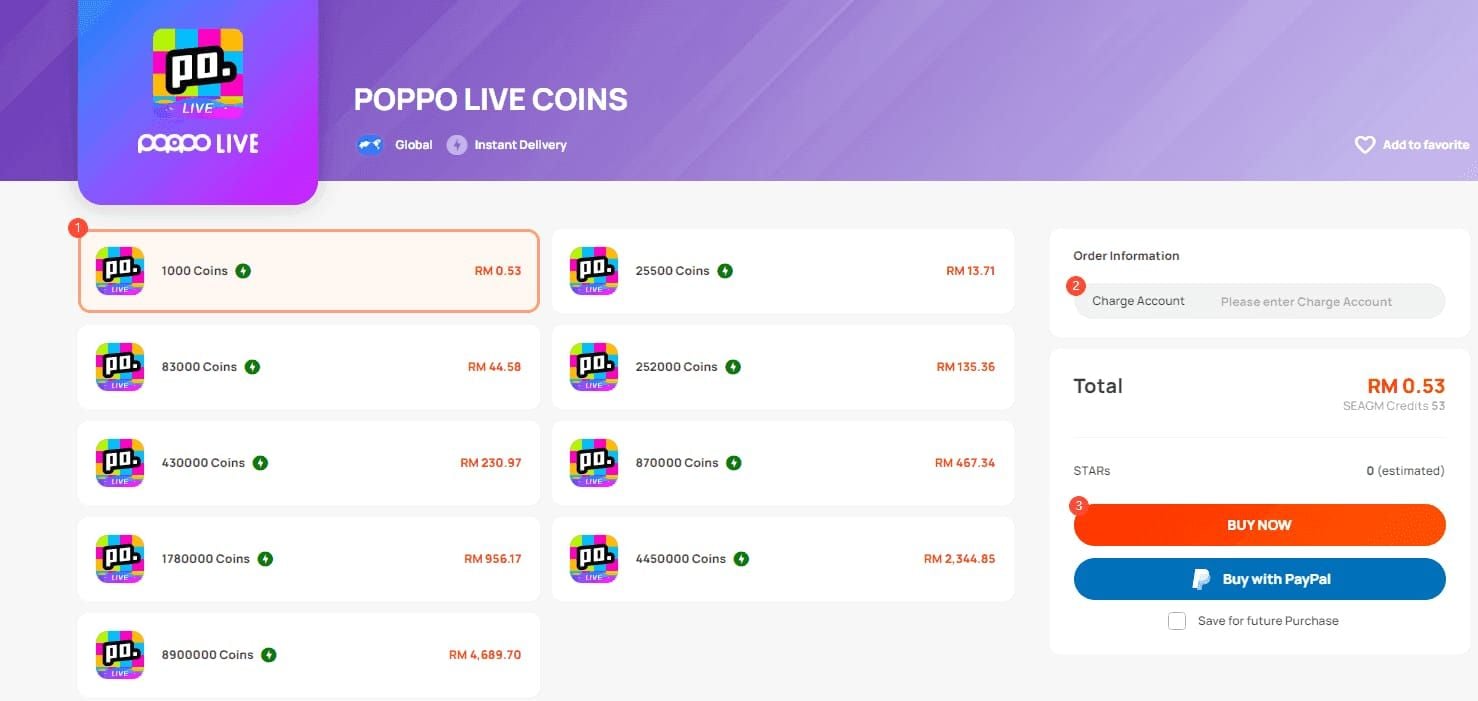
Step 2: Navigate to Poppo Live, select coin package (210 coins/$1.99 to 105,000 coins/$999.99 with bulk discounts).
Step 3: Enter Poppo UID (8-10 digits from Me tab). Triple-check—incorrect UIDs = coins to wrong accounts, no recovery.
Step 4: Select payment method. Crypto gets additional 3-5% discount vs credit cards.
Step 5: Complete payment through secure checkout. Redirects to processor (PayPal, Stripe, crypto wallet).
Step 6: Return to BitTopup after confirmation. Order status updates to Processing with estimated delivery.
Step 7: Receive email when coins deliver (typically 2-5 min).
Step 8: Open Poppo, verify coin balance increased (Profile > Wallet).
Transaction Security
Payment security: PCI-compliant gateways with industry-standard encryption. Never stores complete card numbers or crypto private keys.
Account protection: Never requests Poppo password, 2FA codes, or verification docs. Legitimate recharge needs only public UID.
Fraud detection: Flags suspicious orders (mismatched billing, unusual patterns, high-risk payment). Flagged orders get manual review.
Delivery confirmation: Verifies via API integration with Poppo servers before marking complete.
Dispute resolution: Dedicated support with authority to refund, reprocess, or coordinate with Poppo support.
Avoiding Recharge Scams
Scam indicators:
- Prices 30%+ below market (unsustainable)
- Requests passwords/2FA codes
- Requires recharge before withdrawals
- Operates only via messaging apps (no website)
- Demands crypto to personal wallets
- No verifiable business registration
- Promises bonus coins/VIP status
Legitimate platforms:
- Transparent pricing (5-15% of official rates)
- Requests only public UID
- No withdrawal involvement
- Professional website with SSL
- Multiple recognized payment processors
- Published business registration/contact
- Realistic delivery (2-30 min, not instant)
BitTopup maintains all legitimate characteristics plus user reviews, transaction transparency, responsive multi-channel support.
Prevention and Best Practices
Monthly verification review: Check Profile > Verification Status first day of month. Confirm all tiers active. Document expiration may require reverification.
App update monitoring: Enable automatic updates. Manual checks weekly ensure 2.9.6+ compliance.
Balance buffer: Maintain 15-20% above intended withdrawal for fee fluctuations, prevent Error 1001.
Network consistency: Establish primary network (home Wi-Fi or mobile data) for all activity. Avoid VPN, public Wi-Fi, frequent switching triggering Error 1006.
2FA backup codes: Store in secure location separate from device. Lost authenticator without backups requires support intervention (3-7 day delay).
Transaction documentation: Screenshot every confirmation, hash, success message. Essential for dispute resolution.
Account Security
Password management: Use unique password, never reused. Password managers generate/store complex passwords securely.
Email security: Maintain access to registered email. Platform sends critical updates, password resets, withdrawal confirmations.
Device security: Enable device-level security (PIN, fingerprint, face recognition) preventing unauthorized access if lost/stolen.
Session management: Log out on shared/public devices. Active sessions on multiple devices create authentication conflicts.
Activity monitoring: Review Transaction History weekly for unauthorized purchases, unexpected deductions, unfamiliar withdrawals indicating compromise.
Regular Maintenance
Weekly:
- Clear app cache
- Verify app version matches current release
- Check pending verification renewals
- Review transaction history
Monthly:
- Update payment info if cards expiring
- Renew expiring verification docs (ID, address proof)
- Review/update USDT wallet if changed
- Test 2FA, refresh backup codes
Quarterly:
- Security audit of account settings
- Review/update privacy preferences
- Verify contact information accuracy
- Test withdrawal with minimum $10
Documentation for Disputes
Essential:
- Screenshots: successful withdrawals with hashes
- Copies: verification documents for Level 5
- Email confirmations from official support
- Records: point earning activities
- Payment receipts from legitimate purchases
Dispute-specific:
- Screenshots: error messages with timestamps
- Screen recordings: withdrawal attempt process
- Network diagnostics: IP and connection type
- App version info (Settings > About)
- Communication logs with official support
Store in cloud with automatic backup. Organized records reduce resolution time from weeks to days.
Community Warning Signs
Red flags:
- Sudden identical error reports
- New customer service accounts in community
- Unofficial policy change announcements
- Users sharing special methods requiring payments
- Promotional withdrawal assistance offers
Legitimate sources:
- Official Poppo social media (verified checkmarks)
- In-app announcements/notification center
- Help Center documentation updates
- Email from official domain addresses
Cross-reference concerning info with official sources before action. Scammers exploit panic during platform issues.
FAQ
What does error 1001 mean?
Insufficient point balance. Requires 100,000 minimum ($10 at 10,000 points/$1), but need 110,000 for processing to cover 1-3% fees ($5 max cap). Verify balance exceeds threshold with 10% buffer before retry.
How to fix error 1006?
IP mismatch (affects 30% of attempts). Fix: disable VPN, clear cache (Settings > Apps > Poppo > Storage > Clear Cache), switch to mobile data, enable high-accuracy location. Wait 72 hours after establishing consistent network before retry.
Is Level 5 required for withdrawals?
Yes, mandatory since version 2.9.6+ (October 9, 2025). Requires 2-4 weeks daily activity, complete identity verification (government ID, address proof), biometric selfie. No payment services bypass this—claims otherwise = scams.
What's the minimum withdrawal?
$10 USD = 100,000 points (10,000 points/$1). Processes in $10 increments to $500 max/transaction. Daily limit: $500/24hr (resets midnight UTC+8). 30-day rolling max: $15,000.
Does Poppo require recharge before withdrawal?
No. Never requires recharge, activation fees, or training payments. Processes based solely on point balance, Level 5 verification, app 2.9.6+, valid USDT TRC20 wallet. Any claim otherwise = fraud.
How long does withdrawal take?
First-time: 1-3 business days (security review). Subsequent: <15 min during optimal windows (weekdays 8AM-12PM UTC+8). Weekends process Monday. USDT TRC20 blockchain needs additional 3-5 min after approval (19 network confirmations).
























































































































