What Is UID and Why It Matters
Your UID is a permanent 8-12 digit identifier under your profile username. Unlike usernames (changeable), this number is your account's immutable database address. Purchases deliver to this UID—not username, email, or phone.
Manual UID entry has 12-15% error rate: 0 resembles O, 1 looks like I/L, 8 mimics B, 5 appears as S, 6 as G. One wrong digit sends coins to a different account with no automatic reversal.
To retrieve correct UID:
- Tap profile icon (bottom-right)
- Long-press UID under username
- Tap Copy for exact digits
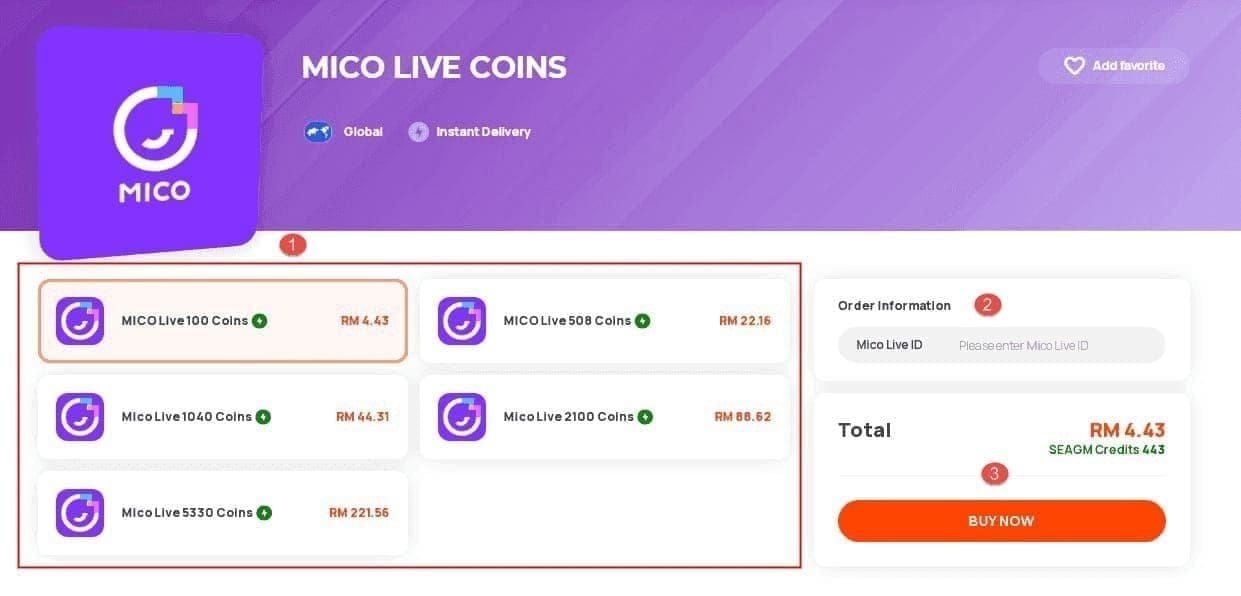
Regional Servers and Transaction Processing
MICO Live operates separate regional servers with distinct pricing:
- Global: 110 coins per USD
- MENA: 143 coins per USD
- Southeast Asia: 43 coins per 100 rupees
These aren't just pricing differences—they're completely separate transaction systems. If payment processes for Global but your account exists on MENA, coins can't transfer. They remain pending until manually reconciled.
Region Matching in 2026 Updates
Recent updates tightened region verification to combat fraud. System cross-references payment method's country, IP location, and account's declared region.
VPN usage triggers automatic fraud verification delays of 12-24 hours, affecting ~8% of international users. This isn't a bug—it's intentional security.
5-Minute Diagnostic: Identify Root Cause Fast
Run this systematic check to pinpoint where coins are stuck. Resolves 60% of cases without support.
Step 1: Verify UID and Account Region (60 Seconds)
Copy UID using long-press, paste into notes app. Compare digit-by-digit with UID entered during purchase (check email confirmation).
Verify account region:
- Profile > Account Settings > Region
- Note displayed region
- Compare with region selected during purchase
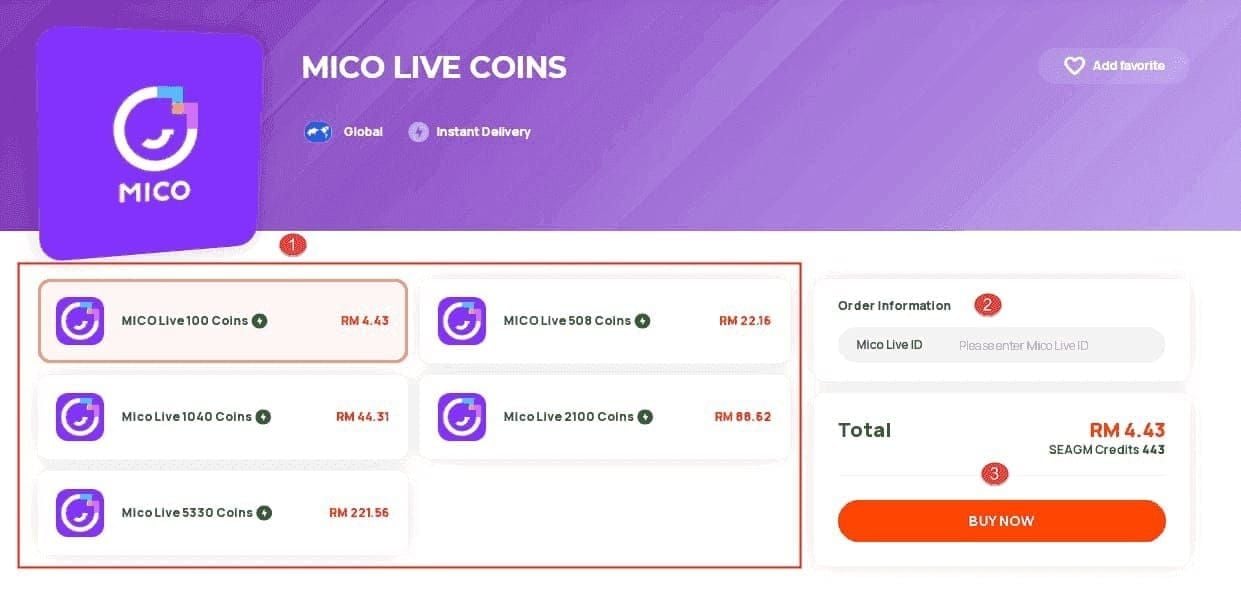
Mismatch = most common cause of missing coins.
Step 2: Check Transaction Status (90 Seconds)
Navigate to Profile > Wallet > History. Each entry shows status:
- Completed: Coins delivered to an account (if not yours = UID mismatch)
- Pending: Processing. Card/wallet: 5-30 min. Bank transfer: 1-4 hours
- Failed: Transaction rejected. Check payment method for refund
- No Record: Never reached MICO servers. Contact payment provider
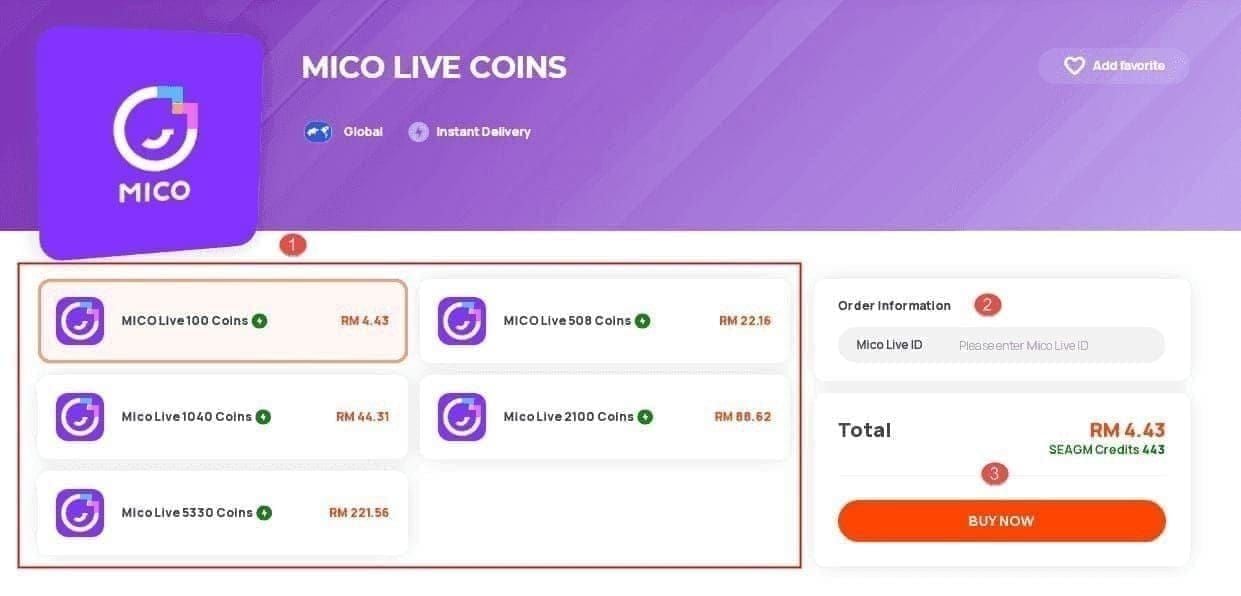
Peak hours (7-11 PM) add 15-30 minutes to delivery.
Step 3: Cross-Reference Purchase vs Account Region (120 Seconds)
Check payment confirmation email for region indicator (server designation, currency code, region label). Compare with account's registered region.
Common mismatches:
- Platform defaulted to different region
- VPN detected wrong location
- Multiple accounts confused
- Recent region change not fully propagated
For mico uid region mismatch recharge fix, BitTopup auto-detects account region and prevents cross-region errors.
Step 4: Test Server Sync (90 Seconds)
- Pull down on Wallet screen to refresh
- Force-close app (iOS: swipe up; Android: recent apps swipe)
- Wait 30-60 seconds, reopen
- Logout (Profile > Settings > Logout), wait 30-60 seconds, login
Logout/login resolves 60% of cases by forcing server re-sync.
Common UID vs Region Mismatch Scenarios
Scenario 1: Wrong Regional Server Purchase
Global user purchased through platform defaulted to MENA pricing. Paid less per coin but coins delivered to non-existent MENA account.
Fix: Contact support with Transaction ID and correct UID. Resolution: 24-72 hours.
Prevention: Verify region indicator before payment. BitTopup displays account region during checkout.
Scenario 2: VPN-Induced Detection Errors
VPN caused payment gateway to detect different country than account region. System flagged as fraud, placed in manual review.
Fix: Disable VPN, wait 12-24 hours for auto-review completion.
Prevention: Always disable VPN before purchases.
Scenario 3: Account Migration Without Region Update
Relocated and changed region (requires government ID, 3-month residence proof, SMS verification, 24-48 hours processing). Purchased before change fully propagated.
Fix: Check region change status in Account Settings. If Processing, wait. If Completed, clear app cache (Settings > Apps > MICO > Storage > Clear Cache), wait 30-60 seconds, relaunch.
Prevention: Region changes limited to once per 12 months. Wait 48 hours after approval before buying.
Scenario 4: Multi-Account Confusion
Two accounts—purchased while logged into Account A, intended for Account B.
Fix: Coins correctly delivered to provided UID. Support can't transfer between accounts. Use coins on receiving account or request refund (may be denied).
Prevention: Screenshot profile showing username and UID before purchase. Compare with purchase form UID field.
Immediate Recovery Actions: First 30 Minutes
Document Transaction Evidence
Payment Confirmation Requirements:
- Transaction ID
- Exact amount paid
- Timestamp (date/time)
- Last 4 digits of payment method
- Payment status confirmation
Account Information:
- Profile showing username and UID
- Wallet balance before/after expected delivery
- Transaction History screen
Save as JPG/PNG/PDF under 5MB each.
Verify Payment Completion
Check bank/card/wallet for:
- Completed charge matching purchase amount
- Pending charge (1-3 business days to finalize)
- Declined/reversed charge (purchase never completed)
Pending/declined = coins aren't missing, purchase incomplete.
When to Wait vs Act
Wait if:
- Payment method's delivery window hasn't elapsed (30 min cards/wallets, 4 hours bank transfers)
- Status shows Pending during peak hours
- Purchase made within last 60 minutes
- Used cryptocurrency (up to 30 min)
Act immediately if:
- 4+ hours passed for any method
- Status Failed but payment charged
- Confirmed UID/region mismatch
- No transaction record despite confirmed payment
Complete Recovery Process
Self-Service Recovery Methods
Method 1: Force App Refresh
- Close MICO completely
- Wait 30-60 seconds
- Reopen, check wallet
- Pull down to manually refresh
Method 2: Logout/Login Cycle
- Profile > Settings > Logout
- Wait 30-60 seconds
- Login, check Wallet History
Resolves 60% of sync delay cases.
Method 3: Clear App Cache
- Device Settings > Apps > MICO > Storage
- Clear Cache (NOT Clear Data)
- Wait 30-60 seconds
- Reopen, check balance
Method 4: Verify Network
Requirements:
- WiFi: 3+ bars or 75%+ signal
- Mobile: 5 Mbps download, 1 Mbps upload
- 500MB+ free storage
Switch between WiFi/mobile data to rule out network issues.
Preparing Support Request
Required Info:
- Exact MICO UID (copied, not typed)
- Transaction ID
- Payment amount and currency
- Payment method
- Date/time of purchase (with timezone)
- Expected coin amount
- Current wallet balance
Supporting Evidence:
- Payment confirmation screenshot (Transaction ID, amount, timestamp)
- Profile screenshot (username, UID)
- Wallet History screenshot
- Account Settings screenshot (registered region)
Contact MICO Support
In-App (Recommended):
- Profile > Settings > Help Center
- Contact Support
- Payment Issues > Coins Not Received
- Fill form with prepared info
- Attach screenshots
- Submit
Auto-includes account details, creates trackable case.
Email (Complex Cases):
Send to contact@micous.com:
- Subject: Missing MICO Coins - Transaction ID [your ID]
- UID in first line
- Transaction ID and payment details
- Chronological description
- Evidence screenshots attached
Response within 24 hours.
Expected Timeline
Standard Resolution:
- Initial response: 6-24 hours
- Investigation: 24-48 hours
- Resolution: 24-72 hours total
Follow-Up:
- Wait 48 hours before follow-up
- Reference case number
- Provide requested info within 24 hours
- Check spam folder
Chargeback Warning: Never initiate chargeback while case is active. Triggers permanent account ban within 24-48 hours, rarely reversed.
Prevention Strategies
Pre-Purchase Verification Checklist
- Verify UID: Copy from profile, paste into form, compare digit-by-digit
- Confirm Region Match: Purchase platform region = account region
- Disable VPN: Turn off VPN/proxy/location services
- Check Network: Strong WiFi (3+ bars) or mobile (75%+ signal)
- Verify Payment Method: Sufficient funds, not expired/blocked
Confirm Account Region Before Top-Up
- Profile > Account Settings > Region
- Note displayed region
- Compare with purchase platform
Region Change Requirements:
- Government ID verification
- 3-month residence proof
- SMS verification (new region number)
- 24-48 hours processing
- Once per 12 months limit
Wait 48 hours after approval before purchases.
Why BitTopup Stands Out
Automatic UID Verification: Validates UID format, checks against MICO database before payment. Prevents 12-15% manual error rate.
Region Detection: Auto-detects account region, offers only compatible options. Eliminates cross-region errors.
Transaction Protection: Delivery tracking, automatic refund if coins don't arrive within guaranteed timeframe.
24/7 Support: Dedicated MICO Coins recovery team, <2 hour average response.
Transparent Processing: Real-time status updates via email/dashboard.
Competitive Pricing: Matches/beats official pricing with maintained security.
High Ratings: 4.8/5 stars for MICO transactions with documented edge case resolution.
Set Up Transaction Alerts
MICO App:
- Profile > Settings > Notifications
- Enable Transaction Alerts
- Enable Account Activity
Payment Method:
- Bank/payment app transaction notifications
- Alerts for charges over typical amount
- Fraud detection alerts
Email Filters:
- Filter MICO support/payment confirmations
- Mark as important
- Create MICO transactions folder
Advanced Troubleshooting
Server Sync Delays
MICO uses distributed regional servers with periodic sync. High-traffic/maintenance causes 30-60 min delays.
Identifying Sync Delays:
- Payment Completed but Wallet History empty
- Other features work normally
- Multiple users affected (check forums)
- Status page shows Degraded Performance
Resolution: Wait 60 minutes, perform logout/login. Auto-resolves when backlog clears.
Payment Gateway vs Platform Processing
Payment Gateway (Bank/Card → Processor):
- Cards: 30 sec - 5 min
- Digital wallets: Instant - 15 min
- Bank transfers: 1-4 hours
- Crypto: 10-30 min
Processor → MICO Server:
- Instant for established processors
- Up to 15 min for new/regional processors
- 12-24 hours during fraud verification
MICO Server → Account:
- Instant once received
- Up to 60 min during sync delays
Gateway Completed but MICO empty after 60 min = issue between processor and server. Contact support with payment confirmation.
Regional Payment Compatibility
Global Region:
- International cards (Visa, Mastercard, Amex)
- PayPal, Apple Pay, Google Pay
- Major cryptocurrencies
MENA Region:
- MENA-issued cards/regional services
- Limited crypto support
- International cards trigger fraud verification
Southeast Asia:
- Regional e-wallets (GCash, GoPay)
- Local bank transfers
- International cards higher failure rate
Incompatible payment method = transaction fails or enters extended verification. Use region-appropriate method.
Common Misconceptions
Myth 1: All Top-Ups Are Instant
Reality: 95% of card/wallet payments deliver within 5 min, but not guaranteed instant. Bank transfers: 1-4 hours. Crypto: 10-30 min. Peak hours add 15-30 min.
Myth 2: VPN Doesn't Affect Purchases
Reality: VPNs trigger 12-24 hour fraud verification in ~8% of transactions. System sees payment from one country applied to account in another—classic fraud pattern.
Myth 3: Any Platform Tops Up Any Region
Reality: Regional server separation means Global-authorized platforms can't deliver to MENA/Southeast Asia accounts. Coins go to correct UID on wrong server, requiring manual intervention.
Guaranteed Delivery Times
BitTopup guarantees:
- Card/wallet: 30 min max
- Bank transfer: 4 hours max
- Crypto: 1 hour max
Includes automatic refund if exceeded. Assumes correct UID, region match, no VPN, stable internet, 500MB+ free storage.
FAQ
Why are my MICO Coins not showing after payment?
90% result from UID entry errors or region mismatches. Copy UID directly from profile (tap profile, long-press UID, Copy) and confirm account region matches purchase region. Check Wallet History: Pending = processing (wait 30 min cards, 4 hours bank transfers), Failed = retry with different payment method.
How long does MICO Coins delivery take?
Cards/digital wallets: 95% within 5 min, 100% within 30 min. Crypto: up to 30 min. Bank transfers: 1-4 hours. Peak hours (7-11 PM) add 15-30 min. If delayed, logout/login resolves 60% of cases.
What is UID region mismatch?
Purchasing coins for one regional server (Global, MENA, Southeast Asia) when account exists on different server. Each region has separate systems with different pricing (Global: 110 coins/USD, MENA: 143 coins/USD, Southeast Asia: 43 coins/100 rupees). Coins can't auto-transfer between regions. Check Profile > Account Settings > Region, ensure purchase platform matches.
How do I find my correct MICO UID?
Tap profile icon (bottom-right). UID appears as 8-12 digits under username. Long-press, tap Copy. Paste into notes app, copy from there into purchase forms. Never type manually—12-15% error rate from 0/O, 1/I/L, 8/B, 5/S, 6/G confusions.
Can I get a refund for missing MICO Coins?
Refunds available for platform errors, not user errors (wrong UID). If incorrect UID entered and coins delivered to that account, support can't retrieve. For legitimate failures (region mismatch, gateway errors, server issues), contact support via Profile > Settings > Help Center > Contact Support > Payment Issues with Transaction ID, UID, payment screenshots. Documented cases resolve in 24-72 hours. Never chargeback through bank—triggers permanent ban within 24-48 hours.
Does VPN affect MICO Coins top-up?
Yes—VPN triggers 12-24 hour fraud verification from geographic inconsistency between payment location and account region. Always disable VPN/proxies before purchasing. If VPN needed for privacy, complete purchase first, wait for delivery, then re-enable. Verification can't be bypassed—must wait for automated review.
Stop worrying about missing MICO Coins! Top up safely through BitTopup with automatic UID verification, guaranteed delivery, and instant support. Get MICO Coins in minutes with zero region mismatch risk → BitTopup MICO Live Coins