Learn how to fix Naver Pay overseas identity verification error loops, bypass domestic carrier blocks, and verify foreign passports quickly in 2026.
Trying to pay for a game, reserve an item, or purchase digital goods through a South Korean web portal often hits an immediate brick wall: the Naver identity verification screen. For anyone residing outside South Korea, this interface turns into an endless loop. You click to verify your profile, and the system prompts you for a domestic mobile carrier you do not own, an Alien Registration Card you do not hold, and an automated voice call you cannot receive.
Naver Pay defaults to domestic telecommunications credentials due to strict South Korean real-name identification laws. If you live abroad, you must manually bypass that default route.
If you prefer to bypass complex telecom registrations entirely when funding Korean web services, you can top up Naver Pay funds directly through an external balance replenishment rather than dealing with local banking gates.

The Korean Carrier Deadlock: Why Your Overseas Authentication Fails
South Korea's standard online identity architecture relies on telecommunication-based real-name verification. When a domestic resident registers for Naver Pay, the checkout gateway queries SKT, KT, or LG U+ to confirm that the user's name matches an official Resident Registration Number or Alien Registration Card (ARC).
Following that mobile match, the gateway triggers an automated ARS confirmation call and a 1 KRW micro-deposit verification code sent to a domestic Korean bank account. When you attempt this with an international SIM card, the carrier lookup fails instantly. The page displays vague error messages like "Cannot authenticate mobile carrier" or greys out the submission button.
[Standard Domestic Verification Route - FAILS FOR OVERSEAS USERS]
Naver Pay Setup -> Korean Telco Check (SKT/KT/LGU+) -> ARS Voice Call -> 1 KRW Bank Deposit -> Account Active

[Overseas Identity Verification Route - WORKING FIX]
Naver Profile -> Foreign Passport / Help Center Portal -> Facial/Document Review -> In-App OTP Enabled
Foreign accounts must take an authentication pathway that relies on international passports or manual Help Center document validation instead of domestic telecommunications data.
Step-by-Step Fixes for Naver Pay Identity Verification
Follow these sequential fixes to clear the identity blocker on your overseas Naver account.
Step 1: Switch to Passport-Based Real-Name Verification
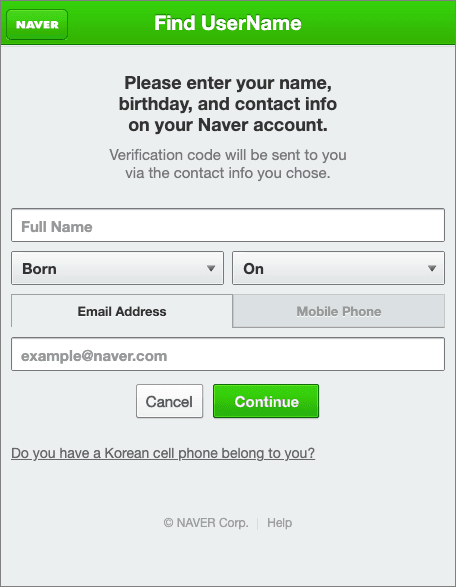
Naver supports automated passport-based identity confirmation for foreign users without a South Korean phone number. The workflow uses your smartphone camera to read your travel document and confirm your identity via facial verification.
- Open your mobile browser or the official Naver application and log into your account.
- Access your Naver Member Information page and select the Identity Verification tab.
- When prompted for carrier selection, look below the domestic carrier logos and choose Foreigner / Overseas User.
- Allow camera permissions on your device.
- Scan the photo page of your unexpired, physical foreign passport.
- Complete the live facial verification prompt on your screen.
This method bypasses customer service queues and domestic telecom checks. The document must be an unexpired passport issued outside South Korea. Domestic Korean resident IDs or Korean passports submitted through overseas channels trigger automated rejections.
Step 2: Unblock SMS Shortcodes and Check Request Rate Limits
If you are stuck at the phone SMS verification stage of registration or login, your international carrier might be blocking Naver's automated texts. Naver dispatches verification SMS messages from shortcode prefixes starting with 1588 (most commonly 1588-3820). Many international mobile providers classify these shortcodes as automated spam and drop them.
- Check your phone's SMS spam filter and blocked numbers list to ensure 1588 numbers are whitelisted.
- Disable third-party call-screening and spam-blocking applications while requesting the code.
- Keep strict frequency limits in mind: Naver restricts SMS verification requests to 1 time per month and 3 times per 6-month period on valid mobile numbers. If you spam the retry button, your number enters an automatic security cooldown.
Step 3: Align Registration Data and Name Order
Document validation failures frequently occur due to simple naming discrepancies. Korean identity systems enforce exact string matching.
- Your account profile name must match the machine-readable zone (MRZ) of your foreign passport exactly.
- If your passport lists your name as
DOE, JOHN MICHAEL, entering John Doe in your Naver profile will cause the scanner or reviewer to decline the match. - Enter your date of birth strictly in the
YYYY-MM-DD format. - Ensure the gender specified on your Naver profile matches your official identification.
Step 4: Submit a Help Center Foreign ID Ticket
If the automated smartphone passport scan fails or your device camera is unsupported, submit a manual verification ticket through the official Naver Help Center.
- Navigate to the Naver Help Center (Member Information > Identity Confirmation for Overseas Members).
- Prepare a clear, color photo of your foreign passport or foreign government-issued driver's license.
- Mask sensitive data: Cover your passport number, driver's license number, home address, and barcode. Only your full legal name, date of birth, and gender must remain clearly visible.
- Attach the masked image to the inquiry form.
- Submit the ticket. Naver customer support reviews overseas manual document submissions within 24 hours.
Step 5: Configure Naver In-App OTP for 2-Step Sign-In
Once your identity is confirmed, do not rely on international SMS for daily logins. Overseas SMS routing is prone to transmission delays and regional gateway dropouts.
- Download the official Naver mobile app on your smartphone.
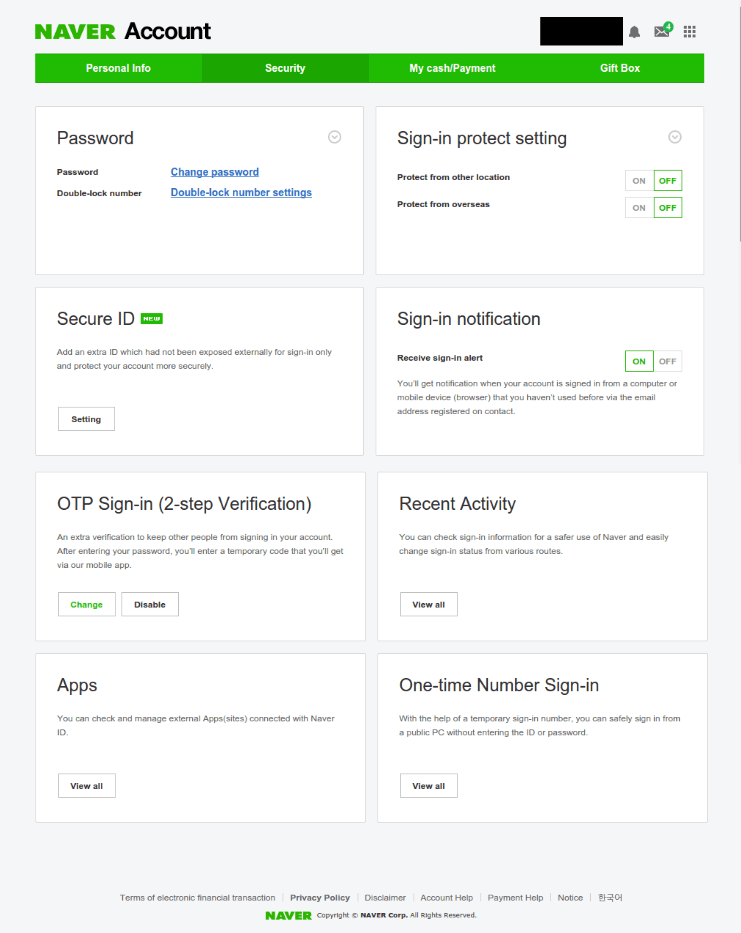
- Go to Settings > Security Settings > 2-Step Verification.
- Enable in-app push notifications and in-app OTP generation.
- When signing into desktop browsers or new devices, approve the login prompt directly inside your Naver mobile app.
Identity Verification Methods Compared
Choosing the wrong verification route will lock your phone number behind cooldown periods. The table below outlines how each authentication path operates for overseas players.
| Verification Method | Required Credentials | Processing Time | Primary Restriction / Caveat |
|---|
| Automated Passport Scan | Foreign passport + live facial match via smartphone | Instant (< 5 minutes) | Requires clean camera scan and unexpired foreign passport. |
| Help Center Manual Inquiry | Masked foreign ID scan (passport or driver's license) | Up to 24 hours | Mask all fields except name, DOB, and gender or ticket gets rejected. |
| In-App OTP Authentication | Naver App on registered mobile device | Real-time generation | Replaces unreliable international SMS for 2-step verification. |
| Domestic Carrier Verification | Korean phone number (+82) + ARC name match | Instant | Inaccessible overseas; strictly requires domestic Korean carrier. |
Takeaway: Never attempt the domestic carrier route unless you hold an active Korean SIM registered to your ARC. Overseas users should rely on the automated passport scan or the manual Help Center ticket.
Resolving SMS Shortcode and Rate Limit Blockers
International users often get caught in Naver's fraud-prevention filters. Because accounts created outside Korea carry higher security risk profiles, the platform applies tight constraints on mobile number usage and network stability.
[Naver Mobile Verification Constraints]
├── Request Rate: Maximum 1 SMS per month
├── Extended Limit: Maximum 3 SMS requests per 6 months
├── Account Limit: Maximum 3 Naver accounts per single phone number
└── Deletion Lock: 30-day (1-month) cooldown before a number can be reused
If you delete an account verified with your mobile number within one month of its creation, that phone number enters a 30-day signup cooldown. You cannot use it to register or verify another profile until that month passes.
Network inconsistencies will also throttle your account. If you attempt verification while connected through proxy nodes, shared VPNs, or IP ranges that switch locations mid-session, Naver triggers a 60-minute security hold where all outgoing SMS verification codes are suppressed. Use a stable, direct residential connection without rotating IP software when verifying credentials.
For gamers who want to skip telecom rate limits entirely, choosing a reliable Naver Pay credit balance allows you to fund digital checkouts without fighting automated phone gateways.
Platform Differences: PC Web vs Mobile App Authentication
Verifying your identity on a desktop browser differs from completing the workflow on mobile operating systems. The automated passport scanner requires camera capabilities that desktop web setups rarely handle cleanly.
| Feature / Step | PC Browser (Chrome / Edge / Firefox) | Naver Mobile App (Android) | Naver Mobile App (iOS) |
|---|
| Passport Real-Name Scan | Redirects to mobile QR code | Native camera integration with facial scanning | Native camera integration with facial scanning |
| Manual Document Upload | Direct drag-and-drop file upload | File picker from device storage | File picker / Photos library |
| Two-Step Verification | Push prompt sent to mobile | In-app push approval & OTP generator | In-app push approval & OTP generator |
| Session Persistence | Cookie-based (expires on network shift) | Device-bound trusted session | Device-bound trusted session |
Takeaway: Complete your initial identity verification inside the mobile app or on a smartphone browser. Running automated passport and facial matching through a desktop webcam frequently causes capture errors.
Account Validation Rules and Transaction Gateways
Naver enforces strict credential syntax during account creation. Failing these rules early causes silent errors later during payment authorization.
Username and Password Syntax Rules
- Naver ID (Username): Must be between 5 and 20 characters. Allowed characters include lowercase English letters (
a-z), numbers (0-9), hyphens (-), and underscores (_). Uppercase letters and special symbols are rejected. - Password: Must be between 8 and 16 characters. Must combine uppercase letters, lowercase letters, numbers, and allowed special symbols. Passwords containing sequential numbers or identical consecutive characters are rejected during registration.
Foreign Card Checkout Limitations
Even after verifying your foreign identity, certain online merchants will reject foreign-issued credit cards at checkout.
Transactions processed with foreign credit cards incur a 3.85 percent processing fee for the seller, alongside chargeback liability. Because of this, certain store managers disable foreign credit cards in their store settings. If you run into a checkout failure on a verified account, the merchant itself may not accept international payment methods.
| System Parameter | Specification / Constraint |
|---|
| Username Length | 5 to 20 characters (lowercase, numbers, -, _) |
| Password Length | 8 to 16 characters (mixed case, numbers, symbols) |
| Manual Ticket Review Window | Typically within 24 hours |
| Deleted Account Phone Cooldown | 30 days (1 month) before phone number reuse |
| Domestic Micro-Deposit Step | 1 KRW verification code (Korean domestic banks only) |
| Merchant Foreign Card Fee | 3.85% processing fee on international cards |
Takeaway: If your verified account fails at checkout, confirm whether the merchant accepts international cards before assuming your verification has lapsed.
Setting Up 2-Step Verification and Avoiding Lockouts
Lock down your security settings after document approval to avoid repeated verification prompts. Relying on phone-based SMS codes overseas is a common cause of lockouts.
- Open the Naver App on your smartphone.
- Navigate to My Profile > Security > 2-Step Verification.
- Register your current device as the Primary Authenticator.
- When configuring the backup phone line, specify an alternate contact number from your primary line so you maintain access if your primary mobile number changes.
- Enable the Stay OTP Signed In option on your primary gaming PC to maintain an active trusted session without re-verifying on every browser restart.
If you manage digital purchases for gaming and web content regularly, you can also purchase Naver Pay vouchers online to keep your account balance ready without triggering repeated bank security checks.
FAQ
Why am I locked in a Korean mobile verification loop on Naver Pay?
Default Naver Pay checkout paths mandate domestic telecom real-name authentication linked to an Alien Registration Card and a Korean carrier. Overseas users must switch to automated passport verification or submit manual foreign identity documents through the Help Center instead of selecting domestic carrier options.
Can foreigners outside Korea verify a Naver account?
Yes, non-residents can verify their identity using an unexpired foreign passport through the mobile automated facial scan or by submitting a masked foreign ID to the Naver Help Center. The name and date of birth on your document must match your Naver profile data exactly.
Why is the Naver verification SMS code not arriving on my international phone?
International carriers often block automated texts sent from South Korean shortcode prefixes like 1588-3820. Naver also enforces strict rate limits of 1 SMS request per month and 3 per 6 months per phone number, blocking excessive attempts automatically.
How long does manual foreign ID verification take on Naver?
Customer support usually processes overseas manual ID submissions within 24 hours. Verification will be rejected or delayed if your uploaded image is blurry or if you fail to mask your ID number and address while leaving your name, birthdate, and gender visible.
Why was my foreign credit card rejected on Naver checkout?
Individual merchants can disable overseas credit cards in their store settings to avoid the 3.85% processing fee and international chargeback risks. If a store has toggled off foreign card acceptance, your transaction will fail regardless of your account's verification status.
Can I link a non-Korean bank account directly to Naver Pay?
Direct bank account linking requires an account at a domestic South Korean bank and Korean carrier ARS voice verification with a 1 KRW deposit code. Overseas users cannot register foreign bank accounts directly and should rely on foreign credit cards or direct balance top-ups instead.
Final Verdict: The Practical Route for Overseas Gamers
Do not waste attempts trying to force an international phone number through Naver's domestic carrier authentication form. You will trigger the 1-per-month SMS rate limit and lock yourself out of your profile for weeks.
If you have an unexpired foreign passport, use a smartphone camera to complete the automated facial verification scan through your mobile browser or the Naver app. If that fails, mask everything except your name, birthdate, and gender on your ID, submit a manual inquiry ticket to the Help Center, and wait the standard 24 hours for review. Once verified, switch your login method immediately to in-app OTP generation to bypass overseas SMS routing issues permanently.