



GASH Card (TW) Top Up: What Is GASH and Gamania Beanfun Points?
GASH (Game Point Auto Settlement House) is the primary prepaid gaming currency system issued by Gamania Digital Entertainment. Designed specifically for Taiwan-based game servers, mobile applications, and digital entertainment services, a GASH Card (TW) voucher lets players convert prepaid funds into in-game items, subscriptions, and digital currency.
When you purchase a GASH Card (TW), you receive a digital serial code and PIN. This code can be redeemed directly within games that support GASH billing or deposited into a Beanfun! account wallet to manage balances across multiple Gamania titles. GASH remains one of the most widely accepted and trusted payment methods across the Taiwanese gaming sector in 2026.
Supported Games and Digital Entertainment Platforms in Taiwan
GASH Point cards cover a massive network of PC MMORPGs, mobile games, web games, and digital media platforms hosted in Taiwan. Top titles and platforms include:
- MapleStory (新楓之谷): Convert GASH points directly into Maple Points to purchase Cash Shop equipment, Royal Hair coupons, and enhancement scrolls on Taiwan servers.
- Lineage M (天堂M) and Lineage Remastered: Recharge Diamond bundles and premium monthly passes via official Gamania top-up channels.
- Fantasy Frontier (幻想神域): Top up Aura Kingdom / Fantasy Frontier Taiwan edition accounts to access exclusive gacha events and costumes.
- Dragon Nest (新龍之谷): Top up G-Coins for character customization, resets, and VIP services.
- Beanfun! Ecosystem Titles: Use stored points across any title integrated with Gamania's Beanfun platform, including mobile web games and community applications.
- Digital Content & Live Streaming Services: Certain Taiwanese comic portals, novel platforms, and digital streaming hubs accept GASH Card PINs for premium chapters and memberships.
Taiwan Region Lock Rules and Account Requirements
GASH points operate under strict region restrictions. Due to anti-fraud updates and publisher distribution agreements, GASH Card (TW) digital codes can only be redeemed on game accounts registered to the Taiwan (TW) region or on official Taiwanese service portals.
- Region Mismatch Warning: You cannot redeem a Taiwan (TW) GASH code on Hong Kong (HK), Macau (MO), or Global server accounts. HK game clients require GASH Card (HK) codes.
- Currency Base: GASH Card (TW) codes correspond directly to New Taiwan Dollars (NTD / TWD) at a 1:1 point ratio (e.g., 500 GASH = 500 TWD value).
- IP & Account Verification: Some titles and Beanfun account portals require an active Taiwanese phone number or verified TW Beanfun account status to process wallet recharges. Confirm your target game client is set to the Taiwan server before purchasing.
How to Identify Your Account and Find Your Game UID
Before redeeming a direct-to-game GASH code or crediting your Beanfun profile, verify your exact account details to ensure your funds reach the right character or wallet.
- For Direct Game Top-Ups: Launch your game client (such as MapleStory TW or Lineage M), open the user profile or settings menu, and copy your Account ID / Character UID.
- For Beanfun! Wallet Top-Ups: Open the Beanfun app or log in at
tw.beanfun.com. Your Account ID is displayed on the main dashboard under your profile avatar. - Double Check Server Region: Confirm your client displays "TW" or "Taiwan Service" in the game launcher to prevent region mismatch failures.
Step-by-Step Guide: How to Redeem GASH Card (TW) Codes
You can redeem your GASH digital PIN through two main methods: the official GASH redemption portal or the Beanfun account gateway.
Method 1: Redeeming on the Official GASH Point Portal (tw.gashpoint.com)
- Go to the official GASH Taiwan redemption center (
tw.gashpoint.com). - Select Point Card Top Up (儲值專區).
- Choose your specific game title from the supported game list.
- Enter your Game Account ID or Character UID.
- Type your 21-character GASH Serial Number and your PIN / Password exactly as received in your BitTopup order dashboard.
- Click Confirm (確認送出). The points will credit to your in-game mailbox or wallet instantly.
Method 2: Redeeming via Beanfun! Member Wallet
- Log in to your verified Beanfun Taiwan account (
tw.beanfun.com). - Navigate to Recharge Points (儲值與購點).
- Select GASH Point Card (GASH 點數卡) as the deposit method.
- Enter the GASH PIN code into the redemption field.
- Click Submit. Your Beanfun wallet balance updates immediately and can be allocated to any linked Gamania title.
How to Buy GASH Card (TW) on BitTopup
Getting your Taiwan GASH voucher on BitTopup takes only a few quick steps:
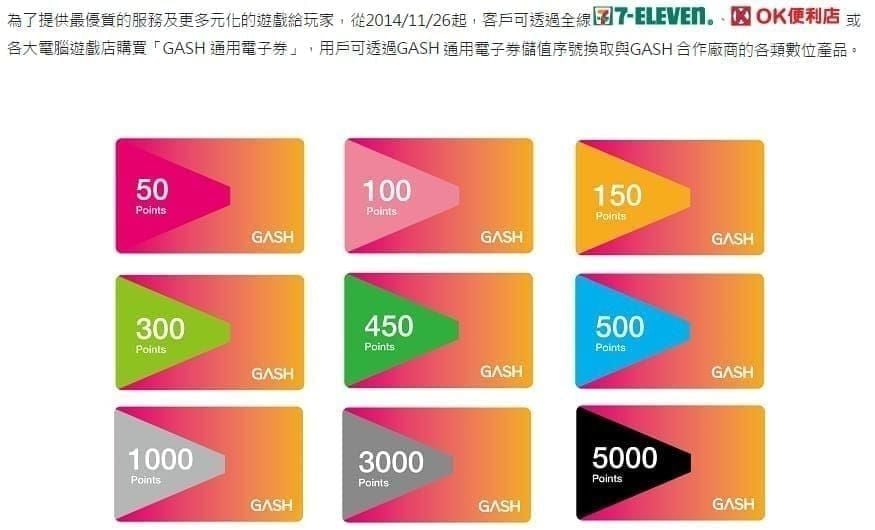
- Select Denomination: Choose your required GASH Point value (e.g., 100, 300, 500, 1000, 3000, or 5000 GASH Points) from the catalog list.
- Review Order Details: Confirm that you have selected the Taiwan (TW) edition suitable for your server region.
- Proceed to Checkout: Select your preferred payment option from the available checkout methods. Live checkout pricing is calculated transparently before confirmation.
- Receive Digital PIN: Once payment clears, your digital code appears directly in your BitTopup account dashboard and is sent to your registered email.
GASH Card (TW) vs MyCard: Feature Comparison
Taiwanese gaming uses two main point systems: GASH and MyCard. Use the comparison below to pick the right voucher for your specific game:
| Feature / Metric | GASH Card (TW) | MyCard (TW) |
|---|---|---|
| Primary Publisher | Gamania Digital Entertainment | Soft-World Entertainment |
| Flagship Games | MapleStory TW, Lineage M, Dragon Nest | RO Origin, Tower of Saviors, Garena Titles |
| Primary Wallet Portal | Beanfun! / GASH Point App | MyCard Member Wallet |
| Region Lock Policy | Strict (TW only for TW cards) | Strict (TW / HK separated) |
| Direct In-Game Top-Up | Yes (Supported TW games) | Yes (Supported TW games) |
| Redemption Input | 21-Character Serial / PIN | Card Number & Password |
Troubleshooting Common GASH Point Redemption Errors
- Error: Invalid Code or Verification Failed: Check for spacing issues or misread characters (such as mistaking zero
0forO, or1forI). Enter the PIN without spaces or hyphens unless the interface specifically formats them. - Error: Region Mismatch / Unsupported Area: This occurs when attempting to redeem a TW code on an account registered to Hong Kong, Macau, or other regions. Verify that your game client region matches Taiwan.
- Error: Code Already Used: Refresh your in-game balance or Beanfun wallet first. If the balance has not updated, check your order history to ensure you are entering the new, unredeemed PIN.
- Portal Maintenance: If the GASH web portal returns a server timeout or 500 error, wait a few minutes and retry, as Gamania performs routine server maintenance during weekly update windows.
Safe Checkout and Account Security on BitTopup
BitTopup delivers your GASH Card (TW) as a direct digital voucher code. You will never be asked to share your game password, Beanfun login credentials, or personal verification codes. You simply buy the digital PIN on BitTopup and enter it yourself on the official GASH or game portal, keeping full control over your personal gaming accounts.
BitTopup provides real-time digital PIN generation, protected payment processing, and 24/7 customer support to help verify orders and assist with redemption questions at any time.
Frequently Asked Questions
What is a GASH Card (TW) and what can I buy with it?
A GASH Card (TW) is a digital prepaid voucher issued in New Taiwan Dollars for games and digital platforms hosted in Taiwan. You can use it to recharge in-game currencies, buy cosmetic items, or pay for subscriptions in popular titles like MapleStory TW, Lineage M, and the broader Beanfun entertainment network.
Can I use a Taiwan GASH Card on a Hong Kong or Global account?
No. Taiwan GASH cards are strictly locked to Taiwan server accounts and the Taiwanese GASH redemption portal. Hong Kong accounts require GASH HK cards, and global accounts require region-specific payment methods.
How do I redeem my GASH Card (TW) digital code on Gamania or Beanfun?
Log in to your Beanfun account at tw.beanfun.com or open the Beanfun app. Go to the Recharge / Point Deposit section, select GASH Point Card as your payment method, type the digital PIN provided in your BitTopup order, and confirm the recharge.
Do GASH Card (TW) digital codes have an expiration date?
Standard GASH Card (TW) prepaid vouchers do not expire after purchase. However, it is best practice to redeem your digital PIN promptly after receiving it from BitTopup to credit your account immediately.
What should I do if my GASH code shows invalid or already used?
First, check your in-game or Beanfun account balance to confirm whether the points were applied during a connection delay. Next, double-check your typing for confusing characters (such as 0 vs O). If the issue persists, contact BitTopup 24/7 customer support with your order number for verification.
Do I need to share my Gamania or game password to recharge?
No. BitTopup delivers an independent digital PIN directly to your account. You enter the code yourself on the official game or GASH portal, so you never need to share passwords or sensitive account information.