

Garena Shells MY Top Up Overview and Supported Games
Garena Shells are the central digital gaming currency used across Garena's network in Malaysia. When you purchase Garena Shells (MY) prepaid codes, you obtain credit that converts directly into premium in-game currencies for any title published by Garena.
Using Garena PPC (Prepaid Card) vouchers allows you to top up your account without linking personal banking accounts or credit cards directly to mobile app stores. Once added to your balance, you can distribute Shells across several top mobile and desktop games:
- Free Fire and Free Fire MAX: Convert Shells to Free Fire Diamonds to buy character bundles, weapon crates, weapon upgrade materials, and seasonal Elite Passes.
- Call of Duty: Mobile (CODM - Garena): Exchange your Shell balance for COD Points (CP) to participate in lucky draws, unlock Battle Pass tiers, and buy mythic drop crates.
- Arena of Valor (AOV): Convert Shells into AOV Vouchers for hero unlocks, legendary skin upgrades, and special event tokens.
- Undawn: Exchange Shells for RC currency to acquire survival supplies, gear blueprints, and vehicle skins.
- Garena PC Client Titles: Top up your central account to access in-game items across legacy and active PC games supported on the Garena platform.
Step-by-Step Guide: How to Buy Garena Shells on BitTopup
Buying digital Garena PPC voucher codes on BitTopup is direct and fast. Follow these steps to complete your purchase:
- Go to the Garena Shells (MY) product page on BitTopup.
- Choose the Shell denomination you want to purchase (such as 33, 66, 165, 330, 660, or 1,650 Shells).
- Select your purchase quantity.
- Enter a valid email address where your order details and code confirmation will be delivered.
- Select your payment method at the live checkout page.
- Confirm and finalize the transaction.
- Your digital voucher PIN code will display immediately on the confirmation screen and will be emailed to your inbox.
How to Redeem Garena PPC Voucher Codes on Garena Topup Center
Once you receive your digital code from BitTopup, follow this redemption procedure to credit your game balance:
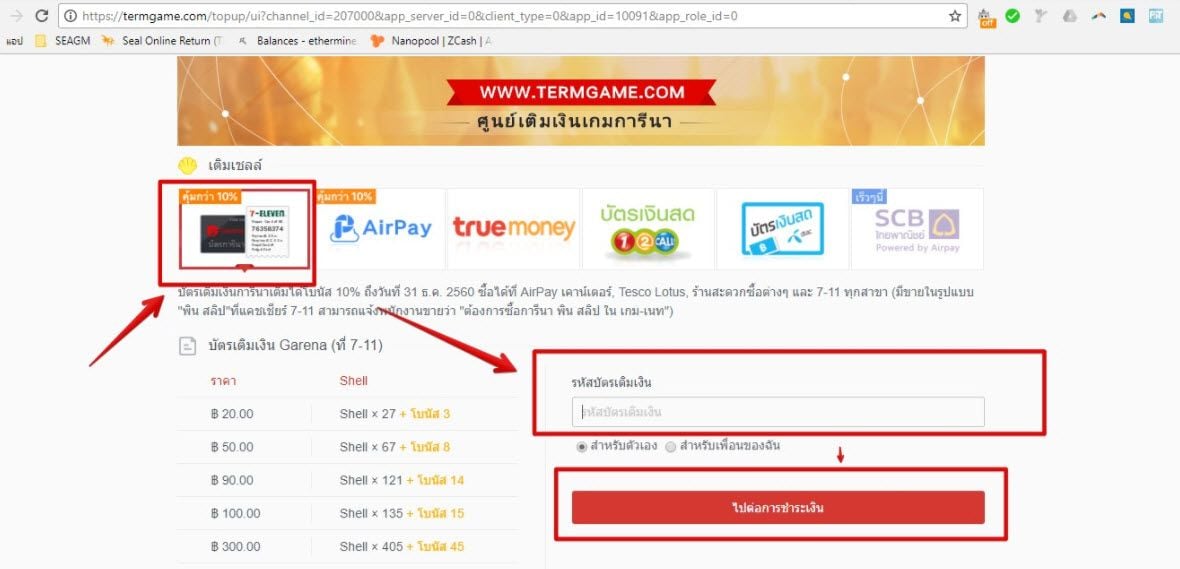
- Open your browser and go to the official redemption site: Garena Topup Center Malaysia (
shop.garena.my). - Choose how you want to log in. You can log in using your primary Garena Account, or select an individual game (such as Free Fire or CODM) and log in with your Player ID (UID).
- If logging in to your main account, click on the Garena Shells option. If logging in via Player ID, select the respective game icon.
- Choose Garena PPC or Prepaid Card from the available payment channels.
- Enter the numeric voucher PIN code provided in your BitTopup order.
- Click Confirm. Your Garena Shells or converted in-game currency will credit instantly.
Conversion Rates: Garena Shells to Free Fire Diamonds and CODM CP
Garena operates standard conversion rates when changing Malaysian Shells into specific game currencies. Below is the typical conversion breakdown:
| Garena Shells (MY) | Free Fire Diamonds | Call of Duty: Mobile (CODM) CP | Arena of Valor (AOV) Vouchers |
|---|---|---|---|
| 33 Shells | ~33 - 35 Diamonds | ~33 CP | ~33 Vouchers |
| 66 Shells | ~70 Diamonds | ~66 CP | ~66 Vouchers |
| 165 Shells | ~175 Diamonds | ~165 CP | ~165 Vouchers |
| 330 Shells | ~355 Diamonds | ~330 CP | ~330 Vouchers |
| 660 Shells | ~710 Diamonds | ~660 CP | ~660 Vouchers |
| 1,650 Shells | ~1,780 Diamonds | ~1,650 CP | ~1,650 Vouchers |
Note: Exact conversion ratios and bonus diamond distributions depend on active publisher promotions. Always review the final in-game currency quantity on shop.garena.my before confirming your redemption.
How to Check Your Garena Account Region and UID
Garena Shells (MY) vouchers require a Malaysian Garena account. Confirming your account region and Player ID ensures smooth code redemption:
- Visit the Garena Account Center (
account.garena.com) and log in with your username and password. - Open your account settings and check the Country/Region parameter. It must be set to Malaysia.
- To find your UID inside games like Free Fire, open the game on your device, tap your profile avatar in the upper-left corner, and view the basic info tab.
- Click the copy icon next to your numerical Player ID.
Double-checking both your region setting and numerical ID avoids failed redemptions or crediting the wrong profile.
Malaysia Region Eligibility and Voucher Rules
Before you buy Garena Shells MY voucher codes, take note of the following region-specific restrictions:
- Strict Region Locking: Garena Shells (MY) codes can only be redeemed on Garena accounts registered in Malaysia. Accounts registered in Singapore, the Philippines, Indonesia, Thailand, Taiwan, or international servers cannot activate Malaysian PPC codes.
- Direct Currency Binding: Malaysian PPC cards carry denominations configured for the Malaysian Garena payment gateway.
- Direct Game Redemption vs. Account Wallet: You can redeem your voucher directly to a game profile using your UID, or redeem it to your central Garena account wallet and convert Shells later inside specific game clients.
- Unused Code Safety: Unredeemed voucher codes stay valid until activated, but redeeming them promptly helps keep your account balance organized.
Troubleshooting Garena Voucher Redemption Errors
If you experience an issue while redeeming your PIN on the Garena portal, review these common error codes and solutions:
- Invalid Card Password or Code Error: Check that the PIN was entered accurately without accidental spaces at the beginning or end. We recommend copying and pasting the numeric code directly from your BitTopup receipt.
- Card Has Already Been Used: This error occurs if the voucher was already activated. Check your game balance or transaction history on
shop.garena.myto confirm if the balance has already been updated. - Account Region Mismatch / Restricted Region: If the top-up center rejects your card based on region, your account is registered outside Malaysia. Verify your country setting at
account.garena.com. - Gateway Timeout or Service Error: High server traffic during major patch updates can cause brief gateway delays. Wait a few minutes and re-enter the code.
Why Choose BitTopup for Garena Shells MY Recharge
- No Login Credentials Required: BitTopup supplies official digital PPC voucher codes. You never need to share your Garena account password, Facebook login, or sensitive personal data.
- Immediate Code Retrieval: Your PIN is generated immediately on-screen after checkout and delivered directly to your email address.
- Transparent Pricing: Review real-time pricing and available denominations on the live checkout interface before you complete your payment.
- 24/7 Digital Support: If you ever have a question regarding order status or voucher redemption, BitTopup customer support is available around the clock.
Frequently Asked Questions
Where can I top up Garena Shells for Malaysia accounts?
You can buy digital Garena Shells (MY) prepaid voucher codes directly on BitTopup. Select your denomination, complete checkout, and take the voucher PIN to shop.garena.my to redeem your balance.
How do I redeem my Garena Shells (MY) voucher code?
Go to the official Garena Topup Center (shop.garena.my), log in with your Garena account or game ID, select Garena PPC / Prepaid Card, paste the voucher PIN you received from BitTopup, and confirm the redemption.
Can I use a Garena Shells Malaysia code on accounts from other regions?
No. Garena Shells (MY) codes are region-locked to Malaysian accounts. They cannot be applied to accounts registered in Singapore, the Philippines, Indonesia, Thailand, or other international regions.
How many Free Fire Diamonds or CODM CP can I get from Garena Shells?
Conversion amounts depend on the package selected. For instance, 33 Garena Shells convert to roughly 33 Free Fire Diamonds or 33 CODM CP, while 330 Shells convert to around 355 Free Fire Diamonds or 330 CODM CP, plus any seasonal event bonus amounts.
Do Garena Shells voucher codes have an expiration date?
Garena PPC codes feature long validity windows, but you should redeem your digital PIN promptly after purchase to secure the balance on your account.
What should I do if my Garena Shells PIN shows an invalid code error?
Verify that the PIN was typed correctly without trailing spaces. Check that you are redeeming on shop.garena.my under the Garena PPC option and that your account region is set to Malaysia. If problems persist, contact BitTopup support with your order number.