

Garena Shells ID Top Up: Overview and Supported Games
Garena Shells are the universal digital currency used across the entire ecosystem of games published and distributed by Garena. For players playing on Indonesian game servers, purchasing Garena Shells (ID) voucher codes is the most direct and cost-effective way to obtain premium currencies, battle passes, exclusive characters, and time-limited cosmetics.
When you top up Garena Shells ID, you receive a digital prepaid voucher code. You can convert these Shells directly into in-game currency across several popular titles, including:
- Free Fire (FF): Convert Shells directly into Free Fire Diamonds to purchase elite passes, weapon skins, character bundles, and spin luck royale wheels.
- Call of Duty: Mobile (CODM - Garena Server): Convert Shells into CP (COD Points) for the Southeast Asian Garena version of the game to acquire Premium Battle Passes and Mythic/Legendary weapon draws.
- Arena of Valor (AOV): Exchange Shells for AOV Vouchers to unlock new heroes, legendary skins, and seasonal event tokens.
- Undawn: Convert Shells into RC to upgrade your shelter, purchase blueprints, and acquire survival equipment.
- Speed Drifters: Top up Diamonds for high-end vehicle modifications and cosmetic outfits.
BitTopup provides fast, direct access to authentic Indonesian Garena Shells voucher codes without requiring you to hand over personal account passwords.
Indonesia Region Lock and Server Compatibility Rules
Garena enforces strict regional boundaries on voucher codes. Before purchasing Garena Shells (ID), you must verify that your Garena account region is set to Indonesia.
- Region Locked: Garena Shells (ID) voucher codes can only be redeemed on Garena accounts registered in Indonesia (ID region) via the official Indonesian portal (
kiosgamer.co.id). - Incompatible Accounts: If your Garena account is registered in Singapore (SG), Malaysia (MY), the Philippines (PH), Thailand (TH), Taiwan (TW), or Vietnam (VN), Indonesian Shells vouchers will fail to redeem and return an invalid card or regional mismatch error.
- Server Binding: In-game accounts bound to non-Indonesian servers will not show up on KiosGamer Indonesia, preventing direct currency conversion.
How to Check Your Garena Account Region
- Visit the official account management site:
account.garena.com. - Log in using your Garena username and password.
- Under the Account Details or Settings tab, check the Country / Region field.
- Ensure the country displayed is Indonesia.
How to Buy Garena Shells (ID) Codes on BitTopup
Recharging Garena Shells (ID) on BitTopup is designed to be simple, fast, and completely safe:
- Select Denomination: Choose the exact amount of Garena Shells you wish to purchase from the product catalog.
- Check Pricing: Review your order details. Up-to-date prices and currency conversions are clearly displayed on the live checkout page.
- Select Payment Method: Pick your preferred payment gateway from the available options.
- Complete Checkout: Finalize the payment. Once confirmed, your digital voucher PIN code will be generated immediately and sent to your order details page and registered email.
How to Find Your Garena Account Details
To redeem your Garena Shells voucher or verify your account on KiosGamer, you need either your Garena Username, Player UID, or linked login credentials.
- Open your web browser and navigate to
account.garena.comor launch the official Garena PC / mobile app. - Log in to your account.
- View your profile dashboard.
- Your Garena Username is displayed at the top, and your Account UID (a unique string of numbers) is visible under your profile summary.
Step-by-Step Guide to Redeem Garena Shells on KiosGamer Indonesia
Redeeming your digital voucher from BitTopup takes less than two minutes on the official KiosGamer redemption portal.
Step 1: Open KiosGamer Indonesia
Open your browser and go directly to kiosgamer.co.id. This is the official Indonesian web portal for all Garena voucher redemptions.
Step 2: Log In to Your Account
Click Login in the top right corner. You can log in via your Garena account credentials, or select a specific game (such as Free Fire or CODM) and log in using your Player ID or linked social platform (Facebook, Google, or VK).
Step 3: Select Garena Prepaid Card / Voucher
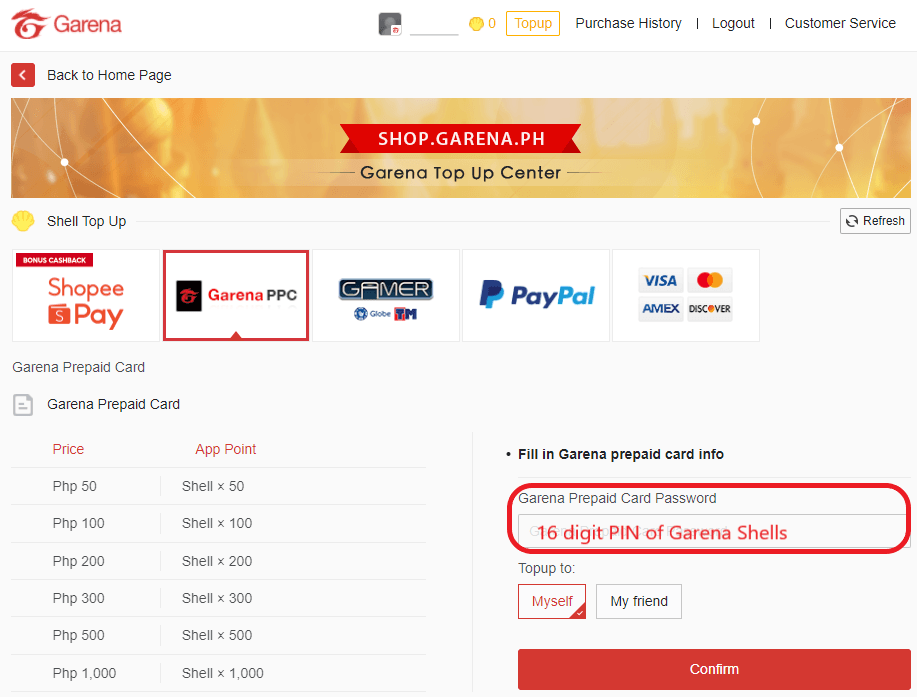
Click on the Garena Shells icon or choose Voucher Garena (Prepaid Card) from the available top-up channels.
Step 4: Enter Your Voucher PIN
Carefully enter or paste the digital voucher code you received from your BitTopup order into the Prepaid Card Password / Voucher Code field. Ensure there are no extra spaces at the beginning or end.
Step 5: Confirm Redemption
Click Confirm (Konfirmasi). Your Garena Shell balance will update immediately on the screen.
Step 6: Convert Shells into Game Currency
Once your Shells are in your account, select your target game (Free Fire, CODM, AOV, or Undawn), choose your desired currency package, select Garena Shells as the payment method, and confirm the transaction to receive your in-game items instantly.
Conversion Guide: Converting Garena Shells to In-Game Currencies
Once Garena Shells are credited to your account, you can convert them on KiosGamer into specific game currencies. Standard conversion ratios on the Indonesian portal typically reflect the following proportions:
| Garena Shells (ID) | Free Fire (Diamonds) | CODM (CP) | Arena of Valor (Vouchers) |
|---|---|---|---|
| 33 Shells | ~100 Diamonds | ~64 CP | ~40 Vouchers |
| 66 Shells | ~210 Diamonds | ~128 CP | ~80 Vouchers |
| 100 Shells | ~355 Diamonds | ~200 CP | ~120 Vouchers |
| 165 Shells | ~510 Diamonds | ~320 CP | ~200 Vouchers |
| 330 Shells | ~1075 Diamonds | ~640 CP | ~400 Vouchers |
| 660 Shells | ~2200 Diamonds | ~1373 CP | ~800 Vouchers |
Note: Exact conversion numbers and promotional bonus amounts may change based on official Garena seasonal campaigns and in-game events. Check kiosgamer.co.id during redemption for active bonus promotions.
Security Best Practices and Voucher Code Troubleshooting
Security Notice: Never Share Your Password
BitTopup delivers prepaid digital voucher codes. At no point will BitTopup staff ask for your Garena account password, secondary verification PINs, or one-time SMS verification codes. Keep your login credentials private at all times.
Troubleshooting Common Voucher Errors
- Error: "Invalid Card Number or Password" (Kode Voucher Tidak Valid):
- Ensure you copied only the alphanumeric characters without any leading or trailing spaces.
- Check for common character misreadings (such as confusing the number
0with the letterO, or1withI). - Confirm that you selected Garena Prepaid Card on KiosGamer and not another payment category.
- Error: "Voucher Already Used":
- Refresh your KiosGamer balance page. In many cases, the voucher was successfully processed on the first attempt and the balance has already been updated.
- If the balance does not reflect the recharge, contact BitTopup customer support with your transaction order number.
- Error: "Regional Restriction / Region Not Supported":
- Your Garena account is registered in a country other than Indonesia. Garena Shells (ID) cannot be redeemed on non-Indonesian accounts.
Why Top Up Garena Shells (ID) on BitTopup
- Instant Digital Delivery: Voucher codes are generated and delivered to your screen immediately after payment confirmation.
- No Password Sharing Required: Protect your personal account data by using digital prepaid codes directly on the official KiosGamer website.
- Competitive Live Rates: BitTopup maintains clear pricing across all Shell denominations, visible on the live checkout screen.
- Dedicated 24/7 Support: If you encounter any redemption issues or have questions regarding code validity, BitTopup customer support is available around the clock to assist you.
Frequently Asked Questions
How do I redeem my Garena Shells (ID) voucher code?
Go to kiosgamer.co.id, log in with your Garena account or game Player ID, select the Garena Shells/Prepaid Card redemption option, paste the voucher code you received from BitTopup, and click confirm. The Shells will be added to your account instantly.
Can I use Garena Shells (ID) on an account registered outside Indonesia?
No. Garena Shells (ID) vouchers are region-locked strictly to Garena accounts registered in Indonesia. Accounts registered in Singapore, Malaysia, the Philippines, Thailand, or other countries cannot redeem Indonesian voucher codes.
What games can I spend Garena Shells on?
You can convert Garena Shells into premium currencies for Free Fire (Diamonds), Call of Duty: Mobile Garena (CP), Arena of Valor (Vouchers), Undawn (RC), Speed Drifters, and other titles supported on the Indonesian KiosGamer portal.
How many Free Fire Diamonds or CODM CP do Garena Shells convert to?
Standard conversion rates on KiosGamer Indonesia provide approximately 100 Free Fire Diamonds for 33 Shells, up to 2,200 Diamonds for 660 Shells. For CODM, 33 Shells convert to approximately 64 CP, and 660 Shells convert to roughly 1,373 CP. Exact numbers and promotional event bonuses can be viewed directly on KiosGamer.
Do I need to share my Garena account password to recharge?
No. BitTopup provides digital voucher PIN codes. You redeem the code yourself directly on the official Garena redemption website (kiosgamer.co.id). You never need to share your account password or security codes.
Why is my Garena Shells voucher code showing as invalid?
An invalid code error usually occurs due to a typographical error (such as copying extra spaces), attempting to redeem the code on a non-Indonesian Garena account, or selecting the wrong payment gateway option on KiosGamer. Double-check your code format and ensure your account country is set to Indonesia.