

Extraordinary Ones EOMOBA Top Up on BitTopup
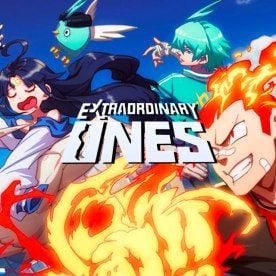
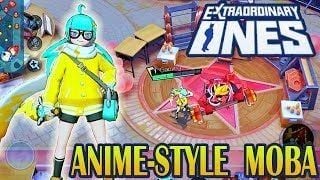
Extraordinary Ones (EO MOBA) delivers fast anime-styled 5v5 battle arena combat featuring unique heroes, vibrant school-themed visuals, and action-oriented abilities. Acquiring in-game currency allows players to unlock new heroes, purchase exclusive skins, activate battle passes, and acquire essential training packs without grinding for weeks.
BitTopup provides a direct top-up service for Extraordinary Ones EOMOBA (Global). By utilizing direct player ID processing, your balance is updated directly through your official game credentials without requiring login details or account sharing. Choose your package, input your account details, and complete your checkout with immediate processing.
How to Recharge Extraordinary Ones EOMOBA (Global) on BitTopup
To top up your account quickly, follow these direct steps:
- Select the desired package or currency denomination from the product catalog.
- Enter your User ID in the specified field.
- Enter your exact Character Name (in-game nickname).
- Select or enter your active Game Server.
- Review the entered details carefully to avoid delivery routing errors.
- Proceed to checkout and select your preferred payment method.
- Complete the transaction. Once payment is confirmed, your purchased items or currency are delivered straight to your Extraordinary Ones account.
How to Locate Your Extraordinary Ones User ID, Character Name, and Server
Providing exact profile details ensures your order arrives without delays. Here is where to find your credentials inside the game client:
- Launch Extraordinary Ones EOMOBA on your mobile device or emulator.
- On the start screen before entering the lobby, check the displayed Game Server (or check the server region selected in your settings).
- Log into the game and tap your Avatar / Profile Icon located in the top-left corner of the main lobby screen.
- In the basic info tab, your Character Name is displayed at the top.
- Locate your numerical User ID (UID) shown below or beside your character name.
- Tap the copy icon next to your User ID to avoid typing mistakes.
Required Information Summary
| Field Name | Description | Where to Find in Game |
|---|---|---|
| User ID | Unique numerical account identifier | Profile Info screen (top-left avatar) |
| Character Name | Exact in-game display nickname | Main Lobby & Profile Info header |
| Game Server | Regional game cluster (e.g., Global / NA / EU / Asia) | Initial login title screen / Settings |
Why Choose BitTopup for Extraordinary Ones In-Game Top-Up
- Direct ID Delivery: Orders are processed purely through public account identifiers. You never have to hand over private passwords or social login credentials.
- Transparent Live Checkout: All real-time package options, pricing variations, and localized payment options are clearly shown upfront at checkout.
- Global Accessibility: Designed for international players across multiple regions, supporting regional payment solutions for smooth transactions.
- Dedicated Player Support: BitTopup customer support is available around the clock to assist with order tracking, credential verification, and delivery resolution.
Extraordinary Ones Global Server Information and Compatibility in 2026
Extraordinary Ones features multiple server clusters to support players globally. In 2026, maintaining correct server selection is essential when placing orders, as in-game balances and hero unlocks are server-bound.
Before ordering on BitTopup, ensure that your client is updated to the latest Global build and verify which server your character resides on. If your character is created on the Global server cluster, selecting the corresponding server during checkout ensures that your account receives the pack instantly. Top-ups cannot be transferred across different server regions once processed by the game system.
Safe & Password-Free Top-Up Protection for Extraordinary Ones
Account safety is a core priority when purchasing game items online. BitTopup follows a strict ID-based direct fulfillment protocol:
- Zero Password Requests: You will never be asked for your login password, Google Play credentials, Apple ID, or third-party social binding codes.
- Encrypted Transactions: Every checkout is protected by industry-standard encryption protocols to keep your payment data private.
- Official Route Compliance: Transactions route through standard player identification mechanics, keeping your account compliant with game rules.
Troubleshooting Common Extraordinary Ones Top-Up and Account Issues
If you experience any delay or issue with your order, review the following steps:
- Check In-Game Mail and Balance: Some packages deliver directly to your inventory or currency counter, while others arrive via the in-game mailbox. Restart your game client to refresh your balance.
- Verify Server and UID Accuracy: Double-check your order receipt on BitTopup. If you submitted an incorrect User ID or server, contact support immediately with your transaction ID and correct account info.
- Network Sync Delays: During peak hours or server maintenance windows, game servers may take a few moments to sync database updates. Allow a few minutes and log in again.
- Contact BitTopup Support: If your order status indicates completed but your items have not appeared after restarting the client, reach out to customer support with your order number and a screenshot of your in-game profile screen.
Frequently Asked Questions
Can you still play and recharge Extraordinary Ones in 2026?
Yes, Extraordinary Ones Global servers remain accessible for active players in 2026. You can play matches, participate in events, and recharge your account directly via BitTopup.
What information is needed to recharge Extraordinary Ones on BitTopup?
You only need your User ID (UID), Character Name, and Game Server. No account passwords or verification codes are required.
How do I find my Extraordinary Ones User ID and Game Server?
Open the game, tap your profile avatar in the top-left corner, and view your numerical User ID and Character Name. Your Game Server is displayed on the initial login launch screen.
Do I need to share my game account password to top up on BitTopup?
No. BitTopup operates on direct ID top-up technology. You never need to share passwords, email access, or authentication codes.
What should I do if my Extraordinary Ones recharge is delayed?
First, restart your game app and check both your currency totals and in-game mailbox. If the items do not reflect within a few minutes, contact BitTopup support with your order number.
Which payment options can I use to buy Extraordinary Ones packages?
BitTopup supports a wide selection of international and local payment methods. All available checkout methods and live pricing are displayed dynamically on the order screen.