




Malice Steam Top Up: Japanese Horror Co-op Overview
Malice is a dedicated two-player cooperative survival horror and puzzle adventure set in the eerie depths of traditional Japanese folklore and modern ruin. Developed by Nimbus Games, Malice places two travelers into the haunting underworld beneath a collapsed Japanese temple. To survive the lurking horrors, uncover ancient secrets, and escape the supernatural underworld, both players must work together, communicate via voice chat, and solve intricate environmental puzzles.
Unlike standard horror games where you can brave the terror solo, Malice is engineered exclusively for two players. Both participants must own their own copy of the game on Steam to connect online and complete the campaign. Getting a Malice Steam top up or digital key grants you direct access to the full base game on your personal Steam library, allowing you to invite a co-op partner and face the sinister trials together.
Regional Compatibility and Supported Countries for Malice
Before purchasing your Malice digital code, verify that your Steam account region matches the supported territories. Steam enforces regional licensing rules, meaning keys purchased for a specific region cannot be redeemed on accounts configured for unsupported countries.
BitTopup supplies digital keys specifically licensed for the Southeast Asian and East Asian regions. The table below lists the primary countries eligible for key activation:
| Country / Territory | Region Code | Activation Status |
|---|---|---|
| Hong Kong | HK | Supported |
| Taiwan | TW | Supported |
| Singapore | SG | Supported |
| Malaysia | MY | Supported |
| Thailand | TH | Supported |
| Philippines | PH | Supported |
| Indonesia | ID | Supported |
| Vietnam | VN | Supported |
| South Korea | KR | Supported |
| Brunei | BN | Supported |
| Myanmar | MM | Supported |
Make sure your Steam client account region corresponds to one of these territories before attempting to redeem your code. Using proxy tools or changing your store region to bypass Steam restrictions violates Steam Subscriber Agreements and can trigger activation locks.
How to Buy and Recharge Malice on Steam via BitTopup
Purchasing a Malice Steam key through BitTopup is quick and straightforward. You do not need to share your Steam password or grant account management access. Current live pricing, currency conversion, and applicable local fees are visible directly on the product checkout page.
Follow these steps to complete your purchase:1. Select the Malice (Steam) product option on the BitTopup product page.2. Check the product region details to confirm your Steam account is compatible.3. Enter your contact email address accurately to ensure receipt of your order confirmation and digital key.4. Select your preferred local payment method from the available checkout options.5. Complete your transaction securely.6. Access your digital CD key instantly on your BitTopup order confirmation screen or retrieve it from your order history.
How to Find Your Steam Account Details
To ensure your game activates without regional or account conflicts, verify your Steam Account details before redeeming your product key.
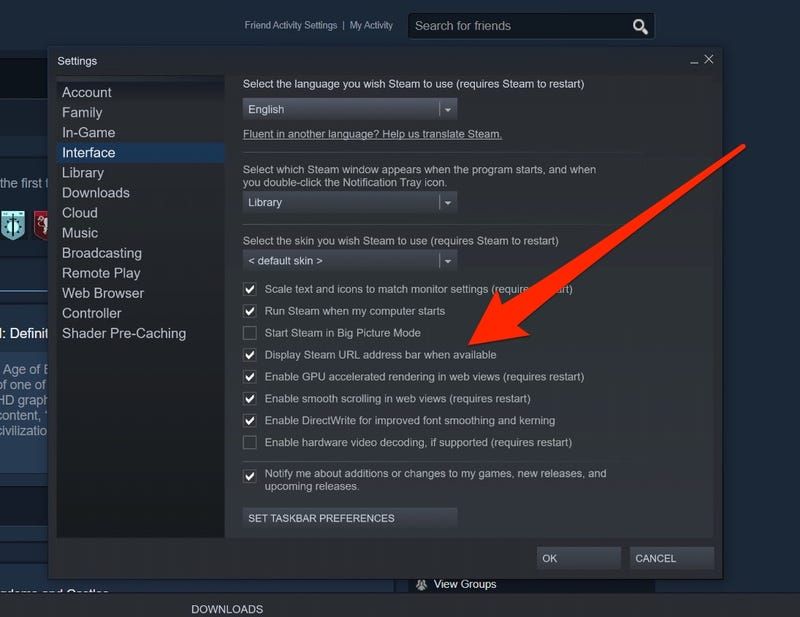
To verify your Steam account name and region:1. Launch the Steam desktop client on your PC.2. Click on your profile username in the upper right corner of the client window.3. Select Account details from the dropdown menu.4. Review your Country setting listed under the Store and Purchase History header.5. Verify that your designated country matches one of the supported regional territories for this Malice Steam product.
Step-by-Step Steam Key Redemption Guide
Once you receive your digital code from BitTopup, you can activate Malice directly onto your Steam account. Once activated, the game permanently links to your library and remains available for download on any compatible PC.
Method 1: Redeeming via the Steam Desktop Client
- Open the Steam desktop application and log in to your personal Steam account.
- In the top navigation menu, click on Games, then select Activate a Product on Steam....
- Alternatively, click the + Add a Game button located at the bottom-left corner of the Steam client and choose Activate a Product on Steam....
- Click Next on the Product Activation window, then click I Agree to accept the Steam Subscriber Agreement.
- Carefully copy the digital CD key received from BitTopup and paste it into the Product Code field.
- Click Next. Steam will validate the key and add Malice to your Games Library.
- Click Finish, locate Malice in your Steam Library, and begin downloading the game files.
Method 2: Redeeming via Web Browser
- Open your web browser and navigate to the official Steam key registration page (
store.steampowered.com/account/registerkey). - Log in using your Steam account credentials.
- Paste your Malice activation key into the Product Code text box.
- Check the box to agree to the Steam Subscriber Agreement terms.
- Click Continue. Malice will register instantly to your linked Steam account.
Two-Player Co-op Requirements and System Specs
Malice requires active cooperation between two players to complete its puzzles and narrative objectives. Before jumping in, confirm that both your gaming setup and your co-op partner meet the necessary technical requirements.
Essential Gameplay Requirements
- Two Copies Required: Both you and your partner must own Malice on Steam. Steam Remote Play is not supported; online multiplayer requires two independent game licenses.
- Voice Communication: Clear communication is necessary to solve simultaneous environmental puzzles. A working microphone and headset setup via in-game voice chat or external software is strongly recommended.
- Network Connection: A stable broadband internet connection is required to host or join co-op sessions without latency spikes.
Malice PC System Requirements (2026 Reference)
| Component | Minimum Specification | Recommended Specification |
|---|---|---|
| Operating System | Windows 10 (64-bit) | Windows 10 / 11 (64-bit) |
| Processor | Intel Core i5-4590 / AMD FX 8350 | Intel Core i7-6700K / AMD Ryzen 5 2600 |
| Memory (RAM) | 8 GB RAM | 16 GB RAM |
| Graphics Card (GPU) | NVIDIA GeForce GTX 970 / AMD Radeon R9 290 | NVIDIA GeForce GTX 1060 (6GB) / AMD Radeon RX 580 |
| DirectX Version | Version 11 | Version 11 / 12 |
| Storage Space | 10 GB available space | 10 GB available SSD space |
| Network | Broadband Internet connection | Broadband Internet connection |
Common Steam Activation Issues and How to Resolve Them
If you encounter an issue when attempting to activate your Malice Steam key, check the common error messages below to resolve the problem:
- Region Restriction Error ("This product is not available in your region"): This occurs when the country associated with your Steam account does not match the key's region (Southeast Asia, Hong Kong, Taiwan, or South Korea). Confirm your account region under Account Details.
- Duplicate Product Code ("Product Already Owned" or "Duplicate Code"): If you see "Duplicate Code", double-check that you have not already activated the key on a different account. If you see "Product Already Owned", Malice is already present in your library.
- Invalid Product Code: Check the key characters carefully. Common typos include confusing the letter
Owith the number0,Iwith1orL, orBwith8. Copy and paste the key directly from your BitTopup order receipt to prevent input mistakes. - Steam Server Connection Errors: During heavy Steam server maintenance or traffic, the client may fail to contact activation servers. Wait a few minutes and re-attempt the activation.
Why Buy Malice Steam Keys on BitTopup
BitTopup provides a safe, transparent, and dependable service for purchasing your Steam game keys and digital top-ups.* No Account Sharing Required: You never need to supply your Steam password, login credentials, or verification codes. You receive a clean, direct digital product key to activate yourself.* Verified Regional Keys: Keys are clearly categorized by regional compatibility, ensuring your game activates smoothly across supported Southeast Asian and East Asian accounts.* Instant Digital Delivery: Your digital key is made available immediately upon payment completion, allowing you and your co-op partner to install and play without delays.* Transparent Checkout: Clear pricing and supported local payment methods make purchasing hassle-free with no unexpected surprises at checkout.
Frequently Asked Questions
Can Malice on Steam be played in single-player mode?
No, Malice is strictly designed as a two-player cooperative game. The puzzles, level layout, and progression mechanics require two independent players to interact with the environment simultaneously. You must play with an online partner; there is no solo campaign or AI companion mode available.
Which regions can activate the Malice Steam key purchased on BitTopup?
The Malice Steam key is valid for Steam accounts registered in Hong Kong (HK), Taiwan (TW), Singapore (SG), Malaysia (MY), Thailand (TH), Philippines (PH), Indonesia (ID), Vietnam (VN), South Korea (KR), Brunei (BN), and Myanmar (MM). Ensure your Steam account country matches one of these supported regions.
How do I activate the Malice CD key on my Steam account?
Open your Steam desktop client, click "Games" in the top menu bar, and select "Activate a Product on Steam...". Follow the on-screen prompts, enter the product code provided in your BitTopup order details, and confirm. Malice will be added to your library immediately.
Do I need to provide my Steam account password to buy Malice on BitTopup?
No. BitTopup delivers a genuine digital product activation key (CD key). You do not need to share your Steam login credentials, password, or two-factor authentication codes. You redeem the code directly on your own Steam client.
What should I do if my Malice key says it is invalid or already redeemed?
First, ensure you have copied the code completely without extra spaces or typographical errors. Verify that you are logged into the correct Steam account. If the issue persists, contact BitTopup customer support with your order ID and a screenshot of the activation error for prompt assistance.
What are the minimum PC system requirements to run Malice on Steam in 2026?
The minimum system requirements to play Malice on PC include a 64-bit Windows 10 OS, an Intel Core i5-4590 or AMD FX 8350 processor, 8 GB of RAM, an NVIDIA GeForce GTX 970 or AMD Radeon R9 290 graphics card, DirectX 11, and at least 10 GB of available storage space.