

PlayStation Network Card DE Top Up: Essential Guide
A German PlayStation Network (PSN) Card is a digital prepaid voucher loaded with Euro (€) credit designed specifically for the German PlayStation Store. When you purchase a PlayStation Network Card DE top up, you receive an authentic 12-digit alphanumeric code that adds funds directly to your PlayStation Network wallet.
Using prepaid PSN wallet funds allows you to purchase digital PlayStation 5 and PlayStation 4 games, downloadable content (DLC), season passes, in-game virtual currencies, and subscription services without attaching a local German bank card or credit card to your console. BitTopup provides instant digital voucher delivery so you can top up your balance and return to gaming immediately.
German PSN Region Compatibility and Country Requirements
Sony Interactive Entertainment enforces strict geographic region locking across all PlayStation Network accounts and voucher codes. A PlayStation Network Card DE operates strictly in Euro currency and can only be activated on accounts registered with Germany (Deutschland) as the country/region of residence.
Before completing your purchase, confirm that your PSN profile is set to Germany. If your account is registered in Austria, Switzerland, the United Kingdom, or any other country, a German DE voucher code will not work.
How to Check Your PlayStation Account Country and Region
- Open your web browser, navigate to the official PlayStation website, and sign in to your Sony account.
- Click your profile avatar in the upper right corner and select Account Settings.
- In the sidebar menu, select Account > Basic Information or Profile.
- Scroll to the Country/Region section and verify that it lists Germany (or Deutschland).
- On PS5 consoles, go to Settings > Users and Accounts > Account > Profile to view your registered regional details.
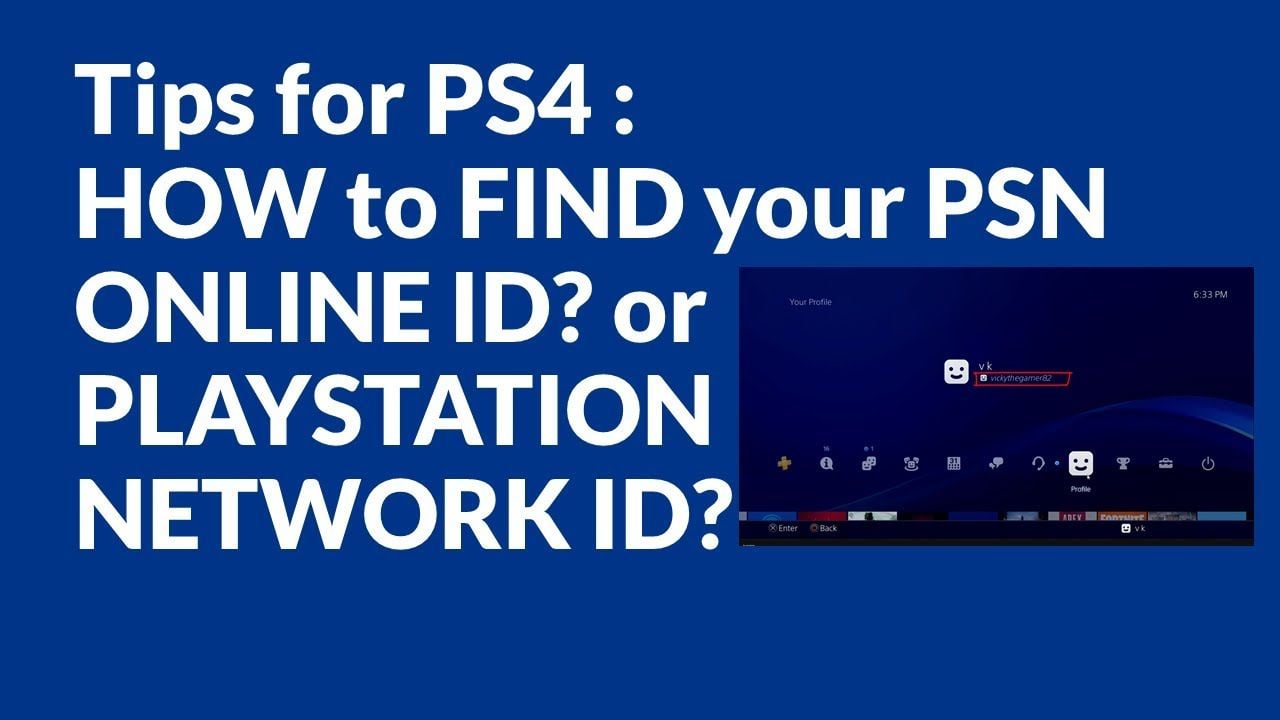
Note: Sony does not allow users to change the country/region on an existing PSN account. If your primary account is based elsewhere, you must create a dedicated German PSN user profile on your console to redeem German store vouchers.
What You Can Buy with PSN DE Wallet Funds
Redeeming a German PSN card adds Euro balance directly to your PlayStation Store wallet. You can spend these funds across all digital content available on the German PlayStation Store, including:
- Full Games & Digital Editions: Pre-order upcoming 2026 releases or buy standard and deluxe editions for PS5 and PS4.
- Expansions & DLCs: Purchase season passes, bonus story expansions, character packs, and cosmetic item sets.
- In-Game Currencies: Top up virtual currencies such as EA SPORTS FC Points, Call of Duty COD Points, Fortnite V-Bucks, GTA Online Shark Cards, and Genshin Impact Genesis Crystals.
- PlayStation Plus Memberships: Fund any tier of the PlayStation Plus subscription service directly using your store balance.
PlayStation Plus Subscription Tiers (Paid via PSN Wallet)
| Subscription Tier | Core Included Features | Wallet Payment Supported |
|---|---|---|
| PlayStation Plus Essential | Online multiplayer access, monthly downloadable games, cloud save storage, exclusive store discounts | Yes (€ EUR Wallet Funds) |
| PlayStation Plus Extra | All Essential tier benefits plus access to the on-demand PS4 & PS5 Game Catalog and Ubisoft+ Classics | Yes (€ EUR Wallet Funds) |
| PlayStation Plus Premium | All Extra tier benefits plus the Classics Catalog (PS1, PS2, PS3, PSP), cloud streaming, and time-limited Game Trials | Yes (€ EUR Wallet Funds) |
How to Redeem PSN Voucher Codes via Web Browser, PS App, and Console
Once you receive your 12-digit digital code from BitTopup, you can redeem it instantly across any PlayStation interface. Ensure you are signed into your German PSN profile before proceeding.
Method 1: On PlayStation 5 Consoles
- Power on your PS5 and log in to your German PSN account.
- Go to Settings (gear icon in the top right corner).
- Select Users and Accounts > Account.
- Select Payment and Subscriptions > Redeem Codes.
- Carefully type your 12-digit code into the box and select Redeem.
- The Euro funds will instantly reflect in your wallet balance.
Method 2: On PlayStation 4 Consoles
- From the PS4 home screen, open the PlayStation Store.
- Scroll down the left-hand sidebar menu and select Redeem Codes.
- Enter your 12-digit voucher code.
- Select Continue to confirm the top up.
Method 3: Via the PlayStation App (iOS & Android)
- Open the PS App on your smartphone and sign in.
- Tap the PlayStation Store icon at the bottom center of the screen.
- Tap the options menu icon (or your profile avatar) in the top right.
- Tap Redeem Code.
- Type the 12-digit code manually or use your device camera to scan the code, then tap Confirm.
Method 4: Via Web Browser
- Open your browser and go to
store.playstation.com. - Sign in to your German PlayStation account.
- Click your profile avatar at the top of the page.
- Select Redeem Code from the dropdown menu.
- Enter the 12-digit alphanumeric voucher code and click Next to finalize.
Troubleshooting Common PSN Code Redemption Errors
If you experience an issue while redeeming your digital code, consult the following solutions:
- Error: "The code you entered may not be correct or may no longer be valid" (WC-40371-5 / WS-37397-9 / CE-112839-4)
- Check for typographical errors. Voucher codes are 12 digits long and contain letters and numbers. Avoid confusing
0(number) withO(letter),1(number) withI(letter), or8(number) withB(letter). - Make sure there are no accidental spaces before or after the code when pasting.
- Error: Region Mismatch Alert
- Verify that the country on your PSN account is Germany. German codes cannot be activated on Austrian, Swiss, UK, or US accounts.
- Error: Code Already Redeemed
- Check your account's Transaction History (Settings > Users and Accounts > Account > Payment and Subscriptions > Transaction History). The balance may have already updated.
- Wallet Limit Exceeded
- Sony maintains a maximum wallet balance cap (typically €150 or €250 depending on account security settings). If adding the card balance exceeds your account limit, make a purchase to lower your balance before redeeming the voucher.
Why Recharge Your German PSN Card on BitTopup
BitTopup provides a reliable, fast, and secure checkout experience for gamers looking to fund their German PlayStation accounts:
- Instant Digital Delivery: Digital voucher codes are generated and sent directly to your order screen and email immediately after payment verification.
- Zero Account Sharing Required: BitTopup never asks for your PlayStation login credentials, email address, or account password. You receive a clean 12-digit code that you enter into your console yourself.
- Transparent Pricing: Check live rates, supported local currency options, and secure payment processing methods directly on the product checkout screen.
- 24/7 Dedicated Support: If you ever need help with an order, redemption steps, or delivery confirmation, our customer support team is available around the clock to assist you.
Frequently Asked Questions
How do I redeem a German PlayStation Network card?
Sign in to your German PSN account on your PS5, PS4, the PlayStation App, or via store.playstation.com. Navigate to the Redeem Codes section, enter the 12-digit alphanumeric voucher provided by BitTopup, and select Redeem to instantly credit your wallet.
Can I use a German (DE) PSN card on an account registered in another country?
No. PlayStation Network codes are region-locked and currency-locked. A German (DE) card only works on accounts where the registered Country/Region is set to Germany (Deutschland). It will not work on accounts from Austria, Switzerland, the UK, the US, or other regions.
Do PlayStation Network gift card codes expire?
PlayStation Network digital voucher codes generally do not expire. However, it is best practice to redeem your 12-digit code onto your PlayStation account balance shortly after receiving it to keep your funds safe and ready to use.
Can I use a PSN card DE to purchase PlayStation Plus subscriptions?
Yes. Once the voucher code is redeemed, the Euro credit is stored in your PlayStation wallet. You can use your wallet balance to pay for PlayStation Plus Essential, Extra, or Premium subscription plans on the German PlayStation Store.
What should I do if my 12-digit PSN voucher code displays an error?
First, confirm that your account country is Germany. Next, re-type the code carefully to ensure no characters (such as 0/O or 1/I) were mistyped. If the error continues, check your transaction history to see if the funds were already credited. If you still encounter problems, contact BitTopup 24/7 customer support with your order number.
Are PlayStation Network digital cards reloadable or refundable?
PlayStation Network digital cards are single-use prepaid vouchers. Once a 12-digit code has been redeemed, the balance transfers to your PSN wallet and the code cannot be reused, reloaded, or refunded.