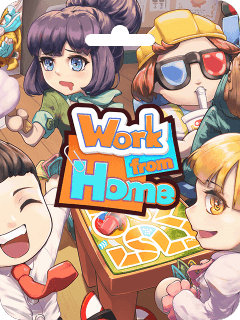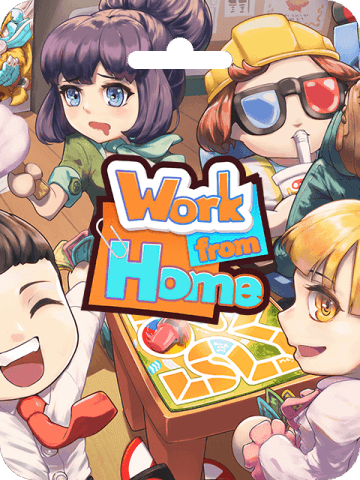



Work from Home CdKey (US) Recharge and Game Overview
Work from Home is an indie co-op party video game designed for up to four players, placing you and your teammates in an office environment where your primary objective is to slack off without getting caught by your boss. This product is a complete digital game key for the video game on console platforms, not an office utility or telecommuting productivity software suite.
When you purchase a digital key for this title, you receive an authentic alphanumeric code that grants full access to download and play the game on your system. A Work from Home CdKey (US) recharge gives you immediate access to all base game stages, local and online multiplayer modes, and character customization options without requiring a physical disc.
About Work from Home Co-op Game Features and Gameplay
The gameplay revolves around balancing workplace sabotage, slacking, and quick reactions. Players must complete a variety of eccentric minigames—such as eating snacks, playing mobile games, putting on makeup, or browsing social media—while keeping a close eye on supervisor patrol routes.
- Multiplayer Mayhem: Supports 1 to 4 players via local couch co-op and online multiplayer lobbies.
- Boss AI Detection: The supervisor moves around the office floor dynamically. You must press the emergency pretend-work button before they spot your unauthorized activities.
- Team Coordination: Certain tasks require team members to act as lookouts or distract the manager while other workers complete objective-based slacking tasks.
- Dynamic Office Arenas: Stages feature distinct hazards including slippery floors, narrow corridors, and moving security cameras that alter your movement paths.
US Account Region Verification and Compatibility Rules
Digital game keys are strictly region-locked by console platform networks. A US digital code can only be activated on an account registered with the United States as its home country and region. If your profile is registered to a European, Asian, or Latin American region, the store will display a region mismatch error during the redemption process.
| Attribute | US Digital Key Specifications |
|---|---|
| Game Title | Work from Home |
| Product Type | Full Digital Game Key (CdKey) |
| Region Lock | United States (US Store Accounts Only) |
| Multiplayer Requirements | Active console online subscription required for online play |
| Code Delivery Method | Digital alphanumeric code via BitTopup screen and order history |
| Account Sharing Required | No (You redeem the code yourself) |
Before purchasing, verify that your account region matches the US identifier to ensure a smooth redemption process.
How to Find Your Account Region and Profile Details
To ensure your account can redeem a US code, check your profile settings on your console or through a browser before applying the key.
- Sign in to your console profile and select Settings from the main dashboard.
- Go to Users and Accounts > Account > Account Information.
- Scroll down to Address / Country or Region.
- Confirm that the listed country is United States.
- If your account shows a different country, you must use an alternate US-registered profile to redeem your game key.
How to Recharge and Redeem Work from Home CdKey (US) on Console
Follow these direct steps to activate your digital code directly through your console dashboard:
- Turn on your console and log in to your verified US account profile.
- Open the Store application from the home dashboard.
- Scroll to the top right corner of the screen and select the More menu (represented by three dots
...). - Select Redeem Code from the drop-down options.
- Carefully type the 12-digit alphanumeric key you received from BitTopup.
- Select Redeem and confirm the game title on the summary screen.
- Choose Download to start installing Work from Home directly to your console storage drive.
Step-by-Step Code Activation via Web Browser
You can also add the game to your console library using a desktop or mobile browser:
- Open your web browser and go to the official console network store website.
- Click the Sign In button in the upper right corner and enter your US account credentials.
- Click on your profile avatar to open the user menu.
- Select Redeem Code from the account menu list.
- Enter the 12-digit digital key into the text field.
- Click Next and accept the redemption prompt.
- Once added to your account, trigger the remote download to your linked console or access it under your game collection library on the console.
Troubleshooting Activation Issues and Code Errors
If you run into an error during the code redemption process, check the common causes below:
- Error: Code Already Redeemed: Refresh your game library. In many cases, a previous redemption attempt succeeded, and the title is already listed under your account's purchased collection ready for download.
- Error: Invalid Code or Code Not Recognized: Recheck each character entered. Common character confusions include
0(zero) andO(letter),1(one) andI(uppercase i), or8(eight) andB(letter). - Error: Region Mismatch (e.g., WC-40371-5): This error appears when attempting to redeem a US digital code on an account set to a different country. Log into a US-based profile to activate the code.
- Network / Connection Timeouts: If the store server fails to respond, clear your browser cache or restart your console network connection before attempting entry again.
Why Buy Your Work from Home CdKey on BitTopup
BitTopup provides a straightforward, secure way to purchase digital game keys and account top ups. When purchasing digital game codes, safety and clarity are the top priorities.
- Zero Login Sharing: BitTopup sends the digital activation code directly to you. You never need to share your account username, password, or security answers with anyone.
- Verified US Region Keys: Product listings clearly indicate regional compatibility so you receive the exact digital product required for your profile.
- Live Checkout Transparency: Current pricing and delivery details are clearly visible at checkout without hidden account fees.
- Reliable Customer Assistance: If you encounter any issues with code delivery or validation, customer support is available to assist you promptly.
Frequently Asked Questions
What is the Work from Home CdKey (US)?
The Work from Home CdKey (US) is a digital redemption code that unlocks the full indie co-op video game Work from Home on US-region console network accounts. Once redeemed, the game is permanently tied to your profile library for unlimited downloads.
Can I redeem a US Work from Home CdKey on an account from another region?
No. Console network digital codes are region-locked. A key designated for the United States store will only function on an account registered with the United States set as its country of origin.
How do I redeem my Work from Home digital code on my console?
Open the store application on your console while signed into your US profile, click the top right menu options, select Redeem Code, enter the 12-character key provided by BitTopup, and select Confirm to begin your download.
Do I need to share my personal account password to purchase on BitTopup?
No. BitTopup does not ask for your account password or personal login details. You receive a digital alphanumeric code on your order screen, which you redeem independently on your own account.
What should I do if my Work from Home CdKey shows as already used or invalid?
First, check your digital game library on your console to see if the game was already added. If not, carefully re-enter the code to ensure no characters were mistyped. If the problem persists, reach out to BitTopup customer support with your order number for verification.
Is Work from Home playable in solo mode or multiplayer co-op only?
Work from Home supports both solo play and multiplayer modes. You can play individually against AI-driven mechanics, or join up to three other players locally or online for cooperative sessions.