

Marrybrown Cash Voucher MY Top Up & Digital Dining Solutions
Marrybrown stands as one of Malaysia's most beloved homegrown Quick Service Restaurant (QSR) brands, serving iconic favorites like MB Crispy Chicken, Nasi Lemak MB, Tower Burgers, and curly fries. Securing a Marrybrown Cash Voucher (MY) lets you treat yourself, friends, or family to delicious meals across participating locations nationwide with ease and flexibility.
Digital cash vouchers function as pre-paid e-gift certificates. Instead of carrying physical paper coupons or cash, you can present a digital voucher code right from your smartphone screen during payment at participating Marrybrown outlets in Malaysia.
How to Buy and Recharge Marrybrown Cash Voucher (MY) Online
Purchasing your digital Marrybrown voucher takes only a few quick steps on BitTopup:
- Select your desired Marrybrown Cash Voucher denomination from the product menu.
- Choose your preferred quantity.
- Enter your contact details and active email address where the digital code should be sent.
- Complete the purchase using your preferred local payment method.
- Once the transaction completes, your voucher code and digital barcode will display immediately on your order confirmation screen and arrive in your email inbox.
Exact pricing and promotional packages are available directly on the live checkout screen.
Where to Find Your Voucher Code and Access Digital Details
After completing your order, accessing your digital cash voucher is straightforward. You do not need to link any proprietary gaming UID or restaurant account during purchase.
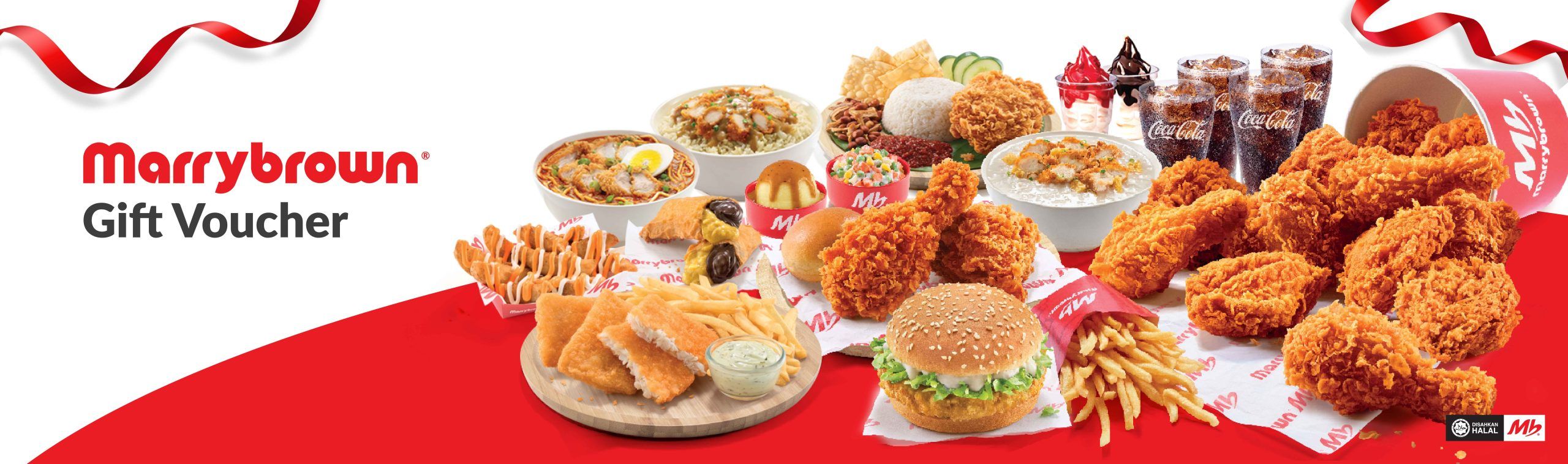
To view your code:- Check the Order History section of your BitTopup profile.- Check your email inbox (including the spam/promotions folder) for the order receipt.- Open the provided digital voucher link to view the alphanumeric redemption string and scannable barcode.
Step-by-Step Guide: How to Redeem Marrybrown Vouchers at Malaysia Outlets
Redeeming your e-voucher at a Marrybrown restaurant counter requires following a clear sequence to ensure the cashier processes your order accurately.
Counter Redemption Process (Dine-In & Takeaway)
- Notify the Cashier Early: Before placing your order, inform the cashier that you are paying with a digital Marrybrown Cash Voucher.
- Present the Live Barcode: Open the digital voucher link on your phone. Ensure your mobile screen brightness is turned up to allow the optical scanner to read the barcode.
- Manual Code Fallback: If the store's barcode scanner cannot read the screen, show the alphanumeric code to the cashier so they can input it manually into the Point of Sale (POS) register.
- Place Your Order: Select your dine-in or takeaway items. The voucher value will be deducted from your total bill.
- Settle Remaining Balance: If your total purchase exceeds the voucher face value, pay the remaining difference using cash, debit/credit card, or supported e-wallets.
Important In-Store Redemption Rules
- Order Placement: Vouchers are valid for counter orders for both dine-in and takeaway.
- Kiosk / Drive-Thru / Delivery Limitations: Digital cash vouchers are designed primarily for over-the-counter redemptions at physical restaurants. They cannot be used for third-party food delivery apps (such as GrabFood or Foodpanda) or drive-thru lanes unless explicitly permitted by specific outlet hardware.
Marrybrown Cash Voucher Denominations and Balance Usage Rules
Digital cash vouchers are issued in specific ringgit (RM) denominations. Understanding how the balance is handled ensures a smooth dining experience.
| Denomination | Usage Rule | Balance Policy | Validity Period |
|---|---|---|---|
| RM10 | Single Transaction | No partial refunds / Unused balance forfeited | Typically 3–6 months from issuance |
| RM20 | Single Transaction | No partial refunds / Unused balance forfeited | Typically 3–6 months from issuance |
| RM50 | Single Transaction | No partial refunds / Unused balance forfeited | Typically 3–6 months from issuance |
Key Balance Usage Guidelines
- Single-Use Policy: Each Marrybrown e-voucher must be fully utilized in a single transaction. If your order total is less than the voucher's face value (for example, spending RM18 with an RM20 voucher), the remaining unspent balance will not be refunded or converted to cash.
- Multiple Vouchers: You may combine multiple cash vouchers in one transaction to cover a larger bill, subject to local store POS acceptance.
Participating Marrybrown Outlets and Excluded Locations in Malaysia
Marrybrown operates hundreds of restaurants across Peninsular Malaysia, Sabah, and Sarawak. However, certain high-transit and specialized tourist destinations are excluded from digital voucher redemption due to independent franchise systems and operational restrictions.
Where Vouchers Are Valid
- Standard street-level restaurants across all Malaysian states.
- Shopping mall outlets, food courts, and commercial district branches.
Excluded Locations
Unless specifically stated otherwise on your individual voucher terms, cash vouchers are typically not accepted at:- Airport Outlets: KLIA (Terminal 1 & Terminal 2), Senai International Airport, Penang International Airport, Kota Kinabalu International Airport, and Kuching International Airport.- Theme Parks & Tourist Hubs: Genting Highlands (SkyAvenue / Awana Skyway), Sunway Lagoon, and specialized resort locations.- Temporary Pop-Up Stalls / Events: Mobile food trucks and event catering stalls.
Always verify with store staff before ordering if dining at non-standard retail locations.
Important Terms and Conditions: Validity, Returns, and Promo Exclusions
- Non-Refundable: Digital voucher codes cannot be cancelled, refunded, exchanged, or returned once issued.
- Expiration: Every e-voucher comes with an explicit expiry date printed on the digital card. Expired vouchers cannot be re-validated or extended.
- Promotional Exclusions: While cash vouchers act like cash against regular menu items, they may not be stackable with certain limited-time app coupons, deep-discount set meals, or corporate staff discounts.
- Defaced / Tampered Codes: Screenshots that are blurry, cut off, or previously scanned will be rejected by the store's POS system.
Why Buy Marrybrown Vouchers on BitTopup?
- Fast Digital Delivery: Receive your codes on screen and via email shortly after payment confirmation.
- Convenient Ordering: Purchase from any device 24/7 without complicated verification hurdles.
- Accurate Details: Clear display of voucher codes and scannable barcodes ready for immediate counter use.
- Dedicated Support: BitTopup provides 24/7 customer assistance to help resolve transaction or code retrieval inquiries.
Safe and Secure Digital Checkout: No Passwords Required
Ordering Marrybrown Cash Vouchers on BitTopup is completely safe. You will never be asked to share your Marrybrown app password, personal account credentials, or sensitive banking PINs. All you provide is your email address for code fulfillment, ensuring your personal and financial accounts remain secure.
Troubleshooting Guide: Why Is My Marrybrown Voucher Not Working?
If you experience an issue when presenting your voucher code at the counter, check these common causes:
- Screen Brightness & Barcode Readability: Optical POS scanners struggle with dim displays or cracked phone screens. Increase your phone brightness to maximum and zoom in on the barcode.
- Manual Input Error: If the scanner fails, ask the cashier to type the alphanumeric voucher code manually into the register system.
- Excluded Location: Verify that you are not attempting to redeem the voucher at an excluded branch (such as an airport terminal or theme park).
- Expired Validity Date: Check the expiration date displayed on your voucher link. Once a code passes its expiry date, the POS register will decline it automatically.
- Previous Redemption: Digital vouchers can only be redeemed once. Ensure the code was not already scanned on a prior visit.
Frequently Asked Questions
How do I redeem my Marrybrown cash voucher at the counter?
Inform the cashier that you have a digital cash voucher before they tally your bill. Open your voucher link on your smartphone, present the digital barcode for the cashier to scan, or allow them to manually input the code into the register. If your bill exceeds the voucher amount, pay the difference with cash, card, or e-wallet.
Is there a Marrybrown voucher code available online?
You can purchase digital Marrybrown cash vouchers directly on BitTopup across various denominations. Once your order is processed, the digital voucher code and barcode are delivered directly to your order summary and email address.
Can I use Marrybrown cash vouchers for drive-thru, delivery, or takeaway?
Marrybrown digital cash vouchers are fully valid for counter orders, covering both dine-in and takeaway. However, they are generally not supported for third-party online delivery services (like GrabFood/Foodpanda) and may not be compatible with drive-thru ordering systems.
Are Marrybrown cash vouchers valid at airport and theme park outlets?
No. Most airport branches (including KLIA Terminal 1 & 2) and theme park outlets (such as Genting Highlands and Sunway Lagoon) are excluded from e-voucher acceptance. They are intended for use at standard high-street and shopping mall branches across Malaysia.
Why is my Marrybrown cash voucher not working?
Common reasons include low screen brightness preventing barcode scanning, attempting redemption at an excluded airport/theme park branch, trying to reuse a previously redeemed voucher, or an expired validity date. Ask the cashier to enter the code manually if scanning fails.
Can I combine multiple Marrybrown cash vouchers in a single transaction?
Yes, participating Marrybrown outlets generally permit stacking multiple valid cash vouchers in one bill transaction to cover the total order cost. Check with the cashier prior to ordering to ensure POS register compatibility.