


What Is the Apple Gift Card PT Top Up and How It Works in 2026
An Apple Gift Card (PT) is a prepaid digital voucher denominated in Euros (€) that adds funds directly to your Portuguese Apple Account balance. In 2026, Apple maintains a unified balance system across its digital services. Once redeemed, the funds become instantly available across the App Store Portugal, Apple Music, iCloud+, Apple TV+, Apple Arcade, Apple Books, and in-game micropurchases within any iOS or iPadOS application downloaded through a Portuguese Apple ID.
Unlike direct credit card billing, applying an Apple Gift Card (PT) code gives you complete control over your spending. The balance does not deduct automatically from your personal bank account, providing a secure, predictable way to pay for apps, subscriptions, and gaming currencies without exposing sensitive financial details.
Digital Gift Card Redemption vs. Apple Wallet Direct Top-Ups
It helps to distinguish between a digital gift card and an Apple Wallet reload:
- Apple Gift Card (PT) Digital Code: A 16-character alphanumeric code purchased online. You enter the code into the App Store to credit your Apple Account balance. It works independently of local banking systems and makes a great gift.
- Apple Account Direct Add Funds: A transaction executed directly inside iOS Settings using a linked credit card, debit card, or local payment method. This method requires an active banking card registered to a Portuguese billing address.
Using a digital gift card allows you to recharge your account balance without linking a debit or credit card to your device.
Portugal Region Lock and Account Compatibility Requirements
Apple enforces strict country and currency restrictions on all digital gift cards. An Apple Gift Card (PT) is locked to the Portugal region. You cannot redeem a Portugal card on an Apple ID registered in Spain, Brazil, the United Kingdom, the United States, or any other country, even if both countries use the Euro.
| Apple ID Country / Region | Account Currency | Can Redeem Apple Gift Card (PT)? | Resulting Balance Destination |
|---|---|---|---|
| Portugal | EUR (€) | Yes | Portugal Apple Account Balance |
| Spain / Eurozone | EUR (€) | No | Error: Code is only valid in Portuguese App Store |
| United Kingdom | GBP (£) | No | Error: Region mismatch |
| United States | USD ($) | No | Error: Region mismatch |
| Brazil | BRL (R$) | No | Error: Region mismatch |
If your Apple ID is registered to another region, you must switch your account region to Portugal or create a dedicated Portuguese Apple ID before redeeming this voucher.
How to Check Your Apple ID Region Before Redeeming
To avoid code activation errors, verify that your Apple ID is assigned to Portugal before purchasing or applying the code.
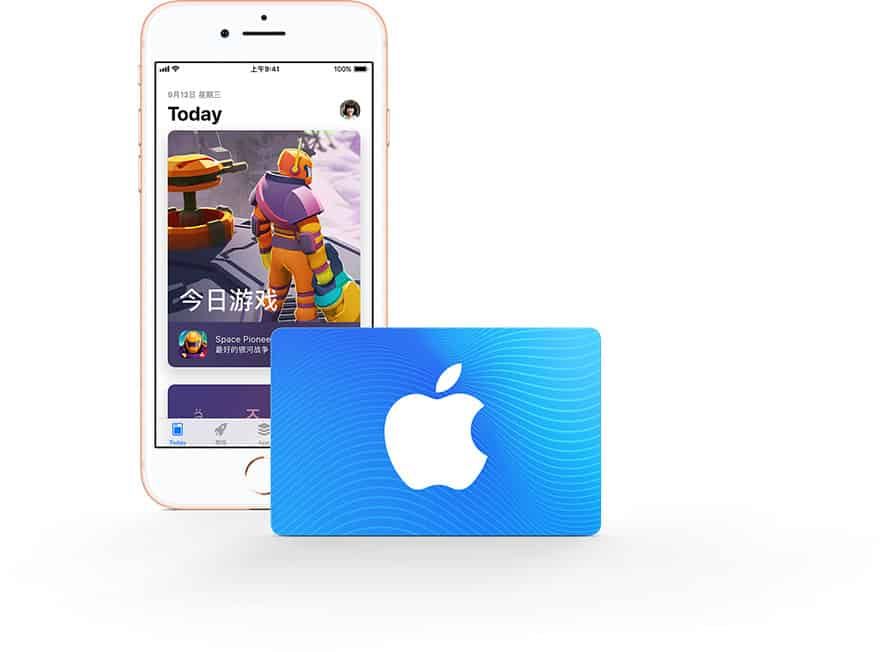
On iPhone or iPad
- Open the Settings app on your device.
- Tap your Name / Profile Banner at the top of the screen.
- Select Media & Purchases, then tap View Account.
- Tap Country/Region to see your current store assignment. It must display Portugal.
On Mac
- Open the App Store.
- Click your name or profile picture in the bottom-left corner.
- Click Account Settings at the top of the window.
- Verify that the country listed under Apple ID Summary is Portugal.
Step-by-Step Guide: How to Redeem Apple Gift Card (PT) on iOS, macOS, and PC
Redeeming your digital code takes less than a minute. Ensure your device has an active internet connection before proceeding.
Redeeming on iPhone or iPad (iOS 18 / 2026 UI)
- Open the App Store on your iPhone or iPad.
- Tap your profile icon or photo in the top-right corner of the screen.
- Tap Redeem Gift Card or Code.
- If prompted, sign in using your Apple ID password, Face ID, or Touch ID.
- Select Enter Code Manually.
- Type the 16-character code received from BitTopup, then tap Redeem in the top-right corner.
- Your updated balance displays immediately on screen.
Redeeming on Mac (macOS Sonoma / Sequoia)
- Launch the App Store on your Mac.
- Click your name or account icon in the lower-left sidebar.
- Click Redeem Gift Card in the upper-right corner.
- Enter your 16-digit code into the box provided.
- Click Redeem. The credit updates instantly in your Apple Account.
Redeeming on Windows PC
- Open the Apple Music or Apple TV app for Windows (or iTunes if running on older OS versions).
- Sign in with your Portuguese Apple ID.
- Click your account name in the sidebar or menu bar, then choose Redeem.
- Type your 16-character code and confirm.
Eligible Purchases: App Store Portugal, Subscriptions, Games, and iCloud+
Once added to your Portugal Apple ID, your balance pays for all digital content offered by Apple in Portugal. Apple automatically deducts payments from your gift card balance before attempting to charge any backup payment method.
In-Game Purchases and Mobile Top-Ups
You can spend your balance on in-app currency, battle passes, and special bundles for games downloaded from the Portuguese App Store, including:* Genshin Impact (Genesis Crystals, Blessing of the Welkin Moon)* Roblox (Robux and Premium subscriptions)* Brawl Stars (Gems and Brawl Pass)* PUBG Mobile (UC)* Clash of Clans & Clash Royale (Gems, Gold Pass, Diamond Pass)* EA SPORTS FC Mobile (FC Points)
Subscriptions and Digital Services
- iCloud+: Upgrade cloud storage tiers (50 GB, 200 GB, 2 TB, or higher plans).
- Apple Music: Individual, Student, or Family monthly and annual plans.
- Apple TV+ & Apple Arcade: Monthly streaming and ad-free gaming subscriptions.
- Apple One: Unified subscription bundles covering Music, TV+, Arcade, and iCloud+.
- Third-Party App Subscriptions: In-app subscriptions for productivity, fitness, streaming, and language apps billed through Apple.
Safe Digital Code Purchase and Delivery via BitTopup
Getting an Apple Gift Card (PT) on BitTopup ensures a smooth and secure checkout process:
- No Password or Account Sharing: BitTopup delivers an authentic digital alphanumeric code. You never need to share your Apple ID login credentials, security questions, or personal passwords.
- Instant Code Access: Your 16-character voucher appears directly on your screen in your BitTopup order center and is sent to your registered email address right after payment confirmation.
- Transparent Live Checkout: Check live pricing and choose from available payment options directly on the product checkout page.
- Dedicated 24/7 Support: BitTopup customer support is available around the clock to assist you with any questions regarding your digital purchase.
Troubleshooting Redemption Errors and Region Mismatches
If you run into an issue when entering your voucher code, review these common solutions:
1. "This code is not valid in your country or region"
- Cause: Your Apple ID is registered outside Portugal.
- Fix: Check your account country setting. If your account is set to another region, you must spend any remaining balance, cancel active subscriptions, and update your country to Portugal—or redeem the code using a separate Portuguese Apple ID.
2. "This card has already been redeemed"
- Cause: The code was already credited to your account or someone with access to your device applied it.
- Fix: Refresh your App Store balance by signing out of your Apple ID and signing back in. Check your recent purchase history to see if the funds were already applied to an active renewal.
3. "Code is invalid or not recognized"
- Cause: Typographical mistakes when manually entering the 16 characters.
- Fix: Carefully verify characters that look similar. Make sure you do not confuse the number 0 with the letter O, or the number 1 with capital I or lowercase l.
4. "Card has not been properly activated"
- Cause: The digital code did not complete its point-of-sale activation sequence.
- Fix: Reach out directly to BitTopup customer support with your order number. Our team will verify the activation record and provide a swift resolution.
Frequently Asked Questions
Can an Apple gift card be topped up directly or reloaded?
No. Apple Gift Cards are single-use prepaid digital codes. Once you redeem the 16-character code into your Apple ID, the card cannot be reloaded. To add more funds to your account, purchase a new Apple Gift Card (PT) code on BitTopup and redeem it to increase your existing balance.
How do I recharge my Apple Account balance using an Apple Gift Card (PT)?
Open the App Store on your iPhone, iPad, or Mac, tap your profile icon, select Redeem Gift Card or Code, and enter the 16-digit voucher provided by BitTopup. The full face value credits to your Portuguese Apple Account balance immediately.
Can I use a Portugal Apple Gift Card on an account registered in another country?
No. Apple codes are strictly region-locked. A Portugal (PT) card requires an Apple ID whose region setting is Portugal. It will not work on accounts registered to Spain, the UK, the US, Brazil, or any other country.
What can I buy with a Portugal Apple Gift Card balance in 2026?
You can buy apps, games, in-game currency, books, films, and subscriptions such as iCloud+, Apple Music, Apple TV+, and Apple Arcade on the Portuguese App Store.
Do Apple Gift Cards (PT) have an expiration date?
No. Digital Apple Gift Card codes for Portugal do not expire. Once redeemed, the funds remain in your Apple Account balance indefinitely until you choose to spend them.
Why does my Apple Gift Card (PT) say it has already been redeemed or is invalid?
This error occurs if the code was already redeemed on your account, if there was a typo during entry, or if you are logged into an Apple ID set to a different country. Log out and back into the App Store to refresh your balance display, check for typos, and confirm your store region is Portugal.