




BluTV Subscription Levant Top Up: Premium Turkish Drama and Entertainment
BluTV is a leading subscription video-on-demand (SVOD) platform specializing in premium Turkish television series (Dizi), exclusive original productions, blockbuster movies, and curated international television. The BluTV Levant edition provides localized access for viewers across Lebanon, Jordan, Iraq, Syria, and Palestine, featuring high-definition streaming with full Arabic subtitles and dubbing options.
Securing a BluTV Subscription Levant top up grants unhindered access to acclaimed original series such as Saygı, Bozkır, Yeşilçam, Magarsus, and İlk ve Son, alongside expansive catalogs of historical epics, contemporary romantic dramas, and action thrillers. By redeeming a prepaid subscription voucher, you bypass recurrent credit card commitments and enjoy continuous streaming across mobile devices, smart TVs, tablets, and web browsers.
BluTV Levant Subscription Pricing and Plan Durations in 2026
Prepaid vouchers offer flexible streaming terms without the need for recurring auto-renew billing or international card validation. In 2026, BitTopup provides multiple subscription tiers tailored to your viewing schedule. Live rates reflect current promotions and catalog availability directly on the BitTopup checkout screen.
BluTV Levant Voucher Plan Comparison
| Plan Duration | Best For | Features Included | Renewal Type |
|---|---|---|---|
| 1-Month Pass | Short-term binge-watching, trying new series | Full HD streaming, multi-device support, Arabic audio/subs | One-time prepaid code (No auto-charge) |
| 3-Month Pass | Season tracking, ongoing drama releases | Full catalog access, simultaneous stream support | One-time prepaid code (No auto-charge) |
| 12-Month Annual Pass | Year-round entertainment, best overall value | Complete access to live channels, originals, and library | One-time prepaid code (No auto-charge) |
Note: Current pricing lives directly on the product purchase module at BitTopup. Check the selector above for real-time rates before completing your order.
Levant Region Account Requirements and Account Preparation
Before you buy BluTV Subscription Levant codes, verify that your account profile matches the Levant regional service area. BluTV digital vouchers are region-locked and will only activate on accounts registered within the supported territory.
Supported Levant Countries
- Lebanon
- Jordan
- Iraq
- Syria
- Palestine
Locating Your Account Details
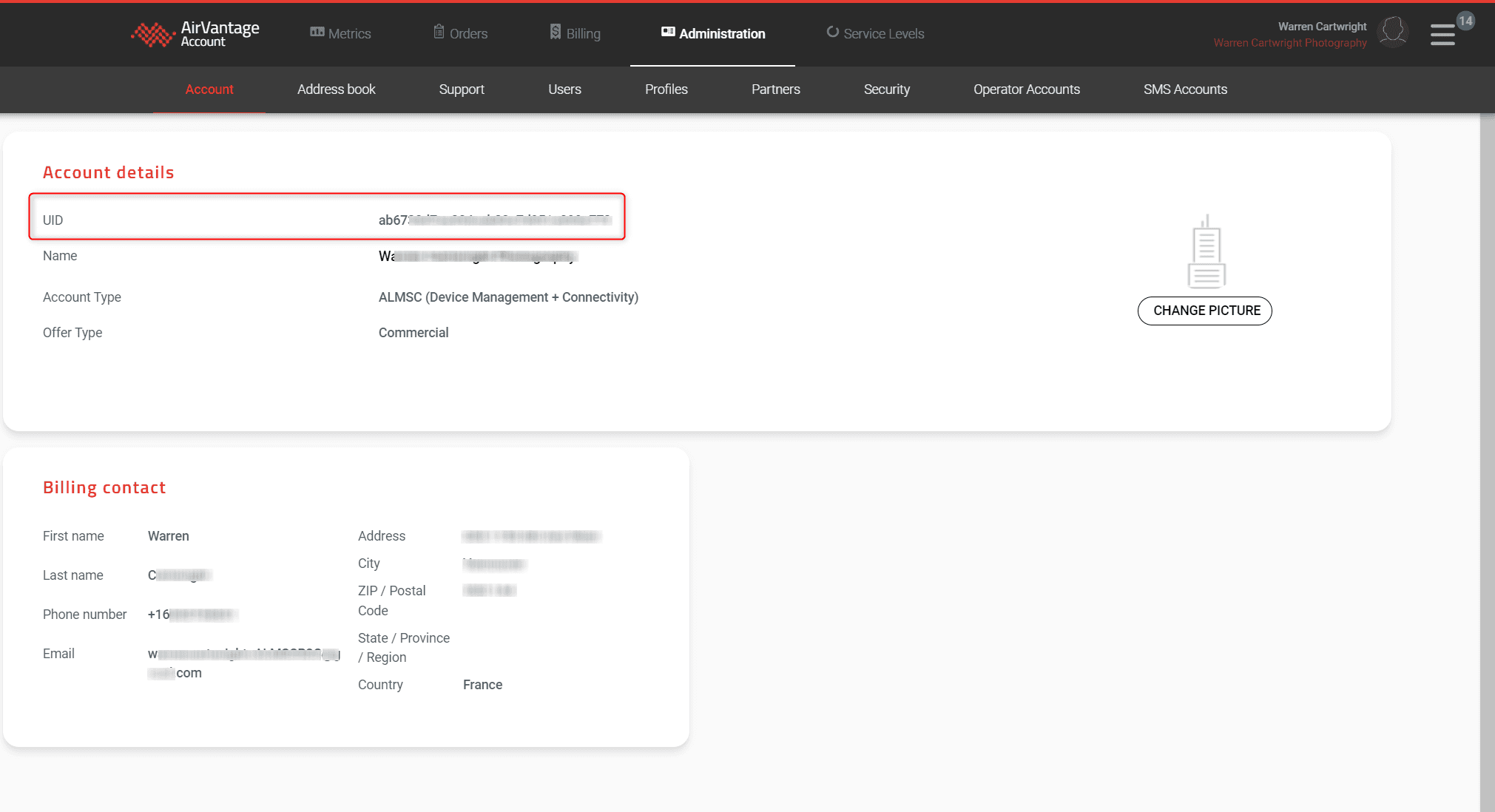
To verify your account readiness and ensure proper voucher redemption, follow these steps to review your BluTV profile:
- Open your desktop or mobile browser and navigate to the official BluTV portal.
- Log into your account using your registered email address or mobile credentials.
- Click your profile icon located at the top-right corner of the interface and select My Account (Hesabım / حسابي).
- Confirm that your registered region reflects a Levant territory and that you do not hold an active third-party store subscription through Google Play or Apple App Store.
How to Recharge and Redeem BluTV Levant Voucher Codes Step-by-Step
Redeeming your digital code is quick. Voucher codes must be activated through a web browser rather than inside mobile applications due to in-app billing restrictions.
Step-by-Step Voucher Activation Flow
- Obtain Your Code: Complete your BluTV Subscription Levant recharge on BitTopup and retrieve your alphanumeric digital PIN from your order confirmation screen or email.
- Visit the Redemption Page: Open your browser and go directly to
blutv.com/kupon(orblutv.com/coupon). - Sign In: Log in with your existing Levant BluTV credentials. If you are a new viewer, click Register to create an account with your regional email address.
- Enter Voucher Code: Paste the unique digital voucher code received from BitTopup into the Coupon Code text field.
- Apply Code: Click the Redeem / Use Code button. The system validates the code instantly.
- Start Streaming: Your subscription period activates immediately. Refresh the BluTV app on your Smart TV, Android, or iOS device to enjoy premium access.
Troubleshooting Voucher Activation and Region Lock Errors
If you experience difficulties while redeeming your voucher, review these common causes and corrective steps:
1. "Invalid Code for Your Region" (Region Mismatch)
- Cause: Your BluTV account was registered in Turkey (TR) or an international region outside the Levant, or an active VPN is altering your detected location.
- Solution: Turn off any active VPN, proxy, or data-saving relay on your device. Ensure you are accessing the Levant portal. If your account was originally created in another territory, create a new profile while connected to your local Levant internet connection.
2. "Coupon Already Used or Expired"
- Cause: The code was entered twice, or a character was mistyped during manual entry.
- Solution: Copy and paste the code directly from your BitTopup order history to eliminate character confusion (such as mistaking zero '0' for letter 'O'). If the platform indicates prior use, log out and log back in to verify if your subscription period updated automatically.
3. "Active Subscription Conflict"
- Cause: The account has an active recurring subscription billed via Apple In-App Purchase or Google Play Billing.
- Solution: Prepaid vouchers cannot override third-party store billing. Cancel your store subscription auto-renewal, wait for the remaining days to lapse, and redeem your BitTopup voucher once the account status returns to standard free tier.
Benefits of Purchasing BluTV Digital Codes on BitTopup
BitTopup provides a safe, efficient route to buy BluTV Subscription Levant passes without the friction of banking limits or recurring credit card charges.
- Instant Digital Delivery: Voucher codes generate immediately upon successful payment verification, allowing you to stream your favorite drama series without delay.
- No Password Sharing Required: You only receive a digital code. BitTopup never asks for your BluTV account password or private profile credentials.
- Accessible Payment Solutions: BitTopup supports regional and international payment options suited for Middle Eastern customers who do not hold foreign-currency credit cards.
- 24/7 Dedicated Support: If you encounter technical hurdles with voucher activation, BitTopup customer support is available around the clock to assist you.
Frequently Asked Questions
What is BluTV Levant?
BluTV Levant is the regional edition of the BluTV streaming platform serving viewers in Lebanon, Jordan, Iraq, Syria, and Palestine. It provides access to original Turkish productions, popular broadcast dramas, Arabic-dubbed content, and curated international cinema customized for audiences in the Levant.
How much does a BluTV subscription cost in 2026?
BluTV Levant subscription prices depend on the chosen duration, such as 1-month, 3-month, or annual access passes. Current pricing is displayed transparently on the BitTopup checkout menu above, allowing you to select the plan that fits your budget without hidden conversion charges.
How do I redeem my BluTV Levant voucher code?
To redeem your voucher, visit blutv.com/coupon in your web browser, sign into your Levant BluTV account, paste your code into the coupon field, and click submit. The subscription days apply to your account immediately.
Which countries are covered under the BluTV Levant subscription?
The Levant subscription package covers accounts created and accessed from Lebanon, Jordan, Iraq, Syria, and Palestine. Vouchers designed for this region will not activate on accounts registered under the Turkish or European store branches.
Can I activate a BluTV Levant code on an account set to Turkey?
No. BluTV applies strict regional lock policies. A Levant voucher code cannot be redeemed on an account registered to the Turkish (TR) catalog. You must use a BluTV account registered in one of the Levant countries to redeem these codes.
Do I need a VPN to watch BluTV with a Levant subscription?
No. You do not need a VPN. BluTV operates natively in Levant territories. Using a VPN during redemption or playback can trigger region mismatch errors if your IP address displays an unsupported country.