






Google Play Gift Card (DE) Top Up: Euro Denominations and Balance Options
Google Play Gift Cards for the Germany region allow Android users to add funds directly to their German Google Play balance in Euros (€). These digital codes provide a secure, prepaid method to buy premium games, in-app purchases, apps, books, movies, and digital subscriptions without linking a credit card or bank account.
BitTopup provides digital voucher codes for the German Play Store across multiple balance tiers. Prices and available amounts are displayed in real time on the live checkout interface.
| Denomination (€) | Primary Use Cases | Account Requirements |
|---|---|---|
| €5 – €15 | Microtransactions, indie apps, budget in-game bundles | German Google Play Account (€) |
| €25 – €50 | Battle passes, gacha pulls, monthly subscriptions | German Google Play Account (€) |
| €100+ | Large currency packs, annual subscriptions, digital media | German Google Play Account (€) |
Every purchase delivers an unactivated 16-digit alphanumeric digital code. Because it is delivered as a raw code rather than a direct account deposit, you retain full control over when and on which profile you redeem the balance.
How to Redeem Your Google Play Gift Code on Android and Web in Germany
Redeeming your German Google Play digital code takes less than two minutes. Follow the exact steps below depending on whether you are using an Android mobile device or a desktop web browser.
Method 1: Redeem via the Google Play Store App (Android)
- Open the Google Play Store app on your Android phone or tablet.
- Tap your profile icon in the top right corner.
- Tap Payments & subscriptions.
- Select Redeem code.
- Carefully enter your 16-character digital code received from BitTopup.
- Tap Redeem, review the account and amount to be credited, and tap Confirm.
Method 2: Redeem via Web Browser (PC or Mac)
- Open your web browser and visit
play.google.com/redeem. - Make sure you are signed into the correct German Google account.
- Enter the digital code in the text box.
- Click Redeem and confirm the prompt to add the funds to your Google Play balance.
Method 3: Direct In-App Purchase Redemption
- Launch the game or app where you want to make an in-game purchase.
- Proceed to checkout on the item or bundle.
- Select your Google Play balance as the payment method.
- Tap the down arrow next to the payment method and select Redeem code.
- Paste your code to complete both the balance top-up and the purchase simultaneously.
Germany (DE) Account Region Requirements and Lock Policy
Google maintains strict geographic boundaries on gift card activations. A Google Play Gift Card (DE) is denominated in Euro (€) and strictly locked to accounts configured for the German regional store.
To ensure successful redemption, your Google profile must meet three specific criteria:- Country/Region setting: Must be set to Germany.- Payment Profile: Must contain a German billing address.- Physical or Network Location: Google verifies redemption locations via device IP and network connection.
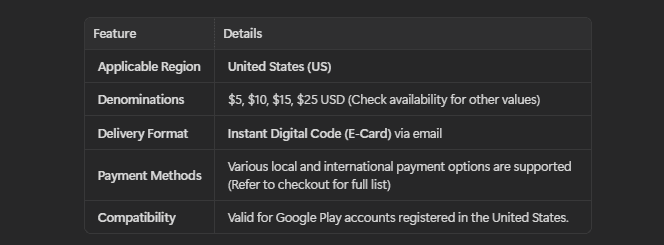
How to Verify Your Google Play Account Country
- Open the Google Play Store app.
- Tap your profile icon in the upper right corner and select Settings.
- Expand General and tap Account and device preferences.
- Scroll to Country and profiles.
- Confirm that Germany is selected with a green checkmark.
Note: Google limits account country changes to once every 365 days. If your account is set to a different country, you must switch your region or create a dedicated German Google profile before redeeming a DE gift card.
What You Can Purchase with German Google Play Credit (€)
Once added to your Google Play account, your Euro balance can be used across the entire German Play Store ecosystem on Android and Google TV devices:
- In-Game Currencies and Passes: Buy Genesis Crystals, Primogems, Robux, CP, V-Bucks, PokeCoins, or seasonal battle passes across thousands of Android games.
- Premium Apps and Utilities: Purchase paid mobile productivity tools, pro camera utilities, icon packs, and system customizers.
- Subscriptions: Pay for recurring app memberships, including fitness trackers, language learning tools, and cloud utilities directly billed through Google Play Billing.
- Google One & Cloud Storage: Upgrade your Google Drive, Gmail, and Google Photos storage capacity using your store balance.
- Digital Entertainment: Rent or purchase 4K movies, TV series episodes, and digital audiobooks or ebooks through Google TV and Google Play Books.
Important: Google Play balance cannot be used to purchase physical merchandise from the Google Store, hardware devices, or gift cards for other services.
Troubleshooting Common Google Play Gift Card Redemption Errors
If you experience an issue while redeeming your German code, refer to these proven solutions:
1. Error: Code cannot be redeemed from your region / Country mismatch
- Cause: Your account country does not match Germany, or your connection suggests you are outside German territory.
- Solution: Check your Google Play profile under
Settings > General > Account and device preferences. Ensure your Play Store country is set to Germany and that your Google Payments profile (pay.google.com) does not contain conflicting active billing profiles from other countries.
2. Error: We need more info to redeem your gift card
- Cause: Google security systems trigger an extra layer of anti-fraud verification.
- Solution: Google provides an official verification form directly on the error screen. Submit the requested details, including the code and proof of purchase receipt, to allow Google's automated support system to clear the hold.
3. Error: Invalid code or code not recognized
- Cause: Typographical errors during manual entry.
- Solution: Copy and paste the code directly from your BitTopup order page. Watch out for commonly confused characters such as
0(zero) andO(capital o),1(one) andI(capital i), or8andB.
4. Error: Code has already been redeemed
- Cause: The code was already credited to an account.
- Solution: Check your account balance at
play.google.comor your purchase history under Payments & subscriptions > Budget & history to confirm if the balance was already added.
Why Buy and Recharge Google Play (DE) Digital Codes on BitTopup
BitTopup provides a fast, dependable checkout platform for regional gaming vouchers and digital store credit:
- No Account Login or Password Required: You never need to share your Google email address, password, or two-factor authentication details. We provide raw digital codes that you redeem independently on your own device.
- Direct Digital Code Delivery: Your code is generated and displayed on your screen immediately after payment confirmation, as well as backed up to your order history.
- Clear Pricing on Live Checkout: Review the exact Euro value and total cost before finalizing your order, without hidden surprises.
- Reliable Support: If you have questions regarding your order or code status, BitTopup customer support is available 24/7 to assist you with order verification.
Frequently Asked Questions
How do I recharge my Google Play balance using a German gift card?
Open the Google Play Store on your Android device, tap your profile icon at the top right, select Payments & subscriptions, then tap Redeem code. Enter your 16-digit code received from BitTopup and confirm. Your German Euro (€) balance will update instantly.
Can I use a Google Play Gift Card (DE) on an account outside Germany?
No. Google Play gift cards are region-locked and currency-locked. A German (€) card can only be redeemed on a Google account whose region is officially set to Germany with an active German payment profile.
Can I convert a Google Play gift card balance to cash or transfer it?
No. Google Play balances cannot be refunded, transferred to another Google account, or withdrawn as cash, bank transfers, or PayPal balances under Google's terms of service.
Do Google Play Gift Cards (DE) have an expiration date?
No. Google Play gift card codes and redeemed balances do not expire. However, it is best practice to redeem your digital voucher promptly after purchase to ensure your account balance is ready when you need it.
Can you reload or add money to an existing Google Play gift card?
No. Individual Google Play gift card codes are single-use vouchers. Once redeemed, the code is spent. To add more funds to your Google Play balance in the future, buy another digital code on BitTopup and redeem it to the same account.
What should I do if I get a country mismatch error while redeeming my code?
Verify that your Google account region is set to Germany under Play Store Settings > General > Account and device preferences. In addition, ensure that you do not have secondary billing profiles set to other countries on Google Pay (pay.google.com). If you reside in or manage a German account, ensure your device connection reflects the correct region.










































































































