


Google Play Gift Card (ES) Top Up: Digital Balance & Purchases
A Google Play Gift Card (ES) top up provides a prepaid digital balance denominated in Euros (€) for use exclusively on the Spanish Google Play Store. When you buy a Google Play gift card Spain code, you receive an official 16-character digital key that credits your Google Play balance immediately upon redemption.
This balance lets you pay for a wide range of digital media and software on Android devices, Chromebooks, and desktop browsers without linking a personal credit card or bank account. You can spend your Spanish Google Play balance on:
- In-Game Microtransactions & Currencies: Purchase gems, coins, battle passes, and skins in popular mobile titles such as Genshin Impact, Honkai: Star Rail, Roblox, Brawl Stars, Clash Royale, and Pokémon GO.
- Premium Android Apps & Games: Buy paid productivity tools, utilities, mobile games, and pro version upgrades directly through the Google Play Store.
- Digital Entertainment: Rent or purchase movies, TV series, digital books, and audiobooks on Google Play.
- App Subscriptions: Pay for recurring subscriptions, including Google One cloud storage, YouTube Premium, streaming apps, and fitness trackers (subject to developer payment routing policies in the EU).
Spain Region Lock Requirements: Crucial Account Country Rules
Google enforces strict geographic restrictions on Google Play gift cards. A Google Play Gift Card ES recharge can only be redeemed on a Google account that is officially registered to Spain with a Spanish payments profile.
Before purchasing or redeeming your code, verify the following regional criteria:
- Spanish Google Account Profile: Your Google Play account region must be set to Spain (ES). Google Play country settings are tied to your primary Google Payments profile.
- Euro (€) Currency Match: The default currency in your Play Store must display in Euros (€).
- Physical & IP Location: Google verifies connection metadata during redemption. Using proxies or attempting redemption from outside Spain on a non-Spanish IP can trigger geographic restriction flags.
- Country Switch Rules: Google only allows users to change their Google Play store country once every 365 days. If your account is registered to another country (e.g., United Kingdom, Germany, or United States), you must either switch your country setting to Spain (requires a valid Spanish payment profile address) or create a dedicated Spanish Google account.
How to Check Your Account Region & Redeem Your Code
To ensure your redemption process goes smoothly, confirm your Google Play account country before applying the digital code.
How to Verify Your Google Play Region
- Open the Google Play Store app on your Android device.
- Tap your Profile Icon in the top right corner.
- Go to Settings > General > Account and device preferences.
- Scroll down to the Country and profiles section.
- Verify that your profile is set to Spain.
Redeeming on Android Mobile Devices
- Open the Google Play Store application.
- Tap your Profile Icon located at the top-right corner.
- Tap Payments & subscriptions from the menu.
- Select Redeem code.
- Enter the 16-character alphanumeric Google Play recharge code Spain received from BitTopup.
- Tap Redeem and confirm the account details shown on screen.
Redeeming on Desktop or Mobile Web Browser
- Open your web browser and navigate directly to
play.google.com/redeem. - Sign in to the Spanish Google account where you want the balance credited.
- Type or paste your digital code into the input field.
- Click Redeem.
- Confirm the addition of funds to your Google Play balance.
Supported Google Play ES EUR Denominations in 2026
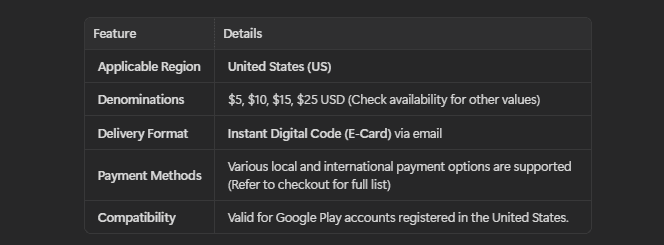
BitTopup provides a comprehensive selection of Google Play Spain denominations in Euros. Choose the exact tier that fits your planned in-game purchase or subscription budget.
| Denomination | Primary Use Case | Target Audience |
|---|---|---|
| €5 EUR | Small in-game microtransactions, single app purchases | Casual mobile gamers & app buyers |
| €10 EUR | Monthly battle passes, entry-level gem packs, media rentals | Regular mobile gamers |
| €15 EUR | App subscriptions, seasonal event packs, premium indie games | Subscription & utility users |
| €25 EUR | Mid-tier gacha bundles, Google One annual plans, multi-app buys | Core mobile gaming enthusiasts |
| €50 EUR | High-tier currency bundles, multi-month service renewals | Heavy mobile gamers & creators |
| €100 EUR | Maximum gacha packs (e.g., top-tier genesis crystals), power users | Dedicated competitive & gacha players |
Note: Exact pricing, real-time stock, and localized currency rates are displayed transparently on the BitTopup checkout page.
Troubleshooting Common Google Play Spain Redemption Errors
If you run into an issue while attempting to redeem your Google Play recharge code, use the following troubleshooting solutions:
1. "Code is not valid in your country" (Country Mismatch)
- Cause: Your Google account region is not set to Spain, or Google detected an IP address outside the Spanish territory.
- Fix: Confirm under Settings > Account and device preferences that your country is set to Spain. Disconnect any active VPNs or proxies that might route your connection through another region. If necessary, create a fresh Google account with Spain selected as the home region.
2. "We need more info to redeem your gift card"
- Cause: Google automated security systems flagged the redemption attempt for manual review due to suspicious network location or rapid attempts.
- Fix: Follow the on-screen link provided by Google to submit a verification form. Keep your BitTopup order confirmation and code receipt available as proof of purchase.
3. "This code has already been redeemed"
- Cause: The code was previously claimed on your account or applied to a different logged-in Google profile on the device.
- Fix: Check your Google Play transaction history at
pay.google.comunder Activity to confirm if the balance was already added. If multiple accounts exist on your device, switch profiles to verify if the code was redeemed on an alternate address.
4. "Invalid code error"
- Cause: Typographical errors during code input.
- Fix: Check for commonly confused characters, such as the letter
Oversus the number0, the letterIversus the number1, orSversus5. Copy and paste the digital code directly from your BitTopup order page to eliminate manual typing mistakes.
Why Recharge Google Play Spain Digital Cards on BitTopup
Recharging your Google Play Spain balance on BitTopup offers a direct, secure, and transparent way to buy digital credit:
- Instant Digital Code Delivery: Your code is generated and displayed on your screen immediately after payment confirmation, with a copy sent to your email for easy reference.
- Complete Account Safety: No Google login details, passwords, or account access are ever requested. You receive a standard redemption code that you apply to your own account privately.
- Transparent Pricing: Review the exact live price and accepted payment methods directly at checkout with no hidden service charges.
- 24/7 Dedicated Support: If you encounter any redemption questions or need assistance verifying your digital code, BitTopup customer support is available around the clock to help.
Frequently Asked Questions
How do I recharge my Google Play gift card in Spain?
To recharge your Spanish Google Play balance, buy a Google Play Gift Card (ES) from BitTopup. Once your payment clears, copy the 16-digit code, open the Google Play Store app on your Spanish account, navigate to Payments & subscriptions > Redeem code, enter the code, and confirm.
Can I use a Google Play Gift Card (ES) outside of Spain?
Google Play Gift Cards (ES) are region-locked to the Spanish Google Play Store. You can only redeem this card on an account registered with a Spanish payments profile and country setting. Users outside Spain can only use this card if their Google account is specifically configured for Spain.
What is the difference between a Google Play recharge code and a physical card?
A digital recharge code functions identically to a physical gift card bought in a retail store. Both provide an alphanumeric key that credits your Google Play balance in Euros (€). The digital code is delivered to your screen and email instantly without waiting for physical shipping or scratching off a card strip.
Are Google Play gift cards reloadable?
No, individual Google Play gift card codes are single-use tokens. Once redeemed, the card value is permanently transferred to your Google Play balance, and the code becomes invalid. To add more funds later, purchase a new Google Play Gift Card (ES) code on BitTopup.
Can I convert my Google Play Spain balance into cash or transfer it?
No. Google Play account balances are non-transferable between Google accounts and cannot be exchanged or refunded for real cash, per Google Play terms of service. Funds must be spent on digital items, apps, and services directly within the Google Play ecosystem.
What should I do if my Google Play redeem code doesn't work?
First, confirm that your Google account country is set to Spain and that you typed the code correctly without spaces. If an error persists, take a screenshot of the specific error message and contact BitTopup 24/7 customer support with your order number for fast verification.