





Google Play Gift Card IT Recharge: Overview and How It Works
A Google Play Gift Card (IT) is a digital prepaid voucher denominated in Euros (EUR) that adds funds directly to your Italian Google Play balance. Once added, this balance lets you purchase Android apps, mobile games, in-game currencies, digital books, movie rentals, and ongoing app subscriptions without attaching a personal credit card or bank account to your profile.
When you buy a Google Play card online for Italy, you receive a secure 16-character digital redemption code. This code is delivered directly to your account order page without requiring you to share account passwords or login credentials. The value never expires, giving you full control over when and how you spend your balance.
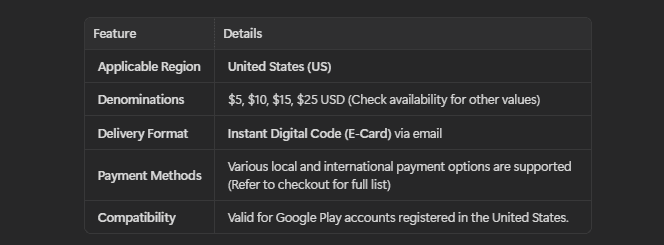
| Feature | Specification |
|---|---|
| Product Type | Official Digital Prepaid Code |
| Region / Country | Italy (IT) |
| Currency | Euro (EUR) |
| Redemption Platform | Google Play Store (Android App & Web Browser) |
| Account Access | Zero login required (Direct code delivery) |
| Expiration Date | Balance does not expire after redemption |
Step-by-Step Guide: How to Recharge Your Google Play Italy Account
Redeeming your digital code takes only a few seconds. You can apply the funds via the official Android mobile app or through any desktop web browser.
Method 1: Redeeming on an Android Smartphone or Tablet
- Open the Google Play Store app on your Android device.
- Tap your profile icon in the upper right corner of the screen.
- Tap Payments & subscriptions from the menu options.
- Select Redeem code.
- Carefully enter your 16-character alphanumeric code received from BitTopup.
- Tap the green Redeem button.
- Confirm the account where the EUR balance will be credited.
Method 2: Redeeming via Web Browser (PC or Mac)
- Open your browser and go to the official redemption page:
play.google.com/redeem. - Sign in to the specific Google account associated with your Italian profile.
- Type or paste your digital gift code into the text field.
- Click Redeem and confirm the transaction to update your balance immediately.
How to Check Your Google Play Account Country and Region Settings
Google Play gift cards are region-locked. Your Google Payments account must be officially set to Italy (EUR) for an Italian gift card to redeem successfully.
Google Play gift cards do not use an in-game UID or character ID. Redemption is tied strictly to your Google Account profile country. Follow these steps to verify your country before applying the code:
- Launch the Google Play Store app on your device.
- Tap your profile icon in the top-right corner.
- Navigate to Settings > General > Account and device preferences.
- Scroll down to the Country and profiles section.
- Verify that Italy is selected and has a active green checkmark.
If your country profile is set to a different region, Google will block the redemption. Ensure your account matches Italy before attempting to apply the voucher.
Important Italy Region Lock and EUR Currency Guidelines
Google enforces strict geographic and currency restrictions on all Play Store gift cards:
- Country Match Requirement: An Italian Google Play gift code can only be redeemed on a Google account whose registered Play Store country is Italy.
- Currency Enforcement: The funds are issued exclusively in Euros (EUR) and cannot be converted into USD, GBP, or other currencies automatically.
- Location Verification: Google Play may check your active IP location or device settings during the redemption process. Avoid active proxies or conflicting network connections when entering your voucher.
- Non-Refundable Digital Goods: Because digital codes are single-use assets that reveal instantly upon purchase, gift card orders cannot be canceled, refunded, or exchanged once the code is issued. Always verify your account region before checkout.
What Content and Apps Can You Buy with Italian Google Play Credit in 2026?
Your redeemed EUR balance is ready to spend across the Italian Google Play Store catalog in 2026, including:
- Mobile Games & Microtransactions: Top up in-game currencies, battle passes, character summons, and cosmetic items across top Android titles.
- Premium Applications: Buy paid utility tools, productivity software, creative suites, and educational programs.
- In-App Subscriptions: Pay for monthly or annual recurring services managed through Google Play billing.
- E-Books & Audiobooks: Purchase digital reading material directly from the Google Play Books marketplace.
- Movies & TV Entertainment: Rent or purchase high-definition media through Google TV.
Note: Google Play balance cannot be used to purchase physical hardware items from the Google Store, nor can it be transferred to external payment gateways.
Safe and Fast Digital Code Delivery on BitTopup
BitTopup provides a streamlined, secure environment for digital voucher purchases:
- Zero Account Sharing: We never request your Google email password, recovery phrases, or two-factor authentication codes. You receive an independent voucher code to redeem privately on your own device.
- Transparent Live Checkout: Check live pricing and denomination options directly on the product selection menu before paying.
- Immediate Digital Delivery: Your redemption code is generated and visible in your order history right after payment verification.
- Dedicated Customer Support: Reach out to our multilingual support team anytime if you need assistance during the order process.
Troubleshooting Common Google Play Code Redemption Errors
1. Error: Code Cannot Be Redeemed in Your Region / Country
This occurs if your Google Payments profile is registered outside Italy or if your network location conflicts with Italian account settings. Verify that your Google Play country profile is set to Italy under Account Preferences, disable any active VPN or proxy tools, and try redeeming again.
2. Error: Invalid Code
Double-check the entered characters for typos. Common mix-ups include typing the number 0 instead of the letter O, or 1 instead of I. Copy the code directly from your BitTopup dashboard and paste it into the redemption box to prevent input mistakes.
3. Error: We Need More Information to Redeem Your Gift Card
Google occasionally applies automated security checks to gift card redemptions. If prompted, follow Google's on-screen verification instructions to confirm ownership of the account.
4. Error: Code Has Already Been Redeemed
Refresh your Google Play balance page. In many cases, the redemption went through on the first attempt, and the EUR funds are already visible in your payment methods list.
Frequently Asked Questions
How do I recharge my Google Play balance with an Italian gift card?
Open the Google Play Store app on your Android device, tap your profile icon, select Payments & subscriptions, choose Redeem code, type in your 16-character code, and confirm. You can also redeem via browser at play.google.com/redeem.
Can I use an Italy Google Play Gift Card in another country?
No. Google Play gift cards are region-locked. An Italian (EUR) code can only be redeemed on a Google account with its profile country set to Italy.
Can I convert a Google Play gift card to cash or transfer it to PayPal?
No. Google Play balances are strictly for purchasing digital goods, apps, games, and subscriptions within the Google Play Store. Balance cannot be withdrawn as cash, transferred to bank accounts, or moved to third-party digital wallets.
Can I reload or add more money to an existing Google Play gift card?
No. Digital gift card codes are single-use. Once redeemed, the code is depleted. To add more EUR funds to your Google Play balance, purchase another digital code on BitTopup and redeem it on your account.
What should I do if I get an error saying the code cannot be redeemed in my region?
Check your Google Play account settings to ensure your profile country is set to Italy. Disconnect any VPN or proxy connections that might show an IP address outside Italy, restart the app, and re-enter the code.
Where can I check my current Google Play balance after redeeming?
Open the Google Play Store app, tap your profile icon in the top right, and select Payments & subscriptions > Payment methods. Your updated Google Play EUR balance will appear at the top of the screen.




































































































