



Google Play Gift Card (TR) Top Up: What It Is and What You Can Buy
A Google Play Gift Card (TR) is a digital voucher loaded with Turkish Lira (TRY / ₺) designed specifically for accounts registered in Turkey. When you redeem this digital code, the full face value is credited directly to your Google Play balance, allowing you to purchase digital content across the official Google ecosystem.
With a Turkish Google Play balance, you can access:* In-Game Currencies & Bundles: Purchase diamonds, battle passes, cosmetics, and coins in popular mobile titles.* Premium Android Apps: Download paid utility tools, productivity software, and premium games from the Google Play Store.* Digital Entertainment: Buy or rent movies, complete seasons of television series, and purchase audiobooks or e-books available in the Turkish regional catalog.
All prices on the Turkish Google Play Store are denominated in Turkish Lira (TRY), giving local users access to local pricing models set by global developers.
Crucial Region-Lock Requirements: Turkey Account and IP Policy Explained
Google enforces strict regional restrictions on Google Play gift cards and balances. A Google Play Gift Card (TR) will function only if your account and connection satisfy Google's regional verification criteria.
Before you purchase or attempt to redeem a Turkish gift code, review the regional compliance checklist below:
| Verification Factor | Requirement for Turkish Gift Cards | Common Issue / Risk |
|---|---|---|
| Account Country | Must be set to Turkey (TR) | Code redemption rejected if account is tied to another country. |
| Google Payments Profile | Must have an active Turkish billing profile | Outdated payment profiles in other currencies block TRY balance usage. |
| IP Address & Location | Verified Turkish network connection | Free public VPNs or datacenter IPs trigger security flags. |
| Device Language | Turkish or default matching region | Mismatches between language and IP can trigger extra verification. |
Strict Warning Regarding Free VPNs
Google uses advanced network detection algorithms to identify public proxy servers and low-grade VPN endpoints. Attempting to redeem a Turkish card using an unreliable free VPN often leads to transaction blocks, such as the "Couldn't complete your transaction" error, or can cause your Google Payments profile to require identity verification. Always ensure your account settings and network profile genuinely match the Turkish region.
How to Check Your Google Account Region and Country Settings
To confirm your Google Play account is configured for Turkey, verify your profile settings within the Play Store application before applying your code.
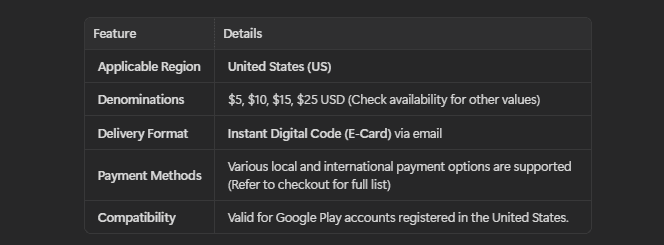
Follow these steps to check your regional configuration:1. Open the Google Play Store app on your Android device.2. Tap your Profile Icon located in the top-right corner of the screen.3. Select Settings, then expand the General menu.4. Tap Account and device preferences.5. Scroll down to the Country and profiles section. Confirm that Turkey is listed and active with a green checkmark.
If your account is associated with a different country, you must switch your country settings or create a dedicated Turkish Google profile before proceeding with redemption.
Step-by-Step Guide: How to Recharge and Redeem Google Play TR Codes
Once you receive your digital code from BitTopup, follow the redemption instructions below for your mobile device or web browser.
Method 1: Redeeming on an Android Phone or Tablet
- Open the Google Play Store app.
- Tap your Profile Icon in the top-right corner.
- Tap Payments & subscriptions, then select Redeem code.
- Carefully enter your digital code without adding spaces.
- Tap Redeem and confirm the addition of the Turkish Lira balance to your account.
Method 2: Redeeming via a Web Browser
- Go to
play.google.com/redeemusing any desktop or mobile browser. - Log into the specific Google account configured for Turkey.
- Enter the digital gift card code in the input field.
- Click Redeem to confirm the top up.
Your updated TRY balance will immediately show in your Google Play payment methods list.
How to Fix Common Google Play Code Redemption Errors in 2026
If you run into an error message while redeeming your Turkish Google Play card, use these verified troubleshooting steps:
1. "Code is only valid in Turkey"
- Cause: Your Google account country is set to a region other than Turkey, or your current network location does not match the card's currency.
- Solution: Check your Google Play account country under Settings > General > Account and device preferences. Make sure your Google Payments profile has a valid Turkish address and remove inactive billing profiles from other countries via
payments.google.com.
2. "Couldn't complete your transaction. Your Play balance can only be used in Turkey"
- Cause: This error occurs when you have successfully redeemed the TRY balance, but Google blocks an in-game purchase due to network or location mismatches.
- Solution: Clear the cache and data of the Google Play Store app (Settings > Apps > Google Play Store > Storage > Clear Cache & Clear Data). Restart your device and retry the purchase on a stable local network connection.
3. "We need more info to redeem your gift card"
- Cause: Google's security systems flagged the redemption attempt as suspicious, often caused by rapid code entries or unstable proxy servers.
- Solution: Do not make repeated redemption attempts. Wait 24 hours before trying again, or submit the requested proof of purchase through Google's official gift card support form.
Supported Apps, In-Game Purchases, and Subscriptions for Turkish Accounts
Your Turkish Google Play balance can be used across thousands of apps, but different services handle digital balance payments under specific terms.
- Direct In-Game Microtransactions: Mobile games that support Google Play Billing allow direct checkout using your TRY balance. This includes one-time item packs, season passes, and character skins.
- In-App Subscriptions: Some streaming services and monthly app memberships permit recurring payments using Google Play balance, provided your account maintains sufficient TRY balance to cover auto-renewal fees.
- Cross-Regional Game Restrictions: Certain mobile games apply their own server-side region locks. Ensure the game build installed on your phone originated from the Turkish Play Store to guarantee payment compatibility.
Why Buy Google Play Gift Cards on BitTopup
When buying digital vouchers for international accounts, reliability and speed are essential. BitTopup delivers a straightforward experience tailored to digital gamers worldwide:
- Direct Digital Code Delivery: Your redemption code is generated instantly on your order confirmation screen and sent directly to your registered email address.
- No Account Sharing Required: You never need to hand over your Google login details or password. You receive the raw digital code to redeem yourself.
- Clear Region Identification: Products clearly display regional restrictions, so you know exactly which account profile is required before checkout.
- Transparent Pricing: Current rates and denominations are displayed clearly on the live checkout page with zero hidden processing charges.
- 24/7 Dedicated Customer Support: If you encounter issues during order placement or code retrieval, BitTopup's support team is available around the clock to assist you.
Frequently Asked Questions
Can I redeem a Google Play Gift Card (TR) outside Turkey using a VPN?
Google strictly prohibits redeeming region-locked gift cards from outside their intended country. While some users attempt to use VPNs, Google's modern fraud prevention actively detects and blocks known VPN and proxy IP addresses, which can lead to redemption errors or payment profile locks.
How do I recharge my Google Play balance using a Turkish gift card?
Open the Google Play Store on your Turkish Google account, tap your profile icon, go to Payments & subscriptions, select Redeem code, enter the code purchased from BitTopup, and tap Redeem.
Why does Google Play show an error saying the code is only valid in Turkey?
This error appears if your active Google Play country is not set to Turkey, if you have multiple foreign payment profiles attached to your Google account, or if Google's location checks detect that you are outside the Turkish region.
Can I buy a Turkish Google Play gift card for someone living abroad?
You can purchase a Google Play Gift Card (TR) for a friend or family member, provided the recipient has a Google Play account configured with a Turkish payments profile and is located in Turkey to redeem and spend the balance.
Do Google Play Gift Card (TR) codes expire?
Official Google Play gift card codes for Turkey do not have an expiration date. However, it is best practice to redeem the digital code to your Turkish Google balance shortly after receiving it to keep your funds safe.
Can I use Google Play TRY balance to buy in-game items across all mobile games?
You can use your TRY balance on any game or app that supports standard Google Play In-App Billing for the Turkish region. If a developer uses a custom third-party checkout or restricts Turkish currency for regional compliance, the balance may not be eligible.