
PlayStation Network Card (QA) Top Up and Qatar Region Compatibility
A PlayStation Network Card (QA) is a prepaid digital voucher used to add funds directly to your PlayStation Network wallet registered in the Qatar region. PlayStation enforces strict geographic region locking across all digital stores and content. A voucher issued for the Qatar PlayStation Store can only be activated on a Sony Entertainment Network account whose country or region setting is set to Qatar.
Loading your Qatar PSN wallet enables you to purchase complete digital games, downloadable content (DLC), season passes, in-game currencies (such as FC Points, V-Bucks, and Call of Duty Points), and renew your ongoing subscriptions directly through the official PlayStation Store. Buying digital gift cards eliminates the need to attach an international credit card to your console, keeping your payment information secure while giving you immediate access to all digital releases.
| Feature | Qatar (QA) PSN Card Details |
|---|---|
| Region Compatibility | Qatar PSN Accounts Only |
| Supported Hardware | PlayStation 5, PlayStation 4, PlayStation App, Web Browser |
| Code Format | 12-Digit Alphanumeric Voucher |
| Primary Uses | Games, DLCs, In-Game Currency, PS Plus Memberships |
| Account Password Required | No (Code-only delivery) |
Important Tips to Verify Your PSN Account Country Settings
Before you complete your purchase, confirm that your PlayStation Network account is officially set to Qatar. Digital codes cannot be transferred, refunded, or redeemed across different regional stores.
Follow these steps to check your account country:
- Go to the official Sony PlayStation website on your computer or smartphone browser.
- Sign in with your PSN account credentials.
- Click on your profile avatar in the top right corner and select Account Settings.
- Under the Basic Information tab, scroll down to the Location or Country/Region field.
- Verify that the country displays Qatar.
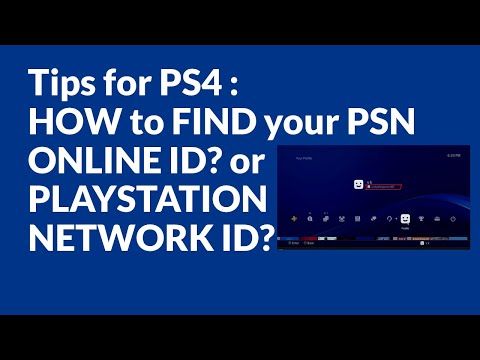
PlayStation Network gift cards do not require an in-game UID or character ID during checkout. You receive an authentic 12-digit digital code on BitTopup, which you apply directly inside your own account settings.
Step-by-Step Guide: How to Redeem PSN QA Codes on PS5, PS4, and Web Browser
Once your order is processed on BitTopup, your 12-digit alphanumeric code will appear instantly in your order dashboard. Choose your preferred device below to add the funds to your wallet.
Redeeming on PlayStation 5
- Turn on your PS5 and log in to your Qatar PSN user profile.
- Navigate to Settings (gear icon) in the top-right corner of the home screen.
- Select Users and Accounts > Account > Payment and Subscriptions.
- Select Redeem Codes.
- Carefully enter the 12-digit voucher code without dashes or spaces.
- Select Redeem. The funds will instantly reflect in your PSN wallet balance.
Redeeming on PlayStation 4
- Power on your PS4 console and sign in to your Qatar account.
- Open the PlayStation Store icon from the main home dashboard.
- Scroll down the left-hand sidebar menu until you locate Redeem Codes.
- Type your 12-digit code into the box.
- Select Continue and confirm the wallet top up.
Redeeming via Web Browser or PlayStation App
- Open your web browser and go to
store.playstation.com(or launch the PS App on iOS/Android). - Sign in to your Qatar PSN account.
- Click your profile avatar at the top right of the screen.
- Select Redeem Code from the drop-down menu.
- Enter the 12-character code accurately and confirm your redemption.
Using PSN Wallet Balance for PS Plus Essential, Extra, and Deluxe Subscriptions in 2026
In 2026, PlayStation Plus provides access to three distinct tiers on the Qatar PlayStation Store: PlayStation Plus Essential, PlayStation Plus Extra, and PlayStation Plus Deluxe.
Using a Qatar PSN Card allows you to subscribe to or renew any of these tiers directly from your wallet balance without saving personal banking cards on your console:
- PlayStation Plus Essential: Includes monthly downloadable games, online multiplayer access, exclusive store discounts, and cloud storage for game saves.
- PlayStation Plus Extra: Includes everything in Essential, plus an extensive catalog of hundreds of PS4 and PS5 titles available on demand.
- PlayStation Plus Deluxe: Features all Essential and Extra benefits, along with access to classic PlayStation retro catalogs (PS1, PS2, PSP titles), remastered editions, and time-limited game trials.
To subscribe using your top-up balance, redeem your QA card, navigate to the PlayStation Plus tab in the store, choose your desired tier and billing duration (1 month, 3 months, or 12 months), and select your PSN wallet balance at checkout.
Troubleshooting Qatar PSN Voucher Redemption Errors
If you experience an issue when activating your digital code, review the common PlayStation error codes and resolutions below:
- Error Code WC-40371-5 / WS-116138-0 (Region Mismatch): This indicates that the voucher country does not match your PlayStation Network account country. Confirm that your account is registered to Qatar.
- Error Code WC-40376-0 / WS-116135-7 (Code Inactive or Invalid): Re-check each character of the 12-digit code. Avoid confusing numbers and letters, such as
0(zero) withO, or1(one) withI. - Wallet Limit Exceeded: The PlayStation Network enforces a maximum wallet balance cap. If the voucher value pushes your balance past the allowed threshold, you must spend existing wallet funds before redeeming the new card.
- Temporary Server Maintenance: Sony occasionally conducts scheduled maintenance on the PlayStation Network. If error messages persist despite valid account details, wait a few minutes and retry.
Why Recharge PlayStation Network Cards (QA) on BitTopup
- Fast Digital Code Delivery: Receive your 12-digit Qatar PSN code directly in your order history right after payment verification.
- Maximum Account Privacy: BitTopup never asks for your PlayStation login credentials, passwords, or personal security questions. You receive an independent voucher code to redeem yourself.
- Transparent Pricing: Check real-time values and product availability directly on the live checkout page with zero hidden fees.
- Dedicated 24/7 Customer Support: If you ever need assistance with your code delivery or have questions regarding product activation, our support team is available round the clock.
Frequently Asked Questions
Can I use a PlayStation Network Card (QA) on a US or UK PSN account?
No. PlayStation Network codes are region-locked. A Qatar (QA) voucher code will only work on an account registered with Qatar as its home country. It cannot be applied to US, UK, European, or other regional stores.
How do I add funds to my PlayStation Network wallet using a QA card?
Log in to your Qatar PSN account on your PS5, PS4, the PS App, or web browser. Select Redeem Code from your account or store menu, enter the 12-digit voucher code delivered by BitTopup, and confirm. The funds will appear in your wallet balance immediately.
Do PlayStation Network Cards (QA) expire?
Once you purchase your digital code, it is recommended to redeem it promptly into your PSN wallet. Once the funds are credited to your Qatar PSN account, the wallet balance does not expire.
How do I recharge my PlayStation Plus subscription with a Qatar PSN card in 2026?
First, redeem your Qatar PSN card to credit your wallet balance. Then, go to the PlayStation Plus section in the Qatar PlayStation Store, select your preferred plan (Essential, Extra, or Deluxe), and choose your PSN wallet funds as the payment method at checkout.
Do I need to provide my PlayStation account password to buy on BitTopup?
No. BitTopup provides digital voucher codes. You never need to share your PlayStation password, email address, or console access. You simply take the delivered 12-digit code and redeem it on your own console.
What should I do if my PSN code shows an invalid or region mismatch error?
Double-check that your account's Country/Region setting is listed as Qatar under your PSN account details. Then, re-enter the 12-character code carefully to ensure there are no typographical errors. If the issue continues, reach out to BitTopup 24/7 customer support with your order number for quick assistance.