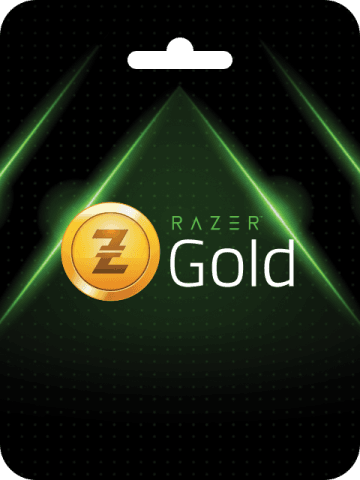


Razer Gold Brazil (BRL) Top Up Overview and Denominations
Razer Gold is a unified virtual credit system accepted by thousands of digital game publishers and digital entertainment services worldwide. Razer Gold Brazil (BRL) cards and digital PINs are specifically formatted for accounts configured under the Brazil regional storefront. Utilizing BRL PINs gives gamers in Brazil direct access to in-game currencies, season passes, character skins, and premium downloadable content across major PC, mobile, and console platforms.
BitTopup provides direct digital code delivery for standard BRL denominations, allowing players to reload their wallets quickly without sharing personal banking credentials or account passwords.
Available Razer Gold BRL Denominations
| Denomination (BRL) | Primary Usage | Redemption Method |
|---|---|---|
| 10 BRL | Microtransactions, small skin bundles | Razer Gold Wallet or Direct Game PIN |
| 20 BRL | Battle passes, monthly subscriptions | Razer Gold Wallet or Direct Game PIN |
| 50 BRL | Mid-tier currency packs, premium passes | Razer Gold Wallet or Direct Game PIN |
| 100 BRL | Large currency bundles, full digital games | Razer Gold Wallet or Direct Game PIN |
| 200 BRL | Collector bundles, seasonal event packs | Razer Gold Wallet or Direct Game PIN |
| 300 BRL | High-volume gaming credits | Razer Gold Wallet or Direct Game PIN |
| 500 BRL | Ultimate currency bundles, multiple titles | Razer Gold Wallet or Direct Game PIN |
Note: Exact pricing in your local checkout currency is displayed in real-time on the BitTopup checkout screen.
How to Check Your Razer Gold Account Region and UID
Before purchasing a digital PIN, verify that your Razer Gold account profile is registered to the Brazil region. Razer Gold enforces strict currency separation; a BRL code will fail if attempted on an account registered to Global (USD), Europe (EUR), or other geographic areas.
Steps to Verify Account Currency and UID:
- Open your browser and navigate to the official Razer Gold website (
gold.razer.com). - Log into your Razer ID account.
- Click on your profile avatar in the top-right corner of the interface.
- View your Razer ID UID displayed directly under your profile name.
- Check the currency symbol next to your wallet balance. It must display R$ (BRL) to confirm compatibility with Brazil PINs.
How to Recharge Razer Gold Wallet with a BRL PIN
Reloading your Razer Gold wallet balance with a digital PIN takes less than a minute. Follow these steps once you receive your code from BitTopup:
- Go to
gold.razer.comand log in to your Brazil-region Razer ID. - Click the yellow Reload button located in the top navigation menu.
- Under the list of available payment options, select Razer Gold PIN.
- Type or paste the 14-digit to 20-digit PIN code received in your BitTopup order details into the PIN field.
- Click Next.
- Complete the two-factor authentication prompt (if enabled on your account).
- Your wallet balance will instantly reflect the redeemed BRL value.
Direct Game PIN Top-Up vs Razer Gold Wallet Reloading
Razer Gold offers two distinct pathways for utilizing your purchased BRL digital codes:
1. Direct Game PIN Top-Up (Direct Top-Up)
Many popular webshops and game publishers allow you to redeem a Razer Gold PIN directly on the game payment page without logging into a centralized Razer Gold wallet. During checkout on the game publisher store, you choose "Razer Gold PIN" as the payment option, input the PIN, and the exact face value of the card is consumed to credit the game account immediately. This method is fast and bypasses the need to manage a wallet balance, but the purchase amount must match or fully utilize the denomination.
2. Razer Gold Wallet Reload
Redeeming the PIN into your primary Razer Gold Wallet adds the BRL credit to your running balance. You can then spend fractional amounts across thousands of supported games, split payments between remaining balances, and automatically earn Razer Silver loyalty points on every transaction.
Region Lock and Currency Compatibility Guidelines for Brazil Accounts
Razer Gold enforces geographic barriers to prevent cross-region currency arbitrage. Keep the following rules in mind when purchasing:
- Strict Currency Match: Razer Gold Brazil (BRL) PINs only work on accounts where the base currency is Brazilian Real (BRL).
- No Cross-Region Transfers: You cannot transfer BRL balance from a Brazil wallet to a USD, EUR, or Asian regional wallet.
- Permanent Region Settings: A Razer ID account region cannot be changed once transactions have been completed on the account. If your account is set to another region, you must create a dedicated Brazil account to redeem BRL codes.
- IP Address Recommendations: While VPNs are generally not required if your account region matches the card, ensure your browser does not trigger security blocks during PIN entry by avoiding erratic proxy switches.
Razer Silver Rewards: Earning Points on BRL Recharges
Every time you spend your Razer Gold balance on game top-ups, subscriptions, or digital items, you earn Razer Silver. Razer Silver is the official customer loyalty program managed by Razer.
- Accrual Rate: You earn Razer Silver for every BRL spent directly through your Razer Gold wallet.
- Reward Redemption: Accumulated Razer Silver can be redeemed within the Razer catalog for physical hardware, digital game keys, discount vouchers, and exclusive in-game items.
- Validity: Razer Silver points typically have an expiration window of 12 months from the end of the month they were earned. Checking your balance on the Razer Silver rewards page ensures points do not expire unused.
Troubleshooting Common PIN Redemption and Activation Issues
If you experience an issue when activating your Razer Gold Brazil PIN, check these common causes and resolutions:
- Error: Invalid PIN or Serial Number: Ensure you are entering the PIN code and not the transaction reference number. Avoid copy-pasting accidental leading or trailing blank spaces. Watch out for visually similar characters (such as the number
0versus the letterO, or1versusI). - Error: Currency or Region Mismatch: Verify your Razer Gold profile settings. If your wallet currency shows anything other than BRL, the system will reject the code.
- Error: Code Already Used: Refresh your account wallet balance. In some instances, the balance updates while the browser displays a timeout screen. Check your transaction history inside your Razer account profile to verify if the credits were already applied.
- Delayed Credit: Network latency during peak gaming hours can cause brief delays. If the balance does not appear within 5 minutes, log out of your Razer account and log back in to force a profile balance refresh.
Safe Checkout and Account Protection on BitTopup
BitTopup provides a secure environment for purchasing digital gaming cards:
- Zero Login Required: You never need to share your Razer ID password, email credentials, or two-factor authentication codes. You receive an independent digital PIN code to redeem yourself.
- Instant Digital Delivery: PIN codes are generated and sent directly to your order summary dashboard immediately upon transaction confirmation.
- Transparent Checkout: Live pricing is calculated transparently before you finalize your order.
- Dedicated Support: If you ever need help with an order, BitTopup customer support is available around the clock to assist you.
Frequently Asked Questions
Is a Razer Gold Brazil (BRL) PIN region-locked?
Yes. Razer Gold Brazil (BRL) PINs can only be redeemed on Razer Gold accounts configured with Brazil as their country and BRL as their base currency, or directly on game webshops configured for the Brazilian server region.
How do I recharge my Razer Gold wallet using a BRL PIN?
Log into gold.razer.com, click the Reload button in the top menu, select Razer Gold PIN as your payment method, enter the digital PIN code provided in your BitTopup order, and confirm the transaction.
Can I convert Razer Gold BRL balance into cash?
No. Razer Gold credits cannot be withdrawn as cash, refunded to bank accounts, or transferred to third-party digital payment services. They are strictly digital credits intended for purchasing supported games and digital entertainment services.
Do Razer Gold Brazil PIN codes expire?
Digital PIN codes should be redeemed promptly upon receipt. Once redeemed into your Razer Gold wallet balance, the funds remain in your account, though individual promotional bonuses or Razer Silver points earned from spending may carry specific expiration schedules.
What games and platforms can I top up with Razer Gold Brazil?
Razer Gold Brazil is supported by thousands of titles, including Free Fire, Mobile Legends, PUBG Mobile, Genshin Impact, Roblox, Ragnarok Online, Crossfire, and various digital streaming services that accept Razer Gold checkout in Brazil.
What should I do if my Razer Gold Brazil PIN does not work?
First, double-check your account region to ensure your wallet currency is BRL. Next, carefully verify that no typographical errors or extra spaces were included when typing the PIN. If the issue persists, contact BitTopup customer support with your order number for prompt verification.