



Get Instant TuneTalk Prepaid Reload Online
Keeping your Tune Talk prepaid line active is essential for uninterrupted calls, SMS, and high-speed 4G/5G mobile internet access across Malaysia. A TuneTalk prepaid reload voucher PIN gives you immediate access to mobile credit without binding contracts or monthly commitments. Whether you need to extend your account validity, restore outgoing call access, or subscribe to monthly high-speed data passes, digital reload vouchers offer the fastest and most flexible solution.
BitTopup delivers official 16-digit Tune Talk reload voucher codes directly to your screen and account order history immediately after checkout. You do not need to share passwords or private account credentials—simply purchase your PIN code and redeem it via your mobile phone keypad in seconds.
Tune Talk Prepaid Reload Denominations and Validity Periods
Every prepaid reload denomination on the Tune Talk network comes with a specific credit validity window. In general, Tune Talk allocates one day of active validity for every RM1 reloaded, with larger denominations granting extended active windows.
| Reload Amount (MYR) | Validity Period | Recommended Usage |
|---|---|---|
| RM5 | 5 Days | Quick credit top up for emergency calls and SMS |
| RM10 | 10 Days | Short-term usage and light data pass activations |
| RM20 | 20 Days | Bi-weekly calls, messages, and booster top-ups |
| RM30 | 30 Days | Standard monthly validity and social data passes |
| RM50 | 50 Days | High-volume data users and extended active line validity |
| RM100 | 100 Days | Long-term validity protection and bulk plan renewals |
| RM200 | 200 Days | Maximum account active duration without frequent reloading |
Note: Exact reload pricing and current currency conversion rates are shown directly on the BitTopup live checkout screen.
How to Find Your Tune Talk Phone Number and Account Details
Before redeeming a digital voucher, verify that your Tune Talk SIM card is properly inserted and registered on the network.
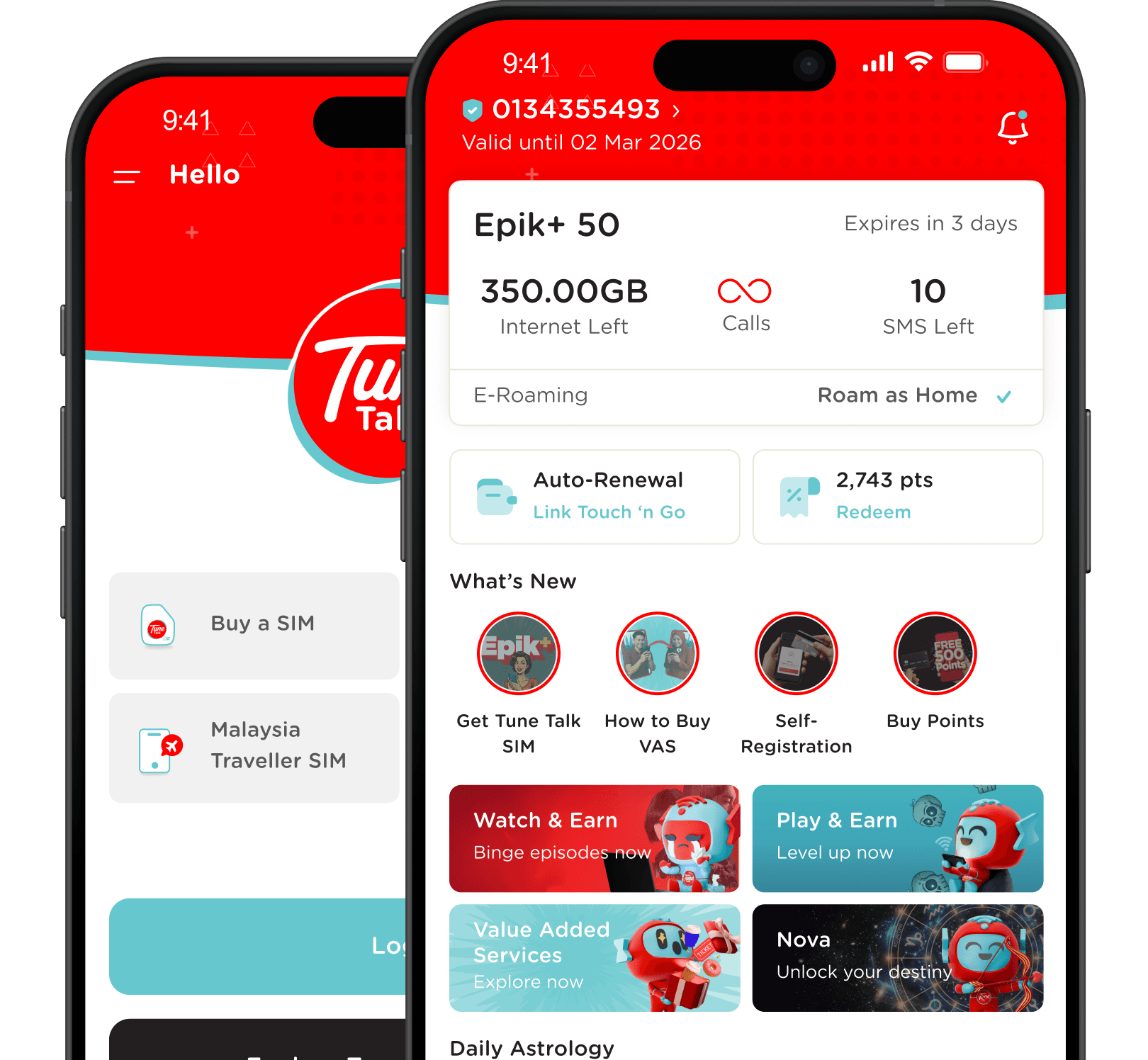
To check your Tune Talk mobile number and account state:1. Open your smartphone phone dialer.2. Dial *133# and press the Call button.3. Your screen will display your active Tune Talk mobile number (+601X-XXXXXXX), your current available balance, and the exact credit expiration date.4. Alternatively, dial *106# to view your SIM registration status and account profile.
How to Recharge Tune Talk Prepaid via USSD Code (122PIN#)
The quickest method to top up your balance is using standard USSD dial codes directly from your handset. This method works on any phone without requiring an internet connection.
- Retrieve your 16-digit voucher PIN from your completed BitTopup order page.
- Open the phone dialer on your mobile device.
- Enter the following code sequence:
*122*<16-digit PIN>#(for example:*122*1234567890123456#). - Press the Call / Send button.
- Wait for the confirmation flash message on your screen stating that your reload was successful, along with your updated credit balance and new expiry date.
How to Redeem Tune Talk PIN via Tune Talk Mobile App & IVR (13101)
If you prefer using an interactive interface or an automated phone line, you can redeem your digital voucher using the official Tune Talk mobile app or IVR voice system.
Method 1: Using the Tune Talk Mobile App
- Download and open the Tune Talk App from the Google Play Store, Apple App Store, or Huawei AppGallery.
- Log in using your Tune Talk mobile number.
- On the main dashboard, tap the Top Up button.
- Select Voucher as your top-up method.
- Enter the 16-digit PIN code received from BitTopup and tap Confirm.
- Your balance will update instantly in the app.
Method 2: Using the IVR Automated Call System (13101)
- Dial
13101from your Tune Talk mobile number. - Select your preferred language (English, Bahasa Malaysia, or Chinese).
- Press
1to select the Top Up option. - Follow the voice prompt and key in your 16-digit voucher PIN on your dial pad, followed by the
#key. - Listen to the automated confirmation message confirming your new balance.
Tune Talk 45-Day Grace Period and SIM Expiry Policies
Tune Talk operates a structured lifecycle for prepaid numbers to ensure network resources are managed properly. Understanding this lifecycle helps you avoid losing your phone number.
- Active Status: Your line has valid credit days. You can make outgoing calls, send SMS, access mobile data, and receive incoming communications.
- Grace Period (45 Days): When your reload validity expires, your account enters a 45-day grace period. During this time, you cannot make outgoing calls, send outgoing SMS, or use mobile data. However, you can still receive incoming calls and incoming SMS. Any remaining credit balance is temporarily frozen.
- Deactivation / Number Termination: If you do not perform a successful reload before the 45-day grace period ends, your Tune Talk SIM card is permanently deactivated. The remaining balance is forfeited, and the mobile number is recycled by the telco. Recharging your account resets the active status and restores any previously frozen credit balance.
How to Check Tune Talk Prepaid Balance and Active Data Status
To manage your usage and prevent unexpected service interruptions, use these official USSD shortcodes:
- Check Main Credit Balance & Line Expiry: Dial
*133#and press Call. - Check Active Internet Plans & Data Balance: Dial
*134#and press Call. - Access the Tune Talk Main Self-Care Menu: Dial
*111#and press Call to view available data plans, call passes, and value-added services.
Troubleshooting Common Tune Talk Reload and Voucher PIN Issues
If you encounter an error while redeeming your voucher PIN, check the following solutions:
- Connection Problem or Invalid MMI Code: This error usually occurs due to poor signal or network congestion. Switch your phone to Airplane Mode for 5 seconds, turn it back off, and redial
*122*PIN#. Ensure you include both the leading*and trailing#symbols. - Invalid PIN Entered: Double-check the 16-digit code provided in your BitTopup order history. Ensure there are no accidental spaces, dashes, or missing digits.
- Voucher Already Used: If the system reports the code has already been redeemed, check your balance with
*133#. In many cases, the top-up was already credited on your first attempt. - SIM Inactive / Terminated: If your SIM card has exceeded the 45-day grace period, the network will reject all reload attempts. In this situation, contact Tune Talk customer service or obtain a new SIM card.
- Regional Limitation Warning: Tune Talk reload PINs sold for the Malaysia region are valid strictly for Malaysia (+60) Tune Talk mobile numbers. They cannot be used on other telecom providers or foreign network SIM cards.
Fast Digital Voucher Delivery and Secure Checkout on BitTopup
BitTopup provides a frictionless experience for purchasing mobile prepaid reload vouchers.
- Instant PIN Code Delivery: Your 16-digit voucher code is generated directly on your screen and saved in your BitTopup profile the moment your payment is confirmed.
- No Password or Credential Sharing: We never ask for your account passwords, SIM security codes, or personal credentials. You only receive the clean PIN to redeem yourself.
- Transparent Pricing: Check out with complete clarity—all prices and fees are displayed directly on the checkout page before payment.
- 24/7 Availability: Purchase top-up vouchers at any time of day or night, ensuring you never run out of data or talk time.
Frequently Asked Questions
How to reload Tune Talk prepaid using a 16-digit PIN voucher?
Open your phone dialer, key in *122*<16-digit PIN>#, and press the Call button. You can also redeem the voucher inside the official Tune Talk mobile application under the Top Up > Voucher section, or by calling the automated IVR helpline at 13101.
How do I check my Tune Talk prepaid balance and validity?
Dial *133# on your phone keypad and press Call. A popup message will display your current main credit balance along with your line's active expiration date. To check active mobile internet data quotas, dial *134#.
What is the validity period for different Tune Talk reload amounts?
Tune Talk generally provides 1 day of validity for every RM1 reloaded. An RM5 reload grants 5 days, RM10 grants 10 days, RM30 grants 30 days, RM50 grants 50 days, RM100 grants 100 days, and RM200 grants 200 days of active validity.
What happens if my Tune Talk prepaid validity expires?
When validity expires, your line enters a 45-day grace period. You can still receive incoming calls and SMS, but outgoing calls, outgoing messages, and mobile internet are blocked. If you do not top up within 45 days, the SIM card is permanently terminated and the number cannot be recovered.
Can I use a Tune Talk Malaysia reload voucher for a foreign number?
No. Tune Talk Malaysia reload voucher PINs are strictly compatible with active Tune Talk prepaid SIM cards operating on the Malaysian (+60) mobile network.
How do I purchase data plans after recharging my Tune Talk balance?
Once your voucher PIN has credited your main account balance, dial *111# or *134# to open the plan subscription menu, or log into the Tune Talk Mobile App to pick and activate your preferred daily, weekly, or monthly data pass using your available balance.