



Zain Recharge Card (SA) Top Up: Fast Mobile Credit for KSA
Staying connected across Saudi Arabia requires quick, dependable access to mobile balance. A Zain Recharge Card (SA) voucher code provides an instant way to add prepaid credit directly to your Zain KSA line. Whether you need to renew an active internet bundle, make local or international voice calls, or keep your prepaid SIM active, digital recharge cards grant total flexibility without tying your bank account directly to your telecom operator.
BitTopup provides official Zain Saudi Arabia digital codes delivered immediately to your screen and account history after purchase. You receive a direct recharge PIN that you can redeem using simple USSD codes, SMS, or through the official Zain App on your smartphone.
Available Zain Recharge Card (SA) Denominations
Zain offers a variety of prepaid recharge denominations to meet different communication and data usage requirements. Each voucher card adds credit value to your main account balance, allowing you to subscribe to Shabab packages, daily/monthly data bundles, or voice calling plans.
| Voucher Denomination (SAR) | Typical Primary Use Case | Supported Line Types |
|---|---|---|
| SAR 20 | Quick top-up, short-term voice calls, small data passes | Zain KSA Prepaid Voice & Data |
| SAR 30 | Standard weekly renewals and local calling | Zain KSA Prepaid Voice & Data |
| SAR 50 | Monthly social media packages, basic internet renewals | Zain KSA Prepaid Voice & Data |
| SAR 100 | High-tier Shabab packages, high-speed data bundles | Zain KSA Prepaid Voice & Data |
| SAR 200 | Heavy data users, long-term line extension | Zain KSA Prepaid Voice & Data |
| SAR 300 | Multi-month broadband data plans and heavy usage | Zain KSA Prepaid Voice & Data |
Note: Exact balance credited and VAT deductions follow standard Saudi Communications, Space & Technology Commission (CST) regulations. Current pricing is displayed on the live BitTopup checkout page.
How to Find Your Zain Line Details and Voucher Code
Before redeeming your voucher, verify your Zain mobile number and retrieve the unique PIN code generated for your order.
- Locate Your BitTopup Voucher Code: After completing your order on BitTopup, open your order confirmation screen or check your registered email. Your digital code consists of a 14- to 16-digit numerical PIN.
- Check Your Zain Mobile Number: If you do not know your mobile number, open your phone dialer and dial
*178#followed by the call button. Your Zain KSA mobile number will appear on your screen.
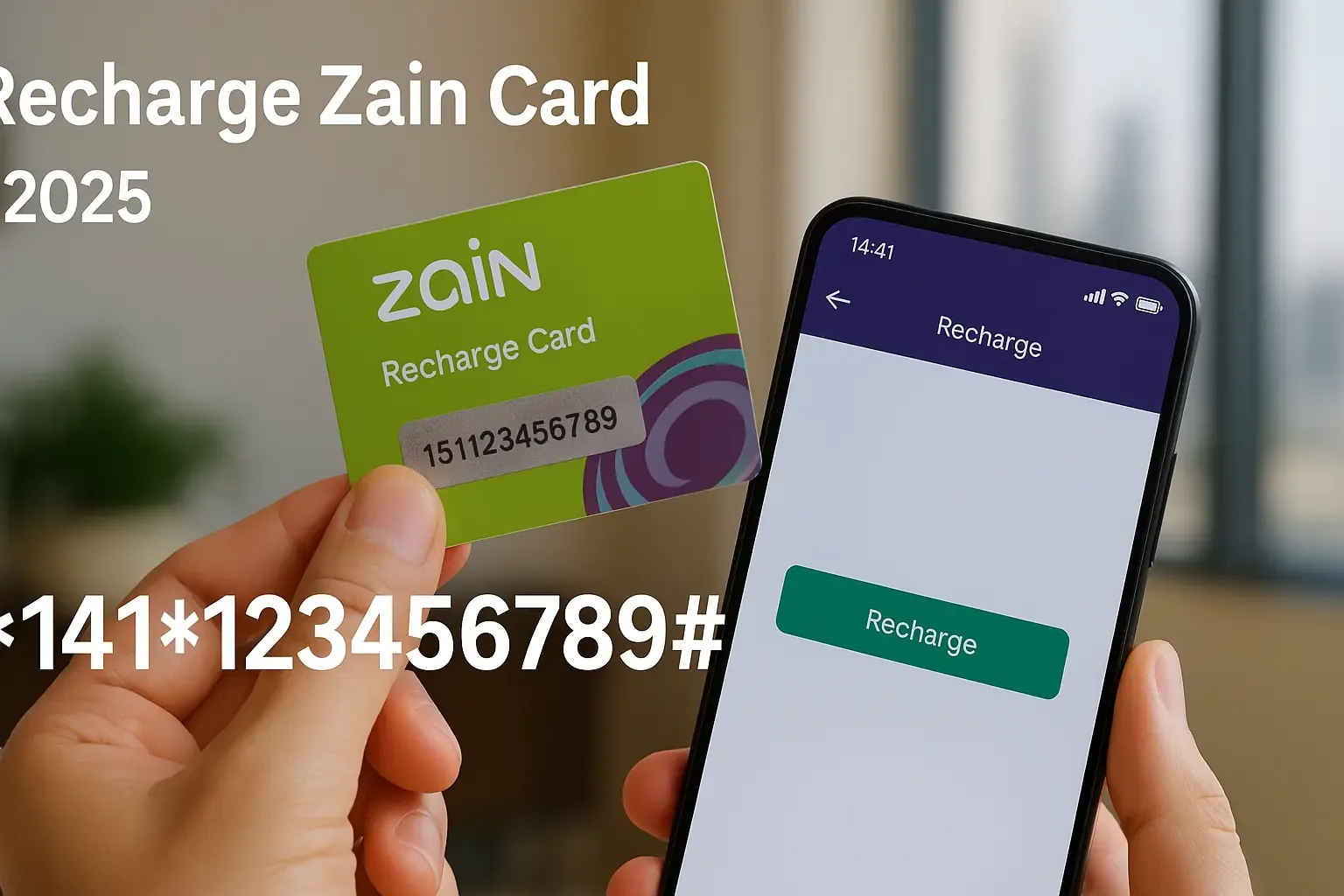
Step-by-Step Guide: How to Redeem Zain Recharge Card in Saudi Arabia
You can load balance into your Zain Saudi Arabia prepaid SIM using any of the four standard redemption methods below.
Method 1: Instant USSD Dialer (Fastest)
- Open the phone dialer on your mobile device containing the active Zain SIM.
- Dial
*141*followed by your digital recharge PIN, then#. * Example syntax:*141*1234567890123456# - Press the Call button.
- A confirmation pop-up message will display your newly added balance and updated expiration date.
Method 2: Zain App Top-Up
- Download and open the official Zain KSA application on iOS or Android.
- Log in using your mobile number and the OTP sent via SMS.
- Tap on the Recharge / Quick Pay tab on the main dashboard.
- Select the Recharge Card / Voucher option.
- Type or paste your digital voucher PIN into the input box.
- Confirm the submission to apply the credit instantly.
Method 3: SMS to 959
- Open your device's Messages app.
- Create a new message addressed to 959 (Zain customer service center).
- In the message body, type:
*141*followed by your voucher PIN and#. - Send the message. You will receive an SMS confirmation from Zain once the balance is applied.
Method 4: Voice IVR System (1717)
- Call 1717 from your Zain line.
- Choose your preferred language (Arabic or English).
- Follow the automated voice prompts and enter the recharge card number when requested.
How to Check Zain Prepaid Balance via USSD and Zain App
After redeeming your voucher, always confirm your balance before subscribing to data plans or initiating calls.
- Quick USSD Code: Dial
*142#on your phone dialer and press call. A notification will appear displaying your main account balance. - Data Balance Check: Dial
*142*2#or send an SMS containingBCto 959 to check remaining gigabytes, package limits, and active bundle validity. - Zain KSA App: Open the app to view real-time breakdowns of voice minutes, local data, social data, and main wallet balances.
How to Buy Zain Recharge Card (SA) Online on BitTopup
Buying your digital prepaid card on BitTopup takes only a few quick steps:
- Go to the Zain Recharge Card (SA) product page on BitTopup.
- Select the denomination amount matching your recharge needs.
- Enter your contact email address to receive your order receipt and digital code backup.
- Select your preferred secure payment method from the available options at checkout.
- Finalize payment. Your Zain KSA recharge code displays immediately on the confirmation screen for immediate redemption.
Why Choose BitTopup for Zain Saudi Arabia Top-Ups
- Immediate Digital Delivery: Receive your voucher PIN right after payment processing without waiting.
- Zero Account Risk: You never have to share your Zain account password, personal national ID, or SIM credentials. You simply purchase the digital card and redeem it yourself.
- Transparent Live Checkout: Always see final amounts clearly during checkout with competitive, updated pricing.
- 24/7 Dedicated Support: Customer support is on standby around the clock to assist you with order inquiries, delivery verification, or code questions.
Troubleshooting Common Zain Recharge Code Errors and USSD Issues
- Invalid Number / MMI Code Error: Ensure you entered the full USSD code properly starting with
*141*and ending with#. If your network gives a "Connection problem or invalid MMI code" error, restart your phone or try redeeming via the Zain App. - Incorrect PIN Entered: Double-check the digital code from your BitTopup receipt. Ensure you did not confuse similar numbers (such as 0 and 8, or 1 and 7). Avoid adding spaces between numbers.
- Voucher Already Used: Verify if your balance has already increased via
*142#. If you entered the code once and the network timed out, the credit might have processed on the network end. - Inactive SIM Line: Zain recharge cards can only be loaded onto active or recently expired prepaid accounts within the grace period. If your line has been disconnected by the operator for extended non-use, contact Zain customer support at 959.
Important Validity and Regional Terms for Zain KSA Lines
- Regional Limitation: Zain Recharge Card (SA) vouchers are strictly locked to Zain Saudi Arabia (KSA) SIM cards. They cannot be used on Zain networks in other countries such as Kuwait, Bahrain, Jordan, Iraq, or Sudan.
- Line Validity Extension: Recharging your line extends your SIM card active lifecycle in accordance with Saudi telecommunication regulations.
- Non-Refundable After Redemption: Once a digital code is entered and accepted by the Zain network, the credit is permanently tied to that SIM card and cannot be transferred back to the voucher.
Frequently Asked Questions
What is the code to top up my Zain card?
To top up your Zain card, open your phone dialer and enter *141* followed by your voucher PIN number and # (for example: *141*12345678901234#), then press the call button.
How do I check my Zain card balance after recharging?
Dial *142# on your phone dialer and press call to see your updated main balance on screen. To check remaining data packages, dial *142*2# or send BC via SMS to 959.
How do I recharge my Zain card for 20 riyals?
Purchase the SAR 20 Zain Recharge Card (SA) on BitTopup. Once you receive your digital PIN, dial *141*YOUR_PIN# on your mobile phone to apply the 20 Riyal balance directly to your line.
Is it safe to recharge Zain online?
Yes. Recharging online through BitTopup is safe because you only purchase the digital voucher PIN. You do not need to share passwords, SIM details, or account access, keeping your mobile account completely secure.
Can I use a Zain SA recharge card on lines outside Saudi Arabia?
No. Zain Recharge Card (SA) vouchers are strictly region-locked for use on Zain Saudi Arabia lines. They do not work on Zain networks in Kuwait, Bahrain, Jordan, or other countries.
What should I do if my Zain recharge code is invalid or expired?
Check that you typed all digits correctly without spaces. If the error persists, check your balance with *142# to see if the recharge already went through. For further assistance, contact BitTopup 24/7 customer support with your order number.