

What is Zalora Gift Card (SG) Top Up and Supported Denominations
A Zalora Gift Card (SG) is a prepaid digital voucher denominated in Singapore Dollars (SGD). It allows shoppers to purchase apparel, footwear, accessories, beauty items, and lifestyle goods across the ZALORA Singapore mobile app and official zalora.sg website.
When you buy a digital card, you receive an alphanumeric voucher code that can either be converted into ZALORA store credit or entered directly during the checkout process to offset order costs.
Available Denominations and Specifications
| Card Value (SGD) | Region Lock | Usable Platform | Balance Expiration |
|---|---|---|---|
| SGD 20 | Singapore (SG) Only | App & Website (zalora.sg) | 12 Months from Delivery |
| SGD 50 | Singapore (SG) Only | App & Website (zalora.sg) | 12 Months from Delivery |
| SGD 100 | Singapore (SG) Only | App & Website (zalora.sg) | 12 Months from Delivery |
| SGD 150 | Singapore (SG) Only | App & Website (zalora.sg) | 12 Months from Delivery |
| SGD 200 | Singapore (SG) Only | App & Website (zalora.sg) | 12 Months from Delivery |
| SGD 500 | Singapore (SG) Only | App & Website (zalora.sg) | 12 Months from Delivery |
Note: Live rates and denomination availability are displayed directly on the live BitTopup product catalog selection screen.
How to Recharge and Buy Zalora Gift Card SG on BitTopup
Purchasing a Zalora Singapore gift code takes only a few minutes:
- Choose Your Card Value: Select your desired SGD denomination from the product menu.
- Specify Quantity: Choose the number of voucher codes you want to purchase.
- Provide Delivery Information: Enter your active email address where the digital code will be sent.
- Select Payment Method: Pick your preferred local or international payment option on the BitTopup checkout screen.
- Receive Voucher Code: Once payment clears, your digital card code appears instantly on your screen and is sent to your email inbox.
Step-by-Step Guide: How to Redeem Your Zalora E-Voucher Code on App & Web
You can redeem your code in two ways: by depositing it into your ZALORA Wallet balance or by applying it during the final checkout stage.
Method 1: Redeeming directly to your ZALORA Wallet (Recommended)
- Log into your account on the ZALORA app or zalora.sg.
- Go to Account > My Wallet or Store Credit.
- Select Add Gift Card / Voucher.
- Enter the digital code received from BitTopup and confirm.
- The balance is added to your account immediately and applied automatically to your next order.
Method 2: Redeeming at Checkout
- Add your selected fashion, beauty, or lifestyle products to the shopping bag.
- Proceed to the Checkout page.
- Under the Payment section, locate the Apply Promo Code or Gift Card field.
- Type or paste your digital voucher code.
- Click Apply to deduct the voucher value from your order total.
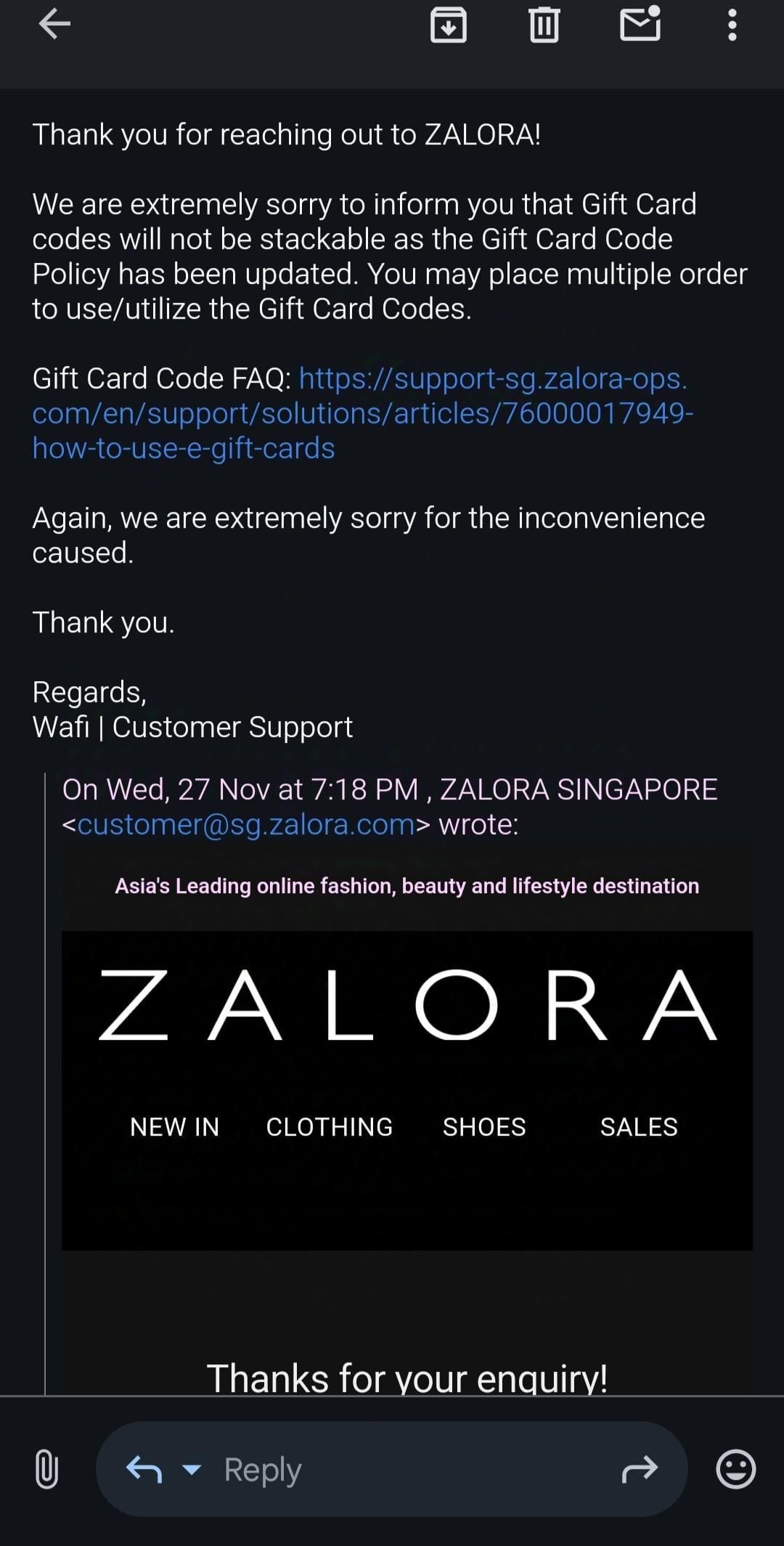
To ensure your gift card applies properly, verify that your account is set to the Singapore store region under your profile settings before entering the code.
Terms of Use: Category Exclusions and Voucher Stackability Rules
Understanding ZALORA's redemption terms guarantees a smooth shopping experience without checkout conflicts.
Category Exclusions
While gift cards can be applied across most catalog items, certain restrictions exist:* Marketplace Luxury Brands: Some third-party luxury fashion brands are excluded from standard voucher discounts.* Essential Beauty & Electronics: Selected high-demand tech products and premium beauty brands fulfilled by independent sellers may not support partial gift code deductions.* Shipping Fees: Unless specified, standard delivery fees cannot always be covered by promotional discount vouchers; however, converted Store Credit balances will cover shipping and tax totals.
Stacking Rules
- Store Credit + Discount Codes: Converting your gift card into Wallet Credit allows you to combine your credit with active site-wide discount codes or brand-specific promo codes.
- Promo Code vs. Gift Card Field: You cannot stack two promotional discount codes in the promo box at the same time. If you have a seasonal discount code, load your gift card to your ZALORA Wallet balance first, then enter the seasonal promo code in the voucher box at checkout.
Managing Balances: Multiple Orders, Validity Periods, and Refund Policies
- Multiple Transactions: When loaded to your ZALORA Wallet, any unused funds remain in your balance. If you make a 40 SGD purchase using a 100 SGD gift card balance, the remaining 60 SGD stays in your account for future purchases.
- Validity Period: Zalora Gift Cards issued for Singapore generally remain valid for 12 months from the date of purchase. Ensure you convert or spend the card before the expiration date.
- Return & Refund Handling: If you return an item that was purchased using a gift card or wallet credit, ZALORA processes the refund back into your account as store credit. It cannot be refunded as physical cash or transferred to an external bank account.
Troubleshooting Common Zalora Voucher Redemption Errors
- "Invalid Voucher Code": Re-check for accidental spaces or typos. Copy and paste the code directly from your BitTopup order receipt.
- "Voucher Not Applicable in Your Region": Ensure your delivery address is in Singapore and your account is set to the Singapore marketplace (zalora.sg).
- "Voucher Has Expired": Check the delivery date on your order to ensure the 12-month validity period has not lapsed.
- "Code Already Redeemed": Check your Store Credit tab. If you previously saved the card to your profile, the amount is already ready to use at checkout.
Why Choose BitTopup for Zalora Singapore E-Gift Cards in 2026
- Instant Digital Delivery: Your digital voucher codes are generated immediately after checkout is completed.
- Transparent Pricing: Review live pricing clearly on the checkout page with no surprise service surcharges.
- Complete Account Privacy: No passwords, login sharing, or private profile credentials are ever requested.
- Responsive 24/7 Support: Dedicated customer care agents are available around the clock to assist with code redemptions or order questions.
Frequently Asked Questions
How do I add a voucher or gift card code in ZALORA Singapore?
Log into your account on zalora.sg or the ZALORA app, proceed to checkout, and enter your code into the Apply Promo Code or Gift Card box. Alternatively, deposit it under the My Wallet / Store Credit section in your account profile.
Can I use my Zalora Gift Card (SG) across multiple transactions?
Yes. When added to your ZALORA Wallet as store credit, any unused amount stays in your balance and can be used on subsequent orders until depleted or expired.
Can Zalora SG gift cards be stacked with other discounts and promo codes?
Yes, if you redeem the gift card into your ZALORA Wallet balance first. The wallet balance acts as account cash, allowing you to enter an additional brand voucher or seasonal discount code at checkout.
What product categories are excluded from Zalora gift card redemption?
Certain luxury labels, third-party marketplace electronics, and select brand-excluded beauty products may not accept direct promotional codes. However, converted Store Credit can be used against the vast majority of items.
Can I use a Singapore Zalora gift card in Malaysia or other countries?
No. Zalora Gift Cards (SG) are strictly region-locked to the Singapore platform (zalora.sg) and cannot be applied to ZALORA accounts in Malaysia, the Philippines, Indonesia, or other regional sites.
What happens if I return an item purchased with a Zalora gift card?
If you return a product paid for with a gift card, ZALORA issues your refund directly back into your ZALORA account as store credit.