



Overview of Borderlands 4 Top Up and Recharge Options
Borderlands 4 brings Vault Hunters back into the hunt with intense looter-shooter combat, diverse character classes, and vast alien worlds. Securing your base game edition, add-ons, or digital currency packs through a digital top up lets you jump straight into the action without delays.
BitTopup provides a straightforward digital recharge service for Borderlands 4. Whether you need standard game keys, deluxe edition bundles, or digital code vouchers for your preferred platform, all orders are processed directly through secure digital fulfillment. You never have to share sensitive login credentials. Real-time pricing, platform availability, and region choices are displayed directly on the live checkout page so you can select the exact package you need.
Step-by-Step Guide: How to Buy and Recharge Borderlands 4
Ordering your Borderlands 4 digital code or account recharge takes only a few simple steps:
- Select the Game Edition or Product: Browse the product listings on BitTopup and choose between the Standard Edition, Deluxe Edition, Super Deluxe Edition, or available digital add-ons.
- Choose Your Platform and Region: Select the target platform (Steam, Epic Games Store, PlayStation 5, or Xbox Series X|S) and ensure the region matches your platform account setting (such as Global, North America, Europe, or Asia).
- Provide Account Information: If prompted, enter your SHiFT Account ID or user identifier. No account passwords are ever requested.
- Complete Checkout: Review the product summary and select your preferred payment method on the BitTopup checkout screen.
- Receive and Redeem Your Code: After payment confirmation, your digital key or recharge voucher appears instantly in your order history and email. Follow the platform redemption instructions to activate your content.
How to Find Your Borderlands 4 UID or Account Identifier
For specific digital packs and SHiFT reward items, you may need your SHiFT ID or Platform User ID to link your content properly.
- Launch Borderlands 4 on your PC or console.
- From the Main Menu, open the Options / Settings menu.
- Navigate to the Social or SHiFT tab.
- Your registered SHiFT Username and Account Support ID are displayed in the account panel.
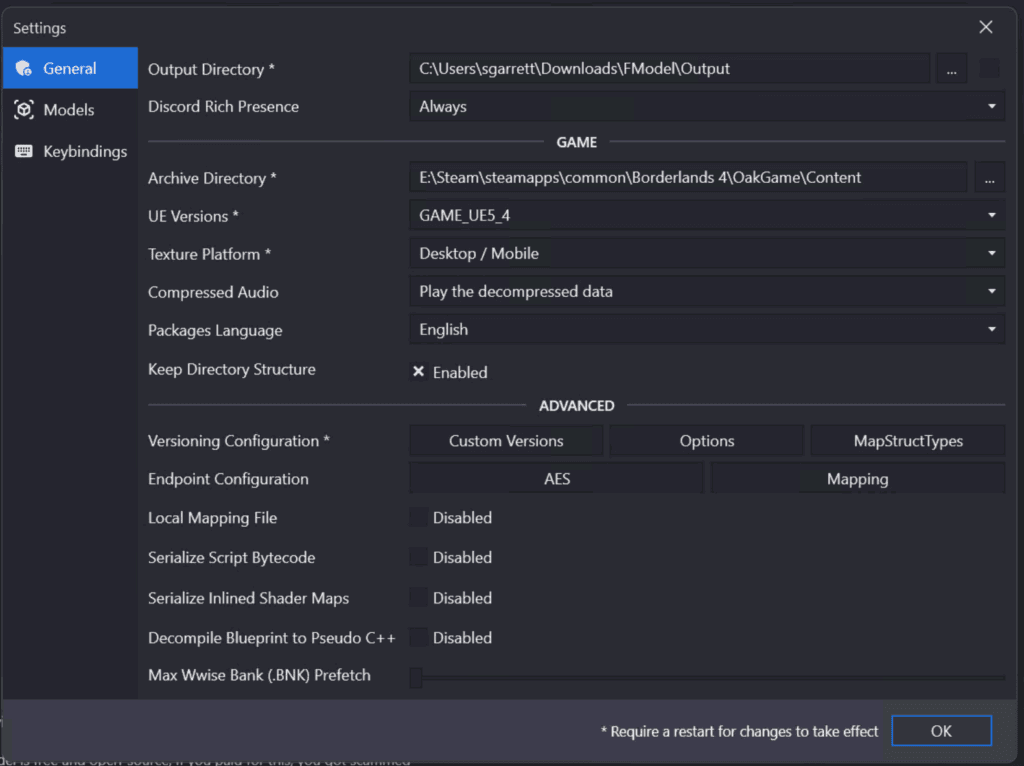
Copy or write down this identifier accurately to ensure any account-bound vouchers apply to the correct profile.
Borderlands 4 Editions Breakdown: Standard vs Deluxe vs Super Deluxe
Before you buy Borderlands 4, check what each edition includes so you get the content that matches your playstyle.
| Edition | Base Game Included | Cosmetic Packs | Season Pass / Future DLC Access | Bonus In-Game Gear Packs |
|---|---|---|---|---|
| Standard Edition | Yes | Pre-order bonuses only (if applicable) | No | No |
| Deluxe Edition | Yes | Exclusive Vault Hunter Skins & Weapon Heads | No | Custom Weapon & Mod Starter Pack |
| Super Deluxe Edition | Yes | All Deluxe Cosmetics & Vehicle Skins | Full Season Pass Access | Premium Weapon, Shield, and Mod Packs |
- Standard Edition: Best for players who want core campaign access, co-op multiplayer, and end-game boss farming without extra cosmetic packages.
- Deluxe Edition: Designed for players who want custom cosmetic styling for their Vault Hunters, unique weapon skins, and helpful starting items.
- Super Deluxe Edition: The complete package for dedicated Vault Hunters. It grants access to upcoming story expansions, new raid zones, cosmetic packs, and exclusive gear drops as post-launch content rolls out in 2026.
Platform Compatibility: Steam, Epic Games, PlayStation 5, and Xbox Series X|S
Borderlands 4 digital codes on BitTopup are distributed according to specific gaming platforms. Always verify your platform ecosystem before finalizing an order:
- PC (Steam & Epic Games Store): PC digital keys must be redeemed in the client matching your purchase. Open Steam, click Games > Activate a Product on Steam, and paste your 15-to-25-character code. On the Epic Games Launcher, click your profile icon, select Redeem Code, and confirm.
- PlayStation 5: PSN codes must match your PlayStation Network account region. Open the PlayStation Store on your PS5 console, navigate to the More menu (three dots), select Redeem Code, and submit the 12-character voucher.
- Xbox Series X|S: Open the Microsoft Store on your Xbox console or visit redeem.microsoft.com, sign in with your active Xbox profile, and enter your 25-character digital code.
Ensure that your console or PC client country matches the code region to prevent activation errors.
Account Safety: Safe Recharges Without Password Sharing
Account security is critical when purchasing digital games and add-ons online. BitTopup protects your information by adhering to strict security protocols:
- Zero Password Sharing: You are never asked for your Steam, Epic Games, PSN, Xbox, or SHiFT passwords. Code delivery and account top ups operate entirely through official redemption codes or public account IDs.
- Encrypted Checkout: All payment transactions run over industry-standard encrypted channels, safeguarding your financial information.
- Legitimate Digital Keys: Every code supplied is verified for authenticity, ensuring your platform account remains in good standing without risk of bans or license revocations.
Common Redemption Mistakes and Troubleshooting Guide
If you experience an issue when redeeming your digital code, check these standard fixes:
- Region Mismatch: Digital game keys are often region-locked. If the platform states the code is not available in your region, confirm your account country matches the region listed on the product page.
- Character Entry Errors: Double-check confusing characters such as
0(zero) vsO(letter),1(one) vsI(capital i), and8vsB. Copy and paste the key directly from your BitTopup order page when possible. - Platform Client Out of Date: Ensure your Steam, Epic, PlayStation, or Xbox system software is updated to the latest version before submitting the code.
- SHiFT Link Delays: If redeeming in-game SHiFT items, allow 5 to 10 minutes for the servers to sync. Restarting the game client or visiting the in-game Mailbox often refreshes your inventory.
- Payment Verification Pending: If an order status shows pending, verify that your payment method completed processing. For lingering issues, contact BitTopup customer support with your order number for fast resolution.
Frequently Asked Questions
Where can I buy Borderlands 4 for the cheapest price in 2026?
You can compare prices and secure competitive rates on BitTopup. Live checkout pricing reflects current regional rates and platform options, allowing you to choose the most cost-effective edition for PC, PS5, or Xbox Series X|S without hidden fees.
Is Borderlands 4 worth buying in 2026?
Yes. With refined movement mechanics, brand-new Vault Hunter skill trees, billions of weapon combinations, and dedicated cross-play support, Borderlands 4 offers hundreds of hours of co-op and solo looter-shooter content. If you enjoy deep gear progression and fast-paced gunplay, it is one of the premier shooter releases in 2026.
Do I need to provide my account password to recharge Borderlands 4?
No. BitTopup never asks for your personal account passwords. Orders are delivered via digital activation keys or direct SHiFT code vouchers that you redeem yourself on your platform's official store.
How do I redeem my Borderlands 4 code after completing a recharge?
Copy the digital key from your BitTopup order confirmation. Launch your platform client (Steam, Epic Games Store, PlayStation Store, or Microsoft Store), select the "Redeem Code" option, paste your code, and confirm the activation. The game or add-on content will automatically attach to your library.
Which platforms are supported for Borderlands 4 digital recharges?
BitTopup supports digital code distribution across all major Borderlands 4 platforms: PC (Steam and Epic Games Store), PlayStation 5, and Xbox Series X|S. Check the individual product listing to ensure you select the correct platform version.
How do Armor Shields and shield recharge mechanics work in Borderlands 4?
In Borderlands 4, shields serve as your primary defense layer before your health bar takes damage. Each shield has three core statistics: Capacity (maximum damage absorbed), Recharge Rate (points restored per second), and Recharge Delay (seconds without taking damage before recharging begins). Special shield variants provide bonus attributes, such as elemental damage resistance, booster drops, or shockwave releases when fully depleted.