




iTunes Gift Card (TR) Top Up: Digital Codes for Turkish Apple ID Accounts
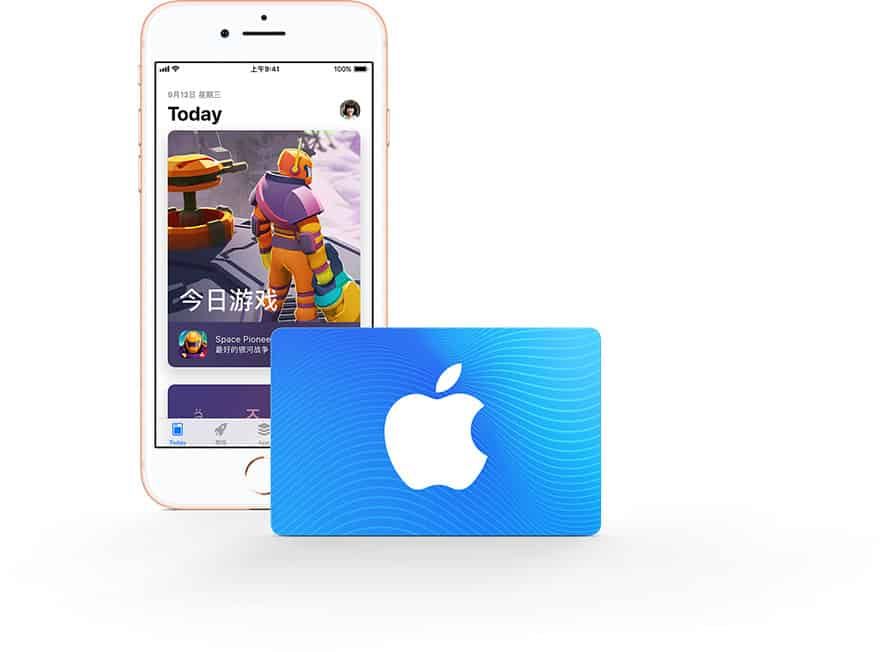
An iTunes Gift Card (TR) provides prepaid Turkish Lira (TRY) credit directly to your Apple ID balance. Once redeemed, the credit applies immediately across the entire Turkish Apple ecosystem, allowing you to pay for apps, subscriptions, mobile game microtransactions, cloud storage, and digital media without linking a local Turkish bank card or credit card.
BitTopup provides authentic digital codes for Turkey Apple accounts with instant delivery to your order dashboard and registered email address.
What is an iTunes Gift Card (TR) and How It Works
An iTunes Gift Card (TR)—also known as an Apple Gift Card for the Turkey region—is a 16-digit alphanumeric digital code. When you redeem this code, the exact Turkish Lira value is deposited into your Apple account balance.
Key Benefits of Turkey Apple ID Gift Cards
- No Local Payment Method Needed: You do not need a Turkish credit card or Turkish banking account to buy apps or service plans on the Turkish App Store.
- Full Balance Control: Prepaid codes eliminate unexpected subscription renewals by allowing you to spend only what you preload.
- Complete Apple Ecosystem Access: Balance works for in-app purchases (IAPs), mobile games, iCloud+, Apple Music, Apple TV+, Apple Arcade, and App Store software.
- Immediate Activation: The funds reflect instantly on your Apple ID upon entering the code.
Strict Region-Lock Policies: Turkey Apple ID Requirements
Apple enforces strict geographical restrictions on digital gift cards. An iTunes Gift Card (TR) is denominated in Turkish Lira (TRY / TL) and can only be redeemed on an Apple ID whose country/region setting is set to Turkey.
Important Regional Guidelines
- Region Match Required: If your Apple ID is registered to the United States, United Kingdom, Germany, or any country other than Turkey, the system will reject the code with a regional error message.
- Non-Transferable Funds: Once redeemed, Turkish Lira balances cannot be transferred to another Apple ID or converted into other currencies (such as USD, EUR, or GBP).
- Changing Account Region: To use a TR card, you must either switch your existing Apple ID region to Turkey or create a separate secondary Apple ID set specifically to Turkey.
How to Verify Your Apple ID Country Region
Before purchasing or redeeming your code, verify your account settings:
- Open the App Store on your iPhone or iPad.
- Tap your Profile Icon in the top right corner.
- Tap your Apple ID Name / Email Address at the top.
- Select Country/Region.
- Confirm that the checked country is Turkey (Türkiye).
Step-by-Step Redemption Guide for iOS, macOS, PC, and Android
Redeeming your digital code takes less than a minute across any supported device.
Method 1: Redeeming on iPhone, iPad, or iPod Touch (iOS / iPadOS)
- Open the App Store app.
- Tap your profile picture or the sign-in button at the top of the screen.
- Tap Redeem Gift Card or Code.
- Tap Enter Code Manually (do not use camera scan for digital codes received by text or email).
- Enter the 16-digit code received from BitTopup.
- Tap Redeem in the top right corner. The funds will display in your account balance immediately.
Method 2: Redeeming on Mac (macOS)
- Open the App Store on your Mac.
- Click your name or profile photo in the bottom-left sidebar.
- Click Redeem Gift Card in the upper-right area of the window.
- Enter your Apple ID password if prompted.
- Type or paste your 16-digit digital code into the text field.
- Click Redeem.
Method 3: Redeeming on Windows PC (iTunes / Apple Music App)
- Launch the iTunes app for Windows.
- From the menu bar at the top, select Account.
- Click Redeem... from the dropdown menu.
- Sign in with your Turkish Apple ID credentials.
- Enter the 16-digit gift card code and click Redeem.
Method 4: Redeeming on Android (Apple Music App)
- Open the Apple Music app on your Android device.
- Tap the Menu button (three vertical dots) and select Account.
- Tap Redeem Gift Card or Code.
- Enter your 16-digit code and tap Redeem.
Available Turkish Lira Denominations and Compatible Services
Turkish iTunes Gift Cards are available in various TRY denominations to suit different balance needs. Current checkout prices and live stock are displayed directly on the BitTopup order selection panel.
| Denomination (TRY) | Common Uses | Applicable Platforms |
|---|---|---|
| 25 TL – 50 TL | Individual app purchases, budget game packs, single-track music buys | iOS, iPadOS, macOS |
| 100 TL – 250 TL | Monthly iCloud+ storage plans, basic game top-ups, Apple Music individual plans | iOS, macOS, PC, Android |
| 500 TL | Mid-tier in-game currency packs, annual utility subscriptions, multi-month media plans | iOS, iPadOS, macOS, PC |
| 1000 TL+ | Major game gacha rolls, high-tier Battle Passes, large iCloud+ 2TB plans, family subscriptions | All Apple Services in TR |
Services Covered by Turkish Apple Balance
- In-App Purchases (IAP): Buy Primogems, Unknown Cash (UC), Robux, Riot Points, Wild Cores, and other mobile currencies through games downloaded from the Turkish App Store.
- iCloud+ Storage: Upgrade to 50GB, 200GB, or 2TB cloud storage tiers.
- Apple Music & Apple TV+: Pay for monthly or annual streaming entertainment subscriptions.
- Apple Arcade: Access premium, ad-free mobile games with a monthly subscription.
- Paid Apps & Books: Download paid utilities, photo editors, audio plugins, and Apple Books.
Troubleshooting Common iTunes Gift Card Redemption Issues
If you experience an error while redeeming your code, review the standard causes and fixes below:
1. "This code is not valid"
- Check for typographical errors. Alphanumeric codes do not include easily confused letters such as O, I, Z, or S in certain code formats. Copy and paste the exact code from your BitTopup order details to avoid manual typing mistakes.
2. "The code has already been redeemed"
- Refresh your App Store account balance. Sign out of your Apple ID and sign back in. In many cases, the balance has already been added to your account during an initial redemption click.
3. "The code must be redeemed in a different storefront / country"
- Your Apple ID is not set to Turkey. Check your Apple ID region settings and verify that the country is set to Turkey. You cannot redeem a Turkish code on a US or European storefront.
4. "Card is inactive or cannot be recognized"
- Contact BitTopup 24/7 customer support immediately with your order number and a screenshot of the error message so the support team can assist you.
Why Choose BitTopup for Safe iTunes TR Digital Codes
BitTopup provides a fast, secure, and reliable platform for digital gaming and service top-ups:
- Instant Code Delivery: Your 16-digit digital redemption code is generated and delivered to your order page and email immediately after checkout verification.
- Zero Password Requirement: We never ask for your Apple ID credentials, passwords, or security answers. You receive the raw code and redeem it yourself inside Apple's official interface.
- Secure Payment Processing: Choose from global and regional payment options with encrypted checkout standards.
- 24/7 Customer Support: If you have questions regarding code redemption or region requirements, our dedicated support team is available around the clock to help.
Frequently Asked Questions
How do I recharge my Turkey iTunes account using a digital gift card?
Purchase your desired Turkish Lira (TRY) denomination on BitTopup. Once your order is complete, copy the 16-digit code provided on your order page. Open the App Store on your iOS device, tap your profile icon, select Redeem Gift Card or Code, choose Enter Code Manually, paste your code, and confirm.
Can I redeem an iTunes Gift Card (TR) on an Apple ID registered outside Turkey?
No. Apple restricts gift cards strictly to the country of purchase. Turkish iTunes Gift Cards (TRY) can only be redeemed on an Apple ID set to Turkey. If your account is set to another country, you must switch your country to Turkey or create a new Turkish Apple ID.
Do Turkish iTunes Gift Cards expire?
No. Apple Gift Card codes and iTunes balances in Turkey do not have an expiration date. Once redeemed, the funds remain in your Apple ID balance until you spend them.
Can I use a Turkey iTunes Gift Card to pay for iCloud+ and mobile game top-ups?
Yes. Once redeemed to your Turkish Apple ID, your balance is automatically used as the primary payment method for all App Store transactions, including iCloud+ storage subscriptions, Apple Music, Apple Arcade, and in-game microtransactions for apps downloaded from the Turkish App Store.
What should I do if my 16-digit iTunes TR code shows an error during redemption?
First, ensure that your Apple ID region is set to Turkey and that you entered the code accurately without extra spaces. If the issue persists, take a screenshot of the error screen and open a ticket with BitTopup 24/7 customer support along with your order ID for immediate assistance.
How quickly will I receive my iTunes Gift Card (TR) code after purchasing on BitTopup?
Digital codes are delivered instantly to your BitTopup dashboard and order confirmation email as soon as payment is confirmed.