





iTunes Gift Card BR Top Up: Fast Digital Balance for Brazilian Apple Accounts
An iTunes Gift Card (BR) provides digital credit in Brazilian Real (BRL) directly to your Brazilian Apple ID balance. Once redeemed, you can spend these funds across the Brazilian App Store, iTunes Store, Apple Books, Apple Music, iCloud+, Apple Arcade, and Apple TV+.
Whether you need to renew your monthly iCloud storage, pay for your Apple Music subscription, or purchase in-game currency for popular mobile titles like Free Fire, Roblox, Genshin Impact, and Honor of Kings, an iTunes Gift Card (BR) is the safest and most convenient payment method. It allows you to fund your account without linking an international credit card to your Apple profile.
| Specification | Details |
|---|---|
| Product | App Store & iTunes Gift Card (Brazil) |
| Region | Brazil (BR) Storefront Only |
| Currency | Brazilian Real (BRL) |
| Compatible Devices | iPhone, iPad, Mac, Apple Watch, Apple TV, PC (Windows iTunes) |
| Delivery Method | Instant Digital 16-Digit Voucher Code |
| Account Sharing Required | No (Code only, zero password access) |
Region Lock Policy: Why Brazilian Apple IDs Require BRL Cards
Apple applies strict geographic restrictions to all digital gift cards and storefront balances. An iTunes Gift Card issued for Brazil (denominated in BRL) can only be redeemed on an Apple Account registered with the Brazil region setting.
Key Region Policy Points:
- Cross-Border Restrictions: You cannot redeem a Brazilian iTunes Gift Card on an Apple ID set to the United States, Portugal, the United Kingdom, or any other country. The App Store storefront must match the card's issuing territory.
- Currency Conversion: Apple does not automatically convert BRL gift card balances into other currencies. If your account storefront is not Brazil, the system will reject the code.
- Existing Subscriptions: If you switch your existing Apple ID region to Brazil to redeem a card, ensure you cancel any active localized subscriptions from your previous region first. Alternatively, create a dedicated Brazilian secondary Apple ID for your localized purchases.
What You Can Buy with Your Brazil Apple ID Balance
Once you complete your iTunes Gift Card BR top up and redeem your digital code, your credit is immediately available for a wide variety of Apple services and digital storefronts:
- In-Game Purchases & Microtransactions: Top up game passes, skins, and premium currencies in titles downloaded from the Brazilian App Store, including Free Fire Diamonds, Roblox Robux, EA Sports FC Points, Coin Master, and Clash of Clans Gems.
- Mobile Apps & Utilities: Buy paid productivity tools, photo editors, video editing suites, and pro version upgrades from top developers.
- Apple Subscriptions: Pay for recurring individual or family tiers of Apple Music, Apple TV+, Apple Arcade, and Apple Fitness+.
- iCloud+ Storage Upgrades: Expand your cloud storage (50GB, 200GB, or 2TB plans) to back up photos, device backups, and files across all your Apple hardware.
- Digital Entertainment: Rent or purchase 4K movies and TV seasons on the Apple TV app, or buy original music and albums on the iTunes Store.
Step-by-Step Guide: How to Redeem iTunes Gift Card (BR)
Redeeming your 16-digit digital code is simple across iOS, macOS, and Windows PC. Follow the instructions for your device below:
Method 1: Redeem on iPhone, iPad, or iPod Touch
- Open the App Store app on your iOS device.
- Tap your profile icon or photo in the top right corner of the screen.
- Tap Redeem Gift Card or Code.
- If prompted, authenticate with your Face ID, Touch ID, or Apple ID password.
- Select Enter Code Manually.
- Type in the 16-digit alphanumeric code received from BitTopup and tap Redeem.
- Your Brazilian Apple ID balance updates instantly.
Method 2: Redeem on Mac
- Open the App Store on your Mac.
- Click your name or profile icon at the bottom of the left-hand sidebar.
- Click Redeem Gift Card in the top right corner.
- Enter your Apple ID password if prompted.
- Type your 16-digit voucher code into the input box and click Redeem.
Method 3: Redeem on Windows PC (iTunes)
- Open iTunes for Windows.
- From the top menu bar, click Account and select Redeem.
- Sign in with your Brazilian Apple ID credentials.
- Type your 16-digit code and click Redeem.
How to Check Your Brazilian Apple ID Region and Balance
Before purchasing your iTunes gift card, verify that your Apple ID is configured to Brazil so you can use your balance without errors.
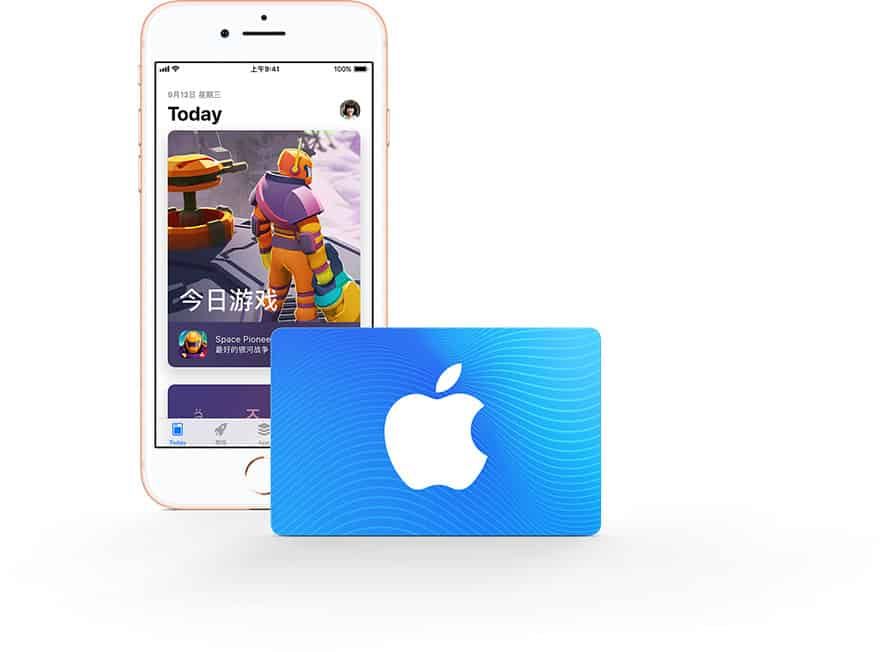
How to Check Your Active Account Balance:
- Open the App Store on your iPhone or iPad.
- Tap your profile icon at the top right.
- If your account holds store credit, your remaining BRL balance appears directly beneath your name and Apple ID email address.
How to Verify Your Storefront Region:
- Open the Settings app on your iOS device.
- Tap your name at the top > Media & Purchases > View Account.
- Tap Country/Region.
- Confirm that your active storefront is set to Brazil (Brasil).
Troubleshooting Apple Gift Card Redemption Errors
If you experience an issue when entering your 16-digit code, consult these standard solutions:
- Code is Not Valid / Invalid Characters: Apple gift card codes are 16 digits long and start with an 'X'. Apple does not use confusing characters such as O, I, Z, or S. If you see an error, check for mistyped characters (e.g., mistaking the number
8for the letterB, or the number0forD). - Card Must Be Redeemed in Another Storefront: This error confirms your Apple ID region is not set to Brazil. Switch your Apple ID country to Brazil, or log in to an account created specifically for the Brazilian App Store.
- Code Has Already Been Redeemed: Refresh your App Store balance by signing out of your Apple ID and logging back in. If your balance does not change, check your purchase history to verify whether an automated subscription renewal consumed the credit upon redemption.
- Card Is Inactive: If an error states the card is not activated, contact BitTopup support with your order number for instant code verification.
Why Buy iTunes Gift Card (BR) on BitTopup
BitTopup provides a direct, highly secure checkout experience for digital vouchers and game credits worldwide.
- Zero Login Sharing: We never ask for your Apple ID credentials, passwords, or two-factor security prompts. You receive an independent 16-digit digital code to enter directly into your official Apple device.
- Instant Digital Delivery: Codes are issued directly to your BitTopup user dashboard and registered email address immediately upon payment confirmation.
- Dynamic Live Pricing: Check our live checkout panel for real-time rates and package denominations without hidden checkout fees.
- 24/7 Dedicated Support: Our customer care team is available around the clock to assist you with order status, code verification, and redemption steps.
Frequently Asked Questions
How do I recharge my Brazilian Apple ID with an iTunes Gift Card (BR)?
Open the App Store on your iOS device, tap your profile avatar in the upper-right corner, select Redeem Gift Card or Code, choose Enter Code Manually, and type your 16-digit code. The funds will apply instantly to your Brazilian Apple ID balance.
Can I use a Brazil iTunes gift card on an Apple account registered in another country?
No. Apple gift cards are strictly region-locked. A Brazil (BRL) iTunes card can only be redeemed on an Apple ID that is set to the Brazil storefront. It will not work on US, European, or other regional accounts.
How can I check the balance on my iTunes gift card after redemption?
Once you redeem the card, open the App Store on your iPhone, iPad, or Mac and tap your profile avatar. Your available credit in Brazilian Real (BRL) will display directly underneath your name.
Are iTunes gift cards still redeemable on modern Apple devices in 2026?
Yes. All legacy App Store & iTunes cards, as well as unified Apple Gift Cards, remain fully valid and redeemable across iOS, iPadOS, macOS, and Windows iTunes in 2026.
What should I do if my iTunes Gift Card code shows as invalid or already redeemed?
First, double-check that you typed every character correctly and verify your active balance by signing out and back into the App Store. If the issue persists, contact BitTopup 24/7 customer support with your order ID for immediate assistance.
Can I convert an iTunes gift card to cash or get a refund?
Digital gift card codes cannot be refunded or converted into cash once delivered and redeemed, in accordance with Apple's standard digital goods policies. Please confirm your account region is Brazil before finalizing your order.




































































































