

Xbox Live Gift Card CH Top Up: What It Is and How It Works
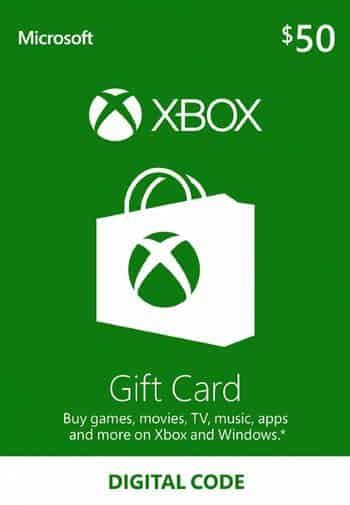
An Xbox Live Gift Card CH provides Swiss gamers with a secure, prepaid method to add Swiss Francs (CHF) directly to their Microsoft account balance. When you redeem the 25-character digital code, the full nominal value is deposited into your personal Microsoft wallet without requiring a credit card or bank link on your console.
Once the funds are credited, you can spend your CHF balance across the entire Microsoft digital ecosystem in Switzerland. This includes buying full digital games, downloading downloadable content (DLC), purchasing season passes, funding in-game currencies, or paying for Xbox subscription services on Xbox Series X|S, Xbox One, and Windows PC.
Switzerland Account Region Compatibility and Currency Rules
Microsoft enforces strict regional locking on Xbox gift cards and wallet balances. An Xbox Live Gift Card (CH) issues funds denominated exclusively in Swiss Francs (CHF) and requires a Microsoft account configured to the Switzerland region.
- Currency Lock: Swiss gift card balances cannot be converted into Euros (EUR), British Pounds (GBP), US Dollars (USD), or other regional currencies.
- Store Match: You must access the Swiss Microsoft Store to utilize your CHF balance.
- Account Match: If your account country setting is outside Switzerland, the system will prevent the 25-character code from being redeemed until the account region matches the card's designated country.
How to Find and Verify Your Swiss Microsoft Account Region
Before you complete an Xbox Live Gift Card CH recharge, verify that your account location is set to Switzerland. This prevents regional activation errors.
- Open your web browser and go to
account.microsoft.com. - Sign in with your standard Microsoft / Xbox login credentials.
- Navigate to the Your Info tab from the top navigation bar.
- Scroll to Profile Info and inspect the Country or region entry.
- Confirm that the country is listed as Switzerland.
- On an Xbox console, verify by opening Settings > System > Language & location, then ensuring Location is set to Switzerland.
Step-by-Step Guide: How to Recharge and Redeem Your 25-Digit Code
Xbox digital codes follow a standardized 25-character format arranged in five blocks of five characters (XXXXX-XXXXX-XXXXX-XXXXX-XXXXX). You can redeem your code through multiple platforms.
Method 1: Redeem on Xbox Series X|S or Xbox One
- Power on your console and sign in to your Swiss Xbox profile.
- Press the Xbox button on your controller to open the guide.
- Select the Store icon.
- Press the View button or use the left navigation menu to select Redeem.
- Enter your 25-character digital code using the on-screen keyboard.
- Select Check code, verify the CHF credit amount, and select Confirm.
Method 2: Redeem on Windows 10 / 11 PC
- Launch the Microsoft Store app from your desktop or start menu.
- Ensure you are signed in to the account you want to credit.
- Click your profile avatar in the upper right corner.
- Select Redeem code or gift cards from the dropdown menu.
- Input the 25-digit code without hyphens (the store formats them automatically).
- Click Next and confirm the addition to your Swiss balance.
Method 3: Redeem via Web Browser
- Visit
redeem.microsoft.comon any desktop or mobile browser. - Log in to your Swiss Microsoft account.
- Paste or type your 25-digit digital code into the text field.
- Click Next, review the value, and click Confirm.
Eligible Purchases: Xbox Game Pass, Digital Games, and In-Game Add-ons in 2026
Your redeemed CHF balance gives you flexible purchasing options across the Xbox network in 2026:
- Xbox Subscriptions: Pay for Xbox Game Pass Ultimate, PC Game Pass, or Game Pass Core recurring fees using your account balance.
- Digital Games: Pre-order upcoming releases or purchase newly launched titles and retro-compatible classics on the Swiss Xbox Store.
- In-Game Currencies: Buy points and coins for popular multiplayer games, including Call of Duty Points, FC Points, Fortnite V-Bucks, and Minecoins.
- Expansions and DLC: Acquire expansion passes, cosmetic bundles, and story DLCs for your game library.
- Entertainment: Rent or buy digital movies and TV series directly on the Microsoft Store.
Swiss Xbox Gift Card Overview and Specifications
| Specification | Details |
|---|---|
| Card Type | Digital Prepaid Code (25 Characters) |
| Region / Country | Switzerland (CH) |
| Denomination Currency | Swiss Franc (CHF) |
| Platform Support | Xbox Series X |
| Account Requirement | Microsoft Account with Region set to Switzerland |
| Expiration Policy | No expiration date on prepaid code redemption |
Why Choose BitTopup for Swiss Xbox Digital Codes
BitTopup provides a straightforward, secure way to purchase digital codes for Swiss gamers worldwide.
- Instant Digital Delivery: Receive your 25-digit code immediately on your order confirmation screen and straight to your email.
- No Password Required: BitTopup never asks for your Microsoft account login, password, or sensitive security credentials. You receive the official digital key to redeem yourself.
- Transparent Live Pricing: Check current rates directly on the live checkout screen before completing your purchase.
- Reliable Customer Assistance: Multilingual customer support is available around the clock to assist you with order verification and redemption questions.
Troubleshooting Common Xbox Code Activation and Geo-Lock Issues
If you run into issues while entering your code, check these standard fixes:
- Geo-Restricted / Region Mismatch Error: If the store shows that the code does not match your region, confirm your account country at
account.microsoft.com. Your billing country must be Switzerland to accept CHF codes. - Typographical Errors: Microsoft avoids using characters like A, E, I, O, U, L, S, 0, 1, and 5 in 25-character codes to prevent confusion. Double-check characters such as '8' vs 'B' or 'V' vs 'U'.
- Code Already Redeemed: Check your transaction history at
account.microsoft.com/billing/ordersto verify if the CHF amount has already updated your balance. - System Inactive Error: If the store indicates the code is not yet activated, wait a few moments and try entering the key again or contact BitTopup support for verification.
Frequently Asked Questions
How do I redeem an Xbox Live Gift Card (CH) on my console or PC?
On an Xbox console, open the Store, select Redeem from the side menu, enter the 25-character code, and confirm. On PC, open the Microsoft Store app, click your profile icon, select Redeem code or gift cards, enter your code, and confirm.
Can I use a Swiss (CH) Xbox Gift Card on an account registered in another country?
No. Microsoft requires that the country of the gift card matches the country set in your Microsoft account. A Swiss (CHF) code only activates on an account whose region is set to Switzerland.
Can I pay for Xbox Game Pass with a Swiss Xbox Live gift card?
Yes. Once redeemed, your CHF balance can be selected as the primary payment method for Xbox Game Pass Ultimate, PC Game Pass, or Game Pass Core subscriptions on the Swiss Microsoft Store.
Do Xbox Live Gift Card CH codes have an expiration date?
No. Prepaid Xbox digital gift card codes do not expire before redemption. Once added to your Microsoft account wallet, standard promotional funds may have terms, but regular prepaid gift balances remain available until spent.
How do I check my Xbox Live account balance after topping up?
Sign in to account.microsoft.com and look at the Payment & billing > Payment options section. On your Xbox console, open the Store or your Profile menu to view your updated CHF wallet balance at the top of the interface.
What should I do if my 25-character Xbox digital code shows an error?
First, verify each character for typos. Next, verify that your account location is set to Switzerland. If the error continues, restart your device or try redeeming through redeem.microsoft.com in a web browser.