



360VUZ VIP Subscription GCC Recharge and Membership Overview
360VUZ (also known as VUZ) is a leading immersive video streaming and virtual reality platform that allows users to experience live events, sports matches, music concerts, and exclusive celebrity access from anywhere. By utilizing high-definition 360-degree cameras and multi-angle viewing feeds, VUZ teleports viewers directly into the action.
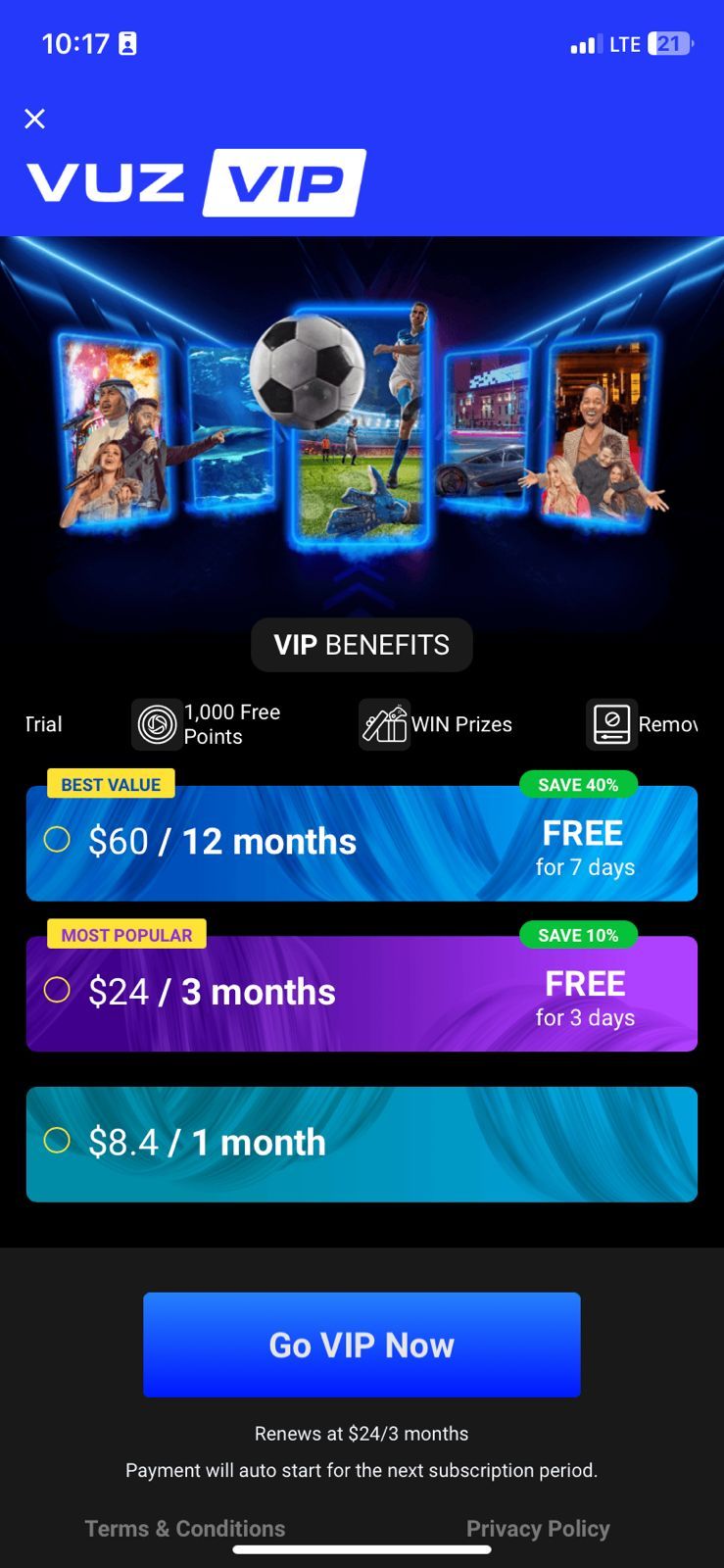
A 360VUZ VIP Subscription grants complete, unrestricted access to the platform's premium catalog. Upgrading to VIP status removes all advertising interruptions and gives you priority viewing angles during live broadcasts. Whether you are following live football matches, experiencing front-row concert seats, or attending interactive masterclasses, a VIP membership provides full high-definition resolution and unrestricted playback controls.
Key 360VUZ VIP Membership Perks
- Ad-Free Streaming: Enjoy uninterrupted viewing across all on-demand 360° clips, past events, and live feeds.
- Multi-Angle Camera Switching: Control your perspective during live sports and concert broadcasts by selecting your preferred vantage point in real time.
- Exclusive VIP Content: Access VIP-only celebrity interviews, behind-the-scenes footage, and exclusive virtual reality masterclasses.
- Ultra High-Definition Playback: Stream in maximum resolution supported by your mobile network or home Wi-Fi connection.
- Merchandise and Event Perks: Receive exclusive access to event tickets, partner discounts, and digital rewards.
Available 360VUZ VIP GCC Subscription Tiers
BitTopup offers official digital voucher codes for 360VUZ VIP memberships tailored for accounts registered within the Gulf Cooperation Council (GCC) territory. Depending on your viewing needs, you can select from different subscription durations.
| Subscription Tier | Validity Duration | Regional Eligibility | Key Perks |
|---|---|---|---|
| 1 Month VIP Pass | 30 Days | GCC Accounts | Full Ad-Free Access, Multi-Angle Camera Switching, HD Feeds |
| 3 Months VIP Pass | 90 Days | GCC Accounts | Extended VIP Access, Live Event Passes, VR Masterclasses |
| 6 Months VIP Pass | 180 Days | GCC Accounts | Long-Term Premium Access, Exclusive Backstage Clips, VIP Perks |
| 12 Months VIP Pass | 365 Days | GCC Accounts | Full-Year All-Access VIP Pass, Priority Features, Event Perks |
Note: Exact pricing and real-time availability for each duration are displayed directly on the live BitTopup checkout selection page.
GCC Country Eligibility and Region Restrictions
360VUZ VIP GCC digital vouchers are geo-restricted to accounts registered in Gulf Cooperation Council countries. Before purchasing or attempting to redeem your subscription code, verify that your account location matches one of the following eligible countries:
- United Arab Emirates (UAE)
- Kingdom of Saudi Arabia (KSA)
- State of Kuwait
- State of Qatar
- Kingdom of Bahrain
- Sultanate of Oman
If your 360VUZ account was registered under a region outside the GCC, the code redemption system will reject the voucher. Ensure that your mobile app store region, account registration details, and physical IP address match the GCC region when activating your membership.
Step-by-Step Guide: How to Recharge and Activate 360VUZ VIP
Activating your 360VUZ VIP subscription using a digital voucher code from BitTopup takes only a few simple steps:
Step 1: Complete Your Purchase on BitTopup
- Select your desired 360VUZ VIP subscription duration (1 Month, 3 Months, 6 Months, or 12 Months).
- Choose your preferred secure payment method at checkout.
- Complete the transaction. Your digital redemption code will appear instantly on your order confirmation page and be delivered to your account details.
Step 2: Redeem Your Code in the VUZ App or Web Portal
- Open the VUZ (360VUZ) application on your iOS or Android device (or visit the official VUZ web platform).
- Log in to your personal 360VUZ account.
- Navigate to the Profile or Account Settings tab.
- Select Subscribe to VIP or Redeem Voucher / Promo Code.
- Carefully enter or paste the digital voucher code received from BitTopup.
- Click Confirm or Apply.
Your account will immediately reflect the VIP status, and your validity period will begin automatically.
How to Find Your 360VUZ Account Profile and Details
To ensure your subscription activates on the correct personal profile, locate your account information inside the app prior to redeeming your digital pass.
- Open the 360VUZ app on your smartphone or tablet.
- Tap the Profile icon located in the bottom navigation menu.
- Your registered mobile number, email address, or display username will be visible at the top of the screen.
- Ensure you are signed in under your main profile rather than a guest session so your VIP status is permanently saved.
Supported Devices and 360° VR Viewing Experience
The 360VUZ platform is built to deliver smooth 360-degree video experiences across a wide range of consumer electronics:
- Smartphones and Tablets (iOS & Android): Use screen touch gestures or your phone's built-in gyroscope sensor to move the camera angle 360 degrees in real time.
- VR Headsets: Place your mobile device inside compatible VR goggles (such as Google Cardboard or mobile VR gear) or use supported standalone virtual reality headsets for a fully immersive 3D viewing perspective.
- Web Browsers: Access live streams and 360° videos directly via desktop browsers (Chrome, Safari, Edge, Firefox) using your mouse or keyboard controls to pan across video scenes.
Common 360VUZ Redemption Issues and Troubleshooting
If you experience any difficulties while activating your VIP code, review the following troubleshooting steps:
- Code Input Errors: Digital voucher codes are case-sensitive. Copy and paste the code directly from your BitTopup order page to avoid accidental typos or extra spacing.
- Region Mismatch Error: If the app displays an error stating that the voucher is invalid in your region, check that your device's network connection and account profile are set within an eligible GCC country (UAE, KSA, Kuwait, Qatar, Bahrain, Oman).
- Existing Third-Party Subscriptions: If you currently have an active recurring subscription billed through the Apple App Store or Google Play Store, you must wait until that billing cycle ends or cancel it before activating a digital prepaid voucher code.
- Session Refresh: If you entered your code successfully but VIP features remain locked, log out of the VUZ application, close the app completely, and log back in to refresh your account permissions.
Why Buy 360VUZ VIP on BitTopup
- 100% Secure Transactions: BitTopup delivers genuine digital voucher codes. You never need to share your personal account passwords or private login credentials.
- Fast Digital Delivery: Receive your activation code immediately after checkout, allowing you to unlock VIP live streams without delay.
- Dedicated Customer Support: Our 24/7 customer support team is always available to assist you with order verification, code redemption, and technical troubleshooting.
Frequently Asked Questions
What is included in the 360VUZ VIP subscription?
The 360VUZ VIP subscription includes an ad-free viewing experience, full multi-angle camera switching during live sports and concerts, ultra high-definition video quality, access to premium VR masterclasses, and exclusive backstage celebrity content.
Which countries are eligible to redeem 360VUZ VIP GCC codes?
360VUZ VIP GCC codes can be redeemed by users located in the six Gulf Cooperation Council countries: Saudi Arabia, United Arab Emirates, Kuwait, Qatar, Bahrain, and Oman.
How do I redeem my 360VUZ VIP subscription code?
Log in to the 360VUZ app, navigate to your Account or Profile menu, select the option to redeem a voucher or promo code, enter the digital key provided by BitTopup, and confirm to activate your VIP membership immediately.
Can I use a 360VUZ GCC subscription code outside the GCC region?
No. 360VUZ VIP GCC subscription codes are region-locked to the Middle East GCC territory. Attempting to redeem the code on an account registered outside the GCC will result in a regional mismatch error.
Which devices support the 360VUZ app and VR features?
The platform supports iOS and Android mobile phones and tablets, major desktop web browsers, and compatible mobile VR goggles that support gyroscope-driven 360° video rendering.
What should I do if my 360VUZ VIP code shows as invalid?
Double-check that you have copied the code correctly with no extra spaces. Confirm that your account region is set to an eligible GCC country. If the problem persists, contact BitTopup 24/7 customer service with your order ID for fast assistance.