


Apple Gift Card (SE) Top Up: Overview and Swedish Region Eligibility
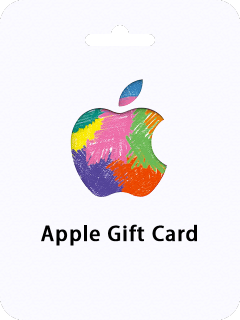
An Apple Gift Card (SE) provides digital prepaid credit denominated in Swedish Krona (SEK) for your Apple Account. When you redeem this card, the funds are added directly to your Swedish Apple Account balance. You can use this balance to purchase digital goods, apps, games, media, and cloud subscriptions across all Apple devices.
Every Apple Gift Card issued for the Swedish storefront is region-locked. The digital code functions exclusively on Apple IDs that have their country or region configured to Sweden. If your Apple Account is set to another territory, the system will reject the code until you switch your storefront to Sweden or redeem it on a Swedish Apple ID.
BitTopup delivers your Swedish digital gift card as a secure 16-digit code. You do not need to share your Apple ID login credentials or personal passwords at any point during checkout.
What Swedish Apple Account Balance Covers: Apps, Subscriptions, and In-Game Items
Your redeemed SEK balance applies automatically as the default payment method across your connected Apple services before any secondary credit card or payment profile is charged.
| Service Category | Supported Purchases & Subscriptions (Sweden) | Currency |
|---|---|---|
| App Store | Premium iOS, iPadOS, and macOS apps and utilities | SEK |
| In-Game Content | Microtransactions, battle passes, and currency in mobile games | SEK |
| Cloud Storage | iCloud+ monthly subscription tiers (50 GB, 200 GB, 2 TB, etc.) | SEK |
| Entertainment | Apple Music, Apple TV+, Apple Arcade, Apple Fitness+ | SEK |
| Digital Media | Apple Books, audiobook purchases, and movie rentals | SEK |
In-Game Purchases and App Store Microtransactions
Mobile gamers can use their Swedish balance to fund in-app purchases across popular titles on the App Store. When you make an in-game purchase, iOS automatically deducts the required SEK amount from your Apple Account balance without requiring manual card verification during gameplay.
Recurring Apple Subscriptions and iCloud+
If you maintain active subscriptions for iCloud+ storage, Apple Music, or Apple TV+, your account balance covers recurring renewals. As long as your SEK balance has sufficient funds on the billing date, Apple draws from your balance first.
How to Check Your Swedish Apple ID Region Before Buying
Before purchasing an Apple Gift Card (SE) digital code, verify that your Apple Account country matches the Sweden region.
On iPhone or iPad:
- Open the Settings app on your device.
- Tap your Name at the top of the menu.
- Tap Media & Purchases, then select View Account.
- Tap Country/Region to see your current storefront setting.
- Confirm that the country is listed as Sweden.
On Mac:
- Open the App Store app.
- Click your name or profile picture at the bottom of the sidebar.
- Click Account Settings at the top right.
- Scroll to the Country/Region section and verify that it displays Sweden.
How to Buy and Recharge Your Swedish Apple Account Online at BitTopup
Recharging your Swedish balance is straightforward and keeps your sensitive personal data protected.
- Select Denomination: Choose your desired Swedish Krona (SEK) card value on the BitTopup product page.
- Review Pricing: Check the live order total at checkout. Current pricing and available payment channels display in real time.
- Complete Checkout: Pay securely through your preferred checkout method. BitTopup processes transactions through encrypted channels without requiring access to your Apple account.
- Receive Your Code: Your 16-digit digital code is issued immediately upon payment confirmation. You can access it directly in your BitTopup order history and via your order confirmation email.
Step-by-Step Guide: How to Redeem Apple Gift Card Sweden Codes
Once you receive your 16-digit code from BitTopup, redeem it on any supported Apple device running iOS, iPadOS, macOS, or Windows.
Redemption Code Format: XXXXXXXXXXXXXXXX (16 alphanumeric characters)How to Redeem on iPhone or iPad
- Open the App Store app.
- Tap the Sign-In / Profile icon in the top right corner of the screen.
- Tap Redeem Gift Card or Code.
- Tap Enter Code Manually.
- Type or paste the 16-digit digital code you received from BitTopup.
- Tap Redeem in the top right corner. The SEK funds will instantly credit to your Apple Account balance.
How to Redeem on Mac
- Open the App Store on your Mac.
- Click your name or sign-in button in the lower-left corner.
- Click Redeem Gift Card in the top right.
- Enter your 16-digit digital code into the text field.
- Click Redeem to update your account balance.
How to Redeem on a Windows PC
- Open the Apple Music app or Apple TV app for Windows (or iTunes if on older Windows versions).
- Click your account name at the bottom of the sidebar.
- Click Redeem.
- Sign in with your Swedish Apple ID.
- Enter the 16-digit code and click Redeem.
Regional Restrictions and Sweden Non-Refundable Policy
Apple applies strict regional parameters to digital gift cards. Keep the following operational rules in mind before purchasing:
- Country Boundary: An Apple Gift Card (SE) code is strictly valid for Swedish Apple IDs. It cannot be redeemed on accounts registered in the UK, USA, Germany, Norway, Finland, or other regions.
- Currency Uniformity: The card only adds Swedish Krona (SEK). It cannot convert automatically to other currencies during redemption.
- Non-Transferable: Once a code is redeemed to a specific Apple ID, the funds are permanently tied to that account. Balances cannot be transferred to another Apple ID or refunded back to cash or bank accounts.
- Digital Delivery Terms: Digital codes delivered through BitTopup are non-returnable and non-refundable once the code has been generated and viewed.
Troubleshooting Common Apple Gift Card Redemption Errors
If you experience an issue while redeeming your code, refer to these resolutions for common system errors:
- Code is Not Valid: Double-check for typos. Apple gift codes avoid ambiguous characters. Be careful not to confuse the number
0with the letterO, or the number8with the letterB. Paste the code directly from your BitTopup order page to prevent transcription errors. - Card Must Be Redeemed in Another Storefront: This error occurs when your Apple ID region is not set to Sweden. Change your account storefront to Sweden or log into a Swedish Apple Account before attempting to redeem again.
- Code Has Already Been Redeemed: Refresh your App Store profile page. Sign out and back into your Apple ID to update the displayed cached balance. If the balance remains unchanged, verify whether another family member on your device redeemed the code.
- Code Inactive or Unrecognized: If the system shows that the code is inactive, contact BitTopup 24/7 customer support with your order ID. Our team will verify the digital voucher status and assist you promptly.
Frequently Asked Questions
Can an Apple gift card be topped up or reloaded?
No, physical or digital Apple Gift Card vouchers cannot be reloaded directly onto the same card number. To add more funds to your Swedish Apple Account balance, purchase a new Apple Gift Card (SE) digital code and redeem it on your account.
Can I use an Apple Gift Card (SE) on an account registered outside Sweden?
No. Apple restricts gift card redemptions to the country where the card was purchased. An Apple Gift Card (SE) requires an Apple ID with Sweden set as its primary region. It will not work on accounts registered in other territories.
How do I redeem my Apple Gift Card (SE) code?
Open the App Store on your Apple device, tap your profile icon at the top right, select Redeem Gift Card or Code, enter your 16-digit code manually, and confirm. Your Swedish Krona balance updates instantly.
Do Swedish Apple Gift Cards expire?
No, digital Apple Gift Cards for Sweden do not carry an expiration date. Once redeemed, the funds remain in your Swedish Apple Account balance indefinitely until you choose to spend them.
Can I transfer my Apple Gift Card balance to a bank account?
No. Apple Account balances are strictly intended for digital purchases within the Apple ecosystem. Funds cannot be redeemed for cash, transferred to a bank account, or moved to another Apple ID.
What can I purchase with my Sweden Apple Account balance?
You can use your SEK balance for App Store applications, in-app items and currencies, recurring subscriptions like iCloud+, Apple Music, and Apple TV+, as well as digital movies and Apple Books.