


MARVEL Super War Top Up: Star Credits and In-Game Benefits
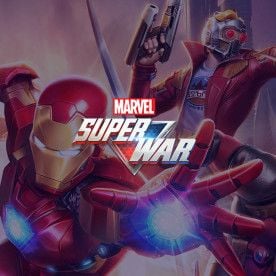
Star Credits serve as the primary premium currency in MARVEL Super War, NetEase's tactical mobile MOBA set in the Marvel universe. Acquiring Star Credits allows you to expand your hero roster, acquire high-tier skins, purchase battle passes, and access exclusive cosmetic bundles.
What Star Credits Unlock in MARVEL Super War
- Hero Acquisition: Instantly unlock signature Marvel characters across all combat classes, including Tanks, Energy, Fighters, Marksmen, Assassins, and Supports. Add heavy hitters like Thanos, Iron Man, Spider-Man, Scarlet Witch, and Magneto directly to your lineup.
- Premium & Legendary Skins: Equip exclusive costumes, dynamic battle effects, unique recall animations, and custom voice packs that showcase your favorite comic and cinematic looks.
- Battle Pass (Battle Pass Access): Upgrade your seasonal pass track to earn exclusive seasonal skins, avatar frames, crystal supplies, and upgrade resources as you complete match challenges.
- Special Supply Chests & Bundles: Open limited-edition event chests and discounted resource packs containing Hero Clues, Skin Shards, and Dark Cosmic energy.
Available MARVEL Super War Star Credit Packages and Pricing
BitTopup offers direct Star Credit top-up packages tailored to match your in-game needs. Real-time rates and localized promotional prices are displayed directly on the live checkout screen.
| Star Credit Package | Primary In-Game Use Case |
|---|---|
| Small Packs (60 - 300 Credits) | Quick top-offs for daily discount items, supply draws, and minor event rewards. |
| Medium Packs (680 - 1,280 Credits) | Standard hero unlocks, epic skin purchases, and seasonal Battle Pass upgrades. |
| Large Packs (3,280 - 6,480+ Credits) | High-tier legendary skin bundles, limited collector events, and complete hero bundles. |
Note: Exact pricing, localized currencies, and active bonus credit tiers are displayed on the checkout panel above based on your selected region.
How to Find Your MARVEL Super War User ID
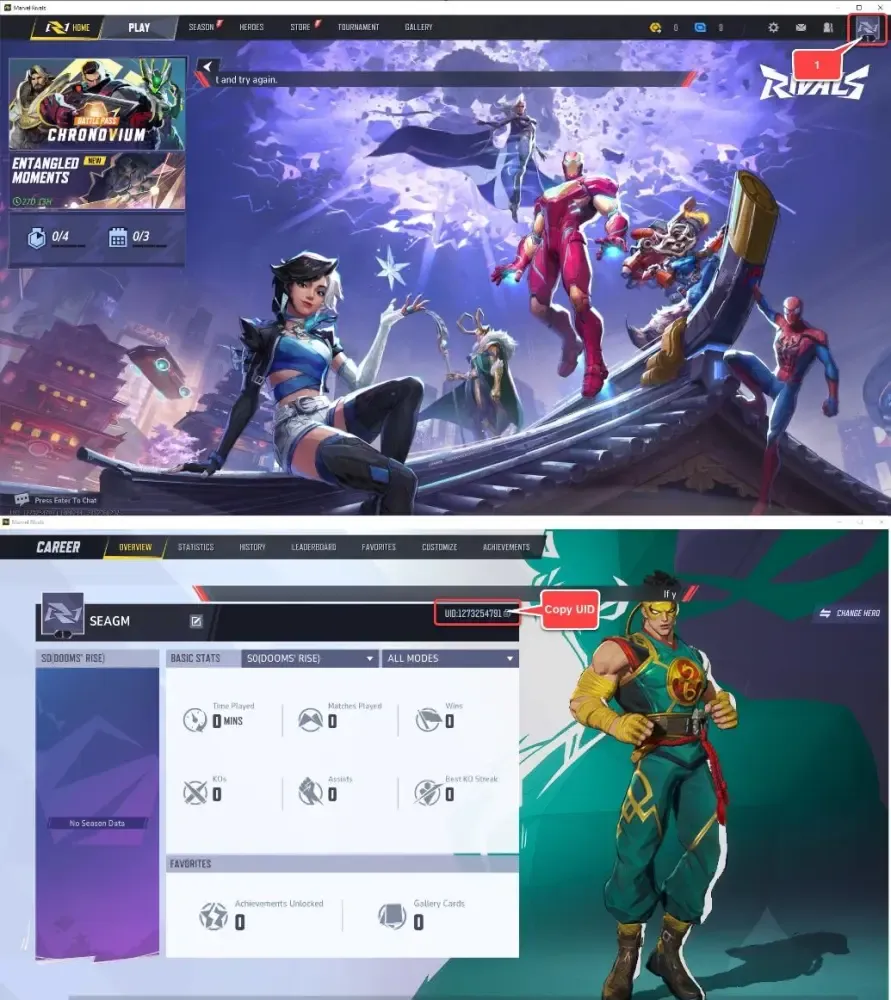
To ensure your Star Credits arrive at your account correctly, you only need your in-game User ID (UID). You do not need to provide your login credentials or sensitive account passwords.
- Launch MARVEL Super War on your mobile device.
- Tap your Avatar/Profile Icon in the top-left corner of the main lobby screen.
- Stay on the Basic Info tab of your profile.
- Locate your User ID displayed below your character name and rank badge.
- Tap the Copy icon next to the number to copy your UID directly to your clipboard.
How to Recharge MARVEL Super War Star Credits on BitTopup
To complete your MARVEL Super War recharge quickly, follow these straightforward steps:
- Select Package: Choose the Star Credit denomination you want to purchase from the product catalog.
- Enter Player Information: Paste your copied User ID (UID) into the required field and verify the details.
- Select Payment Method: Pick your preferred payment option from the supported international and local payment gateways.
- Complete Checkout: Review your order details and finalize the payment securely.
- Receive Credits: Once processed, your Star Credits will be credited directly to your in-game balance. Launch the game to confirm your updated total.
Safe and Secure Direct Top-Up Without Password Sharing
Account safety is essential when purchasing digital gaming currencies. BitTopup uses a direct API reload model based strictly on your public User ID.
- Zero Password Requirements: You will never be asked for your login password, Google Play, Apple ID, Facebook, or social login credentials.
- No Account Sharing Risks: Unlike third-party marketplace seller transfers that require handling your login details, direct UID top-ups keep your login info entirely in your hands.
- Encrypted Transactions: Every transaction on BitTopup is protected with SSL encryption to safeguard your payment and identity data at all times.
Supported Payment Methods for MARVEL Super War Recharge
BitTopup provides a wide array of payment channels so players across regions can check out comfortably:
- Credit and Debit Cards: Visa, Mastercard, and other major bank card networks.
- Digital Wallets: Popular regional and global e-wallets for instant payment verification.
- Online Banking & Local Transfer Options: Direct bank clearing and localized payment networks tailored for South East Asian and international players.
Select your region during checkout to view the exact payment methods supported for your location.
Troubleshooting Common MARVEL Super War Top Up Delivery Issues
While most recharges process quickly, occasional network congestion can cause minor delays. Follow these steps if your Star Credits do not appear immediately:
- Restart the Game Client: Completely close MARVEL Super War from your active background apps and reopen it. This forces the client to pull the latest balance update from the server.
- Check In-Game Mail: Certain bonus credits or bundle components may arrive as attached items in your in-game mailbox rather than directly modifying the top balance bar.
- Verify Your UID Submission: Check your BitTopup receipt to confirm the User ID entered matched your target account.
- Contact 24/7 Support: If your balance does not update after 15 minutes, reach out to BitTopup customer support with your Order Number and UID for immediate tracking and resolution.
Frequently Asked Questions
What are MARVEL Super War Star Credits used for?
Star Credits are the premium in-game currency used to purchase heroes, unlock premium and legendary skins, buy the Battle Pass, and participate in limited-time event draws.
Do I need to share my game account password to recharge MARVEL Super War?
No. BitTopup only requires your User ID (UID). You should never share your password, social login, or verification codes to recharge Star Credits.
Where can I find my MARVEL Super War User ID?
Open MARVEL Super War, tap your profile avatar in the upper-left corner, and locate your User ID on the Basic Info screen next to the copy button.
How long does it take to receive Star Credits after completing payment?
Recharges are processed automatically upon payment confirmation. Credits generally arrive in your account within a few moments.
What payment methods are supported for MARVEL Super War top-up on BitTopup?
BitTopup supports major credit/debit cards, regional e-wallets, and localized online bank payment methods. Available payment options are shown at checkout based on your country.
What should I do if my MARVEL Super War recharge does not reflect in-game?
Restart your game client and check your in-game mail. If the Star Credits have not arrived after a short wait, contact the BitTopup 24/7 support team with your order ID for immediate assistance.
Is it safe to top up MARVEL Super War on BitTopup?
Yes. BitTopup delivers Star Credits directly via your public User ID using encrypted payment gateways, ensuring complete safety without exposing your login credentials.