




Marvel Snap Gold Top Up: What Is Gold and What Can You Buy?
Gold is the premium in-game currency in Marvel Snap, giving players direct access to card variants, currency conversions, cosmetic bundles, and progression boosts. Whether your goal is pushing your Collection Level or personalizing your favorite decks, having a healthy supply of Gold accelerates your overall account progress.
Here is what you can acquire using Marvel Snap Gold:
- High-Value Shop Bundles: Special curated bundles frequently appear in the store, bundling large amounts of Collector's Tokens, Credits, exclusive card variants, avatars, and Boosters.
- Daily Mission Refills: You can spend Gold to refresh your daily challenge slots, giving you immediate Credits and Season Pass XP.
- Direct Credit Conversions: Convert Gold directly into Credits (at a base rate of 400 Gold for 500 Credits or 120 Gold for 150 Credits) to upgrade your cards and climb the Collection Level ladder.
- Daily Variant Shop: Purchase Rare (700 Gold) and Super Rare (1,200 Gold) card variants from top comic artists like Dan Hipp, Artgerm, Peach Momoko, and Kim Jacinto.
- Cosmetic Upgrades and Emotes: Unlock custom deck borders, collectible avatars, and in-game reaction emotes.
- Variant Album Progress: Filling specific variant albums unlocks milestone rewards including Spotlight Keys, Collector's Tokens, exclusive emotes, and high-tier variant cards.
How to Recharge Marvel Snap Gold on BitTopup Using Player ID
Topping up your Marvel Snap account on BitTopup requires only your public Player ID (Snap ID). You do not need to share account passwords or log into third-party portals.
- Select Your Gold Pack: Choose the Gold denomination or bundle you wish to purchase. Live checkout displays real-time pricing.
- Enter Your Snap ID: Input your full Marvel Snap Player ID into the designated field.
- Select Your Payment Method: Choose from the available secure checkout methods based on your region.
- Confirm and Pay: Review your order details and complete the transaction.
- Receive Your Gold: Your Gold will be credited directly to your Marvel Snap account balance upon transaction confirmation.
How to Find Your Marvel Snap Player ID (Snap ID)
Finding your Marvel Snap Player ID takes only a few taps inside the game client across iOS, Android, or PC (Steam).
- Open Marvel Snap and stay on the main lobby screen.
- Tap the Gear icon in the top-left corner to open the Settings menu.
- Scroll down to the bottom of the Settings list.
- Locate the Snap ID field.
- Tap the Tap to reveal Snap ID box to display and copy your full alphanumeric identifier (e.g.,
PlayerName#12345or your assigned account hash). - Paste this identifier directly into the Player ID box on BitTopup.
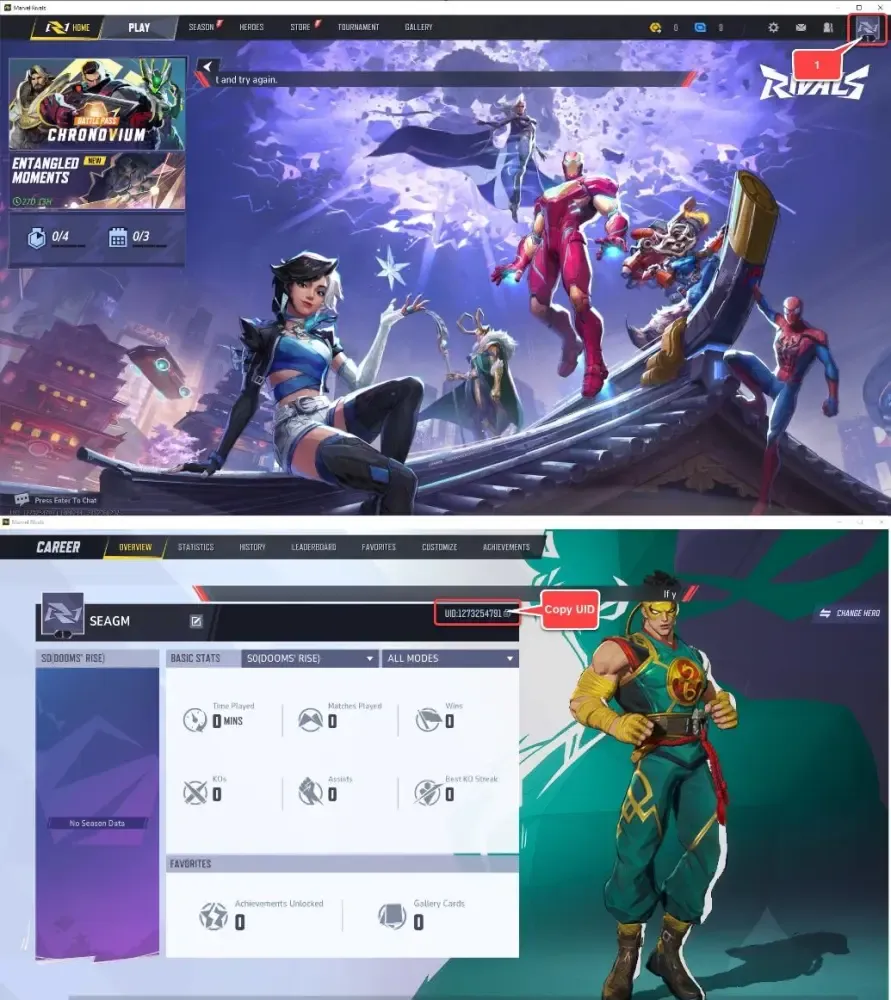
Make sure to copy the entire string including the numbers after the hash tag to avoid any delivery delays.
Optimal Gold Strategy in 2026: Bundles, Credits, Mission Refills, and Variants
Spending Gold efficiently ensures maximum card acquisition and account progression. Depending on whether your priority is competitive collection building or cosmetic customization, here is how the spending options compare in 2026:
| Spending Route | Core Return | Strategic Value |
|---|---|---|
| Curated Token Bundles | High Collector's Tokens + Credits + Cosmetics | Highest value for unlocking Series 4 and Series 5 meta cards directly from the Token Shop. |
| Daily Mission Refills | 150 Credits + 75 Season Pass XP per 120 Gold | Equivalent to direct credit buying (1.25 ratio) plus bonus Season Pass progression toward seasonal caches. |
| Direct Credit Conversion | 500 Credits per 400 Gold (1.25x base) | Useful for immediate card splitting and advancing Collection Level milestones. |
| Variant Shop (700 / 1200 Gold) | Cosmetics + Album Milestone Progress | Best for completing specific Variant Albums that offer 2,000–5,000 Collector's Tokens or Spotlight Keys. |
Card Acquisition vs. Cosmetic Priorities
- If you want new cards fast: Save your Gold exclusively for high-yield Token bundles and Token Tuesday drops. Collector's Tokens remain the most consistent method to pin and purchase specific Series 4 and Series 5 staples.
- If you want Season Pass efficiency: Refreshing daily missions costs 120 Gold per 2 missions. This provides 150 Credits and 75 Season Pass XP, helping you hit the 50+ level Season Pass track for bonus Mystery Variants and Gold caches.
- If you are building Variant Albums: Check the album rewards in the collection screen before buying daily variants. Targeting albums that award Collector's Tokens or Keys provides both cosmetic satisfaction and resource progression.
Marvel Snap Top Up Safety: Why You Never Need to Share Account Passwords
Account safety is a top priority when purchasing in-game items. BitTopup uses direct ID-based delivery, meaning:
- No Login Sharing: You will never be asked for your Google, Apple ID, Steam, or Nuverse login credentials.
- Zero Risk of Account Hijacking: Because only your public Player ID is used, your login credentials, personal data, and payment information remain private.
- Direct Balance Updates: Gold is credited straight to your game ID through direct system processing.
- Protected Transactions: All orders on BitTopup are processed through encrypted payment channels, safeguarding your billing information.
Delivery Time and Troubleshooting Tips for Marvel Snap Gold Recharges
Gold orders on BitTopup are processed automatically upon payment clearance. In most cases, Gold appears in your account within a few moments. If your updated balance does not reflect right away, follow these troubleshooting steps:
- Force Restart the Game: Completely close the Marvel Snap application on your mobile device or exit via Steam on PC, then reopen it. This forces the client to sync with the server.
- Trigger a Server Refresh: Open the in-game Shop tab or start a quick match. Interacting with the game server forces a fresh balance pull.
- Check the In-Game Inbox: Occasionally, bonus event Gold or bundle items arrive as an in-game inbox claim rather than an instant counter change.
- Verify Your Player ID: Double-check the order confirmation email from BitTopup to ensure the Snap ID entered was completely accurate.
- Contact Support: If the balance has not updated after restarting, reach out to BitTopup customer support with your Order ID for prompt assistance.
Frequently Asked Questions About Marvel Snap Gold Top Up
What is the best thing to spend Gold on in Marvel Snap?
The highest-value use of Gold is purchasing curated Token bundles and high-yield shop bundles containing Collector's Tokens and Credits. If no good bundle is active, mission refills offer the best progression value by providing both Credits and Season Pass XP.
Where can I find my Marvel Snap Player ID to recharge Gold?
Open Marvel Snap, tap the Gear icon in the top-left corner to open Settings, scroll down to the bottom, and tap the "Tap to reveal Snap ID" button. Copy and paste the full ID string into the checkout page on BitTopup.
Do I need to share my Marvel Snap login credentials or password?
No. BitTopup requires only your public Marvel Snap Player ID. You should never share your account password, email, or social login credentials with anyone.
How long does it take for Marvel Snap Gold to arrive after purchasing?
Orders on BitTopup process immediately following successful payment. Reopening your game client will display your updated Gold balance almost instantly.
Can I buy cards directly with Marvel Snap Gold?
You cannot buy cards directly with Gold in the regular shop. However, you can convert Gold into Collector's Tokens via bundles to purchase targeted cards in the Token Shop, or convert Gold into Credits to raise your Collection Level and unlock cards through the Collection Track and Spotlight system.
What should I do if my recharged Gold does not appear immediately in-game?
Close and restart your Marvel Snap app to re-establish a server connection. If your balance does not update after a restart, check your order status on BitTopup and contact customer support with your Order ID.