



Netflix Gift Card (MX) Top Up: Digital Streaming Balance
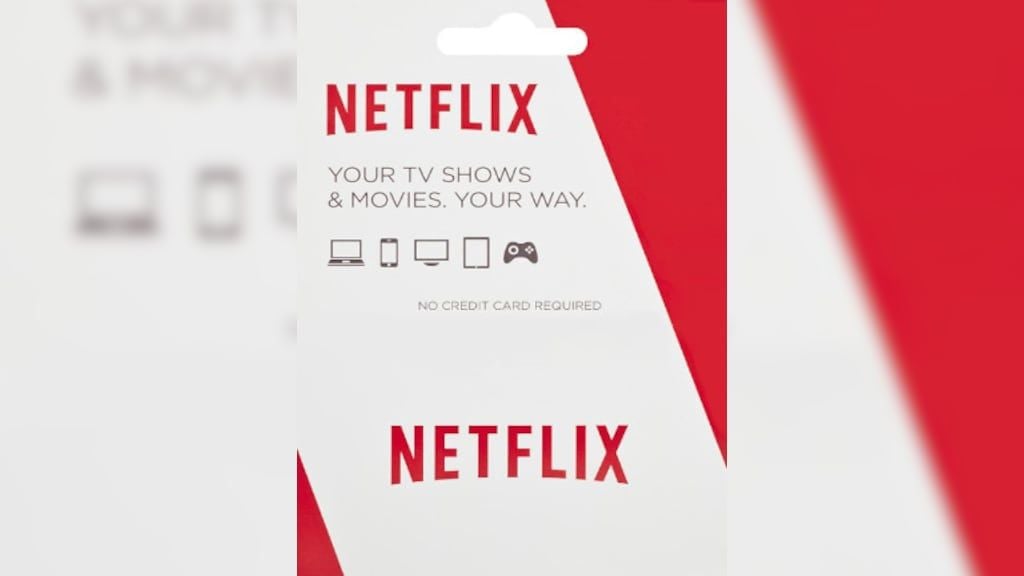
A Netflix Gift Card (MX) allows you to add prepaid Mexican Peso (MXN) credit directly to your Netflix account. Whether you want to pay for your own monthly streaming plan without linking a personal credit card or gift entertainment to someone in Mexico, digital gift cards offer a flexible, secure payment method.
When you purchase a Netflix Mexico digital code on BitTopup, you receive an authentic 11-character alphanumeric voucher code directly after checkout. This balance can be applied to any existing Mexico-based subscription or used to start a brand-new account.
Netflix Gift Card (MX) Denominations and Subscription Plan Coverage
Netflix Mexico calculates subscription billing on a pro-rated basis depending on your active plan tier. Your gift card balance deducts automatically on your recurring billing date. If your balance covers only a fraction of a month, Netflix keeps your service active for the exact number of days your remaining credit allows.
Below is an overview of standard Netflix Mexico plan tiers in 2026 and how common gift card denominations cover your viewing time:
| Plan Tier | Approximate Monthly Cost (MXN) | 300 MXN Gift Card Coverage | 500 MXN Gift Card Coverage | 1,000 MXN Gift Card Coverage |
|---|---|---|---|---|
| Estándar con anuncios (1080p, 2 devices) | ~99 - 119 MXN | ~2.5 to 3 Months | ~4 to 5 Months | ~8 to 10 Months |
| Estándar (1080p, 2 devices, no ads) | ~219 MXN | ~1 Month + 11 Days | ~2 Months + 8 Days | ~4.5 Months |
| Premium (4K HDR, 4 devices, spatial audio) | ~299 MXN | ~1 Month | ~1 Month + 20 Days | ~3 Months + 10 Days |
Note: Current live prices for gift card denominations are displayed on the BitTopup checkout page. Plan prices set by Netflix Mexico determine your exact daily consumption rate.
Region Compatibility: Why MX Gift Cards Only Work on Mexico Accounts
Netflix enforces strict geo-currency matching rules across its global service network.
- Currency Lock: Netflix Gift Cards denominated in Mexican Pesos (MXN) can only be redeemed on accounts billed in Mexican Pesos.
- Geographic Account Match: If your account was originally registered in the United States (USD), Colombia (COP), Europe (EUR), or any other market, a Mexico (MX) gift card will be rejected by the system with a currency mismatch error.
- Traveling vs. Account Origin: You can watch Netflix anywhere while traveling, but your account billing profile must be anchored in Mexico to redeem an MXN code.
- Streaming Cards vs. Merchandise Cards: Netflix Gift Cards sold for streaming credit apply exclusively to Netflix subscription services. They cannot be used on external merchandise storefronts such as the Netflix Shop.
Step-by-Step Guide: Redeeming Your MXN Code on Netflix.com/redeem
Follow these steps to apply your code to your profile:
- Log in to your personal account on a web browser at netflix.com.
- Verify that your account profile is active and billed in Mexico.
- Navigate to netflix.com/redeem.
- Enter the digital code received from your BitTopup order into the redemption box.
- Click Redeem (or Canjear).
- Confirm the prompt to apply the balance to your active subscription or start a new membership.
Make sure you are logged into the correct profile before clicking confirm, as redeemed balances transfer immediately to the target account balance and cannot be moved to another profile.
Managing Your Netflix Balance: Multiple Cards, Stackability, and Expiry Rules
- Code Stacking: You can redeem multiple Netflix MX gift cards on a single account. Each new card simply adds to your cumulative MXN balance pool.
- No Expiration Dates: Official Netflix gift cards do not expire. The funds remain attached to your account credit until consumed by active subscription cycles.
- Payment Hierarchy: Once credit is loaded, Netflix bills your gift card balance first before attempting to charge any backup credit card or debit card on file.
- Pausing Subscriptions: If you cancel your membership while maintaining a remaining gift card balance, your account remains active until the balance is fully exhausted.
Troubleshooting Netflix Gift Card Redemption and Billing Errors
If you experience an issue when applying your code, review the common scenarios below:
1. Currency / Country Mismatch Error
- Cause: The account's registered country is not Mexico, or the account billing currency is set to USD or another non-MXN currency.
- Solution: Create a new Netflix profile located in Mexico, or wait for your existing international billing cycle to finish, cancel the foreign subscription, and reactivate the account while connected within the Mexico region.
2. Third-Party Provider Billing Conflicts
- Cause: Your Netflix subscription is currently billed through a partner bundle (such as Telmex, Totalplay, Izzi, Megacable, Apple, or Google Play).
- Solution: Partner-billed accounts cannot accept direct gift card balances. You must unlink or cancel the third-party billing package first. Once the current cycle ends, reactivate your subscription directly through Netflix and apply your BitTopup gift card.
3. Invalid Code Syntax Errors
- Cause: Typing errors when inputting characters.
- Solution: Copy and paste the digital code directly from your BitTopup order history. Avoid confusing the number
0with the letterOor the number1with the uppercase letterI.
Why Choose BitTopup for Netflix Mexico Recharges
- Instant Digital Code Delivery: Receive your valid MXN gift card code immediately after completing payment.
- Account Security: No need to share your personal Netflix login credentials or password. You receive an independent voucher code to redeem privately.
- Flexible Payment Options: Complete your purchase securely using supported international and regional checkout methods.
- 24/7 Customer Support: Dedicated customer service is available around the clock to assist with order verification and delivery inquiries.
Frequently Asked Questions
Where can I buy a Netflix gift card for Mexico online?
You can purchase an authentic Netflix Gift Card (MX) online directly at BitTopup. Select your preferred MXN balance denomination, complete the checkout process, and receive your digital redemption code instantly.
How do I recharge my Netflix subscription with a Mexico gift card?
Log in to your Netflix account in a web browser, visit netflix.com/redeem, input your code, and click Redeem. The credit applies automatically to your upcoming billing cycles.
Can I use a Mexico Netflix gift card on a US account?
No. Netflix gift cards are strictly region-locked and currency-locked. A Mexico (MXN) gift card can only be redeemed on accounts registered and billed in Mexican Pesos.
Do Netflix Mexico gift cards expire?
No. Netflix Mexico digital codes and applied account balances do not have an expiration date. Your credit stays in your account until used.
Can I apply multiple Netflix MX gift cards to the same account?
Yes. You can stack multiple gift cards consecutively. The total monetary value accumulates in your account balance and extends your prepaid subscription duration.
What happens when my Netflix MX gift card balance runs out?
Netflix will send an email notification when your balance is running low. If you have a backup payment method saved, your account bills that card automatically. If you do not have a backup payment method, your streaming service simply pauses until you add another Netflix gift card or credit method.