



Spacetoon Go Subscription PS Top Up: Palestine Access and Features
Spacetoon Go is the dedicated digital streaming platform for Arabic-dubbed anime, classic cartoons, and family-friendly entertainment across the Arab world. A Spacetoon Go Subscription (PS) provides premium access tailored specifically for users with accounts registered in the Palestine (PS) region.
Upgrading your account to premium removes all video advertisements, unlocks the entire back-catalog of legendary Venus Centre productions, provides high-definition (1080p Full HD) playback, and grants access to simultaneous streams across multiple devices. When you purchase a digital voucher code from BitTopup, you receive a standalone activation key that applies directly to your personal account without sharing login credentials or passwords.
Key Benefits of Spacetoon Go Palestine (PS) Subscription
Activating a premium Spacetoon Go subscription on a Palestine-registered account unlocks full access to exclusive features designed for both nostalgic animation fans and families:
- Extensive Arabic Anime Library: Watch full seasons of classic anime alongside new simulcasts dubbed in standard Arabic (Fusha).
- 100% Ad-Free Viewing: Stream uninterrupted episodes without pre-roll, mid-roll, or banner ads.
- Full HD (1080p) Streaming: Enjoy clear visuals and crisp audio mastering on compatible displays.
- Multi-Device Compatibility: Stream on smart TVs, Android, iOS, tablets, and desktop browsers.
- Parental Controls & Kid Profiles: Set safe viewing limits and manage dedicated sub-profiles for younger viewers.
- Offline Download Support: Download selected episodes on mobile devices to watch offline during travel or internet outages.
Spacetoon Go Subscription Packages and Plan Features
Spacetoon Go voucher codes are sold in various subscription durations to match your streaming preferences. Exact live pricing is displayed directly on the BitTopup product selection page.
| Plan Duration | Regional Compatibility | Ads Included | Maximum Resolution | Delivery Format |
|---|---|---|---|---|
| 1 Month Premium | Palestine (PS) Accounts Only | No (100% Ad-Free) | 1080p Full HD | Digital Voucher Code |
| 3 Months Premium | Palestine (PS) Accounts Only | No (100% Ad-Free) | 1080p Full HD | Digital Voucher Code |
| 6 Months Premium | Palestine (PS) Accounts Only | No (100% Ad-Free) | 1080p Full HD | Digital Voucher Code |
| 12 Months Premium | Palestine (PS) Accounts Only | No (100% Ad-Free) | 1080p Full HD | Digital Voucher Code |
Note: Available package durations and current pricing live on the BitTopup checkout catalog.
How to Find Your Spacetoon Go Account Details
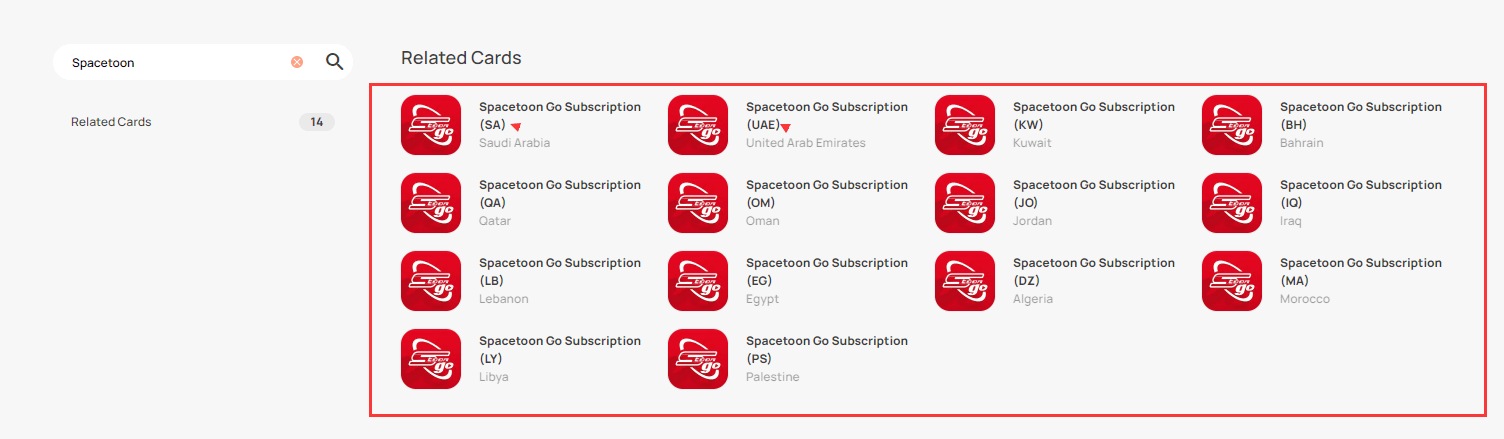
Before purchasing a regional voucher code, confirm that your Spacetoon Go account is set to the Palestine (PS) region to avoid redemption errors.
- Open the Spacetoon Go application or visit the official website.
- Log in with your registered email or phone number.
- Click on your profile icon in the top corner and select Account Settings.
- Review your registered country/region indicator to verify your account is registered under Palestine (PS).
- Note your registered email address for reference during the redemption process.
How to Recharge Spacetoon Go Subscription (PS) via BitTopup
Recharging your Spacetoon Go Palestine account through BitTopup takes only a few quick steps:
- Select your preferred subscription package (e.g., 1 Month, 3 Months, or 12 Months) from the list above.
- Verify that the product title indicates the (PS) region to match your account registration.
- Enter your contact email address where the digital redemption code will be sent.
- Choose your preferred checkout method from the available options on the secure payment screen.
- Complete the payment. Your digital voucher code will display immediately on your order confirmation screen and will be emailed to your inbox.
How to Redeem Your Spacetoon Go Voucher Code Online
Once you receive your digital code from BitTopup, follow these steps to apply the subscription to your account:
- Open a web browser and navigate to the official Spacetoon Go redemption page:
spacetoongo.com/redeem(or use the Redeem Code section within the mobile app settings). - Log in to your active Palestine (PS) Spacetoon Go account.
- Copy the digital voucher code you received from BitTopup.
- Paste the code into the voucher input field, ensuring there are no leading or trailing spaces.
- Click Activate or Redeem.
- Your account status will immediately update to Premium, and your active duration will reflect your chosen plan.
Region Lock Policy: Why Spacetoon Go PS Codes Require a Palestine Account
Spacetoon Go enforces geographic restrictions on its digital voucher codes. A code marked (PS) is strictly configured for the Palestine storefront and account ecosystem.
- Non-Transferable Regions: A Palestine (PS) voucher code cannot be redeemed on accounts registered in Saudi Arabia, the UAE, Egypt, or other international regions.
- IP & Account Consistency: While you do not need an active Palestine IP to stream after activation, your registered Spacetoon Go profile country must be set to Palestine for the code redemption algorithm to validate the voucher.
- Preventing Purchase Errors: Always double-check your account's regional settings prior to placing an order to ensure 100% compatibility.
Troubleshooting Common Spacetoon Go Code Redemption Errors
If you encounter an issue while redeeming your digital code, review these standard troubleshooting steps:
- "Invalid Code" Error:
- Ensure you have copied the code exactly as displayed on BitTopup.
- Check for common character misreads (such as the number
0vs the letterO, or1vs uppercaseI). - Ensure no extra spaces were highlighted when copying the code.
- "Code Not Supported in Your Region" Error:
- Your Spacetoon Go account is registered in a country other than Palestine. Verify your account profile settings or create an account with Palestine selected as your region.
- "Code Already Redeemed" Error:
- Refresh your browser or restart the Spacetoon Go app. In many cases, the subscription status updates on the server before the web confirmation page refreshes.
- Check your account subscription expiration date under Account Settings to verify whether the validity period extended.
Why Choose BitTopup for Spacetoon Go (PS) Vouchers
- No Password Sharing Required: BitTopup delivers digital redeem codes directly to your screen. You never need to hand over account passwords or sensitive credentials.
- Instant Digital Delivery: Codes are generated and delivered immediately upon payment verification so you can resume watching without delay.
- Transparent Regional Matching: Products clearly show regional indicators (PS / Palestine) to help you pick the right key every time.
- Responsive Support: Dedicated customer service is available to answer order inquiries and assist with redemption guidance.
Frequently Asked Questions
What does the (PS) region indicator mean for Spacetoon Go subscriptions?
The (PS) indicator identifies that the voucher code is generated specifically for accounts registered in Palestine. It ensures correct regional catalog access and currency alignment within the Spacetoon Go ecosystem.
How do I activate and redeem my Spacetoon Go voucher code?
Go to spacetoongo.com/redeem, log in to your Palestine account, paste the voucher code you received from BitTopup, and click Activate. Your premium benefits will unlock immediately.
Do I need to provide my Spacetoon Go account password to buy a subscription?
No. BitTopup only requires your email address to deliver your digital voucher code. You redeem the code yourself on the official Spacetoon Go website, ensuring complete security for your account credentials.
Can I use a Spacetoon Go Palestine (PS) voucher on an account created in another region?
No. Spacetoon Go voucher codes are region-locked. A PS code will only redeem successfully on an account registered under Palestine.
How many devices can stream Spacetoon Go simultaneously with one subscription?
A standard Spacetoon Go Premium subscription allows multi-device streaming across your registered smart TV, mobile phone, and web browser, typically supporting up to two concurrent streams per account.
What should I do if my Spacetoon Go code displays an invalid error?
First, confirm there are no extra spaces or typing errors in the voucher box. Next, ensure your account country matches Palestine (PS). If the error persists, contact BitTopup customer support with your order number for assistance.