



Storytel Subscription GCC Top Up and Digital Access
A Storytel Subscription GCC top up gives you on-demand access to a massive library of Arabic and international audiobooks, e-books, and exclusive Storytel Originals. Designed specifically for listeners residing across the Gulf Cooperation Council, a GCC digital voucher provides an easy way to manage your reading and listening time without linking a credit card to automated recurring billing.
With a single active subscription, you can stream or download titles across multiple genres, including bestsellers, business, self-help, fiction, and children's literature. Audio narration is available in multiple languages with a strong catalog of Arabic and English titles curated for Gulf listeners.
Eligible GCC Countries and Regional Compatibility
Storytel GCC digital codes are region-locked. You must use an account registered in one of the approved GCC territories to redeem your voucher code.
| GCC Territory | Country Code | Regional Catalog Access | Supported Code Type |
|---|---|---|---|
| United Arab Emirates | UAE | Arabic & International GCC Catalog | Storytel GCC Prepaid Voucher |
| Saudi Arabia | KSA | Arabic & International GCC Catalog | Storytel GCC Prepaid Voucher |
| Kuwait | KW | Arabic & International GCC Catalog | Storytel GCC Prepaid Voucher |
| Qatar | QA | Arabic & International GCC Catalog | Storytel GCC Prepaid Voucher |
| Bahrain | BH | Arabic & International GCC Catalog | Storytel GCC Prepaid Voucher |
| Oman | OM | Arabic & International GCC Catalog | Storytel GCC Prepaid Voucher |
If your Storytel account was created under an international region outside the GCC (such as the UK, US, Turkey, or India), the GCC voucher will not apply. Make sure your account country matches the GCC region before attempting activation.
Step-by-Step Guide: How to Recharge Storytel GCC on BitTopup
Ordering your prepaid voucher on BitTopup takes only a few moments:
- Select the Storytel Subscription (GCC) duration you want from the product list.
- Enter your contact email address accurately to receive your order confirmation and digital voucher.
- Choose your preferred secure payment method at checkout.
- Complete the payment process.
- View your digital code instantly on the order completion screen or retrieve it directly from your email inbox.
How to Find Your Storytel Account Details and Prepare for Redemption
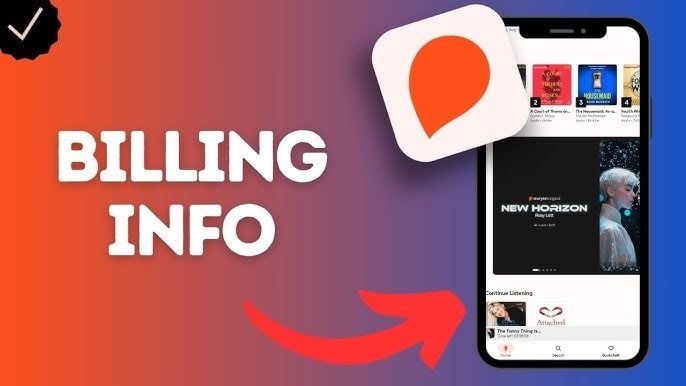
To ensure your voucher applies without errors, check your registered account details inside the Storytel app or website.
- Open the Storytel app on your device or visit the Storytel website in your browser.
- Tap the Profile or Account icon.
- Check your registered email address and confirm your regional setting is set to a supported GCC country.
- Verify your current subscription status under Account Settings to ensure no conflicting third-party billing is active.
How to Redeem Your Storytel GCC Voucher Code Online
Storytel voucher codes cannot be entered inside the mobile app on iOS or Android due to operating system store restrictions. You must redeem your code via a web browser:
- Open your web browser on a phone, tablet, or computer.
- Visit the official Storytel gift code redemption page (
storytel.com/redeemor your specific regional landing page). - Log in to your existing Storytel account, or create a new account if you are a first-time user.
- Enter the digital voucher code you received from BitTopup in the redemption field.
- Click Redeem or Activate to apply the subscription period to your account balance.
- Open the Storytel app on your mobile device, log in with the same account, and enjoy listening.
Switching from In-App App Store and Google Play Subscriptions
If you have an ongoing subscription billed directly through Apple App Store or Google Play Store, the Storytel redemption portal will block voucher codes to avoid double-charging your account. Follow these steps to switch to a prepaid code:
- Apple Users (iOS): Open your device Settings > tap your Apple ID > Subscriptions > select Storytel > tap Cancel Subscription.
- Android Users: Open the Google Play Store > tap your profile icon > Payments & subscriptions > Subscriptions > select Storytel > tap Cancel Subscription.
- Wait for Expiration: Allow your current paid billing cycle to expire naturally. Your saved bookshelves, reading history, and bookmarks remain intact.
- Redeem Your Code: Once the account switches to free status, visit the Storytel website and redeem your BitTopup voucher code.
Storytel Unlimited vs Family Plan Rules with Digital Codes
Standard Storytel digital vouchers apply directly to individual Unlimited accounts. Here is how account access works:
- Individual Access: Standard codes provide unlimited reading and listening for one adult account.
- Kids Mode: You can switch the app into Kids Mode on your device, which filters the catalog exclusively to children's books and age-appropriate content.
- Family Plan Upgrades: If your account is part of a Storytel Family setup, vouchers may not stack directly on secondary sub-accounts. The primary account holder must manage the redemption, or individual listeners can use independent accounts funded by standalone vouchers.
Offline Listening, Device Limits, and Audio Features
Your GCC subscription includes full feature access across modern reading platforms:
- Offline Mode: Download unlimited audiobooks and e-books directly to your smartphone or tablet for uninterrupted listening on flights or commutes.
- Multi-Device Syncing: Install the app across multiple devices. Your reading progress, bookmarks, and notes sync automatically via cloud storage.
- Playback Customization: Adjust narration speed from 0.5x up to 2.0x, set custom sleep timers, and switch between reading and listening on supported synchronized titles.
Troubleshooting Storytel Voucher Activation and Region Errors
- Error: "Code is invalid or already used": Verify that you typed the code exactly as delivered, without extra spaces at the beginning or end. If copy-pasting, paste into plain text first.
- Error: "Region Mismatch": Your Storytel account country is set outside the GCC. You must adjust your country settings via web account management or register a new profile situated in the GCC.
- Error: "Active Subscription Exists": Your account still has an active card or app store renewal method linked. Turn off auto-renewal, wait until the current cycle reaches its end date, and redeem the code.
Why Buy Storytel GCC Codes on BitTopup
BitTopup provides a direct, secure way to purchase digital codes for your favorite entertainment services:
- Instant Digital Delivery: Codes are issued automatically to your screen and email as soon as payment is confirmed.
- Complete Account Safety: You never need to share passwords, login credentials, or personal verification data. You receive a standalone code to redeem yourself.
- Flexible Payment Options: Check out using your preferred regional and international payment methods shown at live checkout.
- Reliable Customer Support: Our 24/7 customer service team is available to assist you with order status, redemption guidance, and product inquiries.
Frequently Asked Questions
In which countries can I use the Storytel GCC subscription?
You can use the Storytel GCC subscription in the United Arab Emirates (UAE), Saudi Arabia (KSA), Kuwait, Qatar, Bahrain, and Oman. Your Storytel account must be registered in one of these six countries.
How do I redeem my Storytel GCC subscription code?
Redeem your code by opening a web browser and visiting the Storytel voucher redemption page (storytel.com/redeem). Log in to your account, enter your digital code, and submit. Then open the Storytel mobile app to access your content.
Can I use this code if I already have an active Storytel in-app subscription?
No. If you have an active subscription billed through Apple Subscriptions or Google Play, you must cancel auto-renewal and wait for your current billing cycle to finish. Once your account becomes inactive, you can redeem your voucher code on the web.
What subscription options are available for Storytel in the GCC?
Storytel offers standard access providing unlimited streaming and downloading across the full catalog, along with built-in Kids Mode filters. Voucher durations range based on the specific month-tier purchased at checkout.
How much does a Storytel subscription cost?
Pricing depends on the duration of the subscription pack you choose. Live rates, currency conversions, and available package lengths are displayed directly on the BitTopup checkout screen.
Do I need to share my Storytel account password to recharge on BitTopup?
No. BitTopup delivers an independent digital voucher code. You never share your account login, password, or private credentials.