
BitTopup Logohow to top-up in bittopup
ค้นหา
วิธีเติมเงิน Apple Gift Card (CA)

Apple Gift Card (CA)

Excellent
Trustpilot
CANADACANADA
Instant Deliveryจัดส่งทันที
Safe & Secure paymentชำระเงินปลอดภัยและมั่นใจได้

Instantly add CAD funds to your Canadian Apple ID with digital codes on BitTopup.

เลือกมูลค่า

Apple Gift Card 5 CAD CA

฿ 111.50

ยอดรวม · x1

Apple Gift Card (CA) คู่มือการเติมเงิน

Apple Gift Card CA Top Up: Overview and Supported Purchases

An Apple Gift Card (CA) is a digital voucher denominated in Canadian Dollars (CAD) that adds funds directly to your Canadian Apple Account balance. Modern Apple Gift Cards in Canada serve as a universal payment method across the entire Apple ecosystem, replacing older, single-purpose cards.

Once redeemed to your Canadian Apple ID, your balance can be spent on:

  • Digital Media and Entertainment: Subscriptions for Apple Music, Apple TV+, Apple Arcade, Apple Fitness+, and Apple News+.
  • App Store and In-App Purchases: Premium games, productivity software, in-game currencies, and expansion packs across iOS, iPadOS, and macOS.
  • Cloud Storage: Monthly or annual upgrades for iCloud+ storage tiers.
  • Books and Audiobooks: Purchases directly within Apple Books.
  • Apple Hardware and Accessories: Official products such as iPhones, iPads, MacBooks, AirPods, and accessories purchased directly through the Apple Store Canada online or the Apple Store app.

How to Locate and Verify Your Canadian Apple ID Region

Apple Gift Cards are strictly region-locked. A Canadian (CA) Apple Gift Card requires an Apple ID whose country/region is set to Canada. Before purchasing or redeeming your code, verify your account's regional settings to avoid activation errors.
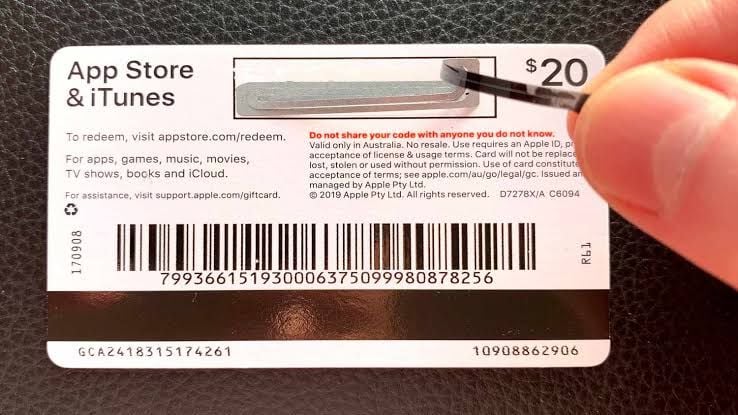
How to recharge Apple Gift Card (CA)

How to Check Your Account Region on iOS and iPadOS

  1. Open the Settings app on your iPhone or iPad.
  2. Tap your Name / Apple ID profile banner at the very top of the screen.
  3. Select Media & Purchases, then tap View Account.
  4. Authenticate using Face ID, Touch ID, or your account password.
  5. Tap Country/Region to view your active storefront. It must say Canada to accept CAD gift codes.

How to Check Your Account Region on macOS

  1. Open the App Store application on your Mac.
  2. Click your name or profile image in the bottom-left corner.
  3. Click Account Settings in the top-right corner of the window.
  4. Under the Apple ID Summary section, locate Country/Region and confirm it is set to Canada.

Step-by-Step Guide to Redeem Apple Gift Card Canada 2026

Redeeming your digital code is instant and binds the CAD value directly to your account. Choose your platform below for exact redemption instructions.

Redeeming on iPhone, iPad, or iPod Touch

  1. Open the App Store app.
  2. Tap your profile icon in the top-right corner of the screen.
  3. Tap Redeem Gift Card or Code.
  4. Choose Enter Code Manually.
  5. Type or paste the 16-digit alphanumeric code received from BitTopup.
  6. Tap Redeem in the upper-right corner. The CAD balance updates instantly.

Redeeming on Mac

  1. Launch the App Store on macOS.
  2. Click your name or sign-in button in the lower-left sidebar.
  3. Click Redeem Gift Card in the top right.
  4. Enter the 16-digit digital code into the text field.
  5. Click Redeem to confirm.

Redeeming on Windows PC

  1. Open the Apple Music or Apple TV app for Windows (or iTunes for Windows on older configurations).
  2. Sign in with your Canadian Apple ID.
  3. Click your account name at the bottom of the sidebar, then select Redeem.
  4. Input the 16-digit code and select Redeem.

Canadian Apple Account Balance vs Legacy iTunes Cards: Comparison

Older iTunes gift cards were limited purely to digital media. The current universal Apple Gift Card offers full flexibility across digital software and official hardware storefronts in Canada.

FeatureUniversal Apple Gift Card (CA)Legacy iTunes Canada Card
CurrencyCanadian Dollar (CAD)Canadian Dollar (CAD)
App Store & In-App PurchasesSupportedSupported
iCloud+ & Apple SubscriptionsSupportedSupported
Apple Books & TV MediaSupportedSupported
Hardware Purchases (Apple Store CA)SupportedNot Supported
Physical Store / Apple Store AppSupportedNot Supported
Account Region LockCanada Apple ID OnlyCanada Apple ID Only

How to Recharge Your Canadian Apple Account Balance Without a Credit Card

Using prepaid Apple Gift Card CA digital codes is the safest way to maintain an Apple Account balance without linking personal banking cards or international credit cards.

  • Budget Control: Prepaid amounts let you control monthly spending on apps, mobile games, and recurring subscription renewals without unexpected overage charges.
  • Privacy Protection: You do not need to link a primary credit card or debit card to your Apple profile to make purchases.
  • Accessibility for International Users: If you manage a Canadian secondary Apple ID while living abroad, digital gift cards provide the only reliable method to fund purchases without possessing a Canadian-issued credit card.
  • Safe for Family Members: Apply digital balance directly to children's or students' Apple IDs so they can buy study tools and games without open access to parental payment cards.

Troubleshooting Common Apple Gift Card CA Redemption Errors

If you experience an issue while redeeming your code, refer to these resolutions for common Apple errors:

1. "Code is Not Valid in This Country or Region"

  • Cause: Your Apple ID is registered to a country other than Canada (e.g., US, UK, Australia).
  • Fix: Change your Apple ID country/region to Canada in account settings, or create a dedicated Canadian Apple ID to redeem the CAD code.

2. "Card Has Already Been Redeemed"

  • Cause: The code was already submitted to an account.
  • Fix: Sign out of the App Store and sign back in to refresh your balance display. If you manage multiple Apple IDs, check if you were logged into a secondary profile when redeeming.

3. "Code Must Be 16 Digits"

  • Cause: Typing error or confusing alphanumeric characters.
  • Fix: Verify you are entering the 16-character code sent to your order dashboard. Avoid confusing the number 0 with the letter O, or the number 1 with capital I.

4. "Card is Inactive"

  • Cause: The retail activation signal was interrupted.
  • Fix: Contact BitTopup 24/7 customer support with your order ID for immediate code verification.

Why Buy Apple Gift Card (CA) Digital Codes on BitTopup

BitTopup provides a direct, secure process to recharge Apple Gift Card Canada balances without friction:

  • Direct Digital Delivery: Your 16-digit code is generated directly to your order screen and sent to your email immediately upon payment approval.
  • Total Account Security: BitTopup never asks for your Apple ID password, answers to security questions, or remote access to your device. You receive an independent code and redeem it yourself.
  • Guaranteed Regional Validity: Every Apple Gift Card (CA) code is verified for Canadian storefront compatibility.
  • Multiple Checkout Options: Access flexible global and local payment methods at live checkout.
  • 24/7 Support Assistance: Customer support is available around the clock to assist with code retrieval and redemption questions.

Frequently Asked Questions

Can an Apple gift card CA be topped up or reloaded directly?

No. Apple Gift Cards are single-use digital codes. You cannot add money directly onto an existing physical or digital gift card. Instead, you purchase a new Apple Gift Card (CA) code on BitTopup and redeem it to increase your existing Canadian Apple Account balance.

Can I use a Canadian Apple Gift Card outside Canada?

Yes, as long as your Apple ID region is set to Canada. The physical location of your device does not matter, but the storefront setting on your account must be Canada, and transactions will process in CAD.

How do I redeem my Apple Gift Card CA code on an iPhone or iPad?

Open the App Store, tap your Profile Icon, select Redeem Gift Card or Code, choose Enter Code Manually, paste your 16-digit code, and tap Redeem.

How can I check my Apple Account CAD balance after redeeming?

On iOS, open the App Store and tap your profile icon in the top right. Your available Canadian Dollar balance appears directly under your name. On macOS, open the App Store and look at the bottom of the left sidebar.

What should I do if my Apple Gift Card CA code shows an error?

First, confirm your Apple ID region is set to Canada. Then, check the 16-digit code for input typos. If the issue persists, take a screenshot of the error message and contact BitTopup customer support with your order number for fast resolution.

Can I buy an Apple gift card online and send it to someone in Canada?

Yes. When you purchase an Apple Gift Card (CA) on BitTopup, the 16-digit digital code can be shared with any recipient who uses a Canadian Apple ID. They can redeem it directly on their own device.

Apple Gift Card (CA) ข่าวสารแนะนำ

สินค้าแนะนำ

Apple Gift Card (CA) คำถามที่พบบ่อยเกี่ยวกับการเติมเงิน

ใช้เวลานานเท่าใดกว่าที่คำสั่งซื้อจะเสร็จสมบูรณ์?
โดยปกติแล้ว คำสั่งซื้อจะเสร็จสมบูรณ์ภายในไม่กี่นาที หากมีความล่าช้าใดๆ โปรดติดต่อฝ่ายสนับสนุนลูกค้าของเรา
BitTopup คืออะไร?
BitTopup คือแพลตฟอร์มออนไลน์สำหรับเติมเกมและบริการต่าง ๆ ได้อย่างรวดเร็วและปลอดภัย
เวลาทำการของฝ่ายบริการลูกค้า?
ฝ่ายบริการลูกค้าของ BitTopup พร้อมให้บริการตลอด 24 ชั่วโมงทุกวัน
ฉันจะแลกรับโค้ด Apple Gift Card (CA) ได้อย่างไร?
ไปที่หน้าแลกรับอย่างเป็นทางการ กรอกโค้ดจากคำสั่งซื้อของคุณ จากนั้นยอดคงเหลือ/ไอเทมจะเข้าบัญชีทันที
Apple Gift Card (CA) รองรับภูมิภาคใดบ้าง?
สินค้านี้รองรับบัญชีภูมิภาค CANADA โปรดตรวจสอบภูมิภาคบัญชีของคุณก่อนทำการสั่งซื้อ
ฉันสามารถชำระเงินด้วยคริปโตได้หรือไม่?
ได้ เรายอมรับ Bitcoin, ETH, USDT และคริปโตเคอร์เรนซียอดนิยมอื่นๆ พร้อมการยืนยันทันที
หากเติมเงินแล้วไม่เข้าต้องทำอย่างไร?
ติดต่อฝ่ายสนับสนุนลูกค้าตลอด 24 ชั่วโมงทุกวันพร้อมแจ้งหมายเลขคำสั่งซื้อของคุณ แล้วเราจะส่งรหัสให้ใหม่หรือคืนเงินให้ทันที

Apple Gift Card (CA) รีวิวจากลูกค้าเกี่ยวกับการเติมเงิน

รีวิวทั้งหมด: 784

คะแนนเฉลี่ย

how to top-up in bittopup

4.3

customer avatar
Hason Habibi2026/09/26
สมบูรณ์แบบ!
customer avatar
Jahan zaib2026/09/26
บริการดีมาก
customer avatar
Egor Miholap2026/09/24
ชอบแอปของคุณมากเลย เติมเงินเข้าในวินาทีเดียว ขอบคุณนะ!
customer avatar
Rachel Taft2026/09/25
การเติมเงิน Bigo Diamonds รวดเร็วสุดๆ ไม่มีปัญหาอะไรเลย และฉันได้รับตรงตามที่ต้องการเป๊ะ
customer avatar
Maigualida Avila2026/09/26
มีประสิทธิภาพและรวดเร็วมาก
customer avatar
Jasper Jia Lok2026/09/26
ถูกมาก ถูกกว่าแพลตฟอร์มอื่นเยอะมาก และหลังจากซื้อแล้ว ของก็เข้าบัญชีภายในไม่กี่วินาที
customer avatar
Wassim Hawaji2026/09/28
เว็บไซต์นี้ดีมากเลย
customer avatar
Di2026/09/25
ซื้อง่ายมาก แค่คลิกแล้วจ่ายเงิน ชอบที่มีตัวเลือก QR code ทำให้ไม่ต้องผูกบัญชีธนาคาร
customer avatar
ibad khan2026/09/28
เชื่อถือได้ จัดส่งปลอดภัย
customer avatar
Jewel2026/09/25
ชอบแอปนี้มากเพราะใช้งานง่ายและเหรียญเข้าทันทีโดยไม่ต้องรอนาน ขอบคุณสำหรับแอปนี้!
customer avatar
Sophie König2026/09/27
เพชร Free Fire ใช้เวลาประมาณ 15 นาทีกว่าจะเข้า ช้ากว่าที่คิดนิดหน่อย แต่ราคาดีก็เลยโอเค
customer avatar
Александр Макаренко2026/09/28
ช่องทางการชำระเงินที่ดีที่สุด ขอบคุณนักพัฒนาครับ
customer avatar
Tito Dz2026/09/24
ยอดเยี่ยมมาก
customer avatar
YOZER BNK2026/09/28
ชอบเว็บนี้และราคานี้มาก
customer avatar
Mira Joseph2026/09/28
ดีมากเลย ถูกกว่าที่เคยใช้ก่อนหน้านี้ แถมยังเร็วด้วย
customer avatar
Samsung As G2026/09/25
ประสบการณ์การใช้งานที่นี่ดีมาก เติมเงินง่ายและไม่เคยเจอความล่าช้าเลย บริการยอดเยี่ยมมาก รักษามาตรฐานนี้ไว้ต่อไปนะ
customer avatar
ZarGa2026/09/24
บริการรวดเร็วมาก ฉันมีปัญหานิดหน่อยกับรหัสแลกรับ แต่ปรากฏว่ารหัสถูกส่งมาแล้วและไปอยู่ในโฟลเดอร์สแปม หลังจากติดต่อฝ่ายสนับสนุน ปัญหาก็ได้รับการแก้ไขโดยมี Anna คอยให้คำแนะนำ
customer avatar
Tina Rivera2026/09/25
สุดยอดมาก ขอบคุณครับ
customer avatar
Mohammad2026/09/26
บริการดี
customer avatar
Blackxxx Roy2026/09/25
เติมเงินครั้งแรก ลองซื้อบัตรผ่านเพชรรายสัปดาห์แล้วได้รับเพชรภายใน 2 นาที เร็วมาก ขอบคุณ!
Apple Gift Card (CA) รีวิวทั้งหมด

ทำไมต้องเลือกเรา?

ธุรกรรมปลอดภัย 100%

ทุกการเติมเงินได้รับการปกป้องด้วยระบบรักษาความปลอดภัยในการชำระเงินที่เข้ารหัสตามมาตรฐานอุตสาหกรรม ซึ่งจะรักษาข้อมูลส่วนตัวและข้อมูลการชำระเงินของคุณไว้เป็นความลับอย่างสมบูรณ์ ช้อปได้อย่างมั่นใจ ปลอดภัย 100% ทุกครั้ง

บริการลูกค้าตลอด 24 ชั่วโมงทุกวัน

ทีมสนับสนุนที่เป็นมิตรของเราพร้อมให้บริการตลอด 24 ชั่วโมงเพื่อช่วยเหลือคุณทั้งก่อน ระหว่าง และหลังการซื้อ รับความช่วยเหลือที่รวดเร็วและเชื่อถือได้ทุกเมื่อที่คุณต้องการ ไม่ว่าจะเป็นกลางวันหรือกลางคืน

รับประกันคืนเงินเต็มจำนวน

เพลิดเพลินกับราคาที่คุ้มค่าที่สุดพร้อมการจัดส่งที่รวดเร็วและเชื่อถือได้ หากคำสั่งซื้อของคุณไม่ได้รับการจัดส่งหรือไม่สามารถใช้งานได้ เรารับประกันการคืนเงิน 100% เงินของคุณจะได้รับการคุ้มครองเสมอ

ช่องทางการชำระเงินที่รองรับ

PM_PIX - ช่วยเหลือด้านการชำระเงิน | BitTopupWG_PIX - ช่วยเหลือด้านการชำระเงิน | BitTopupPMKakaoPay - ช่วยเหลือด้านการชำระเงิน | BitTopupPMTNG - ช่วยเหลือด้านการชำระเงิน | BitTopupWG_TNG - ช่วยเหลือด้านการชำระเงิน | BitTopupPMGCASH - ช่วยเหลือด้านการชำระเงิน | BitTopupPM_WALLET_NAVERPAY - ช่วยเหลือด้านการชำระเงิน | BitTopupPM_WALLET_PMPROMPTPAY - ช่วยเหลือด้านการชำระเงิน | BitTopupAlipay HK - ช่วยเหลือด้านการชำระเงิน | BitTopupDANA - ช่วยเหลือด้านการชำระเงิน | BitTopupAM_SBP - ช่วยเหลือด้านการชำระเงิน | BitTopupPM_OXXO - ช่วยเหลือด้านการชำระเงิน | BitTopupOVO - ช่วยเหลือด้านการชำระเงิน | BitTopupPMToss - ช่วยเหลือด้านการชำระเงิน | BitTopupWG_PAY_NOW - ช่วยเหลือด้านการชำระเงิน | BitTopupWG_BLIK - ช่วยเหลือด้านการชำระเงิน | BitTopupPM_CARD_SA - ช่วยเหลือด้านการชำระเงิน | BitTopupWG_PAYU - ช่วยเหลือด้านการชำระเงิน | BitTopupPM_WALLET_JKOPAY - ช่วยเหลือด้านการชำระเงิน | BitTopupWG_STCPAY - ช่วยเหลือด้านการชำระเงิน | BitTopupPM_WALLET_SAMSUNGPAY - ช่วยเหลือด้านการชำระเงิน | BitTopupPM_7_ELEVEN - ช่วยเหลือด้านการชำระเงิน | BitTopupPM_WALLET_WECHATPAYHK - ช่วยเหลือด้านการชำระเงิน | BitTopupPM_NET_BANKING_FPX - ช่วยเหลือด้านการชำระเงิน | BitTopupPM_WALLET_QRIS - ช่วยเหลือด้านการชำระเงิน | BitTopupAM_CARD_KZ - ช่วยเหลือด้านการชำระเงิน | BitTopupAM_CARD_BY - ช่วยเหลือด้านการชำระเงิน | BitTopupWG_SADAD - ช่วยเหลือด้านการชำระเงิน | BitTopupWG_MADA - ช่วยเหลือด้านการชำระเงิน | BitTopupAM_TBANK - ช่วยเหลือด้านการชำระเงิน | BitTopupAM_SBERPAY - ช่วยเหลือด้านการชำระเงิน | BitTopupPM_REALTIME_PAYMENT - ช่วยเหลือด้านการชำระเงิน | BitTopupPM_WALLET_GASH - ช่วยเหลือด้านการชำระเงิน | BitTopupPM_OKMART - ช่วยเหลือด้านการชำระเงิน | BitTopupPM_HILIFE - ช่วยเหลือด้านการชำระเงิน | BitTopupPM_FAMILYMART - ช่วยเหลือด้านการชำระเงิน | BitTopupPM_CARD_SA_CD - ช่วยเหลือด้านการชำระเงิน | BitTopupAM_CARD - ช่วยเหลือด้านการชำระเงิน | BitTopupPM_CARD_EU - ช่วยเหลือด้านการชำระเงิน | BitTopupPM_CARD_KNET - ช่วยเหลือด้านการชำระเงิน | BitTopupBIN_DO_PAY_ME - ช่วยเหลือด้านการชำระเงิน | BitTopupPM_CARD_JP - ช่วยเหลือด้านการชำระเงิน | BitTopupBIN_DO_OCTOPUS - ช่วยเหลือด้านการชำระเงิน | BitTopupPM_CARD_US - ช่วยเหลือด้านการชำระเงิน | BitTopupPM_CARD - ช่วยเหลือด้านการชำระเงิน | BitTopupPM_WALLET_SHOPEEPAY - ช่วยเหลือด้านการชำระเงิน | BitTopupPM_WALLET_PAOTANGPAY - ช่วยเหลือด้านการชำระเงิน | BitTopupPM_WALLET_LINEPAY - ช่วยเหลือด้านการชำระเงิน | BitTopupPM_WALLET_TRUEMONEY - ช่วยเหลือด้านการชำระเงิน | BitTopupD_LOCAL_MX_IO - ช่วยเหลือด้านการชำระเงิน | BitTopupD_LOCAL_MX_BQ - ช่วยเหลือด้านการชำระเงิน | BitTopupD_LOCAL_MX_SE - ช่วยเหลือด้านการชำระเงิน | BitTopupD_LOCAL_MX_SM - ช่วยเหลือด้านการชำระเงิน | BitTopupD_LOCAL_MX_BV - ช่วยเหลือด้านการชำระเงิน | BitTopupD_LOCAL_PK_HB - ช่วยเหลือด้านการชำระเงิน | BitTopupD_LOCAL_PK_JK - ช่วยเหลือด้านการชำระเงิน | BitTopupD_LOCAL_PK_ES - ช่วยเหลือด้านการชำระเงิน | BitTopupD_LOCAL_PK_IO - ช่วยเหลือด้านการชำระเงิน | BitTopupPMPayco - ช่วยเหลือด้านการชำระเงิน | BitTopupGOPAY - ช่วยเหลือด้านการชำระเงิน | BitTopupPMPAYMAYA - ช่วยเหลือด้านการชำระเงิน | BitTopupPMGRABPAYPH - ช่วยเหลือด้านการชำระเงิน | BitTopupPMGRABPAYMY - ช่วยเหลือด้านการชำระเงิน | BitTopupPMBOOST - ช่วยเหลือด้านการชำระเงิน | BitTopupWG_PAYTM - ช่วยเหลือด้านการชำระเงิน | BitTopupPM_BANK_TRANSFER_PSE - ช่วยเหลือด้านการชำระเงิน | BitTopupPM_BANK_TRANSFER_EFECTY - ช่วยเหลือด้านการชำระเงิน | BitTopupWG_BPI - ช่วยเหลือด้านการชำระเงิน | BitTopupWG_GCASH - ช่วยเหลือด้านการชำระเงิน | BitTopupWG_BANCOMAT_PAY - ช่วยเหลือด้านการชำระเงิน | BitTopupWG_iDEAL - ช่วยเหลือด้านการชำระเงิน | BitTopupWG_BANCONTACT - ช่วยเหลือด้านการชำระเงิน | BitTopupPM_CARD_APPLE_US - ช่วยเหลือด้านการชำระเงิน | BitTopupPM_APPLEPAY - ช่วยเหลือด้านการชำระเงิน | BitTopupD_LOCAL_PH_PM - ช่วยเหลือด้านการชำระเงิน | BitTopupD_LOCAL_PH_GY - ช่วยเหลือด้านการชำระเงิน | BitTopupWG_BHIM - ช่วยเหลือด้านการชำระเงิน | BitTopupPM_WALLET_STCPAY - ช่วยเหลือด้านการชำระเงิน | BitTopupPM_GOOGLEPAY_US - ช่วยเหลือด้านการชำระเงิน | BitTopupPM_GOOGLEPAY - ช่วยเหลือด้านการชำระเงิน | BitTopupD_LOCAL_TH_TK - ช่วยเหลือด้านการชำระเงิน | BitTopupGATE_IO_PAY - ช่วยเหลือด้านการชำระเงิน | BitTopupBINANCE_PAY - ช่วยเหลือด้านการชำระเงิน | BitTopupWG_PHONE_PE - ช่วยเหลือด้านการชำระเงิน | BitTopupPAY_LOCO_ESumLifeET - ช่วยเหลือด้านการชำระเงิน | BitTopupPAY_LOCO_ESumFamilyMart - ช่วยเหลือด้านการชำระเงิน | BitTopupPAY_LOCO_ESum711 - ช่วยเหลือด้านการชำระเงิน | BitTopupBIT_WALLET - ช่วยเหลือด้านการชำระเงิน | BitTopup

10 Years Trusted Game & Live Streaming Top-Up Platform

Since 2016 | 5,000,000+ Users Worldwide

KAMAGEN LIMITED

Registration No. 76888246

Room 1508, 15/F, Grand Plaza Office Tower II, 625 Nathan Road, Mong Kok, Kowloon, Hong Kong

BUSINESS COOPERATION: ibittopup@gmail.com

© 2016-2026 BitTopup. All Rights Reserved.

Trusted & Verified by

ScamAdviser review of BitTopupGridinsoft review of BitTopupTrustpilot review of BitTopup
customer service