

BitTopup Logohow to top-up in bittopup
ค้นหา
วิธีเติมเงิน Marvel Snap Gold

Marvel Snap Gold

Excellent
Trustpilot
GLOBALGLOBAL
Instant Deliveryจัดส่งทันที
Safe & Secure paymentชำระเงินปลอดภัยและมั่นใจได้

Instant Marvel Snap Gold delivery with zero password sharing on BitTopup.

เลือกมูลค่า

ข้อมูลการเติมเงิน

Player ID

300 Gold

฿ 125.35

ยอดรวม · x1

Marvel Snap Gold คู่มือการเติมเงิน

Marvel Snap Gold Top Up: What Is Gold and What Can You Buy?

Gold is the premium in-game currency in Marvel Snap, giving players direct access to card variants, currency conversions, cosmetic bundles, and progression boosts. Whether your goal is pushing your Collection Level or personalizing your favorite decks, having a healthy supply of Gold accelerates your overall account progress.

Here is what you can acquire using Marvel Snap Gold:

  • High-Value Shop Bundles: Special curated bundles frequently appear in the store, bundling large amounts of Collector's Tokens, Credits, exclusive card variants, avatars, and Boosters.
  • Daily Mission Refills: You can spend Gold to refresh your daily challenge slots, giving you immediate Credits and Season Pass XP.
  • Direct Credit Conversions: Convert Gold directly into Credits (at a base rate of 400 Gold for 500 Credits or 120 Gold for 150 Credits) to upgrade your cards and climb the Collection Level ladder.
  • Daily Variant Shop: Purchase Rare (700 Gold) and Super Rare (1,200 Gold) card variants from top comic artists like Dan Hipp, Artgerm, Peach Momoko, and Kim Jacinto.
  • Cosmetic Upgrades and Emotes: Unlock custom deck borders, collectible avatars, and in-game reaction emotes.
  • Variant Album Progress: Filling specific variant albums unlocks milestone rewards including Spotlight Keys, Collector's Tokens, exclusive emotes, and high-tier variant cards.

How to Recharge Marvel Snap Gold on BitTopup Using Player ID

Topping up your Marvel Snap account on BitTopup requires only your public Player ID (Snap ID). You do not need to share account passwords or log into third-party portals.

  1. Select Your Gold Pack: Choose the Gold denomination or bundle you wish to purchase. Live checkout displays real-time pricing.
  2. Enter Your Snap ID: Input your full Marvel Snap Player ID into the designated field.
  3. Select Your Payment Method: Choose from the available secure checkout methods based on your region.
  4. Confirm and Pay: Review your order details and complete the transaction.
  5. Receive Your Gold: Your Gold will be credited directly to your Marvel Snap account balance upon transaction confirmation.

How to Find Your Marvel Snap Player ID (Snap ID)

Finding your Marvel Snap Player ID takes only a few taps inside the game client across iOS, Android, or PC (Steam).

  1. Open Marvel Snap and stay on the main lobby screen.
  2. Tap the Gear icon in the top-left corner to open the Settings menu.
  3. Scroll down to the bottom of the Settings list.
  4. Locate the Snap ID field.
  5. Tap the Tap to reveal Snap ID box to display and copy your full alphanumeric identifier (e.g., PlayerName#12345 or your assigned account hash).
  6. Paste this identifier directly into the Player ID box on BitTopup.
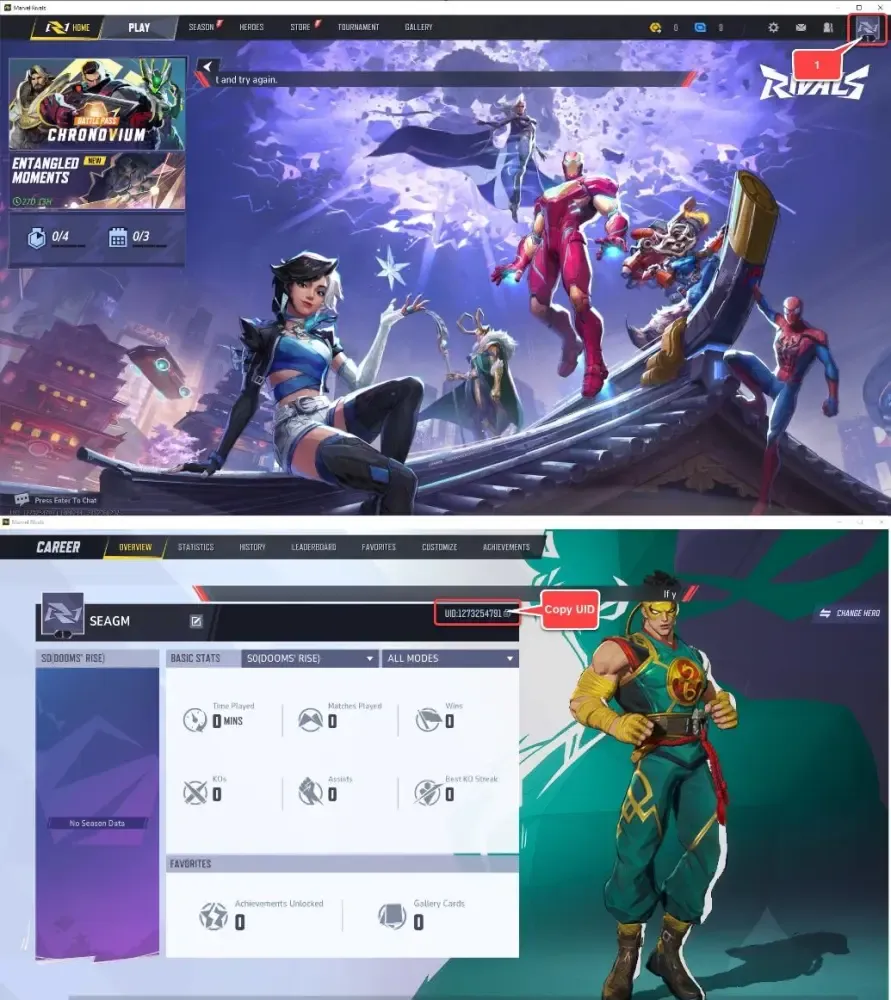
How to recharge Marvel Snap Gold

Make sure to copy the entire string including the numbers after the hash tag to avoid any delivery delays.


Optimal Gold Strategy in 2026: Bundles, Credits, Mission Refills, and Variants

Spending Gold efficiently ensures maximum card acquisition and account progression. Depending on whether your priority is competitive collection building or cosmetic customization, here is how the spending options compare in 2026:

Spending RouteCore ReturnStrategic Value
Curated Token BundlesHigh Collector's Tokens + Credits + CosmeticsHighest value for unlocking Series 4 and Series 5 meta cards directly from the Token Shop.
Daily Mission Refills150 Credits + 75 Season Pass XP per 120 GoldEquivalent to direct credit buying (1.25 ratio) plus bonus Season Pass progression toward seasonal caches.
Direct Credit Conversion500 Credits per 400 Gold (1.25x base)Useful for immediate card splitting and advancing Collection Level milestones.
Variant Shop (700 / 1200 Gold)Cosmetics + Album Milestone ProgressBest for completing specific Variant Albums that offer 2,000–5,000 Collector's Tokens or Spotlight Keys.

Card Acquisition vs. Cosmetic Priorities

  • If you want new cards fast: Save your Gold exclusively for high-yield Token bundles and Token Tuesday drops. Collector's Tokens remain the most consistent method to pin and purchase specific Series 4 and Series 5 staples.
  • If you want Season Pass efficiency: Refreshing daily missions costs 120 Gold per 2 missions. This provides 150 Credits and 75 Season Pass XP, helping you hit the 50+ level Season Pass track for bonus Mystery Variants and Gold caches.
  • If you are building Variant Albums: Check the album rewards in the collection screen before buying daily variants. Targeting albums that award Collector's Tokens or Keys provides both cosmetic satisfaction and resource progression.

Marvel Snap Top Up Safety: Why You Never Need to Share Account Passwords

Account safety is a top priority when purchasing in-game items. BitTopup uses direct ID-based delivery, meaning:

  • No Login Sharing: You will never be asked for your Google, Apple ID, Steam, or Nuverse login credentials.
  • Zero Risk of Account Hijacking: Because only your public Player ID is used, your login credentials, personal data, and payment information remain private.
  • Direct Balance Updates: Gold is credited straight to your game ID through direct system processing.
  • Protected Transactions: All orders on BitTopup are processed through encrypted payment channels, safeguarding your billing information.

Delivery Time and Troubleshooting Tips for Marvel Snap Gold Recharges

Gold orders on BitTopup are processed automatically upon payment clearance. In most cases, Gold appears in your account within a few moments. If your updated balance does not reflect right away, follow these troubleshooting steps:

  1. Force Restart the Game: Completely close the Marvel Snap application on your mobile device or exit via Steam on PC, then reopen it. This forces the client to sync with the server.
  2. Trigger a Server Refresh: Open the in-game Shop tab or start a quick match. Interacting with the game server forces a fresh balance pull.
  3. Check the In-Game Inbox: Occasionally, bonus event Gold or bundle items arrive as an in-game inbox claim rather than an instant counter change.
  4. Verify Your Player ID: Double-check the order confirmation email from BitTopup to ensure the Snap ID entered was completely accurate.
  5. Contact Support: If the balance has not updated after restarting, reach out to BitTopup customer support with your Order ID for prompt assistance.

Frequently Asked Questions About Marvel Snap Gold Top Up

What is the best thing to spend Gold on in Marvel Snap?

The highest-value use of Gold is purchasing curated Token bundles and high-yield shop bundles containing Collector's Tokens and Credits. If no good bundle is active, mission refills offer the best progression value by providing both Credits and Season Pass XP.

Where can I find my Marvel Snap Player ID to recharge Gold?

Open Marvel Snap, tap the Gear icon in the top-left corner to open Settings, scroll down to the bottom, and tap the "Tap to reveal Snap ID" button. Copy and paste the full ID string into the checkout page on BitTopup.

Do I need to share my Marvel Snap login credentials or password?

No. BitTopup requires only your public Marvel Snap Player ID. You should never share your account password, email, or social login credentials with anyone.

How long does it take for Marvel Snap Gold to arrive after purchasing?

Orders on BitTopup process immediately following successful payment. Reopening your game client will display your updated Gold balance almost instantly.

Can I buy cards directly with Marvel Snap Gold?

You cannot buy cards directly with Gold in the regular shop. However, you can convert Gold into Collector's Tokens via bundles to purchase targeted cards in the Token Shop, or convert Gold into Credits to raise your Collection Level and unlock cards through the Collection Track and Spotlight system.

What should I do if my recharged Gold does not appear immediately in-game?

Close and restart your Marvel Snap app to re-establish a server connection. If your balance does not update after a restart, check your order status on BitTopup and contact customer support with your Order ID.


Marvel Snap Gold ข่าวสารแนะนำ

การตั้งค่าความไว Blood Strike | สิงหาคม 2026

การตั้งค่าความไวใน Blood Strike เดือนสิงหาคม 2026 ยังคงเริ่มต้นด้วย 3 ค่าหลัก: การเร่งความเร็วแบบความเร็วคงที่ (Acceleration on Fixed Speed), ค่ามุมมองกล้องที่ตรงกับหน้าจอของคุณ, และความไวในการยิง (Firing Sensitivity) ที่ต่ำกว่าค่ามุมมองกล้อง 15–25% คั่นหน้านี้ไว้เป็นรายการโปรด เราจะอัปเดตตารางใหม่เมื่อ NetEase ปล่อยแพตช์ต่อสู้ถัดไป ัปเดตเมื่อ 2026-08-21: อัปเดตเวอร์ชัน 2026/08/11 เปิดใช้งานแล้ว โหมดจัดอันดับ BR-TPS เปิดเมื่อ 14 สิงหาคม โหมดเดธแมตช์ (First to 30) เริ่ม 21 สิงหาคม บัตร Urban Pulse Strike Pass วิ่งวันที่ 15 สิงหาคม – 14 กันยายน แรงถีบของ SVD ลดลง AK47 ได้รับลำกล้อง M-LOK ลองทดสอบกลุ่มกระสุนใหม่อีกครั้งหลังการเปลี่ยนแปลงเหล่านี้

โค้ด Blood Strike เดือนกันยายน 2025: LAUNCHGIFT ยังใช้ได้อยู่

คำตอบด่วน: มาตรวจสอบความเป็นจริงกัน – โค้ดโปรโมชันของ Blood Strike แทบจะหมดไปแล้วในเดือนกันยายน 2025 คุณอาจจะยังใช้ ‘LAUNCHGIFT’ ได้ (เน้นว่าอาจจะ) แต่ NetEase ได้เปลี่ยนไปเน้นกิจกรรมในเกมเพื่อแจกของฟรีแทนแล้ว ลองดูพวก Stamp Collection และ Lucky Airdrop แทนที่จะตามหาโค้ด

ข้อกำหนดของระบบสำหรับ Marvel Rivals: คู่มือ 60-120 FPS ในปี 2025

ข้อกำหนดขั้นต่ำสำหรับ Marvel Rivals คือโปรเซสเซอร์ Intel i5-6600K/Ryzen 5 1600X, RAM 16GB และการ์ดจอ GTX 1060/RX 580 หากต้องการ 60 FPS ให้ใช้การตั้งค่ากราฟิกปานกลางและเปิดใช้งานโหมดประสิทธิภาพ DLSS/FSR หากต้องการมากกว่า 120 FPS ให้ลดคุณภาพของ Global Illumination, เงา และการสะท้อนแสงลง พร้อมใช้โหมดเต็มหน้าจอและปิดใช้งาน V-Sync

การตั้งค่าคอนโทรลเลอร์ใน Marvel Rivals: คู่มือฉบับสมบูรณ์และการกำหนดค่า

Marvel Rivals รองรับคอนโทรลเลอร์อย่างเป็นทางการบน PC และคอนโซล พร้อมตัวเลือกการปรับแต่งที่หลากหลาย รวมถึงการตั้งค่าเฉพาะฮีโร่, เส้นโค้งการเล็งหลายแบบ (เชิงเส้น, เส้นโค้ง S สองโซน), การควบคุม Deadzone ขั้นสูง และการแมปปุ่มที่ครอบคลุม เพื่อประสิทธิภาพการแข่งขันที่ดีที่สุด

Marvel Rivals: คอนโทรลเลอร์ vs เมาส์ – การควบคุมแบบไหนดีกว่ากัน?

คำตอบสั้นๆ: เมาส์และคีย์บอร์ดให้ความแม่นยำที่เหนือกว่าสำหรับ Marvel Rivals โดยเฉพาะอย่างยิ่งสำหรับฮีโร่ที่สร้างความเสียหายอย่าง Hawkeye และ Black Widow แม้ว่าการช่วยเล็งของคอนโทรลเลอร์บน PC จะถูกกล่าวว่าอ่อนแอ แต่คอนโทรลเลอร์ก็ยังคงใช้งานได้สำหรับตัวละครสายแทงค์และซัพพอร์ต การตั้งค่าคอนโทรลเลอร์ที่ดีที่สุดรวมถึงเส้นโค้งเชิงเส้นที่มีความไว 200 ในขณะที่ผู้ใช้เมาส์ควรปิดการเร่งความเร็วและใช้ช่วง eDPI 200-400

ฮีโร่ที่รับมือ Spider-Man ได้: 7 ฮีโร่ที่ดีที่สุดในการรับมือกับเว็บสลิงเกอร์

คำตอบด่วน: รับมือ Spider-Man ด้วยฮีโร่ที่เล็งอัตโนมัติอย่าง Namor และ Scarlet Witch รวมถึงผู้เชี่ยวชาญด้านการควบคุมอย่าง Peni Parker และ Mantis ในขณะที่ป้องกันไม่ให้เขาแยกเป้าหมายด้วยการจัดทีมที่แน่นหนา การประสานงานการยิงและการใช้คูลดาวน์สกิลอย่างมีประสิทธิภาพเป็นสิ่งสำคัญ

สินค้าแนะนำ

Marvel Snap Gold คำถามที่พบบ่อยเกี่ยวกับการเติมเงิน

ใช้เวลานานเท่าใดกว่าที่คำสั่งซื้อจะเสร็จสมบูรณ์?
โดยปกติแล้ว คำสั่งซื้อจะเสร็จสมบูรณ์ภายในไม่กี่นาที หากมีความล่าช้าใดๆ โปรดติดต่อฝ่ายสนับสนุนลูกค้าของเรา
BitTopup คืออะไร?
BitTopup คือแพลตฟอร์มออนไลน์สำหรับเติมเกมและบริการต่าง ๆ ได้อย่างรวดเร็วและปลอดภัย
เวลาทำการของฝ่ายบริการลูกค้า?
ฝ่ายบริการลูกค้าของ BitTopup พร้อมให้บริการตลอด 24 ชั่วโมงทุกวัน

Marvel Snap Gold รีวิวจากลูกค้าเกี่ยวกับการเติมเงิน

รีวิวทั้งหมด: 563

คะแนนเฉลี่ย

how to top-up in bittopup

4.4

customer avatar
Ava Brown2026/09/01
บัตรของขวัญ Apple ใช้งานได้ไม่มีปัญหาเลย รหัสส่งตรงเข้าอีเมลของฉันทันทีหลังชำระเงิน
customer avatar
Philippe Eugène2026/09/05
BitTopup เป็นเว็บเติมเงินที่ดีที่สุด เป็นที่หนึ่งเลย
customer avatar
Sebastian Maravilla2026/09/02
แอปพลิเคชันยอดเยี่ยมมาก
customer avatar
Kelvin Goh2026/09/04
มีปัญหานิดหน่อยทำให้คำสั่งซื้อล่าช้า แต่ผู้จัดการฝ่ายดูแลลูกค้าเข้ามาช่วยจัดการและแก้ไขให้ทันที แถมยังทำตามสัญญาที่จะชดเชยให้ด้วย ผลลัพธ์น่าพึงพอใจมาก ขอบคุณสำหรับความใส่ใจครับ!
customer avatar
Kyoung-Eun Moon2026/09/04
ส่วนลดเยอะ เติมเงินไว และช่องทางการชำระเงินก็ง่ายมาก เวลาไม่รีบฉันก็ค่อยๆ เติมทีละนิดเหมือนเป็นการออมเงิน ดีมากๆ สำหรับการเติม diamonds แนะนำต่อให้เพื่อนหลายคนแล้วค่ะ
customer avatar
Octavine Bouka2026/09/01
พอใจกับแอปนี้มากสำหรับการเติมเหรียญ Poppo ราคาน่าสนใจมากและรู้สึกปลอดภัยตอนที่ซื้อ แนะนำให้ทุกคนเลย ขอบคุณมาก
customer avatar
zongyi lee2026/09/02
ตอนแรกก็แอบลังเล แต่หลังจากลองทำรายการจำนวนน้อยๆ ดูก็ยืนยันได้เลยว่าของจริง 100% ราคาถูกกว่าทั่วไปมาก และแพลตฟอร์มก็เสถียรดีจริงๆ ตราบใดที่ราคายังเป็นแบบนี้ ที่นี่จะเป็นร้านประจำของฉันแน่นอน
customer avatar
Juan Jo2026/09/04
แอปยอดเยี่ยมและมีประสิทธิภาพมาก ไม่มีอะไรจะติเลย ดีมากๆ ครับ
Marvel Snap Gold รีวิวทั้งหมด

ทำไมต้องเลือกเรา?

ธุรกรรมปลอดภัย 100%

ทุกการเติมเงินได้รับการปกป้องด้วยระบบรักษาความปลอดภัยในการชำระเงินที่เข้ารหัสตามมาตรฐานอุตสาหกรรม ซึ่งจะรักษาข้อมูลส่วนตัวและข้อมูลการชำระเงินของคุณไว้เป็นความลับอย่างสมบูรณ์ ช้อปได้อย่างมั่นใจ ปลอดภัย 100% ทุกครั้ง

บริการลูกค้าตลอด 24 ชั่วโมงทุกวัน

ทีมสนับสนุนที่เป็นมิตรของเราพร้อมให้บริการตลอด 24 ชั่วโมงเพื่อช่วยเหลือคุณทั้งก่อน ระหว่าง และหลังการซื้อ รับความช่วยเหลือที่รวดเร็วและเชื่อถือได้ทุกเมื่อที่คุณต้องการ ไม่ว่าจะเป็นกลางวันหรือกลางคืน

รับประกันคืนเงินเต็มจำนวน

เพลิดเพลินกับราคาที่คุ้มค่าที่สุดพร้อมการจัดส่งที่รวดเร็วและเชื่อถือได้ หากคำสั่งซื้อของคุณไม่ได้รับการจัดส่งหรือไม่สามารถใช้งานได้ เรารับประกันการคืนเงิน 100% เงินของคุณจะได้รับการคุ้มครองเสมอ

ช่องทางการชำระเงินที่รองรับ

PM_PIX - ช่วยเหลือด้านการชำระเงิน | BitTopupWG_PIX - ช่วยเหลือด้านการชำระเงิน | BitTopupPMKakaoPay - ช่วยเหลือด้านการชำระเงิน | BitTopupPMTNG - ช่วยเหลือด้านการชำระเงิน | BitTopupPMGCASH - ช่วยเหลือด้านการชำระเงิน | BitTopupPM_WALLET_NAVERPAY - ช่วยเหลือด้านการชำระเงิน | BitTopupPM_WALLET_PMPROMPTPAY - ช่วยเหลือด้านการชำระเงิน | BitTopupAlipay HK - ช่วยเหลือด้านการชำระเงิน | BitTopupDANA - ช่วยเหลือด้านการชำระเงิน | BitTopupAM_SBP - ช่วยเหลือด้านการชำระเงิน | BitTopupPM_OXXO - ช่วยเหลือด้านการชำระเงิน | BitTopupOVO - ช่วยเหลือด้านการชำระเงิน | BitTopupPMToss - ช่วยเหลือด้านการชำระเงิน | BitTopupWG_PAY_NOW - ช่วยเหลือด้านการชำระเงิน | BitTopupWG_BLIK - ช่วยเหลือด้านการชำระเงิน | BitTopupPM_CARD_SA - ช่วยเหลือด้านการชำระเงิน | BitTopupWG_PAYU - ช่วยเหลือด้านการชำระเงิน | BitTopupPM_WALLET_JKOPAY - ช่วยเหลือด้านการชำระเงิน | BitTopupWG_STCPAY - ช่วยเหลือด้านการชำระเงิน | BitTopupPM_WALLET_SAMSUNGPAY - ช่วยเหลือด้านการชำระเงิน | BitTopupPM_7_ELEVEN - ช่วยเหลือด้านการชำระเงิน | BitTopupAIRWALLEX_APPLEPAY - ช่วยเหลือด้านการชำระเงิน | BitTopupPM_WALLET_WECHATPAYHK - ช่วยเหลือด้านการชำระเงิน | BitTopupPM_NET_BANKING_FPX - ช่วยเหลือด้านการชำระเงิน | BitTopupAIRWALLEX - ช่วยเหลือด้านการชำระเงิน | BitTopupPM_WALLET_QRIS - ช่วยเหลือด้านการชำระเงิน | BitTopupAM_CARD_KZ - ช่วยเหลือด้านการชำระเงิน | BitTopupAM_CARD_BY - ช่วยเหลือด้านการชำระเงิน | BitTopupWG_SADAD - ช่วยเหลือด้านการชำระเงิน | BitTopupWG_MADA - ช่วยเหลือด้านการชำระเงิน | BitTopupAM_TBANK - ช่วยเหลือด้านการชำระเงิน | BitTopupAM_SBERPAY - ช่วยเหลือด้านการชำระเงิน | BitTopupPM_REALTIME_PAYMENT - ช่วยเหลือด้านการชำระเงิน | BitTopupPM_WALLET_GASH - ช่วยเหลือด้านการชำระเงิน | BitTopupPM_OKMART - ช่วยเหลือด้านการชำระเงิน | BitTopupPM_HILIFE - ช่วยเหลือด้านการชำระเงิน | BitTopupPM_FAMILYMART - ช่วยเหลือด้านการชำระเงิน | BitTopupPM_CARD_SA_CD - ช่วยเหลือด้านการชำระเงิน | BitTopupAM_CARD - ช่วยเหลือด้านการชำระเงิน | BitTopupPM_CARD_EU - ช่วยเหลือด้านการชำระเงิน | BitTopupPM_CARD_KNET - ช่วยเหลือด้านการชำระเงิน | BitTopupBIN_DO_PAY_ME - ช่วยเหลือด้านการชำระเงิน | BitTopupPM_CARD_JP - ช่วยเหลือด้านการชำระเงิน | BitTopupBIN_DO_OCTOPUS - ช่วยเหลือด้านการชำระเงิน | BitTopupPM_CARD_US - ช่วยเหลือด้านการชำระเงิน | BitTopupPM_CARD - ช่วยเหลือด้านการชำระเงิน | BitTopupPM_WALLET_SHOPEEPAY - ช่วยเหลือด้านการชำระเงิน | BitTopupPM_WALLET_PAOTANGPAY - ช่วยเหลือด้านการชำระเงิน | BitTopupPM_WALLET_LINEPAY - ช่วยเหลือด้านการชำระเงิน | BitTopupPM_WALLET_TRUEMONEY - ช่วยเหลือด้านการชำระเงิน | BitTopupD_LOCAL_MX_IO - ช่วยเหลือด้านการชำระเงิน | BitTopupD_LOCAL_MX_BQ - ช่วยเหลือด้านการชำระเงิน | BitTopupD_LOCAL_MX_SE - ช่วยเหลือด้านการชำระเงิน | BitTopupD_LOCAL_MX_SM - ช่วยเหลือด้านการชำระเงิน | BitTopupD_LOCAL_MX_BV - ช่วยเหลือด้านการชำระเงิน | BitTopupD_LOCAL_PK_HB - ช่วยเหลือด้านการชำระเงิน | BitTopupD_LOCAL_PK_JK - ช่วยเหลือด้านการชำระเงิน | BitTopupD_LOCAL_PK_ES - ช่วยเหลือด้านการชำระเงิน | BitTopupD_LOCAL_PK_IO - ช่วยเหลือด้านการชำระเงิน | BitTopupPMPayco - ช่วยเหลือด้านการชำระเงิน | BitTopupGOPAY - ช่วยเหลือด้านการชำระเงิน | BitTopupPMPAYMAYA - ช่วยเหลือด้านการชำระเงิน | BitTopupPMGRABPAYPH - ช่วยเหลือด้านการชำระเงิน | BitTopupPMGRABPAYMY - ช่วยเหลือด้านการชำระเงิน | BitTopupPMBOOST - ช่วยเหลือด้านการชำระเงิน | BitTopupAIRWALLEX_GOOGLEPAY - ช่วยเหลือด้านการชำระเงิน | BitTopupWG_PAYTM - ช่วยเหลือด้านการชำระเงิน | BitTopupPM_BANK_TRANSFER_PSE - ช่วยเหลือด้านการชำระเงิน | BitTopupPM_BANK_TRANSFER_EFECTY - ช่วยเหลือด้านการชำระเงิน | BitTopupWG_BPI - ช่วยเหลือด้านการชำระเงิน | BitTopupWG_GCASH - ช่วยเหลือด้านการชำระเงิน | BitTopupWG_BANCOMAT_PAY - ช่วยเหลือด้านการชำระเงิน | BitTopupWG_iDEAL - ช่วยเหลือด้านการชำระเงิน | BitTopupWG_BANCONTACT - ช่วยเหลือด้านการชำระเงิน | BitTopupPM_CARD_APPLE_US - ช่วยเหลือด้านการชำระเงิน | BitTopupPM_APPLEPAY - ช่วยเหลือด้านการชำระเงิน | BitTopupD_LOCAL_PH_PM - ช่วยเหลือด้านการชำระเงิน | BitTopupD_LOCAL_PH_GY - ช่วยเหลือด้านการชำระเงิน | BitTopupWG_BHIM - ช่วยเหลือด้านการชำระเงิน | BitTopupPM_WALLET_STCPAY - ช่วยเหลือด้านการชำระเงิน | BitTopupPM_GOOGLEPAY_US - ช่วยเหลือด้านการชำระเงิน | BitTopupPM_GOOGLEPAY - ช่วยเหลือด้านการชำระเงิน | BitTopupD_LOCAL_TH_TK - ช่วยเหลือด้านการชำระเงิน | BitTopupGATE_IO_PAY - ช่วยเหลือด้านการชำระเงิน | BitTopupBINANCE_PAY - ช่วยเหลือด้านการชำระเงิน | BitTopupWG_PHONE_PE - ช่วยเหลือด้านการชำระเงิน | BitTopupAIRWALLEX_EPS - ช่วยเหลือด้านการชำระเงิน | BitTopupAIRWALLEX_SWISH - ช่วยเหลือด้านการชำระเงิน | BitTopupPAY_LOCO_ESumLifeET - ช่วยเหลือด้านการชำระเงิน | BitTopupPAY_LOCO_ESumFamilyMart - ช่วยเหลือด้านการชำระเงิน | BitTopupPAY_LOCO_ESum711 - ช่วยเหลือด้านการชำระเงิน | BitTopupBIT_WALLET - ช่วยเหลือด้านการชำระเงิน | BitTopupPayPal - ช่วยเหลือด้านการชำระเงิน | BitTopupAIRWALLEX_TRUSTLY - ช่วยเหลือด้านการชำระเงิน | BitTopup

10 Years Trusted Game & Live Streaming Top-Up Platform

Since 2016 | 5,000,000+ Users Worldwide

KAMAGEN LIMITED

Room 1508, 15/F, Grand Plaza Office Tower II, 625 Nathan Road, Mong Kok, Kowloon, Hong Kong

BUSINESS COOPERATION: ibittopup@gmail.com

© 2016-2026 BitTopup. All Rights Reserved.


Trusted & Verified by

ScamAdviser review of BitTopupGridinsoft review of BitTopupTrustpilot review of BitTopup
customer service