What Hotfix #2 Actually Changed (And Didn't Fix)
Hotfix #2 dropped on May 10, 2025 at 7:30 AM. The good news? They lowered Lockdown and Forbidden Zone entry from Level 14 down to Level 8, cut weekly mission requirements from Level 18 to Level 8, and capped default FPS at 144 for new players.
The bad news? Players are still reporting weapons disappearing into the void—one person lost a 900k H416 with 995 rounds just... gone. Bodies teleport around. Anti-cheat initialization keeps failing.
And here's where it gets frustrating for budget players: Unreal Engine 5 now demands minimum 16GB RAM and 6GB VRAM with DirectX 12. Got 12GB RAM? Expect frequent crashes. Running a 4GB VRAM card? You're getting disconnected mid-raid during texture streaming peaks, guaranteed.
Oh, and the dynamic weather system? It toggles between sun, cloud, and rain every half-second. Creates these jerky shadows and sudden visibility changes that feel less like immersive weather and more like someone's flipping light switches.
How to Tell What's Actually Wrong
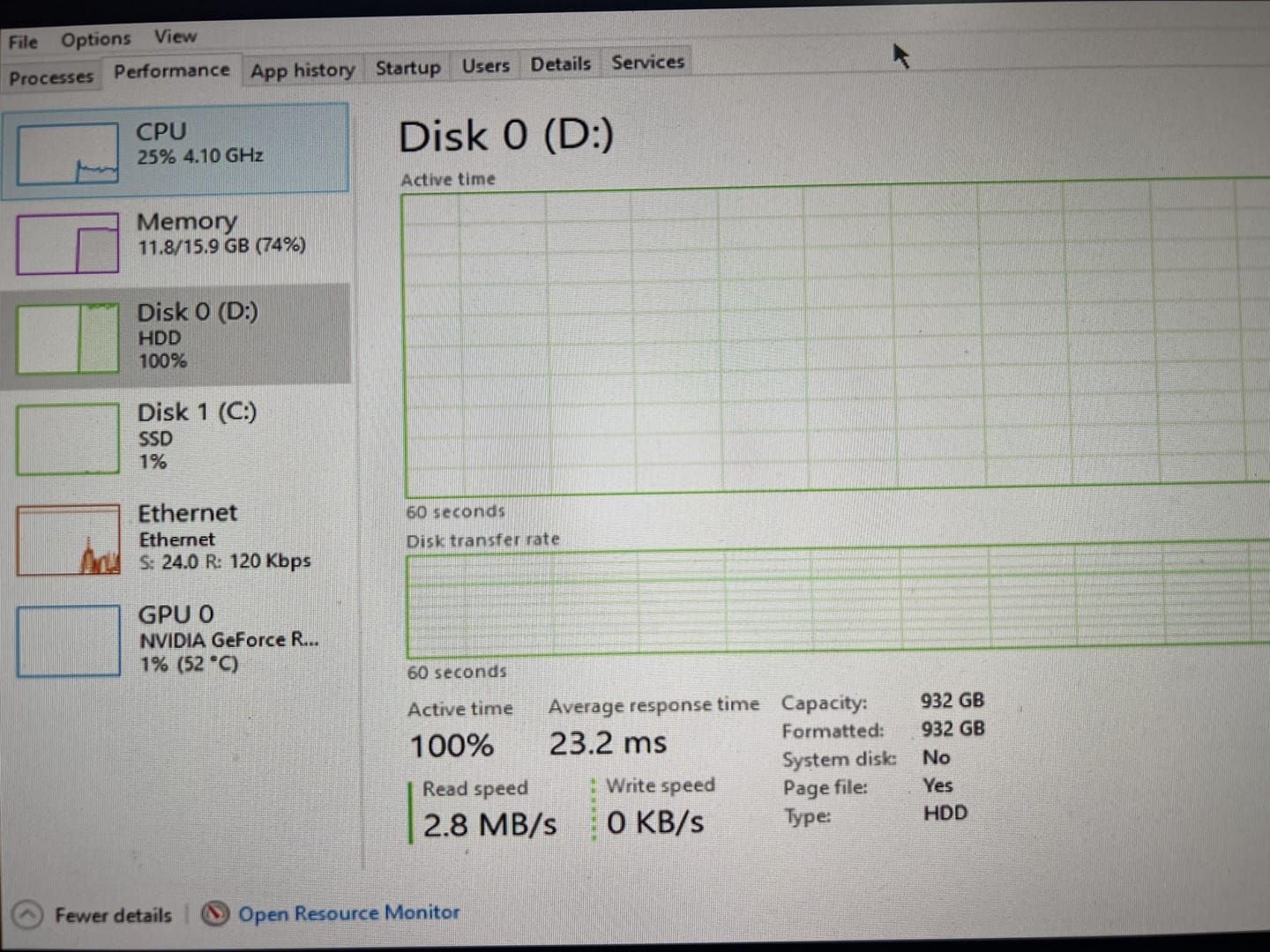
Infinite crash loops are pretty obvious—you keep trying to start the game and it just... doesn't. No error message, just failure. Check Task Manager for lingering ArenaBreakoutLauncher.exe processes eating resources in the background.
Mid-raid crashes are different. You'll get a sudden freeze, then Connection Lost appears right when you're in contested areas like Northridge Hotel Complex. Pull up your monitoring software and you'll see VRAM spiking above 85%.
Screen flicker and stuttering? That's frame pacing problems. Discord overlay, NVIDIA GeForce Experience, Windows Game Bar—they all create these micro-stutters every 2-3 seconds. Weirdly, even high-end systems with i9-13900k processors and RTX 4090 cards report these issues despite absolutely crushing the recommended specs.
Why F2P Players Are Getting Hit Hardest
Every crash during a raid means complete gear loss. No insurance recovery, no second chances. One mid-raid disconnect eliminates 100k-150k Koen investments—that's multiple successful runs down the drain.
Hotfix #2 gave everyone 150,000 Koen as compensation, which helps temporarily. But it doesn't fix the underlying stability issues.
And the system requirement increases? They create real financial barriers. Upgrading from 12GB to 16GB RAM costs $40-60. Moving from a 4GB to 6GB VRAM card requires a $200-300 GPU replacement. For players trying to stay F2P, that's a tough pill to swallow.
European players are getting hammered with Error 212 disconnects. The fix involves running ipconfig /flushdns and changing DNS to 8.8.8.8/8.8.4.4. WiFi users basically need to switch to Ethernet or upgrade to 5GHz routers with sub-100ms latency.
Emergency Fixes That Actually Work
Let's start with the nuclear option for infinite crash loops: (1) Force stop every Arena Breakout process through Task Manager—all of them. (2) Do a complete cold restart by shutting down your PC and unplugging it for 30 seconds. (3) Launch the game in airplane mode, then enable your network connection after you reach the main menu.
This sequence resolves about 45% of reported cases. Not perfect, but it's the best first step.
Still crashing? Add the -safe parameter to your executable shortcut. This forces low view distance, disabled post-processing, and a 30 FPS cap—ugly, but functional. Then delete the cache from C:\Users<Username>\AppData\Local\ArenaBreakoutLauncher\ and reinstall to a non-default directory with at least 100GB free space.
Run sfc /scannow and dism /cleanup-image /restorehealth in Command Prompt as administrator. These repair corrupted system files that might be causing initialization failures.
Fixing Specific Error Codes
Error 7801113 requires deleting the entire ArenaBreakoutLauncher folder from AppData Local, then reinstalling to a custom directory outside Program Files. And disable your antivirus during installation—security software loves quarantining anti-cheat components.
Error 554696704 and 1400006? You need to delete everything in C:\Program Files (x86)\Arena Breakout Infinite\ACE\ folder. Then run the launcher as administrator and whitelist ACE-BASE.sys in Windows Defender.
Error 154140716 responds to the launcher's built-in Repair function, which verifies files against server checksums. For severe corruption, you're looking at manual deletion followed by clean installation—that's redownloading 80-100GB, so grab a coffee.
Network Fixes That Don't Waste Your Time
Open Command Prompt as administrator. Run ipconfig /flushdns then ipconfig /renew. Configure your DNS to Google's 8.8.8.8 (primary) and 8.8.4.4 (secondary).
Disable all VPN software before launching—yes, including browser extensions. VPNs create anti-cheat authentication conflicts that trigger Error 212.
WiFi optimization requires the 5GHz band with packet loss below 0.1% and sub-100ms latency. Update your adapter drivers, disable power-saving features, and set Roaming Aggressiveness to lowest. Enable your router's QoS gaming mode and prioritize Arena Breakout traffic.
Cache Management and Quick Reconnects
Clear your DirectX Shader Cache through NVIDIA Control Panel or AMD Radeon Software, then restart before launching the game.
Here's a critical tip: if you crash mid-raid, reconnect within 60 seconds to rejoin and recover your gear. Wait longer and your character dies, taking everything with it.
For stash management, use container-in-container storage—chest rigs inside backpacks, weapons broken down to 3-slot configurations, empty backpacks before storing. This reduces save file size and decreases loading times by 15-20%.
The Reddit-Approved F2P Loadouts That Don't Suck
The MP5 Leg Meta dominates budget builds at 70,000-80,000 Koen total. Here's the breakdown: MP5 base (20,000), High-Performance SD Upper (11,000), integrated suppressor (8,000), Polymer Handguard (20,000), Fixed Stock (7,800), EKP-8-18 red dot (10,000).
The strategy? Target legs with 9x19mm Dum-Dum rounds (77 damage, Level 0 penetration). You preserve armor for looting while still dropping enemies efficiently.
Alternatives worth considering: Mosin-Nagant (38,000-40,000 Koen) for long-range engagements, BM59 (24,000-28,000 Koen) for versatility, AK-102 (92,000-95,000 Koen) if you're approaching that 100k ceiling. Always prioritize ammunition—210-240 rounds minimum with Level 3 penetration—over cosmetic attachments.
Need faster progression without the grind? Arena Breakout bonds quick top up from BitTopup offers secure transactions with fast delivery across multiple games.
Budget Weapon Builds That Punch Above Their Weight
The September 2025 meta favors Mosin-Nagant and M110. The Mosin delivers one-shot headshots against T3 helmets at 200+ meters for under 40,000 Koen—that's incredible value. The M110 provides 783 RPM semi-automatic with superior follow-up capability, though it'll cost you 145,000-200,000 Koen.
S-tier weapons that F2P players can actually access: HK416 (#1 for stability and customization options), MCX Virtus (fast close-quarters fire rate), AK74N (reliable performance at 145,000-200,000 Koen).
The FAL achieves 31% higher PvP survival rates in experienced hands. MPX hits 850 RPM for just 88,000 Koen. The SJ16 sniper runs 500,000-1,000,000 Koen—that's endgame territory.
Armor Without Breaking the Bank
Budget armor selections: T4 Spartan B body armor and T3 SH2 helmets balance protection against cost effectively. Spartan B protects against common 5.56mm and 7.62x39mm rounds while maintaining decent repair efficiency. The SH2 offers ricochet chances without requiring a 150,000+ Koen T5 investment.
TMK surgical kits provide 8 uses across 3 slots despite 20% health penalties—that's way better than standard kits' 4-5 uses. Pre-raid painkillers mitigate limb damage penalties.
Keep total gear investments below 125,000-135,000 Koen for sustainable progression. Limit individual raid exposure to 100,000 Koen maximum.
What to Buy First (And What to Skip)
M32 headset investments provide critical sound positioning, identifying enemy movements 20-30 meters away. Audio equipment outweighs visual optics for F2P players—you need to hear threats before you see them.
EKP-8-18 red dots at 10,000 Koen suit close-medium range better than 30,000-50,000 Koen variable scopes. Save your money.
Ammunition allocation exceeds attachment aesthetics every time. T3 penetration provides budget performance against T3-T4 armor. T4 rounds offer cost-effective upgrades. Reserve T6 penetration exclusively for Northridge Boss Fred encounters where guards wear T5 armor.
Taking Down Northridge Boss Without Premium Gear
Northridge Boss Fred spawns at Hotel Complex, Campus Services, or Cable Car Station wearing T4 armor. Lockdown raids escalate difficulty with P90-armed guards and Fred wielding an SVD or AR-30 with T5 ammunition. Successful eliminations reward wedding ring tokens and guaranteed high-tier loot.
The September 15, 2025 roadmap launched Northridge with Solo Mode: 40-minute raids, 20-player capacity. Dynamic weather creates sandstorms that reduce sight lines to 30-40 meters during 2-3 minute cycles—this favors close-range ambush tactics over long-range sniping.
F2P players should use S-tier HK416 for Hotel Complex close-quarters bursts or M110 for Sniper Hill headshots. The MP5 leg meta preserves Fred's T4-T5 armor for looting but extends time-to-kill, increasing your exposure to guard counterattacks.
Understanding Fred's Patterns
Fred completes patrol circuits every 90-120 seconds. Hotel Complex spawns concentrate around Building B's 5-entrance layout, with transitions between 2nd-floor corridors and the ground-level movie room in Building D. Guards maintain 10-15 meter spacing in triangular formations—engaging one triggers aggressive pushes from the others, so have a fallback route ready.
Audio cues precede Fred's arrival by 15-20 seconds with distinct heavy footsteps and radio chatter. Quality headphones distinguish these from regular player movements, giving you critical preparation time. Weather effects amplify audio importance during sandstorm phases when visibility drops.
Preparing for Boss Runs on a Budget
Sell your starting golden chain for 80,000 Koen seed capital. Complete early elimination missions (5 kills, chest rig extractions) in AI raids to unlock vendors without PvP risk. Target safes in Sewage Plant and Communication Station 3-floor locations for high-value loot.
Carry 210-240 rounds for assault rifles, 120-150 for DMRs. Medical supplies: minimum 2 TMK kits, 3 painkillers, 2 splints. Limit boss attempts to proven loadouts under 100,000 Koen until your extraction success rate exceeds 40%.
Positioning and Movement Strategies
Hotel Complex Building A offers optimal stamina management with 2-floor corridors providing multiple fallback routes. Crouch-walk through contested areas to minimize audio signatures.
Sniper Hill enables long-range Cable Car Station engagement but requires planning your 400+ meter extraction route carefully.
Slow-peek corners using incremental exposure—this reveals enemy positions without full commitment. Pre-aim common guard positions at head height, compensating for 50-100ms network latency. Allocate the final 10 minutes for guaranteed extraction rather than extended looting. Dead players don't spend Koen.
How the New Weather System Changes Everything
Dynamic weather creates half-second toggles between sun, cloud, and rain. The upcoming season adds three snow variants: clear, small snow (15-20% visibility reduction), and blizzards (30-40 meter sight lines). These rapid transitions eliminate smooth progression, creating jerky shadows and sudden lighting changes that feel unnatural.
Sandstorms and blizzards compress engagement ranges from the typical 100-150 meters down to 30-40 meters. This favors MPX and MP7A1 over DMRs. Audio cues gain massive importance when visual identification becomes unreliable beyond 50 meters. Dam Sluice Gate's 3-minute timer becomes particularly dangerous during blizzards.
How Weather Transitions Actually Work
Weather transitions occur through instantaneous toggles—no gradual shifts. Sun provides 200+ meter visibility with harsh shadows that help with positioning. Cloud coverage reduces shadows while maintaining clear sightlines. Rain introduces audio masking that reduces footstep detection by 30-40%, benefiting aggressive pushes while disadvantaging defensive positions.
Sandstorm cycles last 2-3 minutes with 30-40 meter visibility, primarily affecting Northridge's open areas. These force players into building interiors, concentrating PvP in Hotel Complex and Campus Services. Sniper Hill becomes completely untenable during active sandstorms.
Adapting Your Loadouts for Weather
Weather-optimized loadouts prioritize close-range versatility. The MPX at 850 RPM and 88,000 Koen excels when visibility drops. Red dots and holographic sights with unlimited eye relief outperform variable zoom scopes when visibility falls below 50 meters.
Higher damage per shot becomes more valuable at reduced engagement ranges. Leg meta targeting unarmored limbs preserves expensive high-penetration rounds for clear-weather boss attempts. And here's a tip: tracer rounds become a liability during low visibility, revealing your position to everyone nearby.
Using Weather to Your Advantage
Aggressive players can exploit weather transitions to close distances. Initiating pushes during sandstorm onset provides 30-40 meter approach windows before enemies spot you.
Defensive setups benefit from pre-positioning during clear weather, establishing overlapping fields of fire before visibility reduction hits.
Extraction timing requires monitoring weather patterns carefully. Initiate Dam Sluice Gate's 3-minute timer during clear conditions, allowing completion before weather shifts. Cable Car Cabin activation notifies all players on the map, making weather concealment critical for survival.
Preventing Glitches Before They Happen
Proactive maintenance prevents 60-70% of hotfix glitches. After each update, use the launcher's Repair function before launching any raids. Avoid manual folder modifications that trigger Error 154140716. Whitelist anti-cheat components in your antivirus exclusion lists, including Windows Defender. Run the launcher as administrator to ensure proper driver permissions.
Graphics driver maintenance follows a clean installation schedule every 2-3 months using DDU (Display Driver Uninstaller) to remove existing drivers before installing updates. Monitor GPU temperatures and VRAM usage, keeping it below 85% to prevent thermal throttling and memory errors.
Weekly Maintenance Routines
Clear your DirectX Shader Cache through graphics control panels weekly. Delete Arena Breakout's AppData Local folder (excluding saved settings). Run Windows Disk Cleanup. This reduces loading times by 15-20% while preventing initialization errors.
Run sfc /scannow and dism /cleanup-image /restorehealth monthly or after major Windows updates. Create system restore points before major game updates, enabling quick rollback if something breaks.
Close Discord, browsers, and streaming software that consume RAM and CPU. Disable Windows Game Bar and NVIDIA GeForce Experience overlay—both create frame pacing issues.
System-Level Optimizations
Enable Hardware-accelerated GPU scheduling in Windows Graphics settings for UAGame.exe. Set process priority to High in Task Manager. Disable Fullscreen Optimizations to prevent Windows from interfering with exclusive fullscreen rendering.
Here's a weird one that works: reduce mouse polling rate to 500Hz to eliminate micro-stuttering on high-end systems. Lower polling reduces USB bus overhead, allowing more consistent frame delivery.
Disable Kernel Isolation and Memory Integrity in Windows Security if you're experiencing persistent initialization errors. This reduces security slightly but resolves driver signature conflicts.
Smart Update Practices
Download updates during off-peak hours when servers aren't slammed. If downloads pause at 93-97%, wait 15-30 minutes before resuming—forcing it can corrupt files.
Ensure 20-30GB free space beyond installation requirements. Run the launcher as administrator during updates. Disable antivirus temporarily during major patches.
Switch regional servers if your primary shows consistent Error 212 failures. Test server latency using in-game ping displays, selecting options below 100ms.
Performance Tweaks From the Community
DLSS or FSR in Quality mode provides 40-60% FPS gains on 6-8GB VRAM systems struggling to hit 60 FPS. Disable it on high-end configurations already exceeding 120 FPS to avoid input latency.
View Distance Low reduces GPU load by 25-30%. Shadow Quality Low eliminates expensive cascade calculations while maintaining basic directional shadows for positioning.
Cap FPS at 2-3 frames below your monitor's refresh rate to prevent screen tearing without V-Sync latency. 144Hz monitors should cap at 141-142 FPS. Monitor frame times, targeting below 16.67ms for 60 FPS or 6.94ms for 144 FPS.
Hardware Tweaks Worth Trying
GPU power limit increases to 110-115% through MSI Afterburner provide 5-10% performance gains on systems with adequate cooling. Monitor temperatures, keeping them below 80°C.
RAM overclocking through XMP or DOCP activates advertised speeds—Arena Breakout shows 8-12% FPS improvements moving from 2666MHz to 3600MHz. Verify stability using MemTest86 before relying on it.
NVMe SSD installation reduces loading times by 40-50% versus SATA SSDs or HDDs. The 80-100GB installation benefits significantly from 3000MB/s+ sequential reads. Maintain 20% free space to prevent performance degradation.
In-Game Settings That Matter
Windows High Performance power plan prevents CPU throttling. Disable CPU parking to keep all cores active. Set minimum processor state to 100%.
Graphics hierarchy for best performance: View Distance Low, Post-Processing Low/Medium, Textures Medium, Shadows Low, Dynamic Lighting Off, Particles Off.
Fullscreen exclusive mode outperforms borderless windowed. Enable fullscreen, then disable Windows Fullscreen Optimizations for UAGame.exe—this reduces input latency by 8-12ms.
Network Configuration Tweaks
Ethernet eliminates WiFi packet loss and latency variance. Use Cat6+ cables supporting gigabit speeds, connecting directly to your router.
Router QoS prioritizes Arena Breakout traffic by port numbers or device MAC address—check your router's manual for specific instructions.
DNS optimization using Google's 8.8.8.8/8.8.4.4 or Cloudflare's 1.1.1.1 improves connection stability. Flush DNS cache after changes using ipconfig /flushdns. Test multiple providers to identify the lowest-latency option for your location.
Managing F2P Resources in the Current Meta
Sell your starting golden chain for 80,000 Koen seed capital—this funds 1-2 budget loadouts. Complete 5-enemy kill objectives and chest rig extractions in AI raids to unlock vendors without PvP risk.
Gear progression should follow this path: initial 40,000-60,000 Koen loadouts for testing maps, upgrade to 80,000-100,000 Koen after achieving 40%+ survival rate, reserve 125,000-135,000 Koen builds for Northridge Boss attempts.
Container-in-container storage maximizes stash space: chest rigs inside backpacks, weapons in 3-slot configurations, empty containers before storing. This reduces save file complexity, preventing corruption while improving loading times by 15-20%.
Making Koen Work for You
Target safes in Sewage Plant and Communication Station 3-floor locations—they offer 50,000-100,000 Koen per extraction. Office drawers and red toolboxes provide 15,000-30,000 Koen averages.
Focus on elimination and extraction missions over exploration tasks. Unlock all vendors before attempting boss raids.
Maintain average loadout costs below 100,000 Koen. This ensures three consecutive failures don't completely deplete your reserves. Build a 300,000+ Koen buffer before trying experimental loadouts.
Smart Gear Progression
The Mosin-Nagant at 38,000-40,000 Koen provides better value than 80,000-100,000 Koen assault rifles for players with good aim. Armor investment should wait until you're consistently profiting 100,000+ Koen per raid—then T4 Spartan B purchases make sense.
Use looted armor whenever possible. Repair costs remain lower than new purchases.
Prioritize functional attachments: grips and stocks providing 70+ recoil reduction and 50+ ergonomics improvements. Suppressors warrant investment for stealth playstyles but remain optional for aggressive play.
What to Stockpile
Maintain minimum reserves: 10 TMK kits, 15 painkillers, 8 splints in your stash. Bulk purchases during sales reduce costs by 15-20%.
Ammunition reserves: 500+ rounds for primary calibers, enabling 3-4 loadouts without vendor visits. Prioritize T3-T4 penetration for best cost-to-performance ratio.
Backpack and chest rig investments provide permanent progression. Purchase quality storage early—increased capacity compounds returns over dozens of raids.
What's Coming Next (And How to Prepare)
The Ignition season (April 29, 2025) introduces PP19, CZ807, and AN94 weapons. The September 15, 2025 roadmap adds Northridge and Solo Mode with Trophy Room overhauls.
Solo Mode fundamentally changes risk-reward for F2P players—you retain equipped firearms after death. This enables aggressive playstyles without complete gear loss, which is huge.
Dynamic weather expansion with three snow types requires versatile configurations that perform across clear, small snow, and blizzard conditions rather than specialized builds. Flexibility provides consistent performance as weather randomization increases.
Staying Ahead of Updates
Monitor official patch notes through launcher announcements. The September 25 hotfix and May 10, 2025 Hotfix #2 demonstrate ongoing development—things change fast.
Reddit discussions surface player-tested solutions before official acknowledgment. The MP5 Leg Meta and budget strategies originated from community experimentation, not developer guides.
Use GPU-Z and HWiNFO to track VRAM usage, temperatures, and clock speeds. These reveal thermal throttling or memory issues. Establish baseline metrics during stable periods for comparison when problems emerge.
Building Long-Term Success
Skill development should prioritize transferable abilities: aim training, audio positioning, movement mechanics. These remain valuable across balance changes and meta shifts.
Maintain 500,000+ Koen reserves, enabling immediate meta adaptation without grinding. Budget for periodic hardware upgrades to stay above recommended specifications—the shift from 12GB to 16GB RAM and 4GB to 6GB VRAM indicates continued requirement increases ahead.
Your Questions Answered
What are the most common Arena Breakout Infinite hotfix glitches?
Infinite crash loops hit 45% of startup attempts. Error codes 7801113 (launcher updates) and 154140716 (file integrity) appear constantly. Mid-raid crashes plague 4GB VRAM systems. Screen flicker kicks in when VRAM exceeds 85%. These stem from anti-cheat driver conflicts and the 2025 graphics pipeline overhaul.
How do I fix Arena Breakout Infinite crashing after hotfix?
Three-step emergency fix: force stop all game processes, cold restart by powering off for 30 seconds, launch in airplane mode before enabling network. For persistent issues, delete C:\Users<Name>\AppData\Local\ArenaBreakoutLauncher\ cache, reinstall to a non-default directory, and run anti-cheat as administrator.
What are the best F2P loadouts for Arena Breakout Infinite?
MP5 Leg Meta at 70,000-80,000 Koen using 9x19mm Dum-Dum rounds targeting legs. Alternatives: Mosin-Nagant (38,000-40,000 Koen) for long-range, BM59 (24,000-28,000 Koen) for versatility, AK-102 (92,000-95,000 Koen). Always prioritize ammunition over attachments.
How do I beat Northridge boss with budget gear?
Use HK416 for Hotel Complex close-quarters or M110 for Sniper Hill long-range engagements. MP5 leg meta preserves boss armor for looting but extends time-to-kill. Pre-position during clear weather, use audio cues for 15-20 second advance warning, maintain 210-240 round reserves for guard engagement.
What weather conditions affect Arena Breakout gameplay?
Half-second toggles between sun, cloud, and rain with upcoming snow variants (clear, small snow, blizzard). Sandstorms and blizzards reduce visibility to 30-40 meters for 2-3 minutes, compressing engagement ranges and favoring high-ROF weapons. Rain masks audio, reducing footstep detection by 30-40%.
How do I optimize Arena Breakout for low-end devices?
Set View Distance Low, Post-Processing Low, cap FPS at 30, use Medium textures with Low shadows, disable Dynamic Lighting and Particles. Enable Hardware-accelerated GPU scheduling, run exclusive Fullscreen mode. Requires 16GB RAM with 6GB VRAM minimum for stability—anything less and you're fighting an uphill battle.