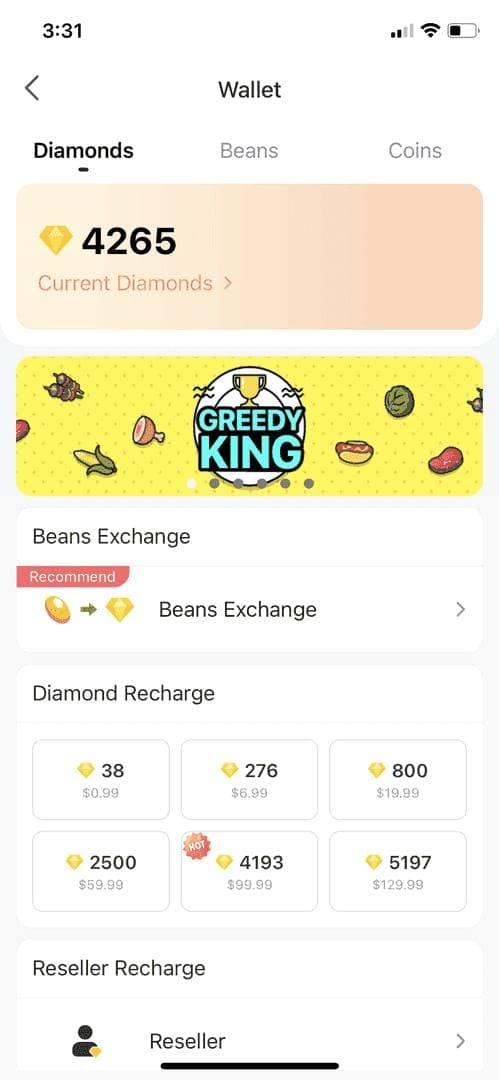
7 Primary Freeze Triggers
Trigger #1: First-Time Large Purchase
Start at $5-10 USD to build history. Jumping to $50+ lacks gradual patterns legitimate users display. System sees sudden high-value as potential compromise.
Build history over 2-3 smaller purchases before increasing. This approach reduces holds by 60-70% vs immediate large purchases.
Trigger #2: Payment & Regional Mismatch
Account location differs from payment origin = automatic flag. Singapore account + European card triggers verification. Currency conversion between unrelated regions adds scrutiny.
Match payment method to registered region. If traveling, use home country payment methods. Regional compliance requires verification in both jurisdictions.
Trigger #3: Rapid Successive Recharges
Multiple recharges within hours suggest bot activity or stolen credentials. Anti-fraud monitors transaction velocity.
Space recharges 24-48 hours apart. Need larger amounts? Make one consolidated purchase vs multiple small transactions.
Trigger #4: New Account + High-Value
Accounts under 30 days face automatic enhanced scrutiny. Combined with $50+ purchases = 14-day review. Highest-risk category.
Maintain consistent logins 7-10 days before first purchase. Complete phone and email verification before recharging.
Trigger #5: Payment Source Issues
Bank payment holds, refund freezes (immediate lock), illegal third-party methods = permanent locks.
Use only official channels or verified platforms. Don't initiate refunds during reviews—confirms fraud suspicions. Stop additional recharges during freezes.
Trigger #6: VPN/Proxy Usage
VPN masks location, creating regional mismatches interpreted as unauthorized access.
Disable VPN before recharging. Reconnect after diamonds appear. Maintains privacy while avoiding payment verification triggers.
Trigger #7: Unusual AI-Detected Patterns
Machine learning identifies: unusual purchase hours for timezone, inconsistent payment methods, amounts not matching typical usage.
Establish consistent patterns. Typical $20 monthly then sudden $200 = anomalous. Gradually increase over months. AI learns normal behavior and flags deviations.
Understanding 7-Day vs 14-Day Reviews
What Determines Length:
Verified accounts with history: 7-day standard. New accounts, large purchases, regional mismatches: 14-day extended. Credit cards: 5-7 days for bank verification alone.
Full verification (ID, phone, email) reduces holds 60-70%. Phone verification alone: 30-40% reduction.
Standard 7-Day:
Applies to straightforward cases. Automatic analysis 24-48 hours, manual review days 4-7, clearance days 8-14. Most resolve by day 5-7 without additional documentation.
Extended 14-Day:
New accounts over $100 USD automatic. Multiple risk factors (VPN + regional mismatch + large amount) = maximum duration.
Required documentation: payment emails, bank screenshots, wallet screenshots, Transaction IDs, government ID. Submit complete docs upfront to accelerate manual review.
Beyond 14 Days?
Standard cap: 14 working days. Incomplete documentation or additional verification requests reset clock. Payment provider delays can extend timelines.
Respond promptly to BIGO requests. Wait 5-7 business days before follow-up. Excessive contact delays responses.
Immediate Actions When Frozen
Step 1: Verify Transaction Status
Navigate Settings > Feedback > Account Issues for detailed freeze reasons. Screenshot messages—critical for support. Check email for BIGO notifications with reference numbers. Note freeze date in transaction history.
Step 2: Gather Documentation
- Payment confirmation emails (exact amount, date)
- Bank screenshots (charge + your name visible)
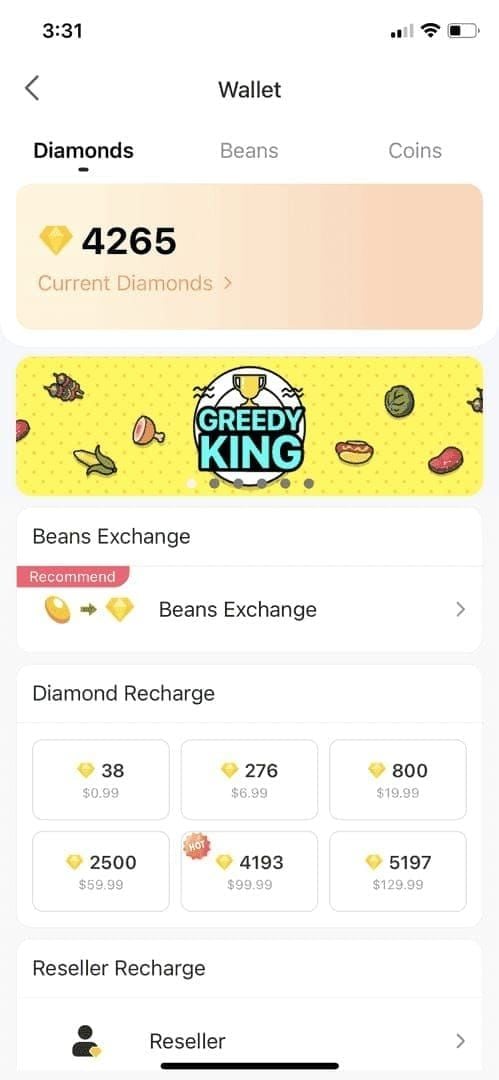
- Wallet screenshots (transaction history + frozen balance)
- Transaction ID from confirmation
- Government ID (passport/national ID with photo)
Step 3: Check Security Settings
Review verification completeness. Add/verify phone number. Confirm email. Complete security questions or 2FA setup.
Update profile to match payment details exactly: name spelling, country, contact info. Inconsistencies extend verification.
Step 4: Avoid These Mistakes
Never:
- Initiate refunds during review (confirms fraud suspicions, permanent restrictions)
- Make additional recharges (complicates existing review)
- Create multiple support tickets (duplicate cases delay resolution)
How to Unfreeze Faster
Contact BIGO Support
Email: feedback@bigo.tv
Subject:Frozen Diamond Balance - [Your User ID]Include: User ID, registered email, phone, transaction date, exact amount, payment method, freeze date. Keep concise and factual.
Phone: +65 63519330 (GMT+8 business hours)
Have User ID and Transaction ID ready. Explain calmly, emphasize willingness to verify.
For reliable recharge methods minimizing issues, BIGO top up under review how to unfreeze processes help. BitTopup offers pre-verified channels reducing security flags.
Submit Verification Documents
Attach all docs to initial email vs waiting for requests:
- Payment confirmation PDFs
- Bank statements (charge + name + date visible)
- Wallet screenshots (frozen balance)
- Transaction ID (highlighted in screenshots)
- Government ID (front/back if applicable)
Comprehensive submissions move to priority queues—analysts complete without requesting more info.
In-App vs Email
In-App: Settings > Feedback > Account Issues > Frozen Balance > Unfreeze My Account. Creates tickets with automatic User ID. Direct device uploads.
Email: More space for explanations, larger attachments. Use in-app for straightforward cases. Choose email for complex situations with extensive documentation.
Response Times
Initial automated acknowledgment: 24 hours. Substantive responses: 3-5 business days (standard), 7-10 days (complex).
No response after 7 business days? Send one polite follow-up referencing original ticket. Space follow-ups at 7-day intervals maximum.
Real Case: 14-Day to 48 Hours
New account, $120 first purchase = automatic 14-day review. Within 2 hours: submitted bank statement, government ID, detailed timeline, explained 10 days consistent viewing activity.
Manual review verified docs in 48 hours, confirmed legitimate. Unfroze day 3 vs projected day 14. Key: immediate comprehensive documentation, clear usage explanation, no VPN/refunds.
Prevention Guide
Pre-Recharge Checklist
- Verify phone (SMS confirmation)
- Confirm email (verification link)
- Complete profile (match payment details)
- Add profile photo and bio
- Maintain logins 7-10 days before first purchase
- Engage: watch broadcasts, follow creators, chat
Choose Right Payment Method
Use methods issued in registered country. Major bank credit cards = lower risk than prepaid/digital wallets. Established methods with history > newly issued cards.
Research what other users in your country successfully use. Regional preferences vary—methods working in one country may flag in another.
Build Transaction History
Start $5-10 for first 2-3 purchases. Space 7-10 days apart. After establishing pattern, increase by 50-100% increments vs dramatic jumps.
Trains AI to recognize normal spending. Eventual larger purchases = natural progression vs anomaly. Near-zero freeze rates after third successful transaction.
Account Verification Steps
Complete full verification (government ID upload): reduces holds 60-70%. Verified phone: reduces 30-40%. Minimum verification before recharging.
Link social media if available. Enable 2FA. Verification elements combine for trust score bypassing automatic triggers.
Why BitTopup Reduces Freezes
Operates as verified channel with pre-established compliance. Transactions route through BIGO-recognized pathways bypassing automatic triggers. Pre-screens payment methods before processing.
Users benefit from BitTopup's established transaction history. System recognizes payment patterns as legitimate, applying lower risk scores. Faster processing, significantly reduced freeze probability vs direct unverified recharges.
Common Misconceptions Debunked
Myth #1: Frozen = Money Lost
Frozen diamonds remain in account. Temporary verification, not confiscation. Full access restores after successful review. Purchase amount never lost during legitimate reviews.
Only confirmed fraud or successful chargebacks remove diamonds permanently. Legitimate payment + no refunds = diamonds unfreeze after verification. Lock icon = temporary hold.
Myth #2: Can't Use Account During Review
Full BIGO Live access maintained. Watch broadcasts, chat, follow creators, participate in free activities. Only diamond-dependent actions (gifts, premium features) restricted.
Broadcaster status unaffected. Continue streaming normally. Freeze affects only diamond wallet, not core functionality.
Myth #3: All Third-Party Recharges Freeze
Verified platforms like BitTopup operate with BIGO recognition and compliance. Authorized channels use legitimate pathways without flags. Issue: unauthorized resellers using illegal methods.
Verified platforms have proper licensing, compliance docs, transaction transparency. Illegal services use stolen payments or exploits = guaranteed freezes and bans.
Myth #4: Multiple Contacts Speed Review
Excessive contact creates duplicate tickets complicating tracking. Staff reconciles multiple inquiries, adding time vs reducing it.
Submit one comprehensive request with complete docs. Wait 5-7 business days before one follow-up. This pattern sees faster resolution than daily inquiries.
Payment Method Risk Levels
High-Risk Sources
Prepaid cards, virtual credit cards: lack verification requirements, popular for fraud. Enhanced scrutiny applied.
Newly issued methods (under 30 days): same scrutiny as new accounts. Methods from high-fraud regions: automatic flags regardless of user legitimacy.
Medium-Risk Methods
Digital wallets, mobile payments: risk varies by region. PayPal medium-risk most regions, low-risk where dominant.
Bank transfers, direct debit: medium-risk due to longer verification timelines. Delay between initiation and confirmation = monitoring period. Expect slightly longer processing.
Low-Risk Options
Major credit cards from established banks in registered country: lowest risk. Robust verification and fraud protection BIGO recognizes. Cards with 6+ months history = lowest scores.
Verified platforms like BitTopup: low-risk pathways through pre-validated routing. Established BIGO relationship = transactions carry platform trust score vs individual risk. Institutional trust significantly reduces freezes.
BitTopup's Verification Protection
Pre-screens payment methods before processing, rejecting high-risk sources before reaching BIGO. Front-end filtering prevents freeze-triggering transactions. Compliance docs accompany each transaction.
Maintains records BIGO references instantly. Provides supporting documentation within hours vs days for individual users. Rapid verification accelerates review resolution.
Regional Factors
High-Scrutiny Regions
Strict financial regulations require additional verification. EU: PSD2 payment provider verification. Middle East: identity confirmation above specific thresholds.
High fraud rate countries: blanket enhanced scrutiny. Expect longer processing. Complete all verification before recharging.
Cross-Border Challenges
Recharging from different country than registered location = automatic mismatch flags. Travelers and expatriates face this regularly.
If traveling, use home country payment methods. Inform BIGO support of extended travel before recharging from new locations. Disable VPN during payment transactions.
Currency Conversion Flags
Transactions requiring conversion between unrelated economic zones trigger verification. USD to Indonesian Rupiah ≠ USD to Canadian Dollar scrutiny due to volatility and fraud patterns.
Unusual currency paths (multiple intermediary conversions) flagged. Use methods converting directly to BIGO's processing currency.
BitTopup Regional Processing
Handles regional compliance on behalf of users, maintains multi-jurisdiction documentation. Payment routing optimizes currency paths, avoiding multi-step conversions triggering flags.
High-scrutiny regions: BitTopup's pre-verified status bypasses location-based flags. Institutional relationship provides legitimacy individual users build through gradual history. Valuable for complex payment regulation regions.
Long-Term Account Security
Monthly Recharge Patterns
Consistent monthly recharges at similar amounts train AI. System learns timing, amount range, payment method. Matching patterns process instantly without review.
Vary amounts within reasonable range vs identical purchases. Natural variation ($20, $25, $18) appears more legitimate than robotic identical amounts.
Account Activity Consistency
Regular engagement between purchases demonstrates active usage. Watch weekly, interact with content, maintain consistent logins. Activity only during recharges = suspicious.
Security score improves with age and clean history. Accounts over 90 days with 5+ successful transactions achieve highest trust. Can make larger purchases without triggering reviews.
Link Verified Payment Methods
Save verified payment in BIGO's system. Recognized sources bypass initial verification on subsequent purchases. System remembers successful transaction history.
Update saved info for replacement cards with new numbers. New number, even same bank = reset verification. Maintain continuity by updating vs adding entirely new methods.
Regular Security Audits
Review settings quarterly. Confirm phone and email current and verified. Check connected devices, remove unused. Update password periodically with strong unique combinations.
Monitor transaction history for unfamiliar activity. Report suspicious charges immediately. Proactive maintenance demonstrates ownership, reduces monitoring flags.
FAQ
Why are my BIGO diamonds frozen immediately after recharge?
Security system detected risk factors: new account under 30 days, first purchase over $50 USD, payment regional mismatch, VPN usage, or rapid transactions. Complete verification and submit docs to feedback@bigo.tv to accelerate 7-14 day review.
How long does review take in 2026?
7-14 working days depending on complexity. Simple verified accounts: 5-7 days. New accounts with large purchases: 14 days. Automatic analysis 24-48 hours, manual review days 4-7, clearance days 8-14. Credit cards: 5-7 days for bank confirmation.
Can I get a refund if diamonds are frozen?
Initiating refunds during review freezes balance permanently and may restrict account. Frozen = temporary verification, not lost. Wait for review completion—diamonds unfreeze once verified. Only request refunds if certain transaction was unauthorized, understanding this complicates recovery.
What documents unfreeze BIGO diamonds?
Payment confirmation emails, bank screenshots (charge + name visible), wallet screenshots (frozen balance), Transaction ID, government ID. Email to feedback@bigo.tv, subject Frozen Diamond Balance - [User ID] with registered email, phone, transaction date, amount, payment method, freeze date.
Does VPN cause freezing?
Yes. VPN creates IP inconsistencies triggering regional mismatch flags. System interprets masked locations as unauthorized access. Disable VPN before recharging to match IP with registered location. Reconnect after diamonds appear.
Are first-time recharges more likely frozen?
First-time over $50 USD = automatic review. Start $5-10 to establish history without freezes. Maintain logins 7-10 days before first purchase, complete verification. Reduces freeze probability 60-70%. After 2-3 successful small transactions, increase amounts without triggering reviews.