



Chamet Diamonds Not Credited? 2026 Refund Guide (5 Steps)
When Chamet diamonds fail to appear after payment, 95% of issues resolve within 5-30 minutes through systematic verification. This guide covers immediate troubleshooting, essential proof documentation, official refund procedures through Google Play and App Store, and preventive measures using secure recharge methods. Critical insight: 40% of top-up problems stem from incorrect User ID entry, while another 40% result from network instability.


What Qualifies as a Non-Credited Payment Issue
Non-credited payment occurs when your bank confirms the transaction but your Chamet wallet balance remains unchanged. This differs from failed payments where funds never leave your account. The Chamet User ID—an 8-12 digit numeric string in your profile—must match exactly with the recharge order. Even one digit error triggers delivery failure, causing 40% of all top-up problems.
Legitimate non-crediting scenarios include payment gateway processing delays, server synchronization issues between your payment provider and Chamet's systems, or temporary account linking problems. If you've completed payment but see no balance increase after refreshing, you're experiencing a crediting issue requiring documentation and systematic resolution.
For secure transactions, platforms like Chamet diamonds top up through BitTopup offer guaranteed delivery with transparent processing timelines.
Common Root Causes: Network Delays vs System Errors vs Payment Failures
Network instability causes 40% of Chamet top-up problems. Minimum 3 Mbps connection required for successful transactions. When your network drops during final confirmation, payment may process while the app fails to receive the delivery signal. This creates temporary mismatch that typically resolves within 5-30 minutes as systems resynchronize.
System errors occur when Chamet's servers experience high traffic or maintenance. These affect multiple users simultaneously and usually resolve faster than individual account issues. Payment failures happen when your bank declines the transaction, insufficient funds exist, or payment gateway security flags the purchase. In true payment failures, funds remain in your account or return within 3-14 days.
User ID errors represent the most preventable cause. Copy your User ID directly from Profile > Wallet and paste without manual retyping—this eliminates the 40% failure category. Always double-check UID before submitting your top-up order.
Typical Timeline: When to Worry vs Normal Processing Windows
Direct top-ups complete in under 30 seconds for standard amounts. Delivery within 1-3 minutes after payment confirmation is normal. Purchases over $500 take 5-30 minutes due to additional security verification.
Wait 30 minutes before escalating—90% of delays resolve within this window. The 95% delivery rate within 5 minutes applies to properly entered User IDs with stable network connections. If diamonds haven't appeared after 30 minutes, begin systematic troubleshooting rather than immediately requesting refunds.
Payments processed during peak hours (evenings in major markets) may experience the upper end of normal delivery windows.
Immediate Verification Steps (First 30 Minutes After Payment)
Check Your Chamet Account Balance and Transaction History
Open Chamet and tap the profile icon. Your current diamond balance displays at the top. Compare this to your pre-purchase balance. Navigate to Profile > Wallet to view detailed transaction history showing all successful top-ups with timestamps.
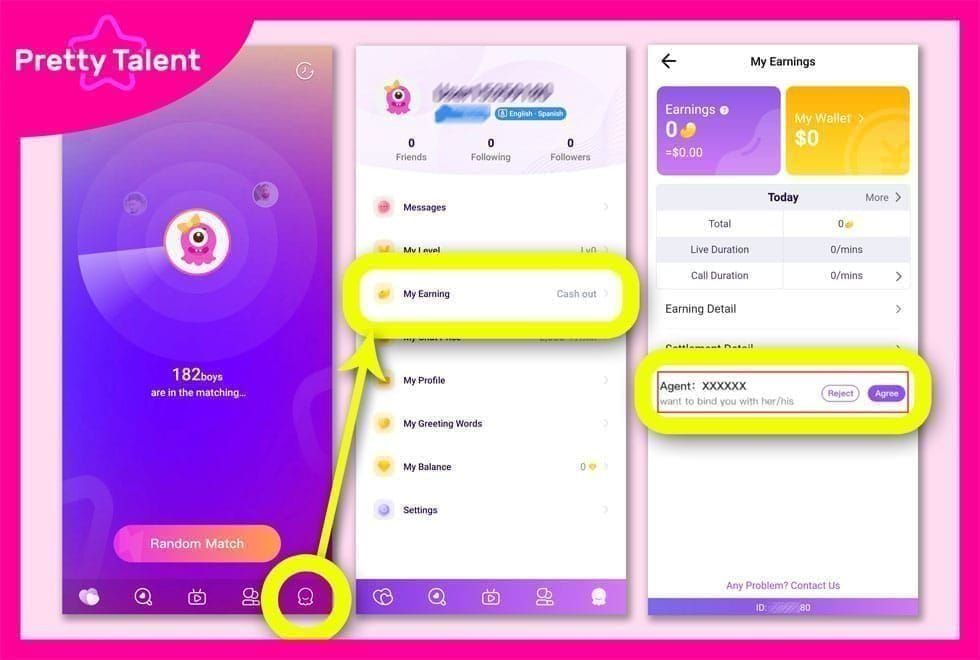
Look for pending transactions indicated by processing status icons. Some purchases show as processing for 1-3 minutes before completing. If your payment appears in transaction history with completion timestamp but diamonds haven't credited, this indicates synchronization delay rather than payment failure.
Screenshot your current balance and transaction history immediately. These timestamped records become essential proof if you need to contact support.

Verify Payment Confirmation from Your Bank/Payment Method
Check your bank app, credit card statement, or payment wallet for the deduction. Successful payments show as completed transactions with unique Transaction ID. UPI payments display immediate confirmation with reference numbers. Net banking transactions appear in account statement within minutes.
If your payment method shows no deduction or failed transaction status, no refund is necessary—the purchase never completed. If funds were deducted but show as pending rather than completed, wait the full 30-minute window before escalating.
Save confirmation emails, SMS notifications, and payment app screenshots showing transaction amount, timestamp, and Transaction ID.
Network Connection Status and App Version Check
Test your current network speed. If connection drops below 3 Mbps, switch from mobile data to Wi-Fi or vice versa. Unstable connections during purchase may have interrupted delivery confirmation signal even though payment processed.
Verify you're running the latest Chamet app version. Visit your app store and check for available updates. Install any pending updates before proceeding.
Disable VPN services if active during purchase. VPNs occasionally interfere with payment gateway communications. Reconnect to standard network and allow 5-10 minutes for systems to resynchronize.
Force Refresh and Re-login Techniques
Force close and restart the Chamet app. On iOS, swipe up and swipe Chamet off-screen, then reopen. On Android, access Recent Apps and close Chamet completely before relaunching. This refresh triggers the app to query servers for current balance.
If diamonds still don't appear, log out of Chamet, wait 15-20 seconds, then log back in. This full authentication cycle forces complete data refresh from servers. Before logging out, ensure your account is linked to email, Facebook, or phone number.
For persistent problems, clear app cache on Android: Settings > Apps > Chamet > Storage > Clear Cache. On iOS, delete and reinstall the app. Reinstalling forces clean data download from servers, resolving synchronization issues in approximately 60% of cases where simple restarts fail.
Essential Proof Documentation Checklist
Transaction ID and Order Number Location
Your Transaction ID appears in payment confirmation emails, SMS notifications, and within your payment app's transaction history. For Google Play purchases, access Play Store > Account > Order History to find unique order number (format: GPA.####-####-####-#####).
App Store purchases show Transaction IDs in purchase receipt email from Apple. Access reportaproblem.apple.com and sign in to view all purchases with associated transaction numbers.
Third-party payment methods like UPI generate reference numbers visible in your bank app's transaction details. PayPal transactions include Transaction ID in account activity log.
Payment Receipt Screenshot Requirements
Capture full-screen screenshots showing transaction amount, date, time, payment method, and Transaction ID in single image. Screenshot must display your payment provider's official interface—cropped or edited images may be rejected. Include merchant name (Chamet or its payment processor).
For bank transfers, screenshot completed transaction page showing Success or Completed status. Include debit entry in account statement showing exact amount deducted.
Ensure screenshots are clear and readable with all text legible. Save in high resolution and avoid compressing files. Most support systems accept PNG, JPG, and PDF formats.
Bank Statement Entry Specifications
Download official bank statement covering transaction date. Highlight the Chamet-related charge showing exact amount, date, and merchant descriptor. Bank statements provide third-party verification that payment left your account.
For credit card purchases, statements may show pending charges for 1-3 business days before posting. Wait until charge posts as completed transaction before using statement as proof.
PDF statements downloaded directly from your bank's website carry more authority than screenshots. If submitting screenshots, include account number (partially masked) and bank's official logo.
Chamet Account Information to Record
Document your exact Chamet User ID by copying from Profile > My Profile. Screenshot your profile page showing User ID, username, and current diamond balance with visible timestamp.
Record your account's linked email address or phone number. This verifies account ownership during support interactions. If you've made previous successful purchases, note dates and amounts.
Capture your account's VIP status level if applicable. Include any active subscriptions or recent gift-sending activity proving regular platform engagement.
Timestamp and Device Information Documentation
Note exact date and time of purchase attempt, including timezone. Screenshot your device's clock at the moment you notice crediting failure.
Record device model, operating system version, and Chamet app version number. Access through Settings > About Phone (Android) or Settings > General > About (iOS). App version appears in Chamet's settings under About.
Document payment method used: specific card type (Visa/MasterCard/American Express), UPI app name, or e-wallet service.
Step-by-Step Chamet Support Contact Process
In-App Support Access Path
Open Chamet and tap profile icon. Navigate to Settings (gear icon) > Help Center > Payment Issues. Select Diamonds Not Credited from issue category menu.
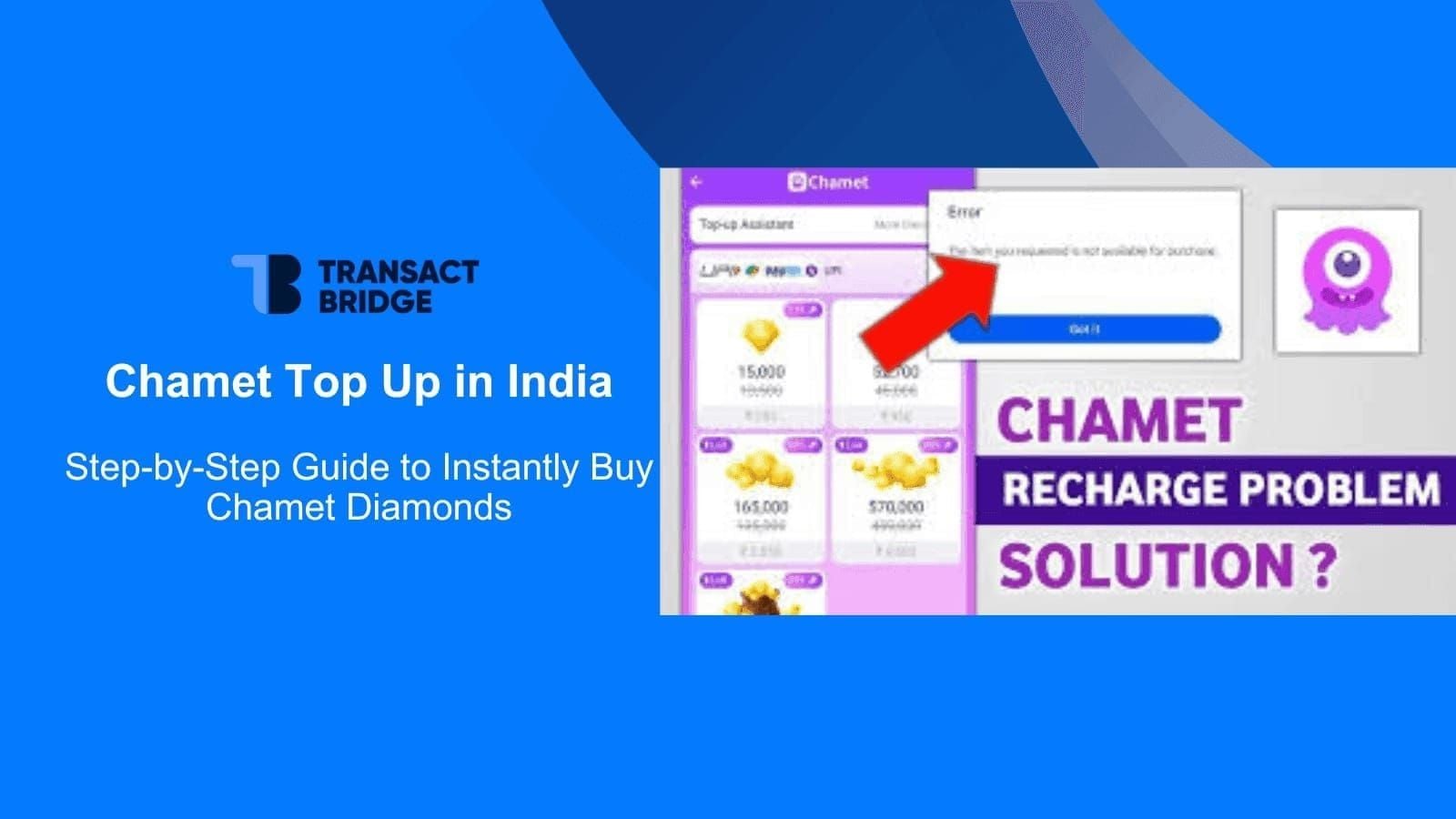
The in-app support form requests User ID, Transaction ID, payment amount, and purchase date. Fill all fields accurately. Attach payment receipt screenshot and bank statement directly through form's attachment function. Most systems accept up to 5 attachments with 10MB total size limit.
Submit inquiry and note support ticket number displayed on confirmation screen. Screenshot this ticket number. System typically sends automated acknowledgment email within 5 minutes.
Email Support Submission Format and Required Attachments
If in-app support unavailable, compose email to Chamet's official support address (found in Settings > Help Center > Contact Us). Use clear subject line: Payment Completed - Diamonds Not Credited - [Your User ID].
Structure email with: (1) User ID and account email, (2) Transaction ID and payment date/time, (3) Payment amount and method, (4) Troubleshooting steps already attempted, (5) Attached proof documents.
Attach all proof documents as separate files: payment receipt, bank statement, Chamet balance screenshot, and Transaction ID confirmation. Name files descriptively: PaymentReceipt_[Date].jpg and BankStatement_[Date].pdf.
Expected Response Times by Issue Severity
Payment issues receive priority classification. Initial acknowledgment typically arrives within 2-4 hours during business hours. Substantive responses addressing your specific case appear within 24-48 hours for standard crediting delays.
For secure transactions with guaranteed support, consider using buy Chamet diamonds online through BitTopup, which offers 24/7 customer service and faster resolution timelines.
Cases involving amounts over $500 or suspected payment gateway failures may require 48-72 hours for full investigation. Complex cases involving international payments can extend to 5-7 business days.
Follow-Up Protocol if No Response Within 48 Hours
If you receive no substantive response within 48 hours, reply to original support ticket email with FOLLOW-UP: Ticket #[Your Number] in subject line. Briefly restate your issue and reference initial submission date.
Check spam folder for support responses. Add Chamet's support email domain to contacts to ensure future messages reach inbox.
After 72 hours without resolution, escalate through alternative channels. If purchased through Google Play, initiate parallel refund request: Play Store > Account > Order History > Request Refund.
For App Store purchases, visit reportaproblem.apple.com, select Report a Problem next to your Chamet purchase, choose I didn't receive this item, and attach documentation. Apple typically responds within 48 hours and processes approved refunds in 3-14 days.
Identifying Payment Gateway vs App-Side Issues
How to Determine Where the Transaction Failed
Check if your payment provider shows transaction as completed or pending. Completed status with funds deducted indicates payment gateway successfully processed your purchase—failure point is between gateway and Chamet's servers. Pending status suggests payment provider hasn't finalized transaction.
Log into payment provider's website or app and review transaction details. Look for status indicators like Merchant Confirmed or Awaiting Merchant Acceptance. If merchant confirmed receipt, issue is app-side synchronization. If awaiting confirmation, payment gateway hasn't successfully communicated with Chamet's systems.
Test Chamet's server status by attempting small action requiring server communication—send free gift to another user or update profile. If these actions fail, Chamet's servers may be experiencing widespread issues.
Payment Provider Confirmation vs Chamet Server Receipt
Your payment provider's confirmation proves funds left your account but doesn't confirm Chamet received payment instruction. Payment gateways act as intermediaries—they deduct funds and attempt to notify Chamet's servers. Network interruptions during notification phase create paid but not credited scenario.
Chamet's server receipt appears in your in-app transaction history. If payment provider shows completion but Chamet's transaction history shows no record, communication between systems failed. This typically resolves automatically within 5-30 minutes.
When both systems show transaction but diamonds still don't credit, issue is account-side synchronization requiring manual intervention from Chamet support.
Dual-Contact Strategy for Faster Resolution
Contact both your payment provider and Chamet support simultaneously when failure point is unclear. Email Chamet support with full documentation while also opening dispute with payment provider.
When contacting payment provider, request merchant confirmation status report. This shows whether Chamet's systems acknowledged payment. If merchant never confirmed, payment provider can initiate reversal without waiting for Chamet's investigation.
Inform each party you've contacted the other. This transparency often accelerates resolution.
Refund Request Submission Procedure
When You Qualify for Full Refund vs Credit Adjustment
Full refunds apply when payment completed but Chamet's systems show no record of purchase after 48 hours of investigation. If support confirms transaction never reached their servers despite payment provider's confirmation, you qualify for complete refund to original payment method.
Credit adjustments occur when Chamet's logs show purchase but technical error prevented diamond delivery. Support manually credits diamonds to your account rather than processing monetary refund. This resolution is faster—often within 24 hours.
No refund available if virtual product order processed successfully and diamonds were delivered. Chamet's server logs definitively show delivery status.
Refund Request Template with Key Language Elements
Subject: Refund Request - Transaction ID [Your Transaction ID] - User ID [Your User ID]
Body: **I completed Chamet diamond purchase on [Date] at [Time] [Timezone] for [Amount] [Currency] using [Payment Method]. Transaction ID: [Number]. My Chamet User ID is [8-12 digit number].
Payment was deducted from my account as confirmed by attached bank statement and payment receipt. However, diamonds have not credited to my Chamet account after [Hours/Days] and multiple troubleshooting attempts including:
- App restart and re-login
- Cache clearing
- 30-minute waiting period
- Network verification
I request full refund to original payment method: [Card/UPI/Wallet details]. Attached documentation includes:
- Payment receipt with Transaction ID
- Bank statement showing deduction
- Chamet account screenshot showing current balance
- Transaction history screenshot showing no record of this purchase
Please process this refund within standard timeline or manually credit diamonds to my account. Support ticket reference: [Number if applicable].**
Processing Timeline and Refund Method Expectations
Google Play refunds process in 3-14 days once approved. Refunds return to original payment method—Google Play balance, credit card, or payment app used for purchase.
App Store refunds follow similar timelines: 3-14 days for processing after Apple approves request. Refunds appear as credits to Apple ID balance or return to original payment card.
E-wallet disputes operate within 180-day window with processing times of 5-45 days. Credit card chargebacks take 30-90 days. Visa, MasterCard, and American Express refunds complete within 30 days for approved claims.
Direct refunds from Chamet process through their payment system, typically completing within 7-14 business days. Refunds always return to original payment method.
Escalation Path if Initial Request is Denied
If Chamet support denies your refund claim, request detailed explanation of denial reason. Common denial causes include: (1) Server logs showing successful delivery, (2) User ID mismatch between purchase and claim, (3) Insufficient proof documentation, (4) Purchase made through unauthorized third-party seller.
For denial reason (1), request specific server log timestamp showing delivery. Compare to your account's transaction history.
If denied due to insufficient documentation, supplement claim with additional proof: full bank statement, official payment provider transaction report, or statutory declaration if your jurisdiction allows.
For denials you believe unjustified, escalate to payment provider dispute resolution. Google Play and App Store have independent review processes.
Bank/Payment Provider Dispute Filing Process
When to Involve Your Bank
Initiate bank involvement after Chamet support either denies your refund request or fails to respond substantively within 7 business days. Banks require evidence you attempted resolution directly with merchant before accepting dispute claims.
Contact bank immediately if you suspect fraudulent activity—unauthorized charges or purchases you didn't initiate. Fraud claims receive expedited processing and stronger consumer protections.
For legitimate paid but not received scenarios, wait until you've exhausted Chamet's support channels. Premature chargebacks can result in Chamet banning your account.
Chargeback Request Documentation Requirements
Gather comprehensive documentation: (1) Complete email thread with Chamet support showing refund request and their response or non-response, (2) Payment receipt with Transaction ID, (3) Bank statement showing charge, (4) Screenshots proving non-delivery, (5) Timeline document showing dates of purchase, support contact, and dispute filing.
Contact your bank's dispute department through official phone number or secure online portal. Explain concisely: I paid for virtual goods that were never delivered. I contacted merchant multiple times without resolution.
Submit all documentation through bank's preferred method. Banks typically acknowledge chargeback requests within 2-3 business days and begin investigation immediately.
Potential Account Impact Considerations
Chamet may suspend or terminate accounts that initiate chargebacks, viewing this as violation of terms of service. Before filing, consider whether you want to continue using platform.
Chargebacks also impact your relationship with payment providers. Excessive disputes (typically more than 3-5 per year) flag your account for enhanced scrutiny.
Common Misconceptions About Chamet Payment Processing
Myth: Diamonds Should Appear Instantly Every Time
Reality: While direct top-ups complete in under 30 seconds for most transactions, delivery within 1-3 minutes after payment confirmation is standard expectation. Network conditions, server load, and payment gateway processing speeds all influence delivery timing. Purchases over $500 routinely take 5-30 minutes due to fraud prevention protocols.
The 95% delivery rate within 5 minutes represents optimal conditions—correct User ID, stable network, standard purchase amounts during normal traffic periods. The remaining 5% experience legitimate delays that resolve without intervention.
Myth: All Payment Issues Mean You've Been Scammed
Reality: The vast majority of diamonds not credited cases result from technical issues, not fraud. Chamet is a legitimate platform operated by Element Colors Electronic Entertainment Limited, registered at 19H MAXGRAND PLAZA NO. 3 TAI YAU STREET SAN PO KONG KL, Hong Kong.
Scam scenarios involve fake websites impersonating Chamet or unauthorized third-party sellers. These differ from technical crediting delays on official platform. Verify you're using authentic Chamet app from official app stores.
Myth: Third-Party Recharge is Always Risky
Reality: Reputable third-party platforms like BitTopup offer secure recharge services with several advantages over direct in-app purchases. These platforms provide competitive pricing, transparent fee structures, multiple payment options, and dedicated customer support specifically for recharge issues.
BitTopup guarantees delivery for Chamet diamond purchases, offers 24/7 customer service, and maintains high user ratings. Their secure transaction infrastructure and clear refund policies actually reduce risk compared to navigating payment issues through Chamet's general support channels.
Risk emerges from using unknown websites, platforms without verifiable business registration, or sellers offering too good to be true discounts.
Preventive Measures: Safer Recharge Workflow for 2026
Official App Recharge vs Third-Party Platform Comparison
Official in-app purchases integrate directly with Chamet's systems, eliminating intermediary communication steps. However, in-app support for payment issues routes through general customer service, which may lack specialized payment dispute expertise.
Third-party platforms like BitTopup specialize in recharge services across multiple games and apps. This specialization translates to dedicated payment support teams, faster issue resolution, and often better pricing. BitTopup's transparent pricing shows exact costs before purchase, eliminating surprise fees.
Official purchases tie to your app store account, limiting payment method flexibility. Third-party platforms accept UPI, net banking, debit/credit cards, wallets, Apple Pay, and PayPal.
Why BitTopup Offers Superior Transaction Security
BitTopup implements multi-layer verification before processing recharge orders. You select Chamet, enter User ID, choose diamond amount, and review complete order details before payment. This review step catches User ID errors before money changes hands—preventing the 40% of failures caused by incorrect User ID entry.
The platform's secure payment infrastructure uses industry-standard encryption and partners with verified payment gateways. BitTopup's established reputation and high user ratings reflect consistent delivery performance and responsive customer support.
Customer protection policies specific to Chamet diamonds include delivery guarantees, transparent refund procedures, and 24/7 support availability.
Pre-Purchase Checklist to Minimize Issues
Before any Chamet diamond purchase, complete these verification steps:
- Confirm exact User ID: Open Chamet > Profile > My Profile > copy the 8-12 digit number
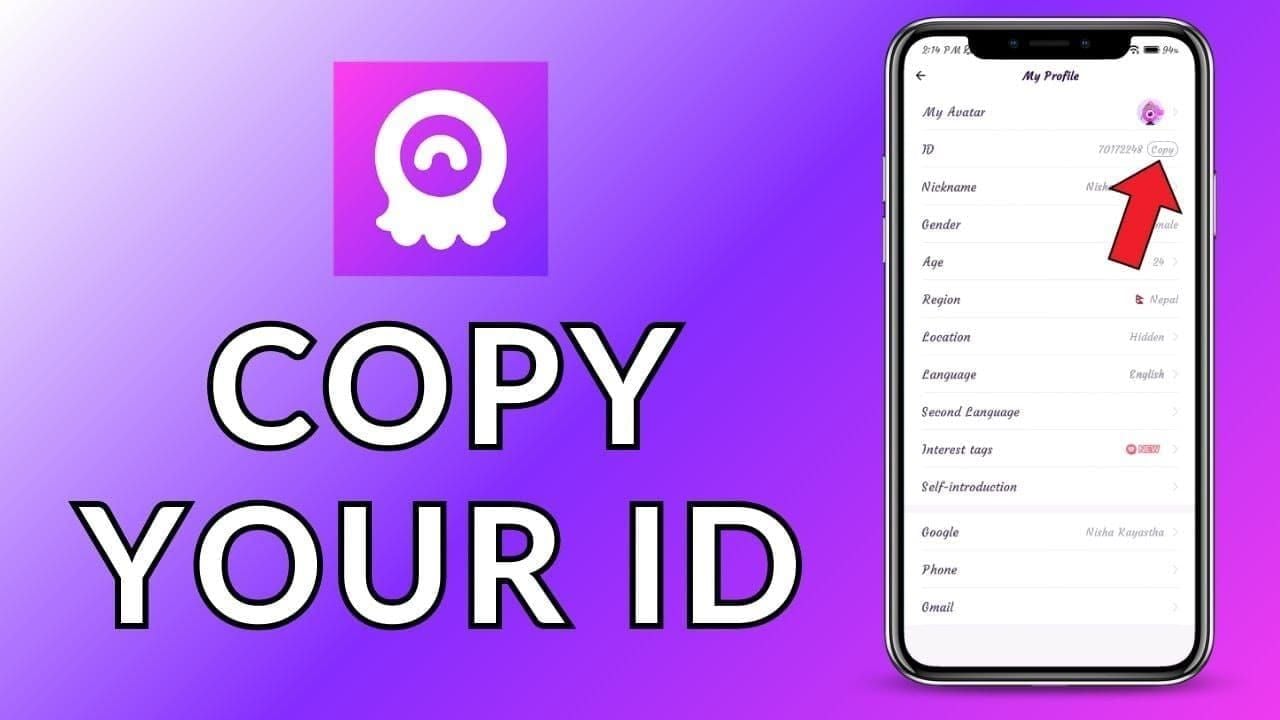
- Link your account: Ensure Chamet is connected to email, Facebook, or phone number
- Check network stability: Verify minimum 3 Mbps connection speed
- Update the app: Install latest Chamet version from official app store
- Disable VPN: Turn off VPN services that might interfere with payment processing
- Verify payment method: Ensure sufficient funds and that payment method is active
- Screenshot current balance: Document pre-purchase diamond count with timestamp
This seven-step checklist eliminates most common failure points before initiating payment.
Payment Method Selection Best Practices
Choose payment methods with strong transaction tracking and dispute resolution processes. Credit cards offer the most robust consumer protections, including chargeback rights and fraud liability limits.
UPI and net banking transactions in India offer instant confirmation and clear transaction trails. E-wallets like PayPal provide buyer protection programs that can assist with dispute resolution.
Avoid payment methods that don't generate clear transaction records—cash-based systems, prepaid cards without registration, or peer-to-peer transfers.
Network and Device Optimization Before Large Purchases
For purchases over $100, take extra precautions to ensure stable transaction processing. Connect to reliable Wi-Fi rather than mobile data if possible.
Close background apps that consume bandwidth or processing power. Payment transactions require full system resources for encryption, data transmission, and confirmation receipt.
Ensure your device has adequate battery charge—at least 30%. Devices entering low-power mode during transactions may throttle network connectivity or app performance.
Restart your device before large purchases to clear temporary files and refresh network connections.
Post-Resolution: Transaction Monitoring Best Practices
Setting Up Purchase Alerts and Notifications
Enable all available Chamet notifications in Settings > Notifications > Purchase Confirmations. These alerts provide immediate confirmation when diamonds credit to your account.
Configure payment method notifications through your bank app or payment provider. Most services offer real-time alerts for transactions above specified amounts.
Create calendar reminders for 30 minutes after each purchase. If diamonds haven't credited by this reminder time, begin systematic troubleshooting.
Regular Account Balance Verification Schedule
Check your Chamet diamond balance weekly even without recent purchases. Regular monitoring establishes your normal balance and makes unauthorized deductions or mysterious credits immediately obvious.
Review complete transaction history monthly. Look for unfamiliar purchases, duplicate charges, or credits that don't match your purchase records.
Compare your Chamet transaction history against payment method statements quarterly. This cross-reference catches situations where payment processed but Chamet shows no record.
Maintaining a Personal Transaction Log
Create simple spreadsheet tracking all Chamet purchases: date, time, amount, payment method, Transaction ID, and delivery confirmation time. This log helps identify patterns in delivery times, provides quick reference for support inquiries, and creates comprehensive record if disputes arise.
Note any issues encountered during each purchase: slow delivery, app crashes, network errors, or payment method declines. Over time, this log reveals whether problems correlate with specific payment methods, times of day, or purchase amounts.
Store all purchase receipts and confirmation emails in dedicated folder organized by date and transaction amount.
FAQ
Why are my Chamet diamonds not showing after payment? Diamonds typically credit within 1-3 minutes, with 95% of transactions completing within 5 minutes. Delays beyond 30 minutes usually result from incorrect User ID entry (40% of cases) or network instability (40% of cases). Force close and restart Chamet app, verify network connection is above 3 Mbps, and wait full 30-minute window before escalating to support.
How long does Chamet take to credit diamonds after purchase? Standard purchases complete in under 30 seconds to 3 minutes. Transactions over $500 require 5-30 minutes for additional security verification. During peak usage hours, delivery may extend to upper end of normal timeframes. If diamonds haven't appeared after 30 minutes with stable network and correct User ID, contact support with Transaction ID and payment proof.
What proof do I need for a Chamet diamond refund? Essential documentation includes: Transaction ID from payment confirmation, payment receipt screenshot showing amount and date, bank statement entry proving deduction, Chamet account screenshot showing current balance and User ID, and transaction history screenshot showing no record of purchase. Include timestamps on all screenshots and save correspondence with Chamet support as proof of resolution attempts.
Can I get a refund if Chamet diamonds don't arrive? Yes, if payment completed but Chamet's systems show no record after 48 hours of investigation. Google Play refunds must be requested within 48 hours of purchase (some regions allow 90 days). App Store refunds process through reportaproblem.apple.com. Direct Chamet refunds for undelivered top-ups return to original payment method within 30 days for Visa/MasterCard/American Express. No refund available if server logs confirm delivery occurred.
How do I contact Chamet support for payment issues? Access in-app support: Profile > Settings > Help Center > Payment Issues > Diamonds Not Credited. Attach payment receipt, bank statement, and account screenshots directly through form. Note support ticket number for follow-up. Expect initial acknowledgment within 2-4 hours and substantive response within 24-48 hours. If no response after 48 hours, escalate through payment provider's dispute process.
What makes BitTopup safer for Chamet recharge? BitTopup offers guaranteed delivery, transparent pricing with no hidden fees, 24/7 dedicated customer support, and multi-layer verification that catches User ID errors before payment processing. The platform's specialization in recharge services provides faster issue resolution compared to general app store support channels. Secure payment infrastructure with industry-standard encryption protects transaction data, while clear refund policies and high user ratings demonstrate consistent service quality.
Tired of payment headaches? Recharge Chamet Diamonds securely through BitTopup with guaranteed delivery, transparent pricing, and 24/7 support. Get your diamonds instantly—no more waiting or disputes!
Recommended News







Recommend products



Table of Contents
- Understanding 'Chamet Diamonds Paid But Not Credited' Scenarios
- What Qualifies as a Non-Credited Payment Issue
- Common Root Causes: Network Delays vs System Errors vs Payment Failures
- Typical Timeline: When to Worry vs Normal Processing Windows
- Immediate Verification Steps (First 30 Minutes After Payment)
- Check Your Chamet Account Balance and Transaction History
- Verify Payment Confirmation from Your Bank/Payment Method
- Network Connection Status and App Version Check
- Force Refresh and Re-login Techniques
- Essential Proof Documentation Checklist
- Transaction ID and Order Number Location
- Payment Receipt Screenshot Requirements
- Bank Statement Entry Specifications
- Chamet Account Information to Record
- Timestamp and Device Information Documentation
- Step-by-Step Chamet Support Contact Process
- In-App Support Access Path
- Email Support Submission Format and Required Attachments
- Expected Response Times by Issue Severity
- Follow-Up Protocol if No Response Within 48 Hours
- Identifying Payment Gateway vs App-Side Issues
- How to Determine Where the Transaction Failed
- Payment Provider Confirmation vs Chamet Server Receipt
- Dual-Contact Strategy for Faster Resolution
- Refund Request Submission Procedure
- When You Qualify for Full Refund vs Credit Adjustment
- Refund Request Template with Key Language Elements
- Processing Timeline and Refund Method Expectations
- Escalation Path if Initial Request is Denied
- Bank/Payment Provider Dispute Filing Process
- When to Involve Your Bank
- Chargeback Request Documentation Requirements
- Potential Account Impact Considerations
- Common Misconceptions About Chamet Payment Processing
- Myth: Diamonds Should Appear Instantly Every Time
- Myth: All Payment Issues Mean You've Been Scammed
- Myth: Third-Party Recharge is Always Risky
- Preventive Measures: Safer Recharge Workflow for 2026
- Official App Recharge vs Third-Party Platform Comparison
- Why BitTopup Offers Superior Transaction Security
- Pre-Purchase Checklist to Minimize Issues
- Payment Method Selection Best Practices
- Network and Device Optimization Before Large Purchases
- Post-Resolution: Transaction Monitoring Best Practices
- Setting Up Purchase Alerts and Notifications
- Regular Account Balance Verification Schedule
- Maintaining a Personal Transaction Log
- FAQ



Recommended News

Is the Next Free Fire Banner Worth It? 2026 Leaks and Math

MICO Live Coins MENA After v5.2: Cheapest Deals 2026

Chamet Diamond Not Received After Google Recharge? 2026 Fix

Chamet Diamond Chargeback Ban Appeal 2026: Is the Success Rate Really 0%?

Chamet Diamonds Payment Declined? Safe Buy Fixes (June 2026)

Likee Short Video Shutdown in Indonesia (April 2026): Coins, Backup & Next Steps

Chamet Diamond $3.44 Pack 2026: Is It Actually Worth Buying?
Likee Indonesia Shutdown April 2026: Your Complete Next-Steps Guide


































































































