Understanding Poppo Live Payment Failures with International Cards
International cards face 20-40% rejection rates versus domestic payments. Bank fraud detection systems cause 60% of failures, flagging transactions from VSHOW PTE. LTD. (Poppo Live's processor) as potentially fraudulent. For reliable alternatives, Poppo Live coins top up through BitTopup offers competitive pricing and higher success rates.
Geographic restrictions cause 30% of failures when IP addresses mismatch (VPN usage). International daily limits range $300-500 versus $500-2500 domestic.
Why International Cards Face Higher Rejection Rates
Cross-border processing involves multiple intermediary banks, each adding verification checkpoints. Network timeouts cause 40% of failures. Public Wi-Fi shows 50% higher failure rates than private networks.
User ID errors contribute 18-30% of failures—the most preventable category. The 7-10 digit numeric identifier must be entered precisely or coins credit to wrong accounts.
Common Error Messages Decoded
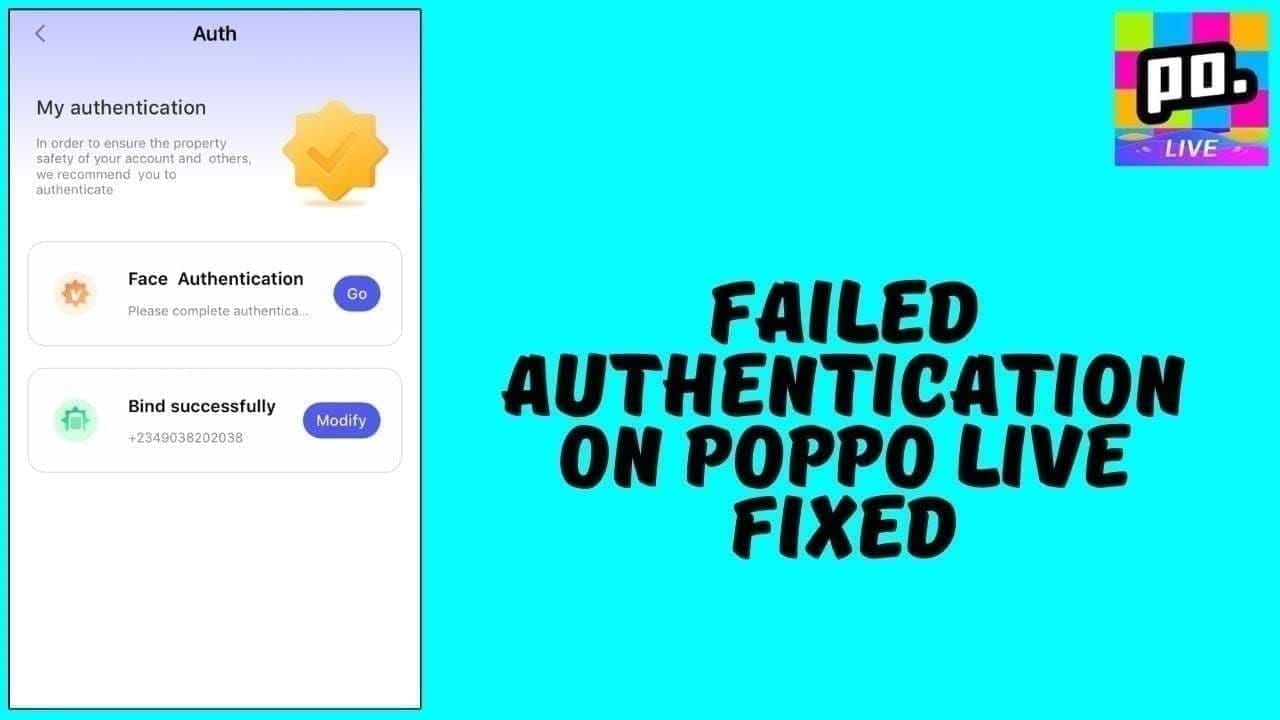
- Error 1001: Insufficient balance buffer for 2-4% fees and 3-5 day holds (need ~10% extra)
- Error 1004: 3D Secure authentication failure—re-enroll or update contact info
- Error 1005: Network timeout—requires minimum 1 Mbps connection speed
- Error 1006: Geographic restrictions—IP conflicts with billing address
Complete Guide to 3D Secure Authentication Failures
3D Secure (Visa Secure/Mastercard Identity Check) adds verification through passwords, biometrics, or OTP codes. The process redirects to your bank's portal for identity confirmation within 5 minutes.
Successful enrollment reduces declines by 98%—the single most effective improvement measure.
5 Reasons Your 3D Secure Verification Fails
- Outdated contact info: OTP can't reach current phone/email
- Browser pop-up blockers: Authentication window suppressed
- Session timeouts: Exceeding time limits aborts transactions
- Wrong credentials: 3-5 failed attempts trigger security lockouts
- App version incompatibility: Update to version 2.9.6 (released Oct 9, 2025) fixes 15% of bugs
Step-by-Step Fix for 3D Secure Errors
- Verify enrollment status in banking app under card settings/security
- Update mobile number and email with your bank
- Clear browser cache, disable pop-up blockers for payment domains
- Update to Poppo Live app version 2.9.6+ (requires iOS 12.0+/Android 8.0+, 500MB storage)
- Complete authentication within 5 minutes—have verification method ready
- Wait 15-30 minutes between retries (max 3 attempts per 24 hours)
Browser and Device Settings That Block 3D Secure
- Enable JavaScript in browser privacy/security settings
- Allow third-party cookies for payment sessions
- Disable VPN—creates IP mismatches triggering geographic errors
- Update OS to meet minimum requirements and install security certificates
Solving OTP Timeout and SMS Delivery Issues
OTP validity window: 5 minutes. Domestic SMS delivery: 5-15 seconds. International routing: 30-60+ seconds.
Why OTP Messages Delay or Never Arrive
- International routing through multiple carriers adds processing time
- Network congestion during peak hours creates delivery queues
- Spam filters categorize banking OTP as promotional—check spam folders
- Number portability issues when switching carriers without updating bank records
Network and Carrier Factors
- Carrier SMS filtering blocks legitimate authentication messages
- Roaming status complicates routing across foreign networks
- Weak signal prevents timely delivery
- Dual-SIM devices may route to inactive SIM
How to Request OTP Resend Correctly
- Wait full 60-90 seconds before resending
- Use banking app-based OTP (10-15 seconds) instead of SMS (30-60 seconds)
- Try email delivery if SMS fails within 90 seconds
- Ensure adequate signal strength before requesting
Alternative Verification Methods
- Banking app push notifications (most reliable)
- Email-based OTP (better for poor cellular coverage)
- Hardware security tokens (offline generation)
- Buy Poppo Live coins online through BitTopup bypasses direct card authentication
Wrong User ID: The Most Common Payment Mistake
User ID errors cause 18-30% of failures. The 7-10 digit numeric code differs from your username and never changes.
How to Find Your Correct Poppo Live User ID
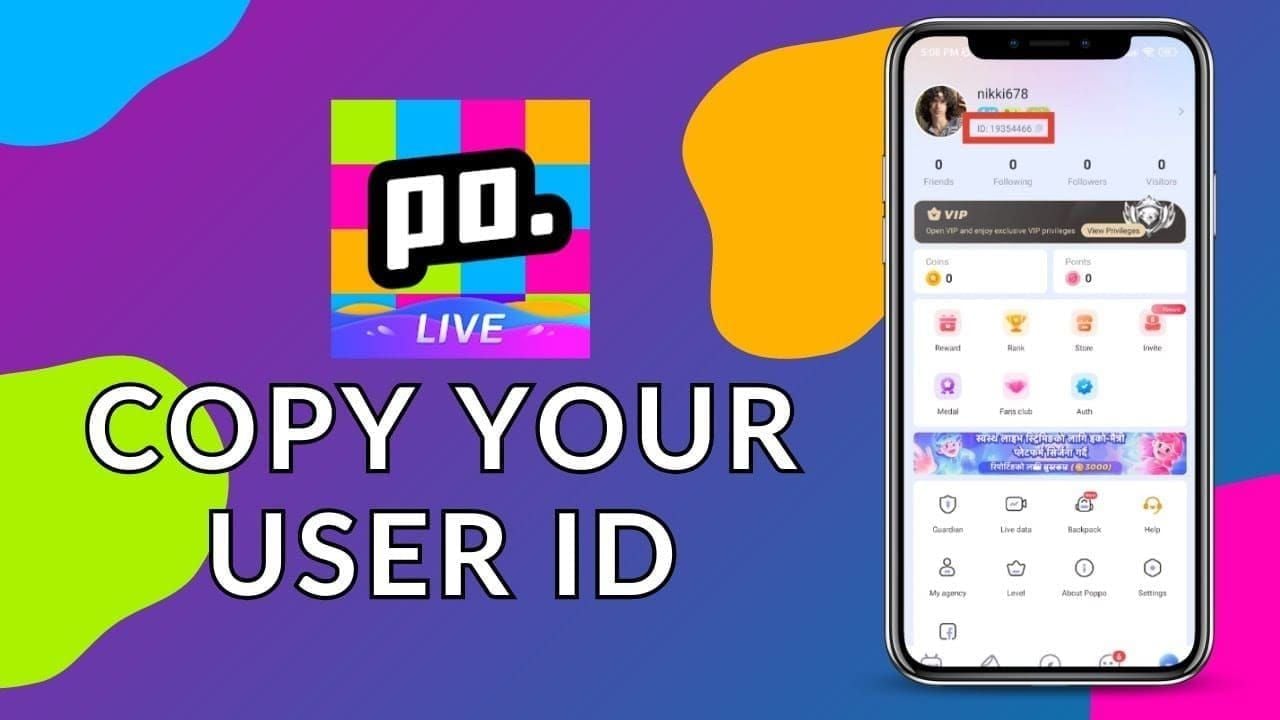
- Open app → Me tab (bottom navigation)
- Long-press numeric sequence below profile picture
- Copy-paste into payment form (never manually type)
- Verify: numbers only, no spaces/letters/characters, 7-10 digits
User ID vs Username: Critical Differences
- Username: Customizable display name, can change, may contain letters/numbers/symbols
- User ID: Permanent 7-10 digit number, never changes, used exclusively for payments
Entering username in User ID field triggers rejection or credits coins to wrong account.
Recovering Coins Sent to Wrong User ID
- Contact in-app support immediately with transaction receipt, correct/incorrect IDs
- Provide exact timestamp and payment confirmation emails
- Don't initiate chargebacks before exhausting platform support
- 90% recovery success within 48 hours; declines significantly after
Bank-Side Issues Causing International Card Declines
Banks implement international transaction blocks as default security, requiring explicit authorization for cross-border payments.
International Transaction Blocks and How to Remove Them
- Call customer service, request activation for Singapore merchants (VSHOW PTE. LTD.)
- Pre-notify 24-48 hours before transactions over $100 (reduces declines 85%)
- Request temporary 24-72 hour international access windows
- Verify card supports international online transactions (some debit/prepaid cards don't)
Daily Limit Restrictions
- International limits: $300-500 (resets midnight in issuer's timezone)
- Track cumulative spending across all merchants
- Request temporary increases 48-72 hours in advance
- Split large purchases across multiple days
Currency Conversion Failures
- Select billing in card's native currency when offered
- Conversion fees add 2-4%—account for this in available balance
- Verify card supports SGD or USD transactions
- Pre-paid/gift cards often lack conversion capabilities
Contacting Your Bank: Required Information
- Card number, timestamp, exact amount, merchant name (VSHOW PTE. LTD.)
- Request specific decline reason codes (e.g., 51 - Insufficient Funds)
- Ask if decline was automated or manual review
- Confirm no holds/restrictions/flags on account
Technical Troubleshooting for Poppo Live Payment Errors
Technical factors cause ~40% of failures. App version 2.9.6 (Oct 9, 2025) fixes 15% of authentication bugs.
App vs Browser: Success Rate Comparison

Native app shows 15-20% higher success than browser due to:
- Optimized payment gateway integration
- Persistent sessions surviving brief network interruptions
- No interference from browser extensions/pop-up blockers
Browsers offer better diagnostic error messages for troubleshooting.
Clearing Cache and Cookies
- App: Settings → Apps → Poppo Live → Storage → Clear Cache
- Browser: Clear cookies for Poppo Live/payment domains only
- Restart app/browser completely after clearing
- Clear before each attempt if experiencing persistent failures
VPN and Proxy Impact
VPN causes IP mismatches triggering geographic errors in 30% of cases. Disable all VPN/proxy before payments. Use personal mobile data instead of corporate/school networks.
Device Compatibility
- Minimum: iOS 12.0+/Android 8.0+, 500MB free storage
- Install all OS updates for security certificates
- Verify sufficient storage for temporary transaction files
- Restart device before payment attempts
Proven Alternative Solutions When Cards Keep Failing
BitTopup offers competitive pricing, fast delivery, secure transactions with higher success rates for international users. Supports multiple payment methods with 24/7 customer service.
Why BitTopup Offers Higher Success Rates
- Multiple payment gateway integrations with intelligent routing
- Diverse payment methods: digital wallets, bank transfers, regional systems
- Established merchant relationships with higher trust scores
- 24/7 support resolving issues within minutes
Step-by-Step: Recharging Through BitTopup
- Visit BitTopup → search Poppo Live
- Select coin package (from 2100 coins/$0.29 upward)
- Copy-paste User ID (7-10 digits)
- Choose payment method
- Complete payment with authentication
- Receive coins within 2 minutes
Payment Methods That Work When Cards Don't
- Digital wallets (PayPal, Skrill): Better currency conversion/routing
- Bank transfers: 95%+ approval, 1-3 business days
- Cryptocurrency: No geographic restrictions, requires wallet setup
- Mobile payments (Apple Pay, Google Pay): Streamlined device-based authentication
Comparing Transaction Speed and Security
- Direct card: 2-5 minutes when successful, 20-40% failure rate
- BitTopup: Under 2 minutes average, 95%+ success rate
- Security equivalent across legitimate platforms
- Fees: Direct card 2-4%, platforms 3-6% (includes support/guaranteed delivery)
Prevention Strategies for Future Payment Success
Proactive preparation increases first-attempt success from 60% to 90%+.
Pre-Transaction Checklist
- Update app to version 2.9.6+
- Confirm 3D Secure enrollment, update phone/email
- Test with smallest package (2100 coins/$0.29) first
- Disable VPN, connect to stable network (1+ Mbps)
- Copy-paste User ID, verify 7-10 digit format
- Clear app cache, restart app
Optimal Timing
- Avoid peak hours (6-9 PM your timezone)
- Transact during your bank's business hours
- Weekdays better than weekends for manual review availability
- Wait 24-48 hours after notifying bank about international transactions
Account Security Settings
- Enable two-factor authentication on Poppo Live
- Use same device for multiple transactions
- Keep contact information current
- Complete KYC Level 5: government ID (6+ months valid), address proof (90 days), 1080p+ ID selfie (30 min-48 hour processing)
Maintaining Updated Payment Information
- Check card expiration before transactions
- Verify billing address matches statement exactly
- Ensure balance covers purchase + 10% buffer for fees/holds
- Update phone number with bank immediately after changes
FAQ
Why does my international card keep failing on Poppo Live?
Bank fraud detection (60%), 3D Secure errors (25%), network timeouts (40%), wrong User ID (18-30%). Pre-notify bank 24-48 hours before transactions, enroll in 3D Secure, update to app 2.9.6, verify 7-10 digit User ID.
How do I find my Poppo Live User ID for payment?
App → Me tab → long-press 7-10 digit number below profile picture → copy-paste (never type). Verify numbers only, no spaces/characters.
What is 3D Secure and why does it fail on Poppo Live?
Authentication protocol requiring identity verification via passwords/biometrics/OTP. Fails when not enrolled (25%), outdated contact info, pop-up blockers, or exceeding 5-minute window. Enroll through banking app, update contact details.
Why am I not receiving OTP for Poppo Live payment?
International SMS delays (30-60 sec), outdated phone number, spam filters, poor signal. Check spam folders, verify registered number, use banking app OTP (10-15 sec) instead of SMS, ensure signal strength.
Can I use international cards to buy Poppo Live coins?
Yes—requires 3D Secure enrollment, bank pre-notification for $100+, daily limits $300-500. Disable VPN, update to app 2.9.6, enter card as 16 digits (no spaces), MM/YY format, exact billing address.
How to fix payment authentication failed error on Poppo Live?
Update to app 2.9.6, enroll 3D Secure, clear cache, disable VPN, ensure 1+ Mbps speed. Complete within 5 minutes, verify User ID (7-10 digits), retry max 3 times/24 hours spaced 15-30 min. Use BitTopup for persistent failures.
Tired of payment failures? Recharge Poppo Live coins instantly through BitTopup—guaranteed success, multiple payment options, 24/7 support. Coins delivered under 2 minutes. No authentication errors or OTP timeouts. Start hassle-free recharge now on BitTopup!






























































































































