Platform Availability
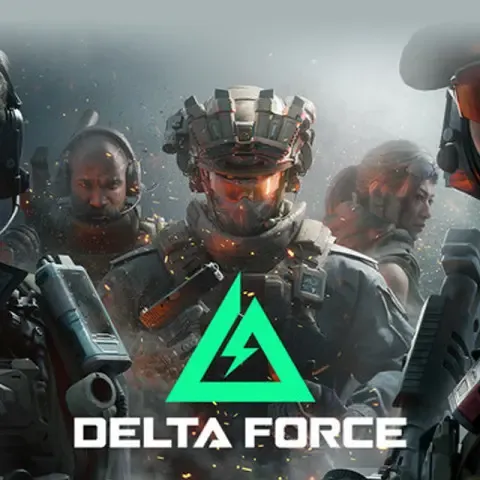
Both PS5 and Xbox Series X|S receive simultaneous global releases August 19, 2025. Previous-gen consoles (PS4/Xbox One) won't receive Delta Force alongside current-gen platforms.
Console version includes full Black Hawk Down Campaign at launch. All core modes—Warfare, Hazard Operations, ranked competitive—available day one with controller-specific optimizations and aim assist.
Cross-Progression: How LIPASS Unifies Your Account
Delta Force implements cross-progression through Level Infinite Pass (LIPASS), creating unified profiles across PC, mobile, and console. This transfers 100% of operators, all Battle Pass progress, and maintains unified currency wallets.
What Transfers Across Platforms
Complete Progression Elements:
- All unlocked operators with full customization
- Battle Pass tiers and seasonal rewards (current and previous)
- Weapon blueprints, attachments, modification unlocks
- Premium currency balances (Delta Coins)
- Ranked progression and competitive statistics
- Friend lists and social connections
The unified wallet ensures currency purchased on one platform becomes immediately available across all linked devices—no fragmented economy issues.
Account Linking Process
Set up cross-progression by creating and linking LIPASS before first console login. On console startup, sign into existing LIPASS or create new account through in-game interface.
Step-by-Step Linking:
- Launch Delta Force on primary platform (PC or mobile)
- Navigate to Settings > Account > Link LI Pass Account
- Use same email ID across all platforms for seamless linking
- Bind Apple ID, Google, or Facebook to LIPASS for recovery
- Sign in with LIPASS credentials during console first boot
- Verify operators and currency appear on new platform
Using the same email ID across platforms is critical—mismatched emails create separate profiles that can't merge later. Verify credentials before August 19 to avoid account fragmentation.
Console vs PC: Performance and Features
Console versions target 60 FPS on PS5 and Xbox Series X|S, with optional V-sync disable to unlock frame rates for compatible displays. This balances visual fidelity with competitive responsiveness, though it's below 120+ FPS capabilities on high-end PCs.
Graphics and Performance
PlayStation 5 Pro enhancements scheduled for later 2025 may offer higher resolution modes or improved ray tracing. Base console experience prioritizes frame rate stability over graphics, ensuring consistent performance during 32v32 Warfare matches.
Console Performance Features:
- Locked 60 FPS with optional V-sync disable
- Dynamic resolution scaling for frame rate maintenance
- Controller-optimized UI and menu navigation
- Reduced input latency vs PC controller play
- Platform-specific 3D spatial audio optimization
Space City expansion (early 2026) and Unreal Engine 5 migration (H2 2026) will test console hardware. These updates may introduce performance modes for quality vs frame rate choices.
Controller Support and Optimization
Warfare mode features full controller support with calibrated aim assist—subtle target tracking without sticky feeling. Controller settings include customizable dead zones, response curves, and button remapping.
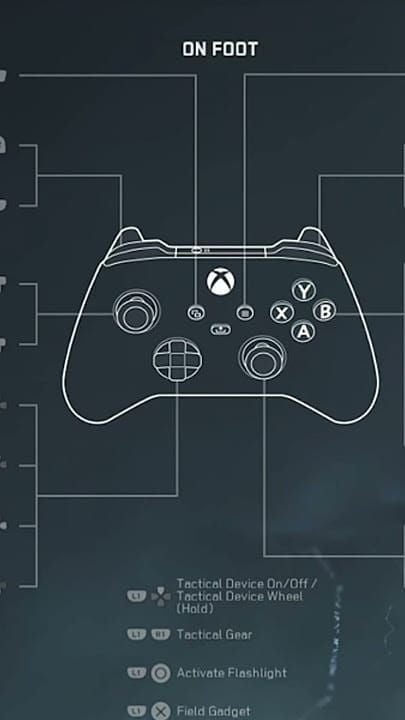
Black Site mode lobby navigation: press left D-pad + X (PlayStation) or A (Xbox) to enter lobby, then access settings through Options/Menu button.
Cross-Platform Multiplayer: How Cross-Play Works
Cross-play varies by platform, with console players controlling matchmaking pools. PS5 and Xbox Series X|S can cross-play with each other and PC, but this defaults to off on consoles and on for PC.
Configuring Cross-Play
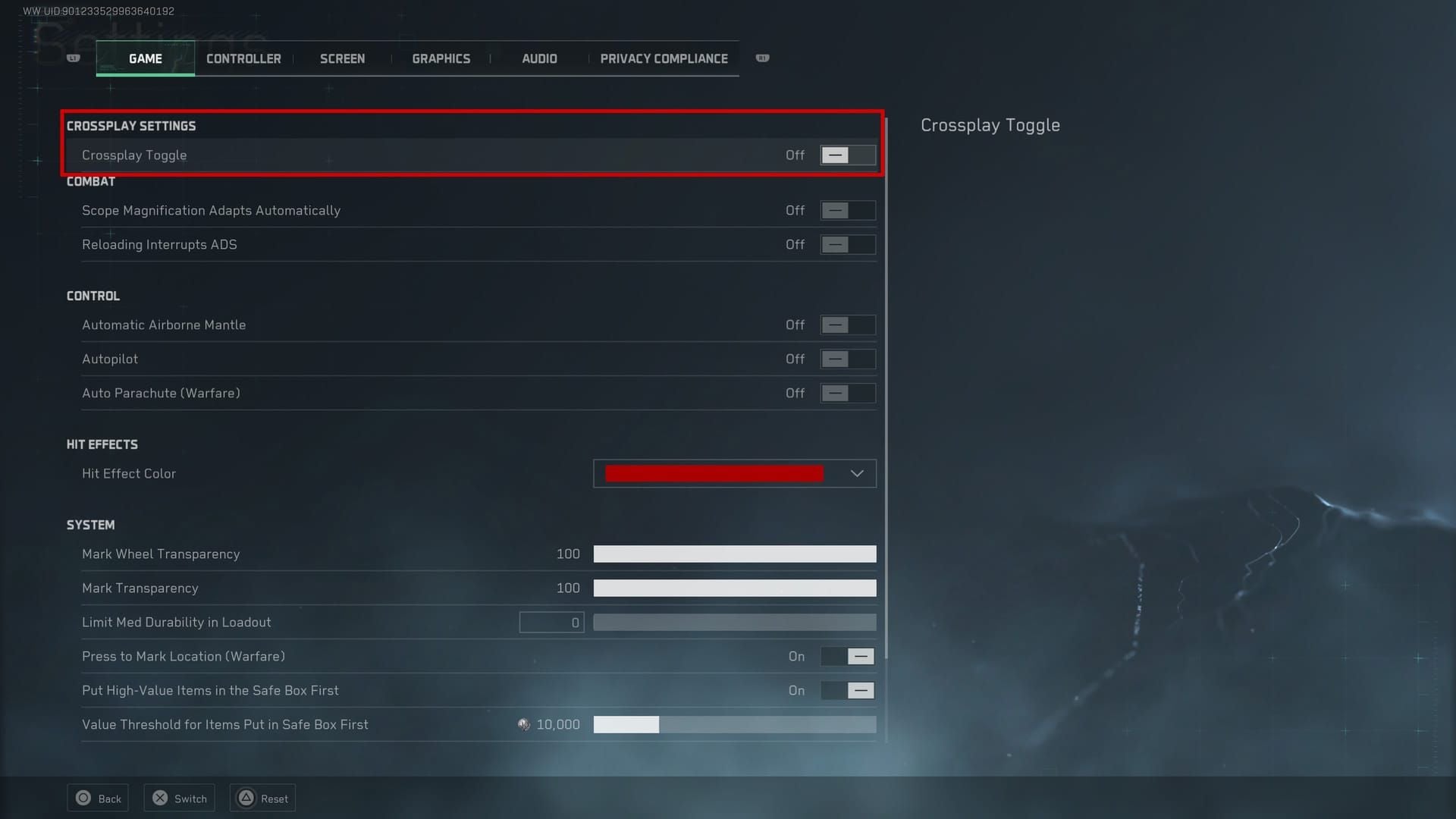
Console players toggle cross-play through Settings > Game > Crossplay Toggle. Disabling restricts matchmaking to console-only lobbies, reducing PC advantages from keyboard/mouse or higher frame rates. May increase queue times in less populated regions.
Platform-Specific Rules:
- Console-to-Console: PS5 and Xbox Series X|S always play together
- Console-to-PC: Optional, controlled by console settings
- Mobile Cross-Play: Mobile only matches with mobile
- iOS-Android: iOS cross-play works exclusively with Android, not PC/console
PC players can't disable cross-play with consoles. Console players have choice while maintaining healthy PC matchmaking populations.
Buy Delta Force currency online through BitTopup before August to unlock versatile operators and weapons that perform well with both input methods, ensuring smooth adaptation regardless of cross-play settings.
Strategic Account Preparation Before Launch
PC and mobile players should complete specific prep steps before August 19 to maximize console launch value.
Optimize Loadouts for Controller
Weapon handling changes significantly with controller input. High-recoil weapons manageable with mouse become challenging with analog sticks, even with aim assist. Test favorite loadouts using controller before console launch.
Controller-Friendly Characteristics:
- Lower horizontal recoil (vertical easier to control with sticks)
- Higher base accuracy for reduced precision compensation
- Faster ADS speeds for reactive engagements
- Larger magazines to reduce reload frequency during tracking
Operators with abilities not requiring precise aiming—area denial tools or passive buffs—provide consistent console value. Prioritize unlocking these before launch for immediate controller-optimized loadouts.
Complete Time-Limited Content
Season 9 Break concluded July 9, 2025, with War Ablaze season launching September 23, 2025. Complete current Battle Pass tiers before switching platforms, as progression transfers but active play time may decrease during controller adaptation.
Pre-Console Launch Checklist:
- Maximize current Battle Pass tier completion
- Unlock permanent operators vs temporary rentals
- Complete weapon mastery for recoil-reducing attachments
- Stockpile premium currency for post-launch Battle Pass
- Bind all social logins (Apple ID, Google, Facebook) to LIPASS
Unified wallet means currency purchased now through BitTopup remains available on console. BitTopup offers competitive pricing, fast delivery, and secure transactions for August 19 readiness.
Currency and Resource Management
Delta Force's unified wallet creates strategic opportunities for cross-platform players. Premium currency purchased on any platform becomes immediately available across all linked devices.
Fully Transferable Resources
- Delta Coins (premium currency)
- Battle Pass tokens and tier skips
- Operator unlock tokens
- Weapon blueprint purchases
- Cosmetic items and skins
All permanent unlocks transfer without restriction. Temporary boosts, rental weapons, and time-limited buffs transfer but continue expiration timers across platforms. A 24-hour XP boost activated on PC continues counting on console—time consumables around primary play sessions.
Smart Spending Strategy
Players splitting time between PC and console should prioritize permanent unlocks over temporary advantages. Operators, weapon blueprints, and Battle Pass tiers provide lasting value regardless of platform, while consumables only benefit active sessions.
BitTopup's competitive pricing and promotional offers make it ideal for stockpiling Delta Coins before console launch. Excellent customer service and high ratings ensure secure transactions with fast delivery for time-sensitive purchases.
Common Misconceptions
Myth: All PC Progress Transfers Automatically
Reality: Progress transfers only after proper LIPASS linking. Skipping account linking during console first boot creates separate profiles that can't merge. Linking must occur during initial setup—retroactive linking after creating new console profile isn't supported.
Myth: Console Version Identical to PC at Launch
Reality: Core modes and content parity exist, but console versions have platform-specific optimizations. 60 FPS target differs from high-end PC capabilities, controller mechanics require different aim assist balancing, and certain advanced PC graphics settings may not appear in console menus.
Myth: Cross-Platform Ranked Play Available Day One
Reality: Cross-play defaults to off on consoles. Many competitive players disable it to avoid input method mismatches. While technically possible to enable cross-platform ranked, most console players compete in console-only lobbies for fair competition.
Performance Expectations: Console Optimizations
PS5 and Xbox Series X|S target consistent 60 FPS across all modes, including 32v32 Warfare. This balances visual quality with competitive responsiveness, ensuring smooth gameplay during intense firefights.
PlayStation 5 Performance
PS5 leverages custom SSD for faster map loading and reduced texture pop-in. Tempest 3D AudioTech provides enhanced spatial audio for competitive advantages in detecting enemy movement. DualSense integration includes adaptive trigger resistance for weapon types and haptic feedback for environmental interactions.
Xbox Series X/S Comparison
Xbox Series X matches PS5 with 60 FPS and comparable visuals. Xbox Series S maintains 60 FPS through dynamic resolution scaling and adjusted textures. All three variants support full cross-progression without hardware-based restrictions.
Disabling V-sync unlocks frame rates for 120Hz displays, though actual performance above 60 FPS depends on scene complexity. Provides competitive advantages in less demanding modes but may introduce screen tearing on incompatible displays.
Expert Tips for Console Launch
Prioritize Permanent Unlocks
Operators, weapon blueprints, and Battle Pass tiers retain value indefinitely across platforms. Temporary XP boosts, rental weapons, and consumables provide short-term advantages but don't contribute to long-term account value. Focus spending on permanent content before console launch.
Build Versatile Loadouts
Transition from keyboard/mouse to controller requires adjustments. Weapons with manageable recoil, higher base accuracy, and forgiving handling perform better with analog aiming. Test PC loadouts with controller before August 19.
Controller-Optimized Priorities:
- Assault rifles with vertical-dominant recoil
- SMGs with high mobility for close-quarters
- Marksman rifles with generous one-shot-kill zones
- Operators with abilities not requiring precise aiming
- Attachments reducing horizontal recoil and improving ADS speed
Complete Battle Pass Before Transition
War Ablaze season launches September 23, 2025, one month after console release. Maximize current Battle Pass completion before switching platforms, as controller adaptation may temporarily reduce play efficiency. Complete tiers on PC/mobile while proficient to avoid missing time-limited rewards.
Regional Availability and Servers
August 19, 2025 console launch occurs simultaneously across all major regions, ensuring global populations start together.
Server Infrastructure
Console players connect to same infrastructure as PC and mobile, with cross-platform matchmaking when cross-play enabled. Regional servers optimize latency in North America, Europe, Asia-Pacific, and South America.
Expected Latency:
- Same-region matches: 20-40ms typical
- Cross-region matchmaking: 80-120ms when pools expand
- Console-to-PC cross-play: No additional penalty beyond geography
- Mobile cross-play: Separate pools prevent mobile latency affecting console
Infrastructure supports full 32v32 Warfare without performance degradation, maintaining 60 FPS console target at maximum player density. Dedicated servers eliminate host advantage.
FAQ
When is Delta Force releasing on consoles?
August 19, 2025 on PS5 and Xbox Series X|S. Wishlisting opened June 28, 2025. $9.99 pre-order includes 750 Delta Coins and three exclusive weapons.
Does Delta Force support cross-progression between PC and console?
Yes, full cross-progression through LIPASS. All operators, Battle Pass progress, weapon blueprints, and premium currency transfer across PC, mobile, and console with same LIPASS account.
Can I transfer my PC account to PlayStation or Xbox?
Sign into existing LIPASS during console first boot. Use same email ID across platforms, verify through Settings > Account > Link LI Pass Account before August 19.
Does console support cross-platform multiplayer?
PS5 and Xbox Series X|S support cross-play with each other and PC, defaulting to off on consoles. Enable through Settings > Game > Crossplay Toggle. Mobile only matches with mobile.
Will Battle Pass progress carry over to console?
Yes, Battle Pass tiers and seasonal rewards transfer completely through LIPASS. Completing tiers on any platform updates across all linked devices.
How should I prepare my account for console release?
Link LIPASS before August 19 using same email across platforms, complete current Battle Pass tiers, unlock permanent operators, test loadouts with controller, and stockpile premium currency through BitTopup. Verify linking through Settings > Account before console launch.
Prepare for August 19 console launch with BitTopup. Stock up on Delta Coins, unlock operators, and maximize cross-progression value before transitioning to PS5 or Xbox Series X|S. BitTopup offers competitive pricing, instant delivery, and secure transactions for day-one console readiness. Visit BitTopup for exclusive deals.