What Makes This Event Special
Zero-effort reward structure sets it apart. While concurrent events like Golden Moon Challenge (starts February 13) and Golden Moon Collection (begins February 16) require active gameplay, Golden Moon Gifts functions as pure login reward.
Execution emotes serve dual purposes:
- Visual flair during eliminations (3-5 second animations)
- Psychological warfare (visible within 30-meter range)
- Legendary tier features enhanced effects and exclusive availability
Event Timeline
Key dates:
- February 10, 2026: Street Party patch deployment
- February 19, 2026: Golden Moon Gifts activation
- February 21, 2026: Final claiming deadline
Concurrent events:
- Golden Moon Challenge (Feb 13): MP7 Green Glow weapon skin
- Golden Moon Collection (Feb 16): Loot Crate rewards
- SF Season 15 + Lava Realm Strike Pass (Feb 15): Elite Pass 520 Gold, includes Emote Neon Strike
- SF Rally (Feb 15): Magnum Ancient Charm
Legendary Execution Emote Features
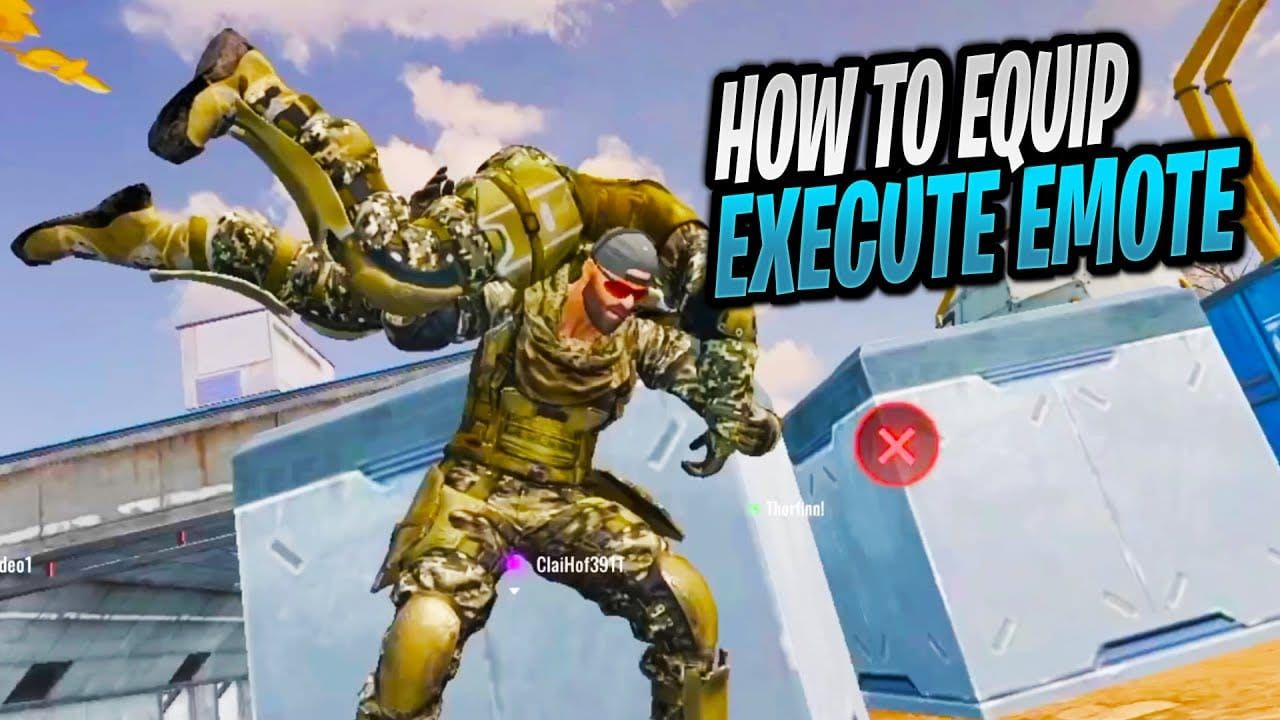
Reward delivers via in-game mail and binds permanently to your account. Cannot be traded, transferred, or reclaimed on alternate accounts.
Legendary tier advantages:
- Enhanced particle effects and lighting
- Unique sound design
- Extended animation complexity vs epic/rare variants
- Permanent account binding, no expiration
- Exclusive availability windows
Access through Backpack > Emotes category. Test in practice mode before competitive matches.
How to Claim Your Free Legendary Execution Emote
Five-step process takes approximately two minutes. Requires February 10 Street Party patch and completed Tutorial Match.
Step 1: Access Event Interface
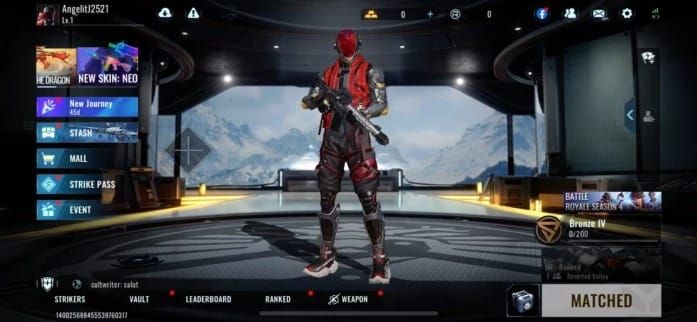
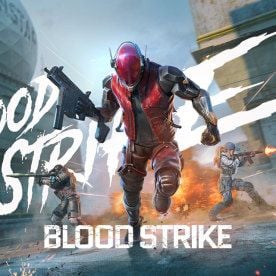
Launch Blood Strike → tap left-side Event Menu icon → locate Golden Moon Gifts banner in carousel. Multiple Golden Moon events display; find the one highlighting Legendary Execution Emote.
Step 2: Claim the Emote
Tap Golden Moon Gifts banner → tap Claim button → confirmation notification appears (3-5 seconds). Reward transfers to mail system immediately.
Step 3: Collect from Mailbox
Tap envelope icon → find Golden Moon Gifts mail entry → tap individual entry or use Claim All button. Transfers emote from mail to permanent Backpack inventory.
Step 4: Equip Your Emote
Open Backpack → select Emotes category → tap Legendary Execution Emote → confirm Equip. Only one execution emote active at a time.
Step 5: Test and Verify
Test in practice mode before competitive matches. Confirms proper installation and previews animation sequence.
Troubleshooting: If emote doesn't appear, check Mailbox for unclaimed items, verify internet connection, restart application to force server sync.
Mission Requirements and Completion Strategies
Zero-Requirement System
Golden Moon Gifts has only two prerequisites:
- Tutorial Match completion (new accounts)
- Login between February 19-21, 2026
No account level minimums, playtime requirements, or skill challenges.
Concurrent Event Opportunities
Golden Moon Challenge (Feb 13 for S1/S2; Feb 11 16:30 for S3): MP7 Green Glow through combat missions. Runs parallel to Golden Moon Gifts.
Golden Moon Collection (Feb 16): Loot Crate rewards through collection tasks. Complete alongside Golden Moon Gifts.
Lava Realm Strike Pass (Feb 15): Emote Neon Strike in Elite Pass (520 Gold). Top up Blood Strike Golds for SF Season 15 through BitTopup for fast, secure transactions.
Common Mistakes to Avoid
Missing the 72-Hour Window
Most critical error: failing to log in February 19-21. No extensions or grace periods. Set calendar reminders for February 19.
Claiming on Wrong Account
Emote binds permanently with no transfer options. Verify you're on primary profile before claiming—check account name, level, existing cosmetics.
Ignoring Mailbox Collection
Claim button ≠ automatic equip. Must collect from Mailbox or reward stays in temporary storage. Always verify mail collection after event claims.
Skipping Tutorial
New accounts must complete Tutorial Match (5-10 minutes) before accessing Event Menu. Finish immediately upon account creation.
Troubleshooting Guide
Event Not Appearing
Solutions:
- Verify Street Party patch (Feb 10) fully installed
- Check device date/time settings match timezone
- Restart application for server refresh
- Confirm Tutorial Match completed
- Check official channels for server-specific delays
Server S3 had different Golden Moon Challenge timing (Feb 11 16:30 vs Feb 13 for S1/S2), suggesting regional variations.
Claim Button Unresponsive
Fixes:
- Close/reopen Event Menu
- Verify internet connection stability
- Clear application cache
- Check for app updates
- Claim during off-peak hours (mid-event period)
Server load peaks during first/final hours. February 20 typically encounters fewer issues.
Reward Missing from Mailbox
Steps:
- Wait 5-10 minutes for server processing
- Force-close and restart application
- Check Backpack > Emotes directly (some rewards bypass mail)
- Verify correct account
- Contact support after 24 hours with claim screenshots
Progress Not Syncing Across Devices
Best practices:
- Claim on primary device
- Allow 15-30 minutes before switching devices
- Manually trigger sync (logout/login on secondary device)
- Verify both devices run latest version
- Check same regional server connection
Maximizing Golden Moon Experience
Coordinating Multiple Events
Golden Moon Challenge (Feb 13-21): MP7 Green Glow via combat missions. Prioritize tasks contributing to both Challenge and regular objectives.
Golden Moon Collection (Feb 16-21): Loot Crates with randomized cosmetics, weapon skins, currency.
SF Season 15 (Feb 15): New seasonal content, battle pass. Lava Realm Elite Pass 520 Gold includes Emote Neon Strike.
SF Rally (Feb 15): Magnum Ancient Charm through rally activities.
Building Emote Collection
Complement free legendary with:
- Lava Realm Strike Pass Emote Neon Strike (520 Gold Elite Pass, Feb 15)
- Standard executions (shop purchases)
- Event-exclusive emotes (limited promotions)
Prioritize free legendary-tier rewards during active periods, supplement with epic/rare variants through gameplay.
Preparing for Future Events
Lessons from Golden Moon:
- Monitor announcements for start dates and patch schedules
- Complete prerequisites before events launch
- Set calendar reminders for start/deadline dates
- Prioritize zero-effort events over grind-intensive ones
- Maintain currency reserves for premium passes
Street Party patch deployed 3-9 days before Golden Moon events—pattern suggests major patches precede associated events.
Final Countdown Before February 21
Last-Minute Checklist
48 Hours Before (Feb 19):
- Log in, verify event appears in Event Menu
- Claim immediately—don't wait
- Confirm mail collection and Backpack receipt
- Test emote in practice mode
24 Hours Before (Feb 20):
- Prioritize claiming above all activities
- Verify internet stability
- Screenshot claim confirmation
- Check emote in Emotes category
Final 12 Hours (Feb 21 morning):
- Last opportunity if delayed
- Expect increased server load
- Allow extra time for technical issues
- Contact support immediately if problems occur
Verification Checklist
Confirm successful registration:
- Claim notification appears on-screen
- Mail entry shows attached emote
- Backpack inventory displays emote in Emotes
- Equip functionality works
- Practice mode animation plays correctly
If any point fails, troubleshoot immediately—don't assume self-correction.
Post-Event Confirmation
After February 21:
- Emote remains in Emotes category indefinitely
- No expiration date
- Equippable in all game modes
- Account binding prevents loss
Missed deadline = permanent unavailability. No future acquisition through events, shop, or alternatives.
Frequently Asked Questions
What is the Blood Strike Golden Moon Gifts Event?
72-hour promotion (Feb 19-21, 2026) offering free Legendary Execution Emote via Event Menu. Requires Tutorial Match completion only—no missions, currency, or gameplay tasks.
How do I claim the free Legendary Execution Emote?
Tap left-side icon → Event Menu → Golden Moon Gifts banner → Claim button → collect from Mailbox → equip in Backpack > Emotes.
When does the event end?
February 21, 2026. Exactly 72 hours from February 19 start. No extensions or grace periods.
Can I get the emote after February 21?
No. Permanently unavailable after deadline. Cannot be purchased, obtained through future events, or acquired through alternatives.
What makes Legendary Execution Emotes different from Epic?
Enhanced particle effects, unique sound design, extended animation complexity, exclusive availability. Higher prestige due to restricted acquisition and limited claiming periods.
Are there other Golden Moon Gifts rewards?
Only Legendary Execution Emote. Concurrent events: Golden Moon Challenge (MP7 Green Glow), Golden Moon Collection (Loot Crates), Lava Realm Strike Pass (Emote Neon Strike), SF Rally (Magnum Ancient Charm).