Stuck with payment errors on the Switch? Learn how to buy on Nintendo eShop Canada without credit card blocks by funding your CAD balance with digital cards.
Trying to purchase a game on the Canadian Nintendo eShop with an international bank card usually ends in instant frustration. Your transaction halts, the screen flashes a payment rejection, and your cart remains untouched.
Nintendo enforces strict regional payment verification. If your card's issuing bank resides outside Canada, the store rejects your purchase outright. You do not need a Canadian bank or local billing address to buy games, however: prepaid digital vouchers let you deposit Canadian dollars directly into your Nintendo wallet.

Why Canadian Nintendo eShop Purchases Fail for Foreign Cards
Nintendo strictly validates the origin of every credit and debit card swiped or typed into its digital checkout.
The payment gateway compares the card's issuing territory against the home country set on your Nintendo Account profile. If you set your Nintendo Account to Canada but attempt to check out using a card issued in Mexico, the United Kingdom, or Australia, the transaction terminates instantly. The eShop explicitly checks the issuing region of credit cards and displays an error message stating the issuing country is not compatible with the storefront.
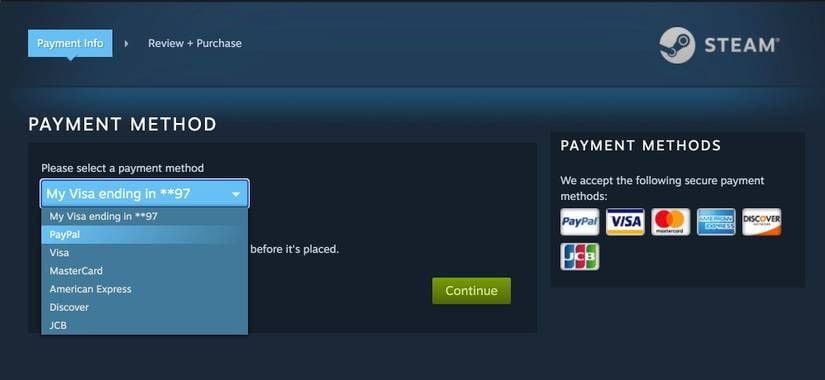
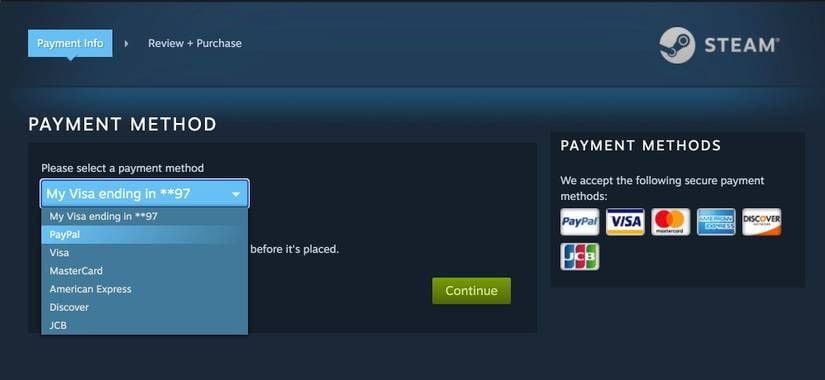
This regional lock exists purely at the payment processing level. Nintendo accounts can store a maximum of two payment options simultaneously: exactly one credit or debit card, and one linked PayPal account. If your PayPal account lacks a Canadian billing source, linking it will not resolve the issue. Foreign credit cards fail address verification because Canadian checkout fields require a valid Canadian postal code, which your home bank cannot authenticate.
Accessing the storefront from an officially unsupported geographic region triggers error code 2813-0998, indicating the eShop is not currently available in your location. When foreign payment gateways refuse to cooperate, bypass the standard credit card input completely.
The Digital Voucher Bypass: How Prepaid CAD Balances Work
A Nintendo eShop Card is a prepaid digital voucher used to add funds to a Nintendo Account wallet for purchasing digital games, downloadable content, and subscriptions without requiring a credit card.
Instead of verifying a foreign card through a local payment gateway, you feed the eShop an authentic 16-character voucher code funded in Canadian Dollars (CAD). Because prepaid digital cards settle immediately upon redemption, the storefront never asks for your residential billing street, your bank name, or a local credit profile. It credits the balance straight to your wallet ledger.
Securing legitimate Nintendo eShop gift cards for Canada gives you immediate access to Canadian digital sales without exposing personal banking details to cross-border verification failures. It completely sidesteps the nintendo eshop canada credit card error that stops foreign accounts cold.
Canadian eShop Card Denominations and Budget Planning
Prepaid cards in North America arrive in fixed, predictable increments. You cannot load an arbitrary figure like $13.42 onto a voucher; you must select standard denominations that match your upcoming purchases.
Plan your top-up based on what you intend to purchase, factoring in any applicable provincial sales taxes assessed at checkout.
| Denomination | Retail Value (CAD) | Best Suited For | Buying Strategy |
|---|
| Nintendo eShop Card $10 | $10.00 | Micro-DLC, small indie titles, or topping off an existing balance | Ideal for clearing a minor deficit on a sale item |
| Nintendo eShop Card $20 | $20.00 | Major indie releases and discounted evergreen titles | Safe entry point for individual game purchases |
| Nintendo eShop Card $35 | $35.00 | Mid-tier releases, season passes, and expansion bundles | Balanced pick for moderate downloads |
| Nintendo eShop Card $50 | $50.00 | Standard full-price digital games and premium bundles | Most efficient denomination for high-profile software |
Selecting the right voucher denomination prevents unspent CAD funds from lingering in your wallet.
If you want to buy an indie title selling for $18 CAD, grab the $20 card. Grabbing a $50 voucher for an isolated budget title will leave loose change trapped in your wallet, which creates practical complications if you ever intend to adjust your account settings later.

Account Setup: Changing Regions vs Running Multiple Profiles
To redeem a Canadian dollar voucher, your Nintendo Account must be pointed at Canada. You have two ways to handle this: adjusting the country on your existing account, or setting up a dedicated Canadian secondary profile.
Create a separate, dedicated Canadian user profile on your console instead.
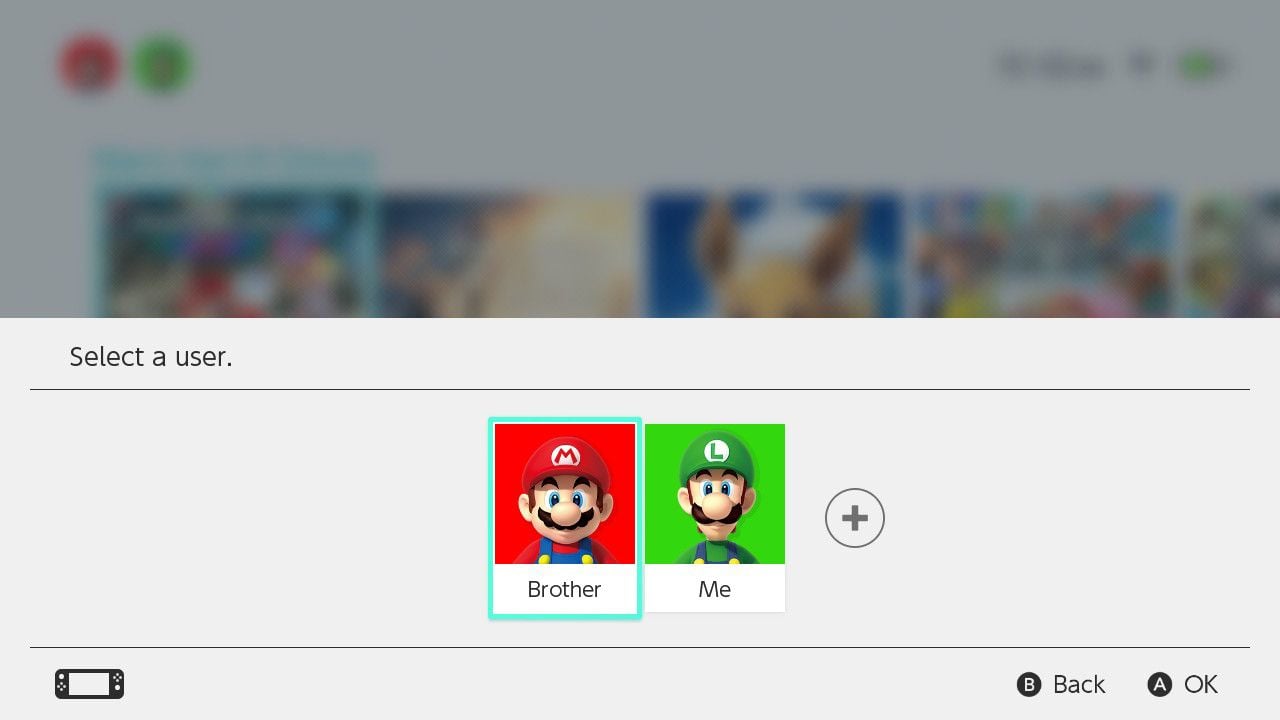
Here is why: Nintendo Switch consoles natively support up to 8 user profiles simultaneously. Each profile can link to a unique Nintendo Account anchored to a different country. When you buy a game using your Canadian profile on your primary console, every other profile on that device can launch and play the game.
| Account Method | Profile Requirement | Account Balance Rule | Switching Difficulty | Primary Risk Factor |
|---|
| Dedicated Secondary Account | 1 of 8 console profile slots | Wallet balance can remain above $0 without issue | Zero friction; accounts coexist on the console | Minor home menu profile clutter |
| Region Shifting Primary Account | Uses single main profile | Wallet balance must reach exactly zero to switch back | High friction; requires spending every cent | Trapped wallet balances prevent switching |
Setting up a secondary user profile avoids the balance locks that freeze modified primary accounts.
Looking at online guides, you will spot a common contradiction regarding account balances. Some sources claim that unspent balances simply do not transfer across country changes. In reality, the Nintendo system enforces a far stricter barrier: a Nintendo Account cannot change its registered country or region if there are unspent funds remaining in the wallet.
The balance must reach exactly zero. If you have $0.35 CAD left over, you cannot change your account back to your home country until you find a way to forfeit or spend those pennies. Child accounts face an even stricter rule: they cannot modify their country of residence under any circumstances. Setting up a dedicated Canadian profile circumvents this trap entirely.
Step-by-Step: How to Redeem a 16-Character Code on Switch
Once you pick up a prepaid Canadian eShop code on bittopup, loading the balance takes less than two minutes directly from your console.
Follow these steps to redeem nintendo eshop card canada vouchers without triggering payment errors:
- Turn on your Nintendo Switch and highlight the orange Nintendo eShop shopping bag icon on the home menu.
- Select your dedicated Canadian user profile to open the storefront.
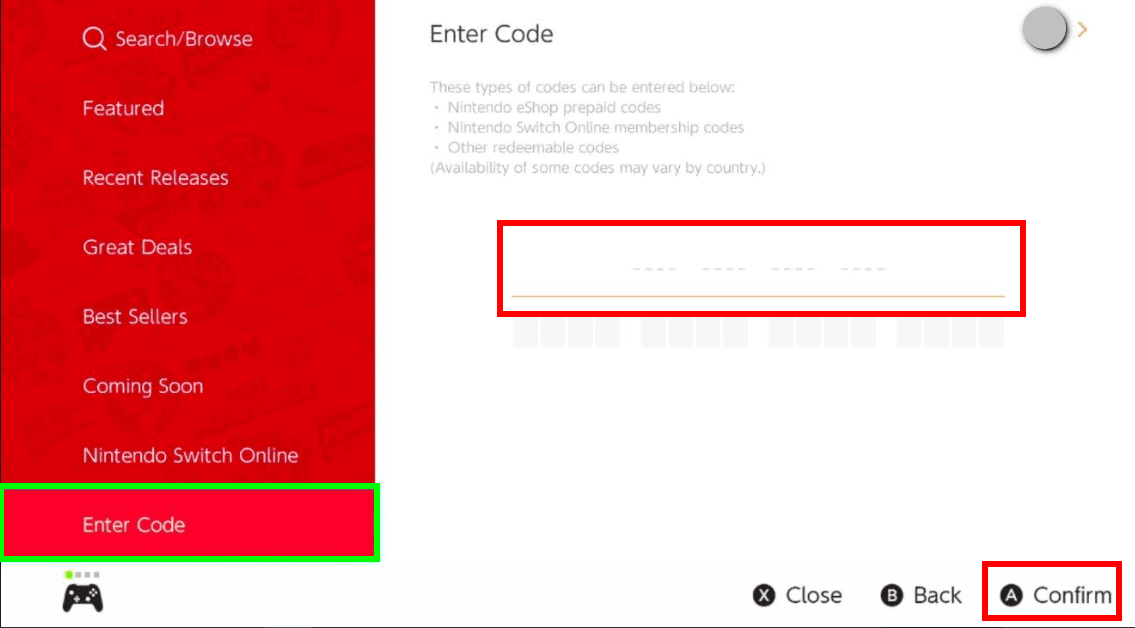
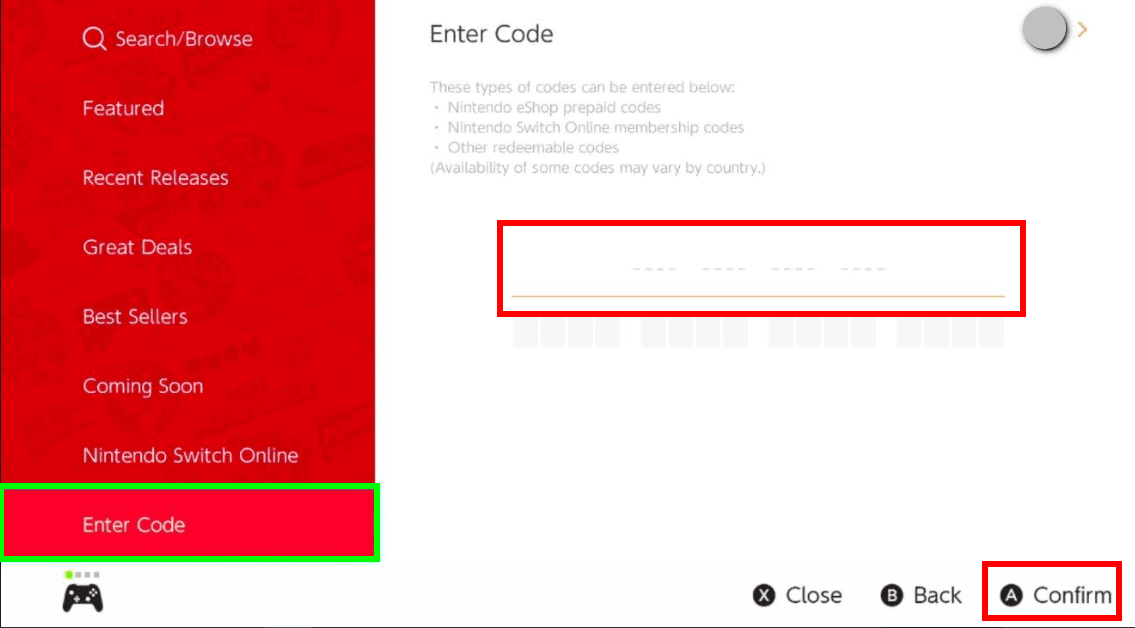
- Scroll down the left-hand navigation sidebar and select Redeem Code.
- Enter the 16-character code. Type the characters consecutively without spaces or hyphens.
- Confirm the balance addition when prompted on screen.
Take your time when typing the code. Nintendo prepaid redemption codes consist of 16 characters. To reduce user errors, the on-screen keyboard completely disables characters like O, I, and Z, preventing you from confusing them with 0, 1, or 2.
If you purchase a physical card or receive a digital receipt from certain brick-and-mortar stores, retailer control numbers must not be confused with download codes. Control numbers frequently feature hyphens and serve inventory tracking purposes; only the clean 16-digit alphanumeric string will validate in the redemption box.
Direct Web Purchases vs Console Storefront Rules
Many users prefer shopping via desktop browsers rather than browsing the console's dashboard. Nintendo allows web purchases, but strict behavioral prerequisites apply.
A Nintendo Account must connect to the Nintendo eShop on a physical Switch console at least once before making digital purchases via official web storefronts. If you create a brand-new Canadian profile on your computer and immediately head to the web store to buy a game, the checkout button will grey out or kick back an authorization error. The account must establish a handshake with a real Switch hardware unit first.
| Platform / Channel | Setup Requirement | Stored Payment Limit | Immediate Game Download? |
|---|
| Physical Console eShop | Must sign in with matching regional profile | Max 2 options (1 card, 1 PayPal) | Yes, downloads immediately to local storage |
| Nintendo Web Storefront | Requires prior login on physical Switch console | Max 2 options (1 card, 1 PayPal) | Yes, triggers remote background download to primary unit |
Web checkout requires prior console authentication before digital orders will clear.
Once that console handshake occurs, your web purchases will automatically queue downloads to your primary console, provided it maintains an active internet connection.
Avoiding Shady Grey Market Vouchers and Account Scams
Finding a canadian switch eshop alternative payment path often leads gamers toward sketchy online spaces. You must distinguish between authorized, clean top-up distribution and fraudulent account sellers.
Disreputable marketplaces frequently sell pre-loaded accounts instead of standalone digital codes. A seller might offer an account containing an expensive game for half its retail value. Never purchase pre-loaded accounts. Nintendo regularly bans consoles caught accessing stolen or fraudulently created profiles. When the original cardholder files a chargeback, Nintendo blacklists the account and potentially issues a hardware ban to every Switch linked to it.
Legitimate top-up services deliver an unredeemed 16-character string. You input this key into your personal profile. The transaction remains isolated to your hardware, with no shared logins, no unauthorized credential swapping, and no risk of sudden account suspension.
When you need funds, using a reliable Canadian Nintendo eShop digital voucher guarantees that the funds are clean, verifiable, and permanent.
Pre-Orders, DLC Locks, and Cloud Saves: What to Watch Out For
Operating across multiple regions requires keeping track of software compatibility, pre-order timelines, and backup policies.
Pre-orders demand exact timing. Digital pre-orders on the Nintendo eShop process payment and pre-load non-playable game files no earlier than 7 days before official release. You can cancel pre-orders right up until payment processing runs. If you pre-order a title weeks in advance with wallet funds, ensure your CAD balance covers the full cost before that 7-day mark hits, or the transaction aborts.
Regional compatibility creates another hurdle. Switch consoles have no hardware region lock—except for China-specific units—so standard retail carts and digital software run globally. DLC and save files, however, remain tied to regional matching.
If you own a physical cartridge manufactured for Europe or Japan, downloadable expansions purchased through the Canadian eShop might fail to recognize the base game. Always verify that the regional product codes match before spending funds on DLC.
Subscription expirations also pose risks to saved progress. If you use a Nintendo Switch Online membership, cloud save backups are purged 180 days (6 months) after the subscription expires. Renew within that window to keep your cloud archives intact.
FAQ
Why was my credit card declined on the Canadian Nintendo eShop?
Nintendo requires your credit card issuing country and billing address to match your account's region. Foreign cards from incompatible issuing banks are automatically declined at checkout.
How to add funds to Canada eShop without a credit card?
You can redeem a Canadian Nintendo eShop prepaid gift card directly to your account. This adds Canadian dollar funds directly to your wallet without requesting local payment details.
Can I switch my Nintendo Account region back after redeeming a Canadian card?
You cannot switch your region while you have a remaining wallet balance. Any unspent funds must reach exactly zero before changing account countries.
Is it better to change account regions or create a secondary Canadian account?
Creating a dedicated Canadian user profile is safer because existing wallet balances won't lock your primary account. Nintendo Switch allows up to 8 separate user accounts on a single console.
What is the fix for Nintendo eShop error code 2813-2470 or regional lock errors?
These errors occur when processing incompatible foreign payment methods on regional storefronts. Bypassing the card screen entirely by redeeming a clean 16-character digital CAD voucher resolves the issue immediately.
How do I redeem a 16-character eShop gift card code on my console?
Open the eShop on your console, navigate to Redeem Code, and input your 16-character code. The on-screen keyboard automatically disables invalid characters like O, I, and Z.
Will DLC purchased on the Canadian eShop work with base games from other countries?
DLC is region locked and may fail to function if your base game originates from an incompatible region. Verify regional compatibility before redeeming add-ons on a foreign account.
Can I purchase games on the official web store instead of the console?
Yes, provided your account has accessed the eShop on a physical Switch console at least once previously. Once purchased online, games automatically download to your primary console.
The Cleanest Path to Canadian eShop Purchases
Bypassing the Canadian eShop's card locks comes down to process. Do not attempt to force a foreign credit card through checkout, and avoid toggling your main account's country back and forth.
Set up a dedicated secondary Canadian profile on your console. Fund that profile using legitimate 16-character CAD digital cards. By doing so, you avoid zero-balance account freezes, eliminate foreign transaction errors, and keep your software library running smoothly across all your console profiles.